Managing preventive maintenance across a university campus means coordinating dozens of buildings, hundreds of asset types, and thousands of scheduled tasks — all with limited staff and competing priorities. Without a structured PM schedule template, universities default to reactive maintenance, where HVAC units fail mid-semester, elevators go offline during finals week, and deferred work orders compound into capital replacement events. A Sign Up Free university multi-building PM schedule template gives facilities directors a single framework to assign maintenance frequencies by asset category, distribute labor across buildings, and track compliance — before a missed inspection becomes a safety incident. According to APPA, universities that operate documented PM programs reduce equipment failure rates by up to 35% compared to institutions running reactive-only maintenance. The gap between a campus that runs smoothly and one that lurches from emergency to emergency is not staffing — it is structure. Book a Demo to see how Oxmaint turns your PM template into automated work orders, asset-linked compliance records, and real-time schedule visibility across every building on campus. Whether you manage 10 buildings or 150, the template framework below gives you the classification system, frequency logic, and labor estimate structure your PM program needs to function at scale.
Turn Your PM Template Into an Automated Work Order System
Oxmaint converts static PM schedules into live work orders, assigns technicians, tracks completion, and generates compliance reports — automatically.
What a University Multi-Building PM Schedule Template Must Cover
A university PM schedule template is not a simple checklist — it is a cross-building coordination matrix that maps asset categories to maintenance frequencies, assigns responsibility by building and trade, and provides a labor estimate structure that facilities managers can use for staffing and budget planning. The template must cover every major building system across the entire campus portfolio, with enough flexibility to handle differences between building age, occupancy type, and system complexity.
HVAC, plumbing, electrical distribution, life safety, vertical transportation, building envelope, and grounds — every system type needs a frequency assignment and a responsible trade designation in the template.
Weekly, monthly, quarterly, semi-annual, and annual frequency tiers — assigned by equipment criticality, regulatory requirement, and manufacturer recommendation rather than convenience or tradition.
Each PM line item carries an estimated labor hour value that rolls up to a building-level workload summary — giving facilities directors the data to staff correctly, justify headcount, and identify outsourcing requirements.
Life safety, fire suppression, elevator inspection, backflow preventer, and other code-mandated tasks require separate tracking fields that capture completion date, inspector credential, and next-due date.
Occupancy type drives PM frequency. A 24/7 residence hall has different HVAC filter cycles than a classroom building that runs 8 AM–10 PM. The template must allow frequency variation by building type, not only by system type.
The template framework must support a reporting layer that shows PM completion percentage by building, outstanding backlog count, and overdue tasks — the three metrics that define the health of a university maintenance program.
University Multi-Building PM Schedule — Frequency Matrix by System
The frequency matrix below provides the standard PM interval structure for each major building system category. These intervals reflect APPA Level 3 maintenance standards and manufacturer guidance for institutional-grade equipment. Sign Up Free to load this matrix directly into Oxmaint as pre-configured PM templates assigned to your campus buildings.
| System Category | Asset Examples | Weekly | Monthly | Quarterly | Semi-Annual | Annual | Est. Labor (hrs/yr per building) |
|---|---|---|---|---|---|---|---|
| HVAC | AHUs, chillers, boilers, cooling towers, VAV boxes, exhaust fans | Belt check | Filter change, coil inspection | Coil cleaning, belt replacement | Full AHU service | Boiler/chiller overhaul | 80–160 |
| Plumbing | Domestic water, steam traps, backflow preventers, water heaters, sump pumps | — | Drain flush, trap test | Water heater inspection | Backflow test | Full plumbing audit | 20–40 |
| Electrical | Panelboards, switchgear, transformers, lighting controls, emergency generators | Generator run test | Panel inspection | Infrared scan prep | Thermographic scan | Full switchgear service | 30–60 |
| Life Safety | Fire alarm panels, sprinkler systems, exit lighting, extinguishers, suppression systems | Visual inspection | Extinguisher check | Sprinkler flow test | Fire alarm test | Full system certification | 15–30 |
| Vertical Transportation | Passenger elevators, freight elevators, escalators, platform lifts | — | Oil level, door safety | Full cab inspection | Safety test | State-required certification | 12–24 |
| Building Envelope | Roof membranes, gutters, caulking, windows, exterior doors, expansion joints | — | — | Roof drain clear | Envelope inspection | Full roof and facade audit | 10–20 |
| Interior Systems | Flooring, ceiling tiles, restroom fixtures, interior doors, hardware | — | Restroom hardware check | Door closer inspection | Full interior walkthrough | Comprehensive condition assessment | 8–16 |
How to Structure a University Multi-Building PM Schedule Template
List every building in the campus portfolio with its gross square footage, primary occupancy type (academic, residential, athletic, administrative, laboratory), construction year, and critical system count. This inventory becomes the rows of your PM matrix.
For each building, identify which asset categories are present and the count of major assets in each category. A residence hall may have 4 AHUs; a laboratory building may have 12. Asset count drives the labor estimate for each PM line.
Apply the frequency matrix to each building's asset inventory. Modify intervals where occupancy type, system age, or regulatory requirement demands a higher frequency than the campus standard. Document the reason for any deviation from standard intervals.
For each PM line, assign the responsible trade (HVAC tech, electrician, plumber, general mechanic), estimate hours per task, multiply by annual frequency, and sum to a building-level annual labor total. Aggregate across all buildings for campus-wide staffing requirements.
From PM Template to Automated Work Order System
A static PM schedule template answers the question of what needs to be done and when. Oxmaint answers the question of whether it actually happened — by converting every row in your PM matrix into a scheduled work order, assigning it to the right technician, sending completion reminders, and logging every task with a timestamp and digital sign-off. Book a Demo to see how campus facilities teams load their PM templates into Oxmaint and go from spreadsheet to live schedule in a single setup session.
Every PM task in your template generates a work order on the correct date, assigned to the right trade, with the asset, building, and checklist pre-loaded. No manual dispatch, no missed tasks.
See PM completion rate, open backlog, and overdue tasks across every building in a single dashboard view. Filter by building, trade, system category, or frequency tier.
Life safety, elevator, and backflow PMs are flagged as compliance-critical with automatic escalation when due dates approach — separate from routine maintenance tracking.
Compare actual technician hours against the template's labor estimates by building and system category — identifying where your PM plan is under-resourced or over-specified.
Every completed PM work order attaches to the specific equipment record — building a full maintenance history that supports warranty claims, capital planning, and condition assessments.
Technicians complete PM checklists on mobile, attach photos, and mark tasks done in real time — no paper forms, no post-shift data entry, no lost records.
Ready to Automate Your University PM Schedule?
Load your multi-building PM template into Oxmaint and go live with automated work orders, compliance tracking, and campus-wide visibility — before your next scheduled maintenance cycle.
Six Reasons University PM Templates Fail in Practice
Applying the same HVAC filter frequency to a 1960s dormitory and a new laboratory building ignores occupancy load, system age, and IAQ risk — leading to both over-maintenance and under-maintenance simultaneously.
Fire alarm tests, elevator certifications, and backflow preventer inspections are code-mandated with specific documentation requirements. When they are mixed with routine maintenance rows, they get treated the same — and missed inspections create compliance exposure.
A PM template without labor estimates is a wish list. Without hours data, facilities directors cannot staff correctly, cannot justify outsourcing decisions, and cannot demonstrate to administration why deferred maintenance accumulates.
Campus buildings change — new equipment is installed, old assets are retired, occupancy patterns shift. A PM template updated once per year drifts out of alignment with the actual asset inventory within months.
A schedule without a completion record is not a maintenance program — it is an intention. Without timestamped completion data, facilities managers cannot measure PM compliance rate, identify chronic gaps, or defend their program to accreditors or insurers.
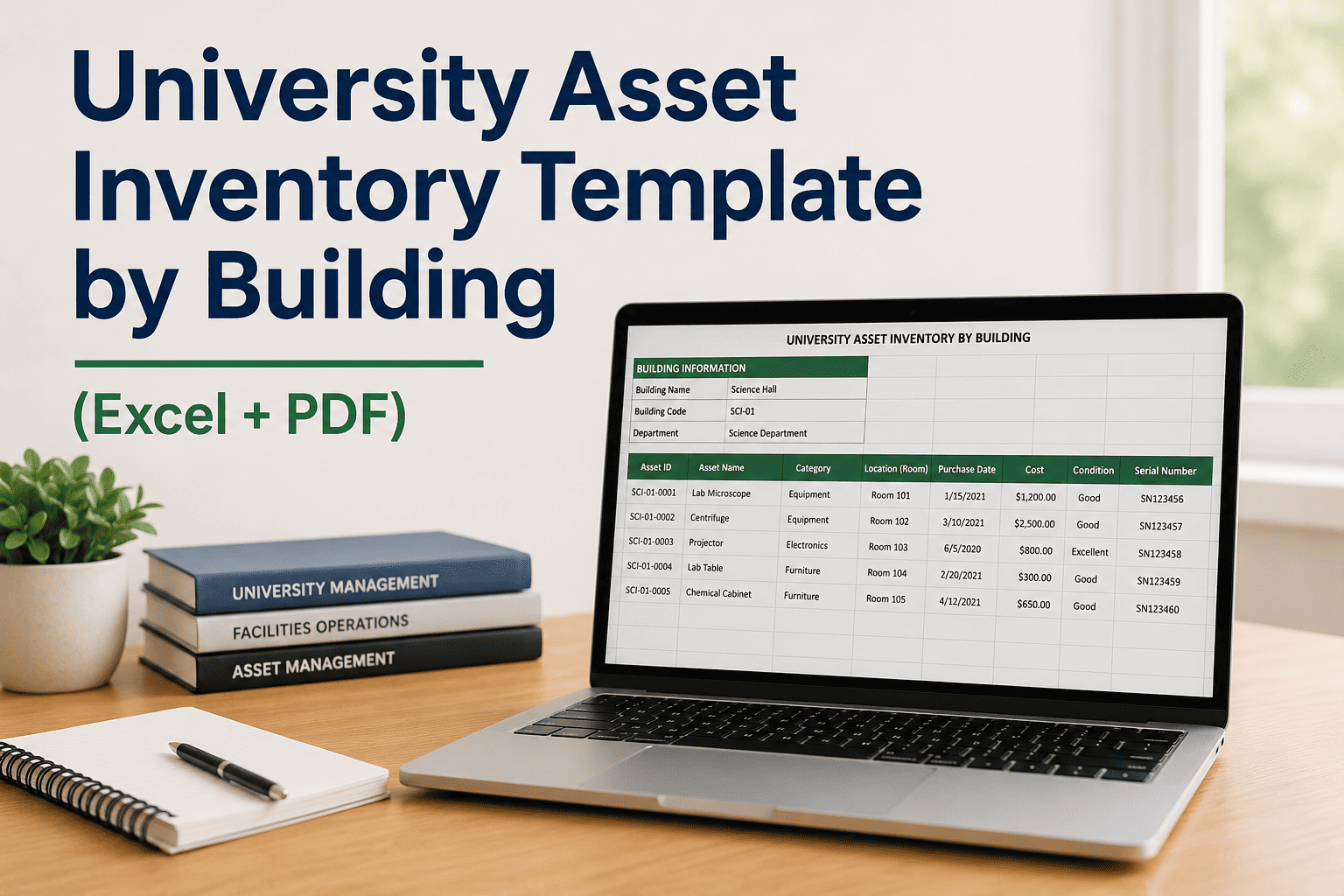
Excel files and PDF templates work for a single building. Across 20, 50, or 100 buildings, they fragment into separate files, become unsearchable, and cannot support the cross-building analysis that institutional facilities management requires. Sign Up Free to move your PM schedule into a system built for multi-building scale.
Measurable Outcomes of a Structured University PM Program
APPA data: universities with documented PM compliance programs experience fewer unplanned equipment failures compared to reactive-only operations
Structured PM programs reduce total maintenance cost per gross square foot by preventing the emergency repair premiums that dominate reactive operations
Properly maintained HVAC and mechanical systems routinely outlast manufacturer life expectancy — reducing capital replacement frequency and deferred maintenance accumulation
Every scheduled inspection generates a timestamped record — eliminating the documentation gaps that create regulatory exposure during accreditation reviews and insurance audits
Frequently Asked Questions
What is a university multi-building PM schedule template?+
What systems should a university PM template cover?+
How often should PM frequencies be reviewed and updated?+
Can Oxmaint import an existing university PM schedule template?+
How does a CMMS improve on a static PM template?+
What labor estimate methodology should universities use in their PM templates?+
Automate Your University PM Schedule with Oxmaint
Stop managing PM in spreadsheets. Oxmaint gives your campus facilities team automated work orders, real-time completion tracking, and compliance documentation across every building — starting with your first free setup.