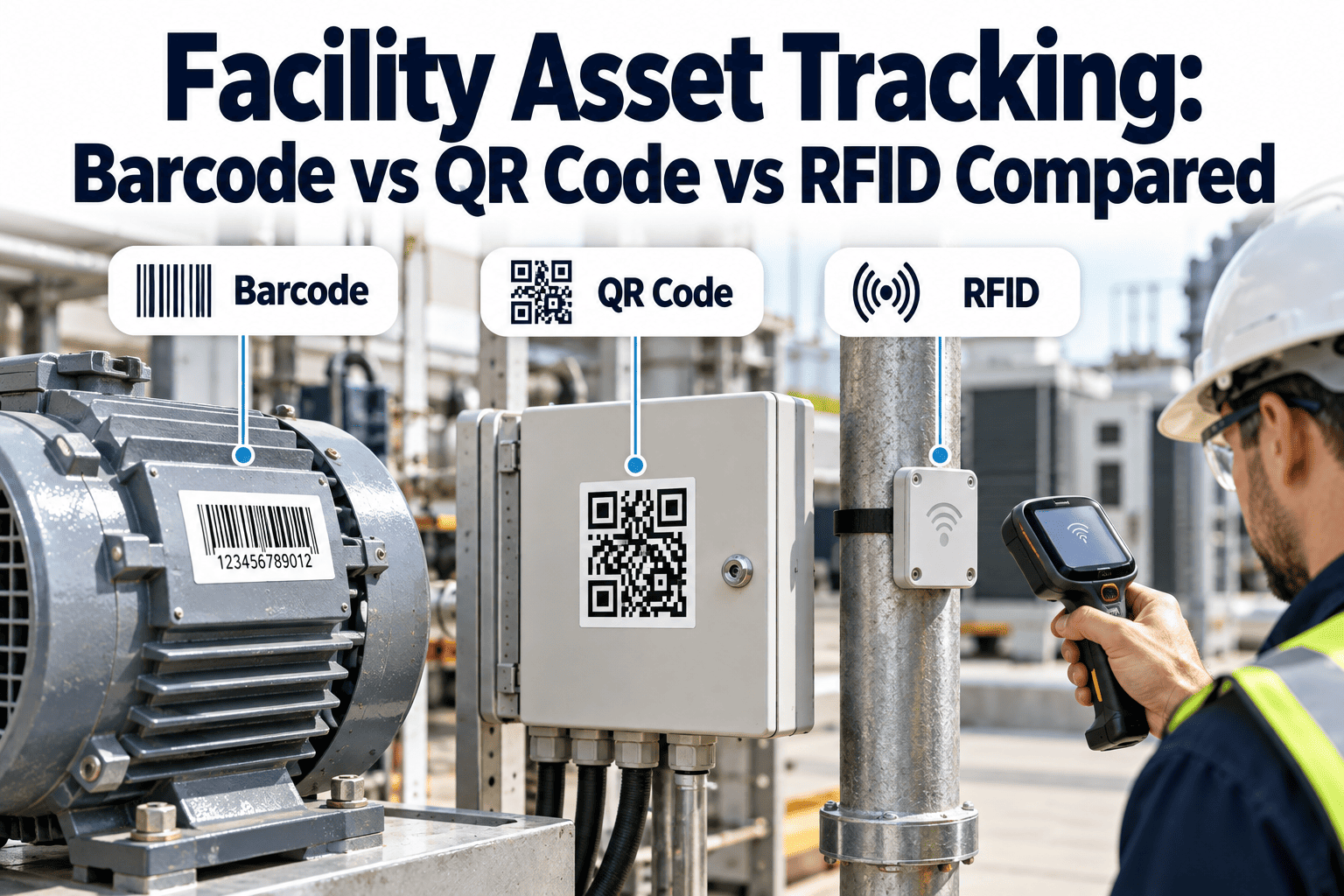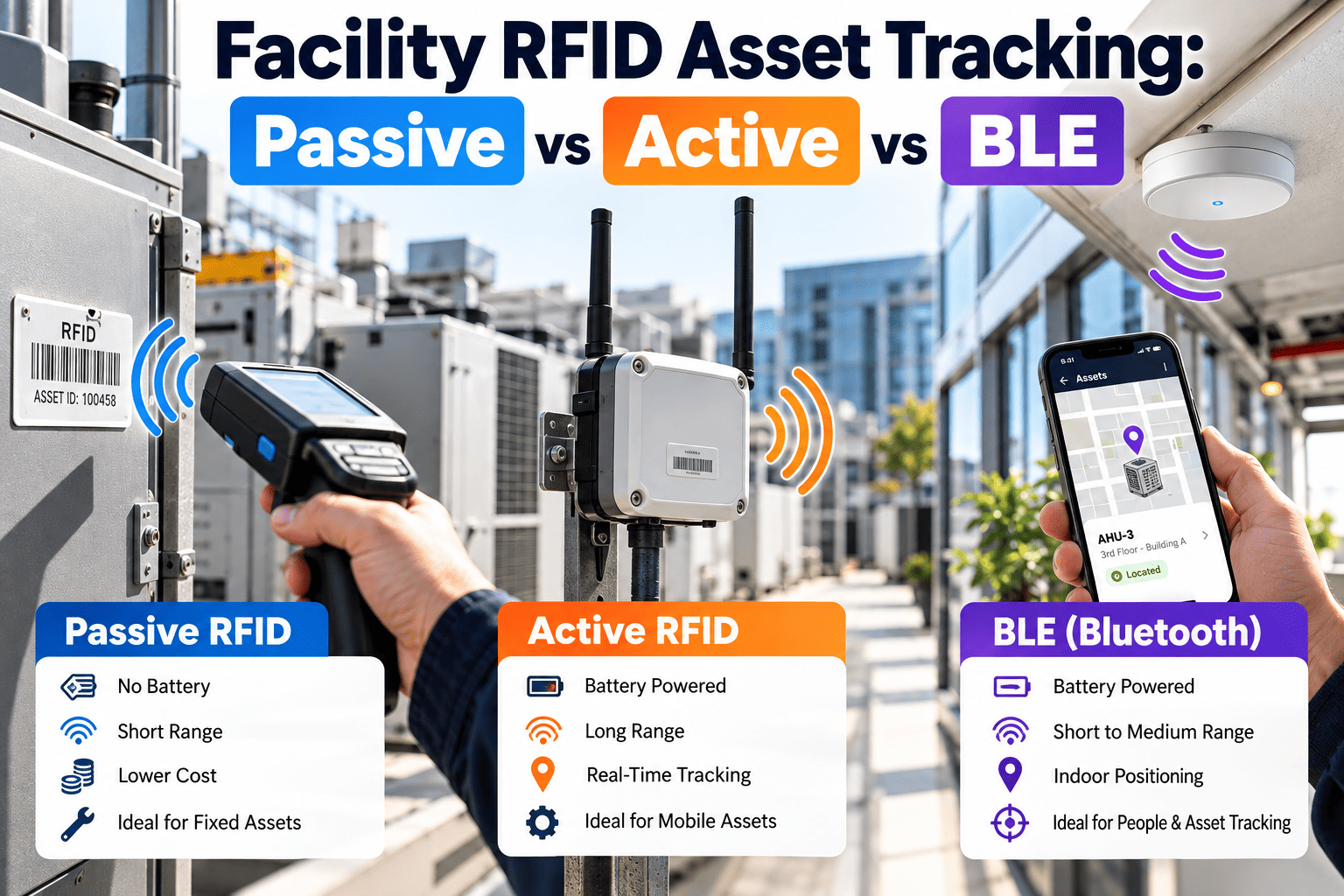
Facility RFID asset tracking is not one technology choice. Passive UHF tags, battery-powered active tags, and Bluetooth Low Energy (BLE) beacons are all sold under the RFID banner, yet they differ sharply in tag cost, read range, battery life, and the infrastructure they demand. Choose the wrong one and pumps stay unlocated, metal equipment tags go unread, or a ceiling full of readers becomes a maintenance burden of its own. This guide compares all three for commercial buildings and shows how tag data can feed a maintenance record in Oxmaint asset management software.
Facility RFID Asset Tracking: Passive vs Active vs BLE
Match the tag technology to the asset, the zone, and the question you need answered: what is it, where is it, and when was it last serviced.
Passive UHF
No battery
Active RFID
Battery tag
BLE beacon
Coin cell
Why one word hides three different systems
What the label means
RFID simply means identifying an object by radio. Passive and active tags do this in very different ways, and BLE is a separate radio standard that is often used for the same job.
Why facilities get it wrong
Buyers compare tag prices and ignore reader density, tag mounting, and who replaces batteries. The cheapest tag can become the most expensive program.
Side-by-side comparison
| Factor | Passive UHF | Active RFID | BLE |
|---|---|---|---|
| Power source | Harvested from reader signal | Internal battery | Coin cell or small battery |
| Typical frequency | 860-960 MHz (UHF) | Often 433 MHz or 2.4 GHz | 2.4 GHz |
| Typical range | Short to medium, reader dependent | Long, tens of meters or more | Medium, room to zone |
| Tag cost level | Lowest | Highest | Moderate |
| Tag lifespan | Years, no battery | Limited by battery | Limited by battery and beacon interval |
| Reader or gateway | Fixed or handheld readers | Dedicated receivers | Gateways, or phones as scanners |
| Best question answered | What passed or was scanned here? | Where is it right now? | Which room or zone is it near? |
Passive UHF RFID in facilities
1
Reader emits energy
The reader antenna powers the tag chip when it comes within range.
2
Tag returns its ID
The chip backscatters its identifier, commonly an EPC defined under the GS1 EPC Gen2 air interface.
3
Software resolves the asset
The ID maps to an asset record, location, and service history.
Where passive tags perform well
- Portable equipment and tools moving through doors, loading docks, and storerooms.
- IT hardware, furniture, and fixed assets counted during annual audits.
- Spare parts bins and carts that need fast inventory counts.
- Equipment that needs a permanent identity, since there is no battery to fail.
Where passive tags struggle
Metal surfaces and liquids detune standard tags, so mechanical rooms need tags designed for on-metal use. Passive tags also report location only when a reader sees them, which means gaps between checkpoints.
Active RFID and BLE: when you need to know where something is now
Active RFID
- Battery-powered tags transmit on their own schedule.
- Longer range means fewer receivers across large floor plates and yards.
- Suits high-value, mobile assets such as hospital beds, carts, and vehicles.
- Tags cost more, and every tag adds a battery to the maintenance plan.
Bluetooth Low Energy
- Uses the 2.4 GHz standard already inside phones, tablets, and many gateways.
- Beacons or tags advertise a small packet that gateways or phones pick up.
- Good for room-level presence, and newer Bluetooth direction-finding features can improve precision where the hardware supports them.
- Signal strength varies with walls, bodies, and interference, so accuracy claims need on-site testing.
Battery reality: advertising interval, transmit power, and temperature all change battery life. Treat vendor battery figures as best-case and plan replacement in the work order schedule.
Choosing by asset class
| Asset type | Common first choice | Reason |
|---|---|---|
| HVAC units, pumps, and panels | Passive on-metal tag | Fixed location, needs identity and inspection history |
| Mobile medical or service equipment | BLE or active | Moves often, staff need live location |
| Hand tools and test instruments | Passive UHF | Low tag cost, checkout at a tool crib |
| IT and office assets | Passive UHF | Audit counts by walking a handheld reader |
| Vehicles and large carts | Active RFID | Outdoor range and zone alerts |
| Spare parts | Passive UHF or barcode | Many small items, count speed matters |
Mixed deployments are normal. Many facilities use passive tags for identity and audits, then add BLE or active tags only on assets where live location pays back.
Decision path for a facility team
Q1 Do you only need identity and audit counts? Start with passive UHF.
Q2 Do staff need to find moving equipment within minutes? Add BLE or active.
Q3 Is the area large, outdoor, or open? Favor active for range.
Q4 Can you support batteries across thousands of tags? If not, reduce active scope.
Q5 Is the asset metal or full of liquid? Specify tags and mounting for that surface.
Reader hardware: the part budgets forget
Tags are visible and cheap. Readers, antennas, gateways, cabling, power, and network ports are where facility RFID projects gain or lose money.
| Reader type | Works with | Typical facility use | Watch out for |
|---|---|---|---|
| Handheld reader | Passive UHF | Audits, room sweeps, spot inspections | Operator technique changes read results |
| Fixed portal reader | Passive UHF | Dock doors, tool cribs, storeroom exits | Antenna angle, nearby metal, cable runs |
| Active receiver | Active RFID | Zone coverage in large buildings and yards | Mounting height and overlapping coverage |
| BLE gateway | BLE tags and beacons | Room-level presence in corridors and wards | Wi-Fi or Ethernet availability, firmware updates |
| Smartphone or tablet | BLE, NFC, barcode, QR | Technician scanning in the field | Device management and battery drain |
Questions to settle before ordering
- Who owns the readers and gateways once installed, facilities or IT?
- Where will power and network connections come from at each reader point?
- How will reader firmware, health status, and replacements be tracked?
- Which readers become assets in the register with their own preventive tasks?
Maintain the tracking system too. A reader that drops offline silently creates false missing-asset reports. Put readers and gateways into the same preventive maintenance program as the equipment they watch.
Environment decides more than the datasheet
Mechanical and plant rooms
Steel enclosures, pipework, heat, vibration, and moisture are hard on tags. Choose rugged on-metal tags, secure them mechanically as well as with adhesive, and place readers where line of sight is realistic.
Offices, labs, and clinical areas
Dense walls, people, and electronic equipment change radio behavior. Confirm that radio emissions are acceptable around sensitive equipment, and involve clinical engineering or IT security early.
Cold rooms and wet areas
Low temperatures shorten battery performance, and condensation affects adhesives and housings. Look for tags rated for the temperature range and washdown conditions you actually have.
Outdoor yards and rooftops
Sun, rain, and long distances favor sealed active tags and receivers with proper weatherproofing. Plan cable routes, lightning protection, and access for service.
Total cost of ownership: what to compare
A
Tags
Unit price multiplied by asset count, plus spares for damaged or lost tags.
B
Infrastructure
Readers, gateways, antennas, cabling, mounting, power, and network ports.
C
Labor
Tag installation, asset data cleanup, training, and ongoing audits.
D
Upkeep
Battery replacement, firmware updates, reader repairs, and tag re-labeling.
Passive systems usually shift cost toward readers and labor. Active and BLE systems add recurring battery work, so compare multi-year totals rather than purchase price alone.
Three facility scenarios
Commercial office portfolio
Goal: faster annual asset audits and proof that fire, HVAC, and electrical equipment was inspected.
Fit: passive UHF tags on fixed assets, handheld readers, and mobile inspection checklists. BLE is rarely needed.
Fit: passive UHF tags on fixed assets, handheld readers, and mobile inspection checklists. BLE is rarely needed.
Hospital or care campus
Goal: find movable equipment quickly and keep infusion, bed, and test equipment on maintenance schedules.
Fit: BLE or active tags on mobile equipment, passive tags on fixed plant, with strict radio and security review.
Fit: BLE or active tags on mobile equipment, passive tags on fixed plant, with strict radio and security review.
Industrial or logistics site
Goal: control tools, vehicles, and spares across large indoor and outdoor areas.
Fit: passive portals at tool cribs and docks, active tags on vehicles and trailers.
Fit: passive portals at tool cribs and docks, active tags on vehicles and trailers.
Keep barcodes and QR codes in the plan
RFID does not replace every other identifier. Barcodes and QR labels cost very little, work with any phone camera, and give technicians a fallback when a tag is damaged or a reader is offline.
Use barcode or QR when
- Assets are scanned one at a time by a technician.
- Budget is limited and asset count is high.
- You need a human-readable ID on the label.
Use RFID when
- Many items must be read quickly without line of sight.
- Assets move through controlled doors or zones.
- Tags are hidden, high, or hard to reach.
Data quality and security
- One tag, one asset: record tag ID, asset ID, installer, date, and location at the moment of installation.
- Retire tags properly: when equipment is disposed of or replaced, unlink the tag so old IDs never show up as active assets.
- Limit access: location data can reveal when high-value equipment is unattended, so restrict who can view it.
- Review BLE exposure: make sure gateways and tags follow your IT policy for networks, firmware, and device management.
- Keep audit logs: scan events, user names, and timestamps support compliance evidence and loss investigations.
Start with the assets you already maintain
Build the asset register first, attach tags to it, and let work orders carry the history. You can set up your asset register before picking hardware.
Read failures and how to prevent them
Problem
Tags stuck flat on steel panels fail to read.
Prevention
Use on-metal tags or a spacer and test on the real surface.
Problem
Reader coverage leaves dead zones in corridors and stairwells.
Prevention
Run a site survey and walk test before buying readers in bulk.
Problem
Battery tags go silent and assets look missing.
Prevention
Track battery status and schedule replacement as preventive work.
Problem
Tag IDs are not linked to asset records.
Prevention
Bind tag ID to asset ID at installation, with a photo and location.
Standards that keep tags interoperable
- GS1 EPC: the Electronic Product Code scheme gives a consistent way to encode identifiers so tags and software from different vendors can interpret them.
- ISO/IEC 18000-63: the air interface for UHF tags, commonly referred to as Type C or Gen2, which is what most passive facility tags follow.
- Regional radio rules: UHF frequency allocations and power limits differ by country, so confirm approved readers and tags for your region.
Practical effect: standards-based passive tags reduce lock-in. Proprietary active systems may need a single vendor for tags and receivers.
From tag scan to maintenance action
Identify
Scan a tag and open the asset record with specs, manuals, and history.
Inspect
Run a mobile checklist and capture readings or photos on site.
Act
Raise a corrective work order from the same screen when a defect appears.
Plan
Preventive schedules and inventory reservations follow the asset.
Report
Dashboards show audit coverage, overdue tasks, and repeat failures.
Tracking only pays off when it changes maintenance work. Location tells a technician where to go, and the asset record tells them what to do when they arrive.
Rollout timeline
Phase 1
Define the use case
List the questions staff ask, such as missing tools, audit time, or inspection proof.
Phase 2
Clean the asset register
Remove duplicates, assign locations, and set naming rules before tagging.
Phase 3
Pilot one building or floor
Test tag types on real surfaces and measure read success.
Phase 4
Scale by asset class
Expand where the pilot proved value, and keep barcodes or QR codes as a fallback.
Phase 5
Audit and refine
Repeat counts, review unread tags, and adjust reader placement.
What Oxmaint adds to a tagged asset
| Maintenance need | Oxmaint capability | Result for the team |
|---|---|---|
| Know what every asset is | Central asset register with locations and documents | Tag scan opens one trusted record |
| Keep equipment serviced | Preventive maintenance scheduling and work orders | Tasks follow each asset and its frequency |
| Prove inspections happened | Mobile inspections and compliance records | Time-stamped checklists and photos |
| Fix defects found in the field | Corrective work orders raised from the asset | Less re-typing and faster dispatch |
| Stock the right parts | Inventory linked to assets and work orders | Fewer stockouts on repeat repairs |
| Show leadership progress | Dashboards and reports | Audit coverage and overdue work in one view |
Metrics to track after deployment
Tag read success rate
Share of tagged assets found during a full audit.
Audit time per floor
Hours used compared with the earlier manual method.
Time to locate asset
Minutes from request to confirmed location.
PM completion with proof
Tasks closed with scan confirmation.
Battery tags overdue
Active or BLE tags past planned replacement.
Unlinked tags
Tags in service with no asset record.
Questions facility teams ask
Is passive RFID enough for facility asset tracking?
Often yes for identity, audits, and inspection proof. Add BLE or active tags only where live location matters.
Is BLE the same as RFID?
No, BLE is a separate 2.4 GHz standard, though it is used for similar tracking jobs. See how tags tie to records with a short demo.
Do RFID tags work on metal equipment?
Standard tags often fail on metal. Use tags built for metal surfaces and test on the actual asset.
How long do active and BLE batteries last?
It depends on transmit interval and power settings. Plan replacement as scheduled maintenance, not a surprise.
Can tag data connect to work orders?
Yes, when each tag ID is bound to an asset record. You can start in Oxmaint to link them.
Put the right tag on the right asset
Tie every tag to a work order history, inspection record, and schedule so tracking supports real maintenance decisions.