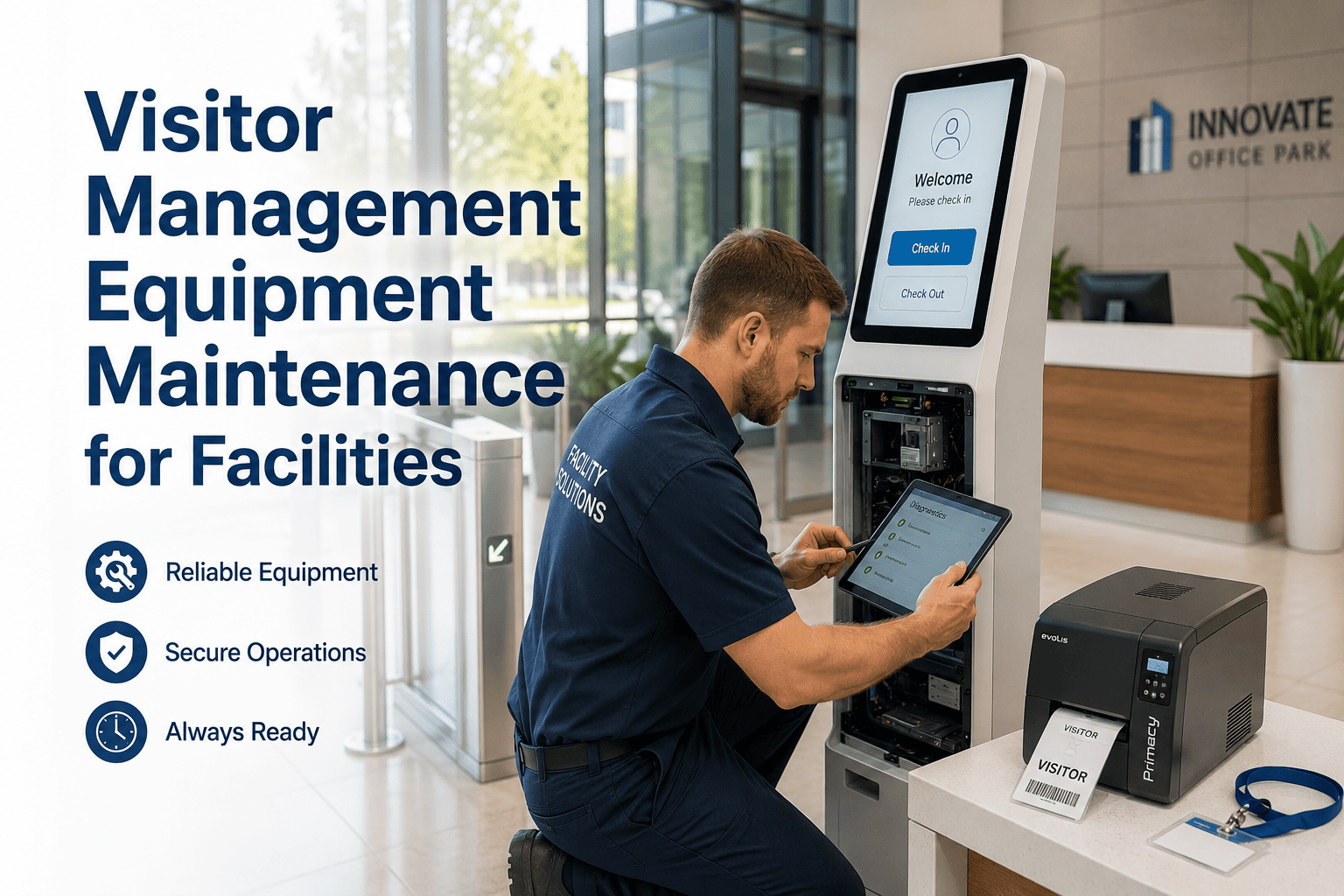
Visitor Management Equipment Maintenance for Facilities

By Lewis Abbott on June 2, 2026

visitor-management-equipment-maintenance-for-facilities

The front desk kiosk that crashes during a visitor check-in, the badge printer that jams on a busy conference morning, or the access point that fails to grant a contractor entry — these are not IT problems, they are facility management problems. Visitor management equipment is the first physical touchpoint a guest has with your organization, and when it fails, the experience reflects poorly on the entire building operation. Oxmaint's work order management platform gives facility teams a structured, digital workflow to maintain every kiosk, printer, and reception system before it becomes a problem in front of a visitor.

WORKPLACE TECHNOLOGY · FACILITY MANAGEMENT

Visitor Management Equipment Maintenance for Facilities

Keep kiosks, badge printers, access points, and reception systems running at every entry — with digital work orders, maintenance history, and zero clipboard logs.

BUSINESS IMPACT

When Visitor Tech Fails, More Than Entry Gets Disrupted

1 in 3
Visitors report a negative first impression of a facility when check-in technology fails or requires staff assistance to complete
47 min
Average time lost per unplanned kiosk outage when a reactive repair ticket must be raised, assigned, and resolved
6x
Higher reactive repair cost for badge printer hardware failure compared to routine preventive cleaning and calibration
EQUIPMENT TYPES

What Falls Under Visitor Management Maintenance

Equipment Type Common Failure Points Maintenance Frequency Impact When Down
Self-service check-in kiosks Touchscreen failure, software crash, connectivity drop Monthly inspection + daily function test Manual check-in bottleneck; reception staff overloaded
Badge and ID printers Print head wear, ribbon jam, paper feed failure Weekly cleaning + quarterly calibration No visitor badges issued; security gap at entry
Reception access control panels Button wear, display failure, controller disconnect Monthly test + quarterly full inspection Visitors cannot be granted access without phone call
Digital signage at reception Display burn-in, media player restart, content sync failure Monthly hardware + software check Poor wayfinding; unprofessional first impression
Intercom and video doorbell systems Camera obstruction, speaker distortion, app disconnection Monthly audio-visual test Unauthorized entry; unverified visitor access
OXMAINT WORKFLOW

From Reactive Repairs to Scheduled Confidence

1
Asset Register
Every kiosk, printer, and access panel is added to Oxmaint's asset registry with model, location, and warranty details — one source of truth for all visitor equipment.
2
PM Schedules
Recurring maintenance tasks are configured per asset type. Daily, weekly, or monthly work orders are generated automatically — no manual scheduling required.
3
Mobile Completion
Technicians check off tasks, photograph defects, and log parts used on mobile — with offline support for basement and low-signal areas of the building.
4
History & Reports
Every completed task builds a timestamped service record. Generate full asset history reports for compliance audits, warranty claims, or vendor reviews in seconds.
EXPERT REVIEW

Perspective from the Field

"Visitor management technology maintenance is consistently underscoped in facility management programs. Teams will have detailed PM schedules for HVAC and fire suppression systems, but the check-in kiosks at the front door get wiped down by reception staff and that's considered maintenance. The result is a predictable cycle of emergency repairs at the worst possible moments — during audits, executive visits, or busy conference days. Facilities that treat visitor tech as mission-critical equipment and schedule it accordingly have dramatically fewer incidents and a measurably better visitor experience across the board."
David Osei
Facility Technology Consultant, IFMA Member · 11 years managing corporate campus operations across financial and professional services

Give your visitors a first impression worth keeping

Oxmaint helps facility teams maintain every piece of visitor-facing technology with scheduled work orders, mobile checklists, and a complete digital maintenance history — so the front door always works the way it should.
FREQUENTLY ASKED QUESTIONS

Visitor Equipment Maintenance — Common Questions

Start by listing every visitor-facing device with its location, model, and warranty expiry. Then assign maintenance tasks by risk level — daily power-on and function checks for high-traffic entry kiosks, weekly cleaning and software checks, and monthly full inspections covering touchscreen calibration, connectivity, and hardware status. In Oxmaint, you configure these schedules once per asset type and the platform generates recurring work orders automatically. Book a demo to see how the PM scheduler handles kiosk maintenance specifically.
Print head degradation from infrequent cleaning is the leading cause of badge printer failure in commercial facilities. Print heads accumulate ribbon residue and dust over time, leading to streaked output and eventually hardware failure that requires full head replacement — a costly and avoidable repair. A weekly cleaning routine using manufacturer-recommended cleaning cards, combined with ribbon and card stock inspection at each maintenance visit, extends print head life significantly and prevents the majority of in-service failures. Track all printer maintenance in Oxmaint with part replacement history and next-service alerts per device.
Yes — any piece of equipment whose failure disrupts building operations or creates a security gap should be managed in the CMMS, and visitor management technology meets both criteria. Including kiosks, printers, and access panels in your CMMS gives you a full asset lifecycle view, connects maintenance history to warranty and procurement decisions, and ensures that no device falls outside the scheduled maintenance program. Many facilities start by adding only mechanical and HVAC assets but progressively add all building technology as they recognize the operational impact of unmanaged IT and security hardware failures.
When a visitor equipment issue is reported — by a technician, a QR code scan at the device, or an occupant request — Oxmaint creates a work order with asset context, priority, and assignment in seconds. The assigned technician receives the work order on mobile, can view the full maintenance history for that specific device, and logs their repair actions and parts used directly in the app. All completed work orders become part of the asset's permanent record, building the service history needed for warranty claims and vendor accountability. Start a free trial to see work order creation and resolution in practice.

Share This Story, Choose Your Platform!