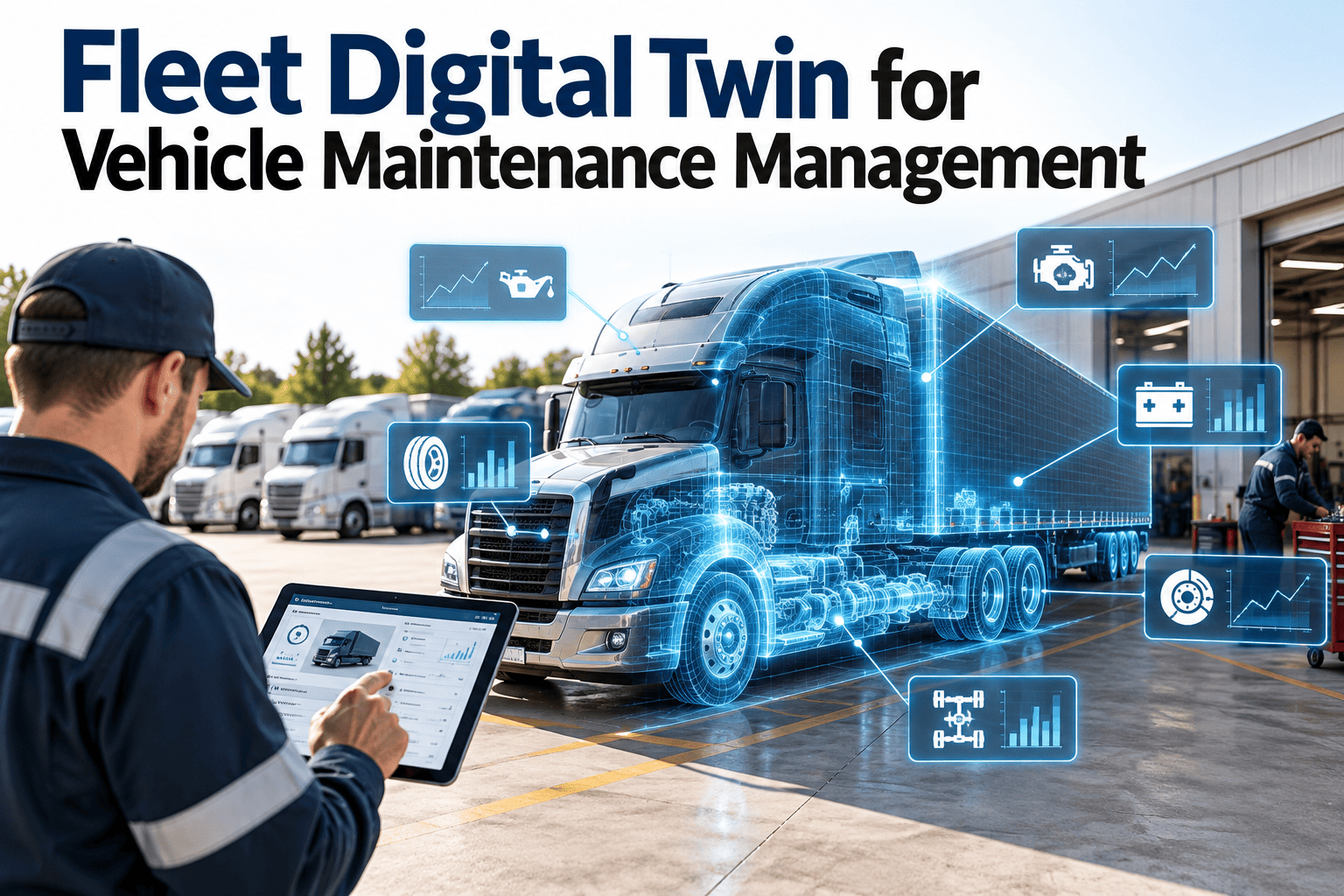
A fleet digital twin is a living record of each vehicle that combines its specifications, inspection results, repair history, usage data, parts consumption and open defects in one place. For maintenance teams, the value is not the model itself but the decisions it supports: what to service, when, and why. Getting there starts with clean asset data and disciplined work orders, which is exactly what a maintenance management platform is built to provide.
Fleet Digital Twin for Vehicle Maintenance Management
Turn every truck, van and trailer into a maintenance-ready digital record, so inspections, preventive maintenance and repairs follow real vehicle condition instead of guesswork.
What a digital twin means in fleet maintenance
- In manufacturing, a digital twin often implies real-time simulation. In fleet work, the practical definition is simpler and more useful: a structured, always-current digital counterpart of each vehicle.
- That counterpart holds everything a technician or planner needs: identity, configuration, service intervals, defects, repairs, parts fitted and compliance status.
- Telematics, driver inspections and shop findings continuously update it, so the record reflects the vehicle as it is today rather than as it was at purchase.
Why the maintenance-first view matters
- Many fleets invest in sensors and dashboards before fixing the basics. Data without a work order process only produces more alerts nobody owns.
- A maintenance-first twin starts with the asset register, inspection history and work orders. Sensor data is layered on once the response workflow exists.
- This order keeps the twin tied to outcomes: fewer roadside failures, shorter shop time and cleaner audit records.
The layers of a vehicle twin record
Identity and configuration
VIN, plate, make, model, axle layout, engine and transmission type, tire sizes, fuel or battery type, body equipment and assigned depot.
Maintenance plan
Preventive maintenance schedules by mileage, engine hours, calendar time or a mix, each linked to a task list and required parts.
Condition and defects
Driver walkaround results, technician findings, photos, open defects, deferred repairs and out-of-service decisions.
Usage and signals
Odometer, engine hours, fault codes and duty-cycle information from telematics, tied back to the maintenance plan.
Cost and compliance
Labor, parts and vendor cost per vehicle, warranty claims, inspection certificates and regulatory records.
The problem: fleet knowledge that lives in too many places
- Most fleets already hold the information a twin needs. It is simply scattered across spreadsheets, paper inspection forms, telematics portals, supplier invoices and technician memory.
- When a vehicle returns with a recurring fault, nobody can quickly see what was replaced last time or whether the repair was under warranty.
Without a vehicle twin
- Service intervals tracked in spreadsheets that fall behind
- Driver defects reported verbally or on lost paper
- Repeat repairs not recognized across technicians
- Parts ordered after the vehicle is already down
- Audit records assembled by hand
With a maintenance-first twin
- Schedules driven by actual mileage and hours
- Defects captured on mobile and routed to work orders
- Full repair history visible on every vehicle
- Parts reserved when work is planned
- Compliance records stored with the asset
Data sources that feed the twin
- A twin is only as good as its inputs. The table below shows the common sources and what each contributes to maintenance decisions.
| Source | What it provides | Maintenance use |
|---|---|---|
| Driver inspections | Daily defects, photos, pass or fail status | Immediate defect work orders and safety holds |
| Telematics | Odometer, engine hours, fault codes | Accurate PM triggers and diagnostic follow-up |
| Technician findings | Wear measurements, failed components, repair notes | Condition history and root cause review |
| Parts transactions | Items issued, vendor, cost, warranty period | Cost per vehicle and warranty recovery |
| Fuel and charging records | Consumption and energy patterns | Spotting efficiency drops linked to faults |
| Regulatory inspections | Certificates, expiry dates, findings | Renewal scheduling and audit readiness |
From vehicle signal to completed repair
- The twin earns its place through a repeatable workflow. Each step below should have a clear owner and a recorded result.
Capture
A driver inspection, fault code or technician finding is recorded against the vehicle.
Assess
The planner checks vehicle history, open defects and duty to judge severity.
Prioritize
Safety defects stop the vehicle. Others are scheduled into the next planned service.
Plan
A work order is created with tasks, parts, bay, technician and expected duration.
Execute
The technician completes steps on mobile, adding readings, photos and notes.
Learn
The repair updates the twin, resets schedules and feeds recurring failure review.
Where the twin changes daily maintenance decisions
Brakes and tires
- Recording pad thickness, rotor condition and tread depth at each inspection builds a wear curve per vehicle and per axle position.
- Planners can then replace components during scheduled visits instead of reacting to failed inspections or roadside events.
Engine and aftertreatment faults
- Fault codes matter more when tied to history. A code that appears on three vehicles of the same model after the same service interval points to a process or parts issue.
- Linking codes to work orders also shows which repairs actually resolved the problem.
Batteries and electric vehicles
- For electric and hybrid units, the twin should track charging events, battery service records and high-voltage inspection tasks alongside conventional PM.
- Technician qualification requirements can be attached to those tasks so only authorized staff are assigned.
Trailers and attached equipment
- Trailers, tail lifts and refrigeration units often escape tracking. Giving each its own record, linked to the tractor, closes that gap.
Keeping twin data accurate
- A twin that drifts from reality is worse than none, because people trust it. Assign data ownership per depot and define which fields are mandatory.
- Validate at entry: reject odometer readings lower than the previous value, flag impossible dates and require a reason for manual overrides.
- Reconcile periodically. Compare the asset register with physical vehicles, registrations and telematics device lists to catch sold, transferred or untracked units.
- Close work orders with real data. Parts used, labor time and findings are what make later analysis meaningful.
Connecting telematics without drowning in data
- Bring in a small set of signals that drive maintenance decisions: odometer, engine hours, active fault codes and selected condition readings.
- Map each signal to an action. Mileage updates schedules, a severe fault code opens a diagnostic task, and a repeated minor code is logged for trend review.
- Store summaries rather than every raw reading in the maintenance record. Detailed streams can stay in the telematics platform.
- Check for gaps. Devices that stop reporting should themselves raise a task, since stale meters lead to missed services.
Moving toward condition-based decisions
- Once history is reliable, you can adjust intervals for specific vehicle groups, for example shortening brake inspections on stop-start routes.
- Validate every change with actual findings before applying it fleet-wide.
Scaling across depots and vehicle types
- Use a common structure for vehicle classes, tasks and failure codes so reports compare like with like across sites.
- Allow local variation where conditions differ, such as winter preparation tasks or dusty routes, but record it as a defined variant rather than a free-text exception.
- Define roles clearly: drivers report, technicians repair, planners schedule, managers review. Access should match responsibility.
- Roll out in phases. A pilot depot with a few vehicle types reveals data and process issues before the whole fleet is affected.
See one vehicle record do the work of five spreadsheets
Set up a handful of vehicles, schedule their preventive maintenance and watch the history build with every work order.
Compliance and audit readiness
- Regulated fleets must show that inspections, repairs and certifications happened on time. Requirements differ by country and vehicle class, so confirm specifics with your regulator.
- Typical records include daily vehicle inspection reports, periodic safety inspections, defect corrections and driver sign-off.
- When these live in the vehicle twin, an auditor request becomes a report rather than a search through filing cabinets.
Records every vehicle twin should hold
- Dated inspection results with the person who performed them
- Defects raised, who reviewed them and when they were closed
- Repair work orders with parts used and technician sign-off
- Certificate and registration expiry dates with renewal reminders
- Out-of-service and return-to-service decisions
Parts and inventory control through the twin
- Because the twin knows each vehicle configuration, it can suggest the correct filters, pads, belts and fluids for each planned service.
- Parts can be reserved against the work order before the vehicle arrives, which shortens bay time and reduces emergency purchases.
- Consumption history by vehicle and component shows which items to stock at each depot and which to buy on demand.
Warranty and vendor recovery
- Recording install dates, mileage and supplier on each part makes warranty claims straightforward and evidence-based.
- Vendor repairs added to the same record prevent paying twice for rework.
KPIs to measure twin-driven maintenance
- Set a baseline before rollout. Without it, improvement claims cannot be verified.
A practical rollout path
Clean the asset register
Verify VINs, specifications, depots and current odometer values. Retire duplicates.
Load PM schedules
Build task lists and intervals by vehicle class, starting with the highest-use units.
Digitize inspections
Move driver walkarounds to mobile forms that create defects and work orders automatically.
Connect usage data
Bring in mileage and hours so PM triggers reflect real use.
Review and refine
Use repeat failure and cost reports to adjust intervals and task content.
Common mistakes to avoid
- Buying sensors before defining who responds to alerts and how.
- Copying manufacturer intervals without adjusting for severe duty such as stop-start delivery or heavy towing.
- Letting technicians close work orders without recording parts, readings or findings.
- Treating trailers and auxiliary equipment as outside the system.
- Tracking too many fields. Capture what drives a decision and ignore the rest.
How Oxmaint supports the approach
- Asset records hold specifications, hierarchy and full service history for each vehicle, trailer and attached unit.
- Preventive maintenance schedules can be driven by time or usage, with tasks, parts and instructions attached.
- Mobile inspections and work orders let drivers and technicians capture defects, photos and completion details at the vehicle.
- Inventory, reporting and dashboards connect parts usage, cost and backlog to individual vehicles and depots.
Fleet digital twin FAQs
Do we need telematics to start a fleet digital twin?
No. Start with asset records, inspections and work orders, then add mileage and fault data later. You can sign up and begin there.
How is a digital twin different from fleet maintenance software?
The twin is the vehicle record itself. Maintenance software keeps it current through work orders, schedules and inspections.
Which vehicles should we model first?
Begin with high-use or safety-critical vehicles where downtime is costly, then expand to the rest of the fleet.
Can it track trailers and equipment as well as trucks?
Yes. Trailers and attachments should have linked records so their inspections and repairs are visible.
How do we see this working with our own vehicles?
A short walkthrough using your vehicle types is the quickest route. You can book a demo to review it.
Questions to ask before building a twin
- Which decisions should the record improve: service timing, repair choice, parts stocking, compliance or vehicle replacement?
- Who will update each field, and what happens if they do not?
- Which vehicles cause the most downtime or risk, and should therefore be modeled first?
- How will you know it worked? Pick a baseline for planned work share, repeat repairs and downtime now.
Using twin history for replacement and lifecycle decisions
- Cost per kilometer or hour by vehicle shows when repair spend begins to outweigh the value of keeping a unit, supporting replacement timing with evidence.
- Repeat failure history by model reveals specification problems that can inform future purchases.
- Warranty and recall records attached to the vehicle prevent missed claims and overlooked campaigns.
- Resale value is easier to defend with a documented service record.
Roles and access in a vehicle twin
- Drivers should see and update inspection forms and report defects, without access to cost or vendor data.
- Technicians need the full repair history, task lists and parts details for the vehicles assigned to them.
- Planners and supervisors need scheduling, backlog and priority controls across the depot.
- Managers and finance need cost, availability and compliance reporting across the fleet.
Reviewing the twin regularly
- Hold a monthly review of data quality: missing readings, overdue work orders and vehicles with no recent inspection.
- Each quarter, compare planned work share and repeat repairs against your baseline and adjust schedules accordingly.
- Update vehicle records immediately after modifications, transfers or disposals so the twin stays trustworthy.
Give every vehicle a maintenance record you can trust
Bring inspections, preventive maintenance, parts and repair history into one system and plan work around what each vehicle actually needs.