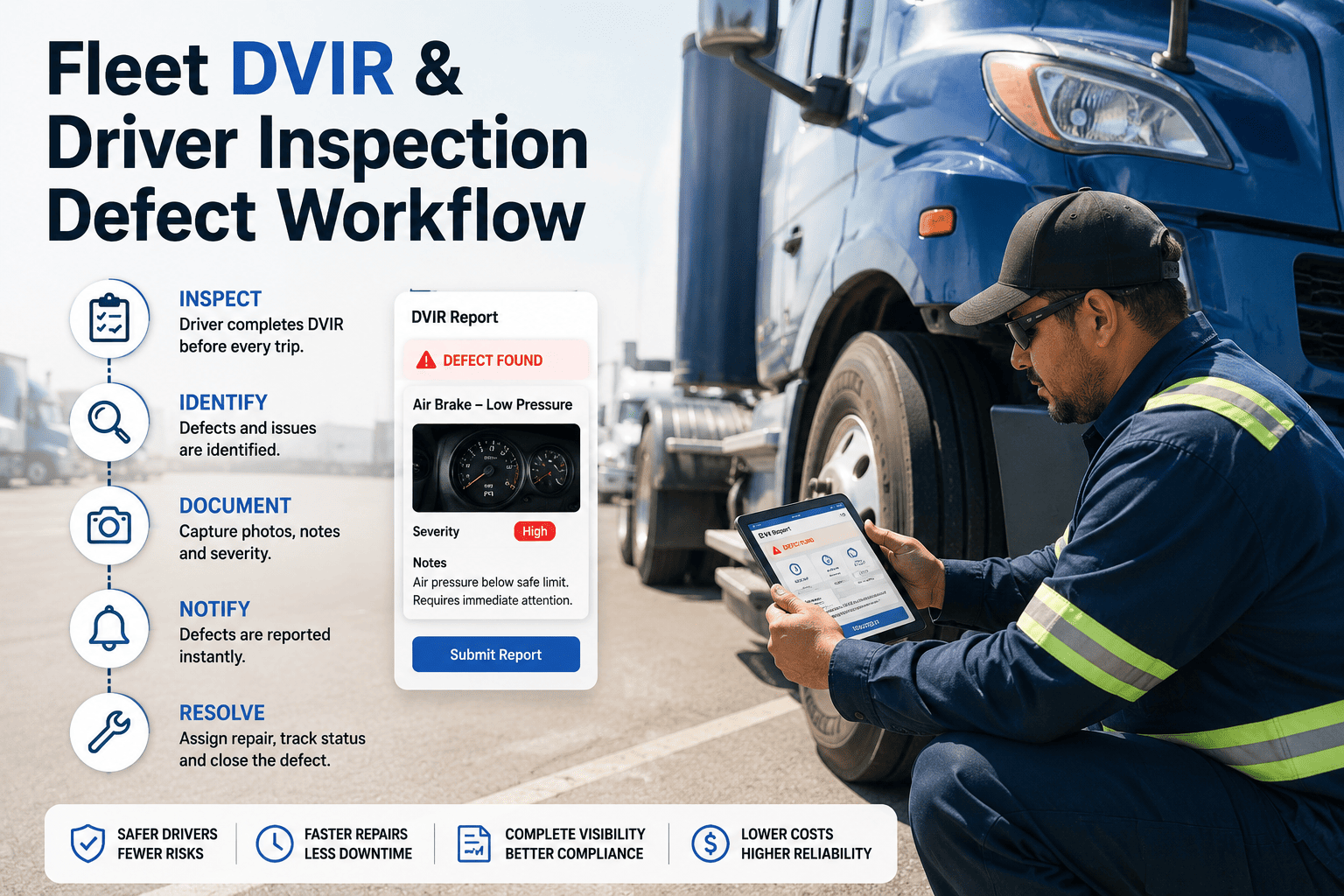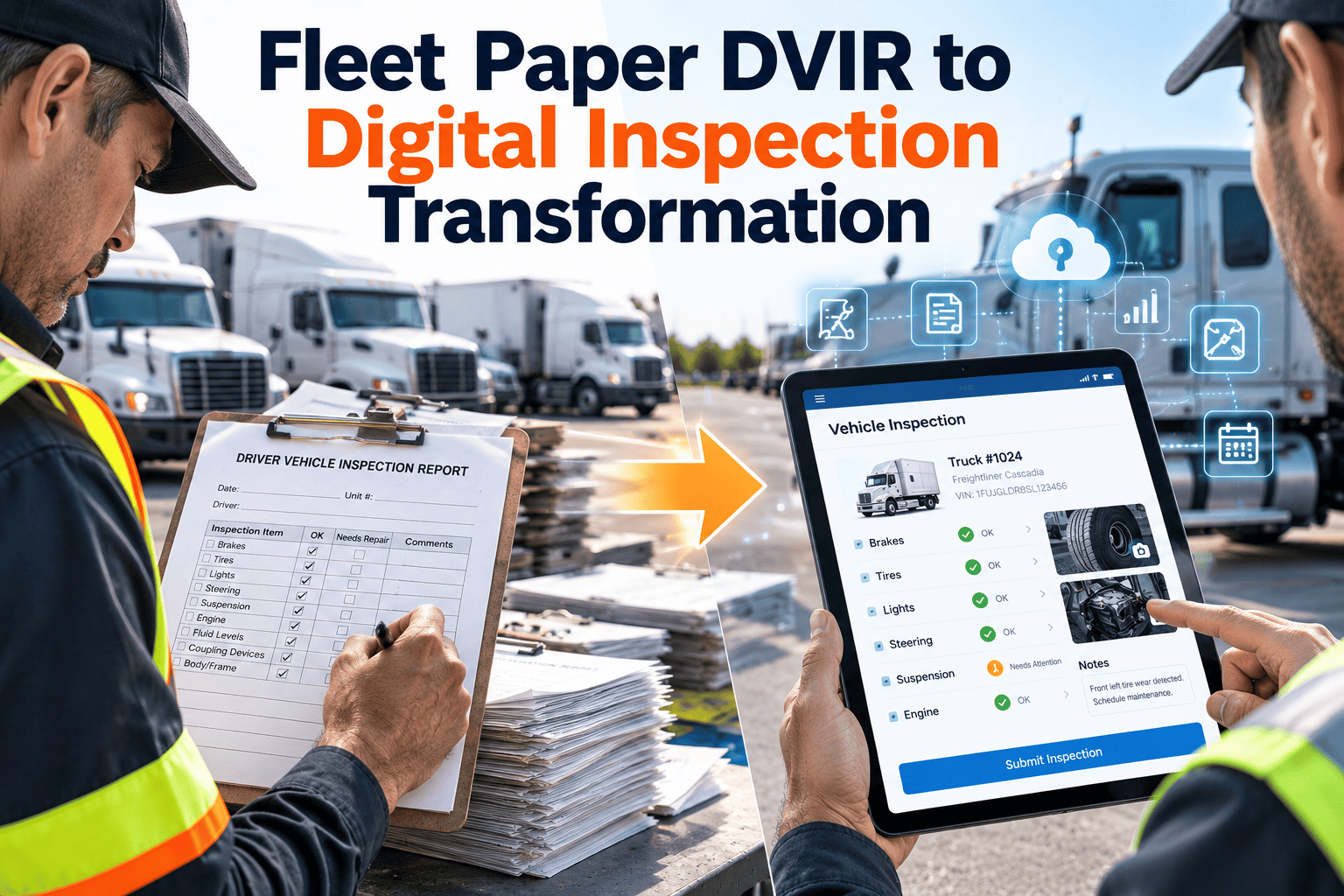
The clipboard DVIR has survived for decades because it is cheap and everyone understands it. It also fails in familiar ways: unreadable handwriting, forms that never reach the shop, defects reported twice or not at all, and a stack of paper that someone must find during an audit. Digital inspection replaces the form with a checklist on the driver's phone that creates a work order the moment a defect is marked. This guide explains the rules, the failure points, and the rollout. Teams can follow along using Oxmaint vehicle inspection software as the working example.
What the regulations actually say about DVIRs
Federal motor carrier safety rules set the baseline for inspection reports. Always confirm details against the current text and your own operation type.
49 CFR 396.11: the report
Drivers prepare a report at the end of each day's work for each vehicle operated. It identifies the vehicle and lists any defect that would affect safe operation or cause a breakdown.
Certification of repair
The motor carrier or its agent certifies on the report that listed defects were repaired or that repair was unnecessary before the vehicle is operated again.
Retention
Carriers keep the report, the certification of repairs, and the certification of the driver's review for three months from the date the report was prepared.
Electronic format
The text allows the report to be created and kept electronically under 49 CFR 390.32, which governs electronic records and signatures.
No-defect days
Drivers of property-carrying vehicles are not required to prepare a report when no defect is found. Passenger carriers had a similar requirement rescinded by a 2020 rule.
396.13: before driving
Drivers must be satisfied the vehicle is in safe condition and review the previous report when one was required, and sign it when defects were certified as repaired.
This is a plain-language summary, not legal advice. Intermodal equipment, passenger operations, and state or provincial rules can differ. Check your obligations with a compliance adviser.
The three sign-offs auditors trace
A report that lists a defect creates a chain of accountability. A break anywhere in it is a gap in the record.
Driver reports
Names the vehicle, lists defects, signs and dates the report.
Carrier certifies repair
Mechanic or agent confirms repair or that it was not needed.
Next driver reviews
Confirms the certification before driving and signs the review.
How paper breaks the chain
- The form is lost between the yard and the office.
- The mechanic fixes the problem but never signs the form.
- The next driver departs without seeing the previous report.
- Dates and unit numbers are illegible or wrong.
One defect, two timelines
Imagine a driver notices a cracked mirror bracket at the end of a shift. Here is how the next 24 hours can unfold.
With paper
With digital inspection
See a defect become a work order in one tap
Try driver checklists, photo capture, and automatic work orders in Oxmaint with your own vehicle types.
Failure modes and how a digital process addresses them
| Paper failure | Operational impact | Digital control |
|---|---|---|
| Illegible or incomplete entries | Mechanics guess at the problem | Required fields, defect picklists, photos |
| Delayed transfer to the shop | Defective units stay in service or idle | Instant work order and notification |
| Missing repair signature | Broken audit chain | Work order cannot close without sign-off |
| Lost or damaged forms | Records unavailable for the retention period | Searchable cloud record by unit and date |
| Rubber-stamp inspections | Real defects missed | Time stamps, location, and photo prompts |
| No trend visibility | Repeat problems go unnoticed | Reports on defects by unit, route, and component |
Building a digital inspection that drivers will finish
Adoption depends on speed. A form that takes ten minutes will be rushed or skipped.
Match the checklist to the vehicle
Tractors, trailers, vans, and buses need different items. Do not give every driver the same long form.
Make normal fast, defects detailed
A pass should take a few taps. A fail should open fields for severity, notes, and a photo.
Separate out-of-service items
Mark defects that must stop the vehicle so the system can alert dispatch and the shop at once.
Work in poor signal
Yards and rural routes lose coverage. Pick tools that save the inspection and upload it later.
Show the last report
Let the next driver view open and repaired defects before they sign, supporting the review step.
A phased plan for moving off paper
Prepare
- List vehicle types and current forms
- Build digital checklists
- Set defect categories and priorities
- Pick a pilot depot
Pilot
- Train a small group of drivers
- Run paper alongside briefly
- Track completion time
- Collect driver feedback
Expand
- Refine checklists from feedback
- Roll out depot by depot
- Retire paper forms on a set date
- Brief the shop on new alerts
Improve
- Review defect trends monthly
- Tune preventive maintenance from findings
- Audit signature completeness
- Share results with drivers
Common driver objections and honest answers
It will slow me down
Measure it. A well-built checklist should be quicker than writing by hand, and a defect is entered once.
I do not like using my phone
Offer a company device or a tablet in the cab, and give a short hands-on session at the yard.
Reporting defects gets me in trouble
Make clear that reporting is expected and valued, and show drivers their reports leading to repairs.
Nothing ever gets fixed
Show the status of each reported defect so drivers see work orders move to completion.
What digital inspection data lets you do
- Find repeat defects. If a component keeps appearing for one model, adjust the preventive maintenance task or inspect it earlier.
- Balance the shop. Defect volume by depot shows where labor is needed.
- Spot rushed inspections. Unusually short or always-clean inspections prompt a coaching conversation.
- Plan parts. Frequent defects tell you which parts to stock.
- Prepare for audits. Pull a unit's reports, repair certifications, and review sign-offs in seconds.
How Oxmaint supports the digital DVIR workflow
Mobile inspections
Drivers complete configurable checklists on a phone with photos and notes.
Automatic work orders
Failed items can create corrective work orders with priority and asset details attached.
Asset history
Every report and repair stays on the vehicle record for quick lookup.
Preventive maintenance
Schedule services by meter or date and connect findings to the plan.
Parts and inventory
Link repairs to parts used and see stock levels for common defect items.
Reports
Track defects, response times, and completion rates across depots.
What a good driver checklist covers
The regulation names parts and accessories that the report must cover. Build your digital checklist from that list, then add items specific to your vehicles and cargo.
Add fleet-specific items
- Reefer units, liftgates, and PTO equipment for specialized trucks.
- Wheelchair lifts, door systems, and passenger safety equipment for transit vehicles.
- Fluid levels, leaks, and warning lights for early detection.
- Cab cleanliness, fire extinguisher, and spill kits where your policy requires them.
A five-minute audit drill
Try this exercise quarterly. If any step takes longer than expected, your records need work.
Metrics for the transition
| Metric | What it shows | Watch for |
|---|---|---|
| Inspection completion rate | Share of required inspections submitted | Drops after the first weeks |
| Defect-to-work-order time | Speed from report to repair job | Delays at certain depots |
| Average inspection duration | How long drivers spend per vehicle | Very short times across many reports |
| Open defects by age | Backlog of unrepaired items | Items waiting for parts |
| Repeat defects per unit | Components failing again | Poor fixes or design issues |
| Certification completeness | Share of defect reports with repair sign-off | Anything below full coverage |
Practical points on phones, tablets, and records
- Device choice. Company-owned rugged tablets avoid disputes about personal phones, while a bring-your-own approach lowers cost.
- Accounts. Give each driver a unique login so the signature is traceable to one person.
- Photos. Set rules for what drivers should photograph and avoid, such as faces and private property.
- Access. Limit editing of submitted reports and keep a change history.
- Retention. Store records at least as long as your regulatory and company policies require.
Decisions to settle before launch
Pre-trip and post-trip
Decide whether drivers complete both, and how the system labels each. Company policy can be stricter than the federal minimum.
No-defect reports
Even where a no-defect report is not required, many fleets still collect one because it proves the inspection happened.
Who certifies repairs
Name the roles allowed to sign off and make sure they hold individual accounts.
Out-of-service rules
Define which defects remove a vehicle from service and who may return it.
Trailers and shared equipment
Make sure drop trailers and pooled units have their own inspection records.
What the maintenance team needs to change
Digital reports only pay off when the shop receives and acts on them. Prepare the back end as carefully as the driver app.
- Out-of-service defects
- Brake, steering, and tire failures
- Lighting needed for safe operation
- Leaks and fluid losses
- Mirror, wiper, and horn faults
- Warning lights that stay on
- Cosmetic or comfort items
- Minor wear noted for monitoring
- Items grouped with preventive maintenance
Preventing rubber-stamp inspections after the switch
Going digital makes a lazy inspection faster, not better. A few design choices and management habits keep the data honest.
- Vary the order. Rotate the sequence of checklist sections so drivers read each item rather than tapping through.
- Require evidence on key items. A photo of tire condition or a gauge reading is harder to fake than a checkmark.
- Review samples. Supervisors check a few reports each week against the actual vehicle condition.
- Close the loop. Tell drivers when their reports led to a repair. People report more when they see results.
- Coach, do not punish. Fear of blame hides defects. Focus feedback on accuracy and completeness.
- Compare patterns. A driver or route that never reports a defect while others do deserves a friendly look.
Adapting digital inspections to your vehicle mix
Over-the-road trucking
Drivers are away from depots, so offline capture, photo upload from the road, and quick routing to partner shops matter most.
Local delivery and vans
High vehicle counts and short routes call for very short checklists and fast defect entry at the start of each shift.
Transit and school buses
Passenger equipment such as doors, lifts, and emergency exits needs its own checklist items and clear out-of-service rules.
Municipal and utility fleets
Mixed equipment from sedans to bucket trucks needs vehicle-type checklists and shared pool vehicles need clear driver identity.
Construction and yard equipment
Off-road machines use hour meters, and inspections often cover attachments, hydraulics, and safety devices.
What to watch in the first week of the pilot
- Are drivers finishing the inspection before departure, or after?
- Which checklist items generate questions, and can the wording be clearer?
- How many defects were reported, and how quickly did the shop respond?
- Did any defect reach a work order without the right asset or priority?
- Were there phone, battery, or connectivity problems at particular depots?
- What did drivers say they liked, and what slowed them down?
Digital DVIR questions
Is an electronic DVIR acceptable?
The regulation text says reports may be created and kept electronically under 49 CFR 390.32. Confirm details for your operation.
How long must DVIRs be kept?
Three months from the date the report was prepared, covering the report and both certifications. Many fleets keep them longer.
Do drivers still need to inspect the vehicle?
Yes. The software records the inspection; it does not perform it. You can try the checklists with your team.
What if drivers lack cell coverage?
Choose a mobile app that stores the inspection offline and syncs later. A demo can cover this.
How do we prove repairs were certified?
Require a technician sign-off before a work order closes, then keep it linked to the original report.
Retire the clipboard and keep the proof
Give drivers a faster inspection, give the shop instant defect alerts, and give auditors a complete record. Start in minutes or book a walkthrough.