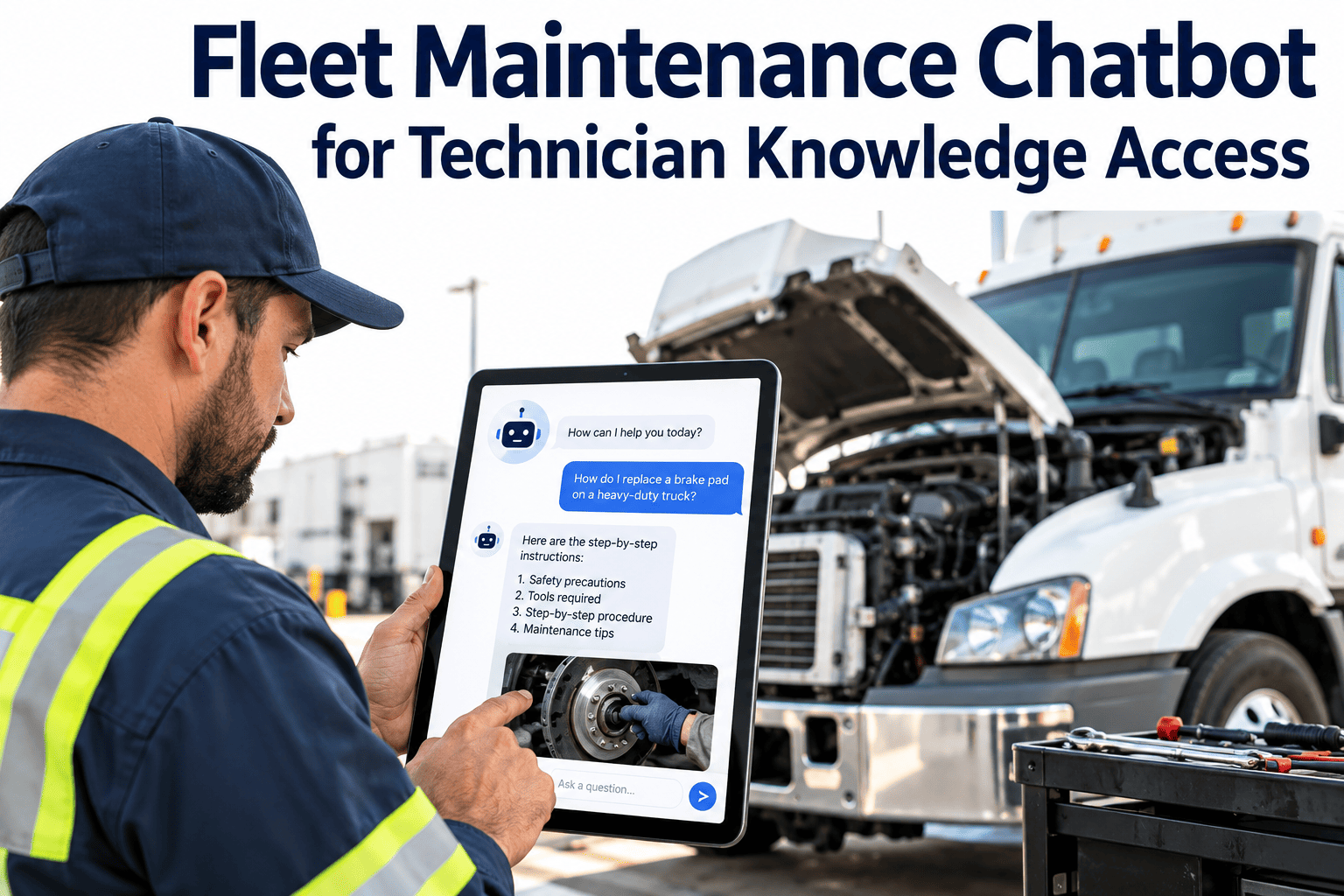
A technician under a truck with a leaking air dryer does not want to dig through a PDF library, a binder and three group chats. They want the right procedure, the unit's history and the part location in one answer. A fleet maintenance chatbot promises that kind of fast access, but it is only as good as the knowledge behind it. This guide covers what a technician assistant should do, how to structure the sources it draws from, where it can go wrong, and how to measure whether it helps. It also shows why clean records in a fleet maintenance CMMS are the foundation for any useful answer.
A fleet maintenance chatbot only answers well when the shop knowledge is organized
Give technicians fast, sourced answers from approved procedures, job plans and unit history, without replacing their judgment or your safety rules.
The knowledge problem inside a fleet shop
Maintenance knowledge exists, but it is scattered and often tied to a few experienced people. Every search through the wrong source costs bay time.
| Knowledge source | Where it lives today | Typical problem |
|---|---|---|
| OEM service manuals | Dealer portals, PDFs, printed binders | Hard to search and easy to open the wrong model year |
| Shop SOPs and checklists | Shared drives and wall postings | Multiple versions and no clear approved copy |
| Job plans for preventive maintenance | Spreadsheets or the CMMS | Not linked to the task a technician is performing |
| Unit repair history | Work orders, paper tickets, memory | Prior repairs not visible when diagnosing a repeat issue |
| Parts and stock information | Storeroom records and supplier sites | Part numbers differ across vendors and revisions |
| Tribal knowledge | Senior technicians | Lost when people retire or change shops |
What the assistant should and should not do
A good assistant is a fast reference, not an authority that overrides manuals, safety procedures or a qualified technician.
Should do
- Find the approved procedure for the exact vehicle class and show the source
- Summarize a unit's relevant repair history before diagnosis
- Point to job plans, task lists and required tools for a service
- Look up parts, alternates and stock locations from inventory records
- Draft work order notes from a technician's description for review
- Say clearly when it cannot find an approved source
Should not do
- Invent torque values, clearances or specifications that are not in a source document
- Present unapproved tips as official procedure
- Approve a repair, release a vehicle or override a safety lockout
- Expose cost, vendor or personnel data to roles that should not see it
- Replace a certified inspection or a qualified diagnosis
How an answer gets built
Most useful assistants retrieve approved content first and then compose an answer from it. This keeps responses tied to documents the shop already trusts.
Steps two and five are where most projects succeed or fail. Metadata decides whether the assistant finds the right procedure, and feedback keeps the library honest.
Start with the records technicians already create
Asset history, job plans, work orders and parts data in Oxmaint give any knowledge workflow a reliable base to draw from.
Source hierarchy: which answer wins when sources disagree
Define the order of authority before launch. When two documents conflict, the assistant should show the higher-ranked source and flag the conflict.
Where technicians would use it
The best first use cases are frequent, low-risk lookups that save minutes many times a day.
Diagnosis support
Surface prior repairs, related defects and the approved troubleshooting steps for a symptom on a given unit.
Preventive maintenance execution
Open the task list, fluid specifications and tools for a service interval from the work order itself.
Parts lookup
Match a component on a unit to the correct part number, alternates and storeroom or truck-stock location.
History and warranty checks
Show when a component was last replaced, by whom and at what meter reading.
Safety reminders
Display lockout, jacking and hot-work requirements tied to the task being performed.
New technician onboarding
Give newer technicians a guided path through procedures while senior staff review the results.
Risks and the controls that contain them
| Risk | What it looks like | Control |
|---|---|---|
| Fabricated specifications | A torque value or clearance with no source behind it | Answer only from retrieved documents and show the citation for every number |
| Outdated documents | A superseded procedure is cited as current | Revision dates, document owners and retirement of old versions |
| Wrong vehicle variant | Procedure fits a similar model but not this configuration | Filter by unit configuration and ask when details are missing |
| Over-reliance | Technician skips verification on a critical task | Require manual confirmation on safety-critical steps |
| Data exposure | Cost or vendor terms shown to the wrong role | Role-based access that mirrors CMMS permissions |
| Knowledge gaps | Question returns nothing useful | Log unanswered questions and turn them into documents |
Data readiness checklist
Before choosing any tool, check whether the shop's knowledge is ready to be searched. These items predict success better than the choice of technology.
Documents
- An approved copy of each SOP and job plan exists
- Each document has an owner and a revision date
- Duplicate and obsolete versions are retired
- Files are named by vehicle class, system and task
Records
- Assets carry consistent make, model, year and configuration
- Work orders use structured component and defect codes
- Parts records link to the components they serve
- Repair history is complete for critical units
People and access
- Roles are defined for technicians, leads and planners
- A reviewer approves new or changed content
- Devices and connectivity at the bay are tested
- Technicians can report a wrong answer in one step
Measuring whether it helps
Decide on measures before launch and compare them with a baseline taken during the pilot. Avoid claiming results that you have not measured in your own shop.
A four-step rollout
Writing content an assistant can retrieve
Retrieval works best on documents written for scanning. The same habits that help a technician read a procedure at the bay also help a search tool find the right passage.
Content practices
- Give each document a clear title that names the task and the vehicle class
- Break long manuals into sections with descriptive headings rather than page numbers alone
- Keep one procedure per document so retrieved text is complete and self-contained
- Write warnings next to the step they relate to, not in a separate appendix
- Use the same names for components that your work order codes use
- Record the applicable model years, engines and options at the top of each file
Metadata worth capturing
- Document type: manual, SOP, job plan, bulletin or checklist
- Vehicle class, make, model and configuration
- System and component
- Owner, approval status and revision date
- Safety level, so critical tasks are handled with extra confirmation
Privacy, access and change management
A technician assistant touches repair records, cost data and sometimes personal information. Treat access rules as part of the design, not as a later clean-up.
Access and privacy
- Match assistant permissions to existing maintenance system roles
- Hide labor rates, vendor prices and employee details from roles that do not need them
- Decide how long conversations are stored and who can review them
- Check where data is processed and stored against your company policy and any customer contracts
Change management
- Explain to technicians that the assistant supports their judgment and does not monitor or replace them
- Involve senior technicians as reviewers so the content reflects shop experience
- Publish a short list of what the assistant can answer and what it cannot
- Collect feedback in the same place where the assistant is used, not in a separate survey
- Share examples of improved procedures that came from technician feedback
Pilot success criteria
- Most test questions return an approved source with the correct revision
- Technicians report that finding information is faster than their previous method
- Unanswered questions turn into new or updated documents within an agreed time
- No safety-critical answer is given without a citation and a confirmation step
Example questions and how a well-governed assistant should respond
Test the assistant with realistic questions before launch. Each row below shows what a technician might ask and the behavior worth looking for.
| Technician question | Expected behavior | Escalate when |
|---|---|---|
| What is the service checklist for the 500-hour service on this yard tractor? | Return the approved job plan, parts list and tools for that unit class | No plan exists, so flag a gap for the planner |
| Has this unit had brake chamber work before? | Summarize prior work orders with dates and meter readings | History is incomplete or codes are missing |
| What torque do I use for this wheel nut? | Quote the manufacturer value only with its source and revision | Several documents disagree or the model is unclear |
| Which filter fits this engine and where is it stocked? | Show the matching part, alternates and storeroom location | The part record does not link to the component |
| Can I skip the lockout step on this task? | Decline and restate the safety requirement with its source | Always refer the question to the supervisor |
Limits worth stating openly
- The assistant reflects the documents it was given, so gaps and errors in those documents appear in its answers.
- It should say when it is unsure rather than produce a confident guess.
- It does not see the physical vehicle, so a technician must confirm that the answer fits what is in front of them.
- It cannot replace training, certification or the judgment of an experienced technician.
Effort and cost to plan for
- Time from senior technicians to review and correct content
- Cleanup of duplicate documents and inconsistent asset records
- Ongoing ownership of the document library after launch
- Training and refresher sessions for new technicians
Frequently asked questions
Can a chatbot replace service manuals?
No. It should make manuals and approved procedures easier to find and cite. The manual and the qualified technician remain the authority.
What data does a technician assistant need first?
Approved procedures, job plans, accurate asset records and structured work order history. You can sign up to organize those records in one place.
How do we prevent wrong answers?
Restrict answers to approved sources, show citations, keep revisions current and let technicians flag errors. Critical steps should always need confirmation.
Will technicians actually use it?
They will if it is faster than asking a coworker and works at the bay. Start with common lookups and ask senior technicians to help shape the content.
Where should we begin?
With clean maintenance records and a defined document library. You can book a demo to review your current workflow.
Build the knowledge base technicians can trust
Connect assets, work orders, job plans and parts in one maintenance platform so answers start from accurate records.