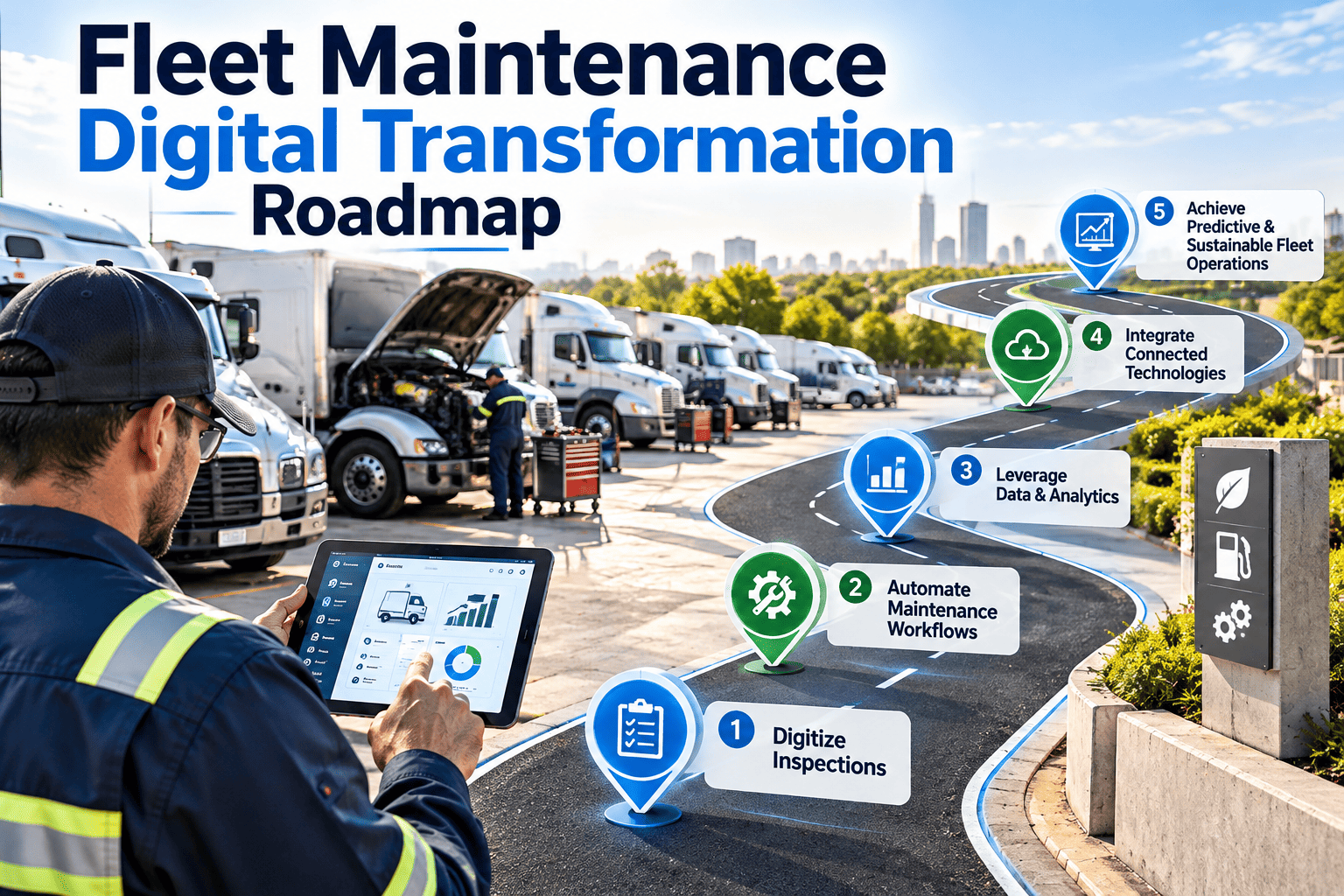
Many fleet maintenance departments run on a mix of paper inspection forms, spreadsheets, text messages, and the memory of a few senior technicians. That works until a key person leaves, an audit arrives, or the fleet grows faster than the shop. A digital transformation roadmap replaces the guesswork with a staged plan: clean the data, standardize the work, equip the technicians, and then measure results. This article lays out that plan, and shows where a fleet CMMS platform fits at each stage.
Fleet Maintenance Digital Transformation Roadmap
A practical, phase-by-phase path from paper and spreadsheets to connected inspections, work orders, parts control, and reporting, built around how maintenance teams actually work.
- Phase 1Assess
- Phase 2Foundation
- Phase 3Pilot
- Phase 4Scale
- Phase 5Optimize
Why fleet maintenance digitization stalls
Most stalled projects did not choose the wrong software. They skipped the groundwork that makes any software useful. Recognizing these stall points early saves months.
The fleet maintenance maturity ladder
Knowing where you start determines how fast you can move. Most fleets sit between the first and third steps, and each step builds on the one below it.
- 1. ReactiveRepairs happen after breakdowns, records are partial, and PMs depend on someone remembering.
- 2. ScheduledPM calendars exist and work orders are tracked, but data is still in separate files.
- 3. ConnectedInspections, work orders, parts, and vehicle history live in one system used by technicians on mobile devices.
- 4. Data-drivenFailure and cost trends guide intervals, parts stocking, and replacement decisions.
- 5. PredictiveCondition data and telematics trigger work before failure, and the results feed back into planning.
The roadmap in five phases
Each phase has a purpose, a set of outputs, and an exit check. Do not start the next phase until the current exit check is met.
-
Phase 1
Assess and define goals
- Map the current maintenance process from request to closed work order.
- List every system in use: spreadsheets, paper forms, fuel and telematics tools.
- Pick three to five measurable goals, such as PM compliance and repeat repairs.
- Name an executive sponsor and a day-to-day process owner.
-
Phase 2
Build the data foundation
- Create a clean asset register with unit number, VIN, class, location, and meter type.
- Standardize PM templates, inspection checklists, and failure codes.
- Load parts and vendors, and define stock locations and reorder points.
- Define user roles for technicians, supervisors, and managers.
-
Phase 3
Pilot in one shop or one vehicle group
- Run live inspections and work orders for a limited group of vehicles.
- Train technicians on the mobile workflow with real jobs, not slides.
- Collect feedback weekly, and adjust forms and steps quickly.
- Compare pilot results with the baseline measured in Phase 1.
-
Phase 4
Scale across shops and fleets
- Roll out shop by shop using a repeatable onboarding checklist.
- Connect parts, purchasing, and vendor work to the same records.
- Switch off parallel spreadsheets and paper forms on a set date.
- Publish standard dashboards for supervisors and managers.
-
Phase 5
Optimize with data
- Review PM intervals using failure and inspection history.
- Add condition-based triggers from telematics and fault code data.
- Use cost per vehicle and repeat repair trends to guide replacement planning.
- Schedule regular process reviews and template updates.
Start with the phase that matches your fleet today
Whether you are replacing paper checklists or untangling spreadsheets, a staged rollout keeps risk low and results visible.
What data to clean and migrate first
Migrate what technicians and managers will use in the first 90 days. Everything else can follow once the core workflow is stable.
| Data set | Minimum fields | Common problem to fix | Priority |
|---|---|---|---|
| Asset register | Unit number, VIN, make, model, year, class, location | Duplicate or retired units still listed | First |
| Meter readings | Current odometer or engine hours, reading date | Meters not updated, or reset errors | First |
| PM schedules | Task list, interval basis, last completed, next due | Different intervals for identical vehicles | First |
| Open and recent repairs | Complaint, cause, work done, parts, labor | Free-text notes with no cause recorded | Second |
| Parts and vendors | Part number, location, quantity, supplier | Same part under several numbers | Second |
| Warranty and compliance records | Expiry dates, inspection due dates, document copies | Records stored only on paper | Third |
Quick wins in the first 30 days
Early visible results build trust with technicians and leadership. Aim for improvements that remove effort rather than add it.
- Replace paper pre-trip and post-trip inspection forms with mobile checklists.
- Route every defect to a work order automatically, so nothing is lost on paper.
- Switch PM scheduling to meter-based triggers for vehicles with reliable readings.
- Give supervisors one overdue-PM list instead of three spreadsheets.
- Photograph defects at the vehicle so technicians arrive knowing what to fix.
- Standardize five to ten failure codes that every shop uses the same way.
Who does what: roles and governance
Digital programs hold up when responsibilities are explicit. A simple responsibility table prevents the gaps that cause quiet failure after go-live.
| Activity | Fleet manager | Shop supervisor | Technician | Parts lead |
|---|---|---|---|---|
| Set goals and KPIs | Owns | Contributes | Informed | Informed |
| Maintain PM templates | Approves | Owns | Gives feedback | Informed |
| Complete inspections and work orders | Informed | Verifies | Owns | Supports |
| Maintain parts catalog and stock | Informed | Contributes | Requests | Owns |
| Review dashboards and trends | Owns | Contributes | Informed | Contributes |
Connecting the maintenance system to the rest of the fleet
A CMMS becomes more valuable when it receives data rather than relying on manual entry. Plan integrations after the core workflow is stable, not before.
- Telematics and GPSMeter readings and fault codes feed PM triggers and diagnostic work orders.
- Maintenance system of recordInspections, work orders, assets, parts, and history in one place.
- Reporting and financeCost per vehicle, uptime, and compliance reports for management.
Integration rules of thumb
- Integrate meter readings first, because they drive PM accuracy.
- Decide which system owns each data field to avoid conflicting records.
- Test with a small vehicle group before connecting the whole fleet.
Common pitfalls and how to avoid them
How Oxmaint supports each phase
Oxmaint is a maintenance management platform, so its features map directly to the daily work of fleet shops.
- Asset managementMaintain a vehicle and equipment register with service history, meters, and documents per asset.
- Preventive maintenanceBuild recurring schedules by time, mileage, or hours, and apply templates across vehicle groups.
- Inspections and work ordersTechnicians complete checklists and work orders on mobile, with defects converted into jobs.
- InventoryTrack parts, stock levels, and usage against work orders to reduce stockouts and over-ordering.
- Compliance recordsKeep inspection and repair records organized and retrievable for audits.
- Dashboards and reportsTrack overdue PMs, backlog, repeat repairs, and cost trends in shared views.
A sample 90-day plan for the pilot
Use this outline as a starting point and adjust it to your shop size, fleet mix, and available staff time.
Change management: bringing technicians and drivers along
Software rollouts succeed or fail in the shop and in the driver's seat. Plan communication and training as seriously as configuration.
Designing the mobile workflow technicians will actually use
The mobile experience decides adoption. If recording a job takes longer than writing it on paper, paper will return.
- Use picklists and defaults for common failure codes and repair actions.
- Let technicians scan or search an asset by unit number in a few taps.
- Allow photos and short notes to be attached directly to a defect.
- Show the vehicle's open work and recent history before the job starts.
- Keep inspection checklists short, and separate required items from optional ones.
- Support the shop's connectivity reality, including areas with weak signal.
Data governance after go-live
Clean data decays unless someone owns it. Set simple rules and review them on a schedule.
| Rule | Why it matters | Who checks |
|---|---|---|
| Every new vehicle is added before it enters service | Prevents maintenance happening outside the system | Fleet manager |
| Meter readings are captured on every inspection and work order | Keeps meter-based PM accurate | Shop supervisor |
| Failure codes are chosen from the approved list | Makes trend reports reliable | Process owner |
| Work orders are closed with findings and parts used | Supports cost and reliability analysis | Shop supervisor |
| Retired vehicles are archived, not deleted | Preserves history for audits and resale | Fleet manager |
Building the business case without inventing numbers
A credible case uses your own baseline. Identify where maintenance cost and time are leaking today, then estimate improvements conservatively and verify them after rollout.
- Downtime: vehicle days lost to waiting for parts, approval, or missed PMs.
- Labor: time lost to paperwork, double entry, searching for history, and rework.
- Parts: emergency purchases, duplicate stock, and shrinkage.
- Compliance: effort spent assembling records for audits, and exposure from missing records.
- Roadside events: tow cost, missed deliveries, and customer impact from avoidable failures.
- Asset life: premature replacement or over-maintenance caused by weak history.
What to ask when evaluating fleet maintenance software
Focus on workflow fit, not feature counts. A smaller tool that technicians use beats a larger one that they avoid.
Measuring progress: a transformation scoreboard
Set targets against your own baseline rather than borrowing numbers from other fleets. Review the scoreboard monthly.
Frequently asked questions
How long does fleet maintenance digital transformation take?
A focused pilot can run within weeks, but full rollout depends on fleet size and data quality. Book a demo to scope your timeline.
Should we migrate all historical data?
No. Load active assets, open work, and recent history first. Archive older records separately and migrate later if needed.
How do we get technicians to adopt the system?
Make the mobile workflow faster than paper, involve technicians in checklist design, and show them how data removes rework.
Do we need telematics before starting?
No. Start with inspections, work orders, and PMs, then add telematics later. You can sign up and begin with the core workflow.
What is the biggest risk in the project?
Poor data and unclear ownership. Clean asset records and named process owners prevent most failures.
Build your fleet maintenance roadmap with a clear first step
Move inspections, preventive maintenance, work orders, parts, and reporting into one connected workflow, one phase at a time.