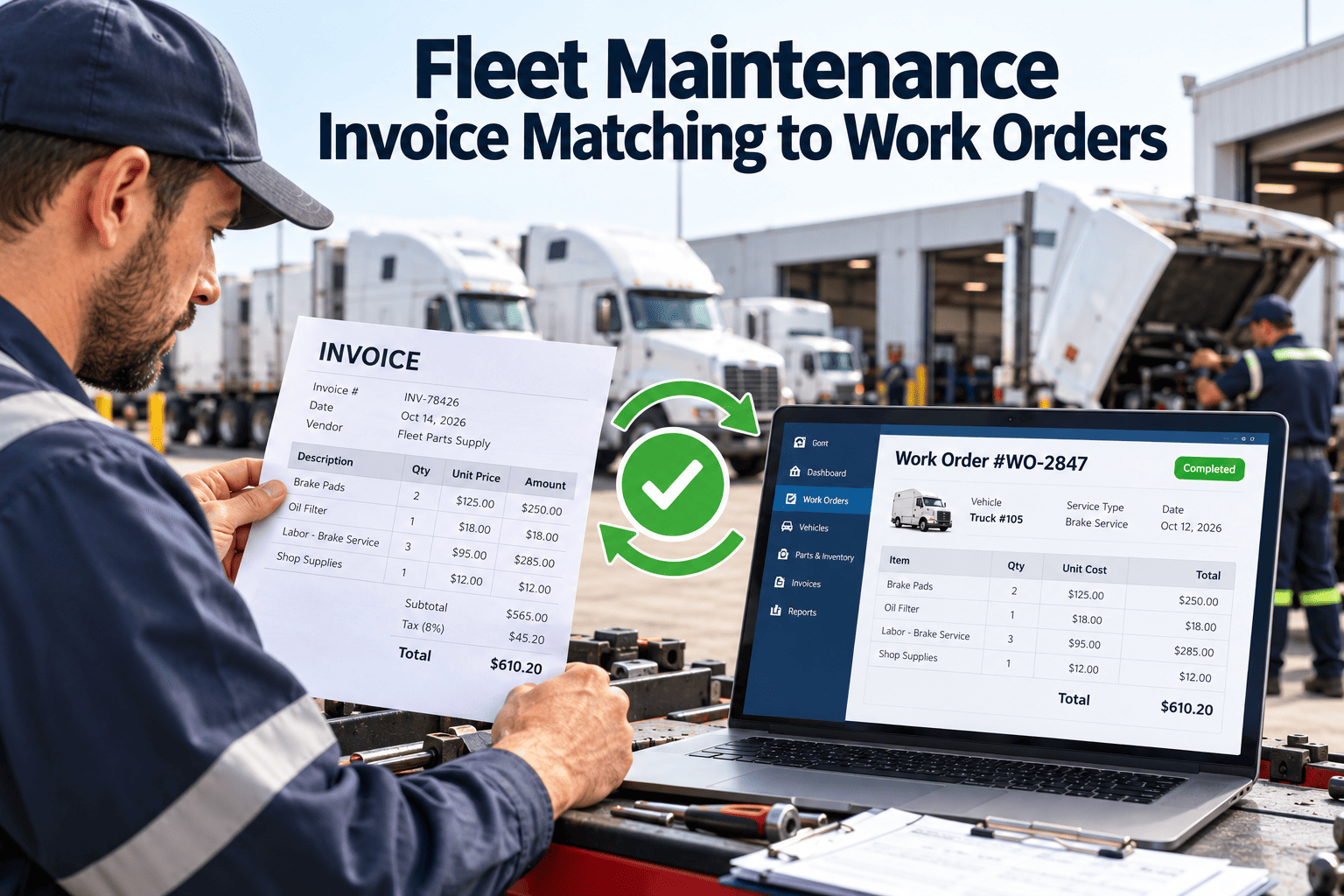
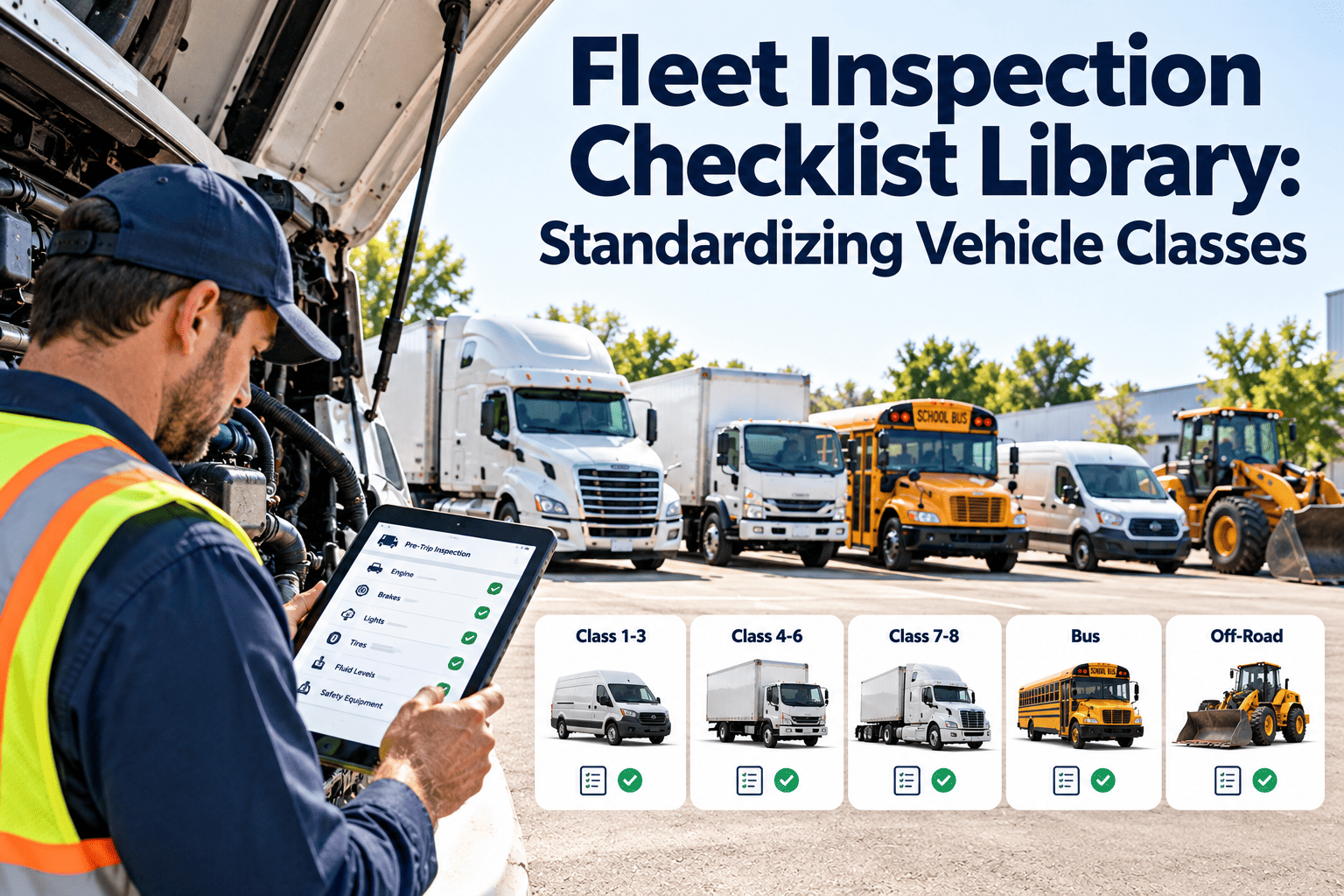
Every fleet shop eventually reaches the same uncomfortable moment: a vendor invoice lands in accounts payable, and nobody can say which truck, which repair, or which technician it belongs to. The work order says one thing, the invoice says another, and the parts receipt says something else entirely. Invoice matching ties those three records together before money leaves the building. This guide explains how fleet teams can build that discipline, where mismatches come from, and how a fleet maintenance software workflow keeps work orders, parts, and vendor billing aligned.
Work Orders and Shop Operations
Fleet Maintenance Invoice Matching to Work Orders
Stop paying for repairs you cannot trace. Match every vendor invoice to an authorized work order, a unit, and a completed task before approval.
Work Order
Unit and defect
Approved scope
Estimate and labor
MATCH
Parts Receipt
Part numbers
Quantities issued
Core returns
MATCH
Vendor Invoice
Billed lines
Rates and tax
Totals
Why Invoices Drift Away From Work Orders
The gap is usually a process gap, not a math error
- Roadside and outside repairs are authorized by phone, so no work order exists when the vendor starts work.
- Technicians close a job but never record the outside labor or parts that were purchased for it.
- Vendors bill by unit number, VIN fragment, or driver name, and the invoice cannot be tied to one asset.
- Accounts payable sees totals while the shop sees tasks, so neither side can spot a padded line.
- Warranty-eligible repairs get paid at full price because nobody checked asset history first.
What it costs when matching is skipped
Duplicate billing for the same repair
Labor hours billed above the approved scope
Parts charged that were never installed
Repair cost posted to the wrong unit
Missed warranty and core credits
Before and After: Invoice Handling in a Fleet Shop
Without work order matching
- Invoice arrives by email or paper, often days after the repair.
- AP asks the shop manager to confirm it is legitimate.
- The manager searches texts, notes, and memory for the job.
- The invoice is approved on trust or held until a vendor complains.
- Cost lands in a general repair account with no unit history.
With work order matching
- Every repair starts with a work order number, even outside jobs.
- The vendor quotes against that number and the approved scope.
- The invoice is compared line by line with the work order record.
- Only clean matches move forward; exceptions go to a named reviewer.
- Final cost posts to the unit and feeds cost-per-mile and lifecycle reports.
The Three-Way Match Applied to Fleet Maintenance
Three-way matching is a familiar procurement control. In a fleet it needs a maintenance-specific twist, because the work order, not a purchase order alone, is the anchor record.
1
Authorize
Work order opened with defect, unit, priority, and estimate limit.
2
Perform
Technician or vendor completes tasks; labor and parts are logged to the order.
3
Receive
Parts receipts and completion notes confirm what was delivered and installed.
4
Compare
Invoice lines are checked against the order for scope, quantity, and rate.
5
Approve
Clean matches are released; variances are routed with a reason code.
What to Compare on Every Invoice
Common Exception Types and Who Owns Them
Exception
Severity
Owner
Resolution path
No work order found
High
Shop manager
Create a retroactive order with notes, then match
Price above estimate
Medium
Maintenance supervisor
Approve the variance or negotiate a credit
Part not on receipt
Medium
Parts coordinator
Confirm delivery, then release or dispute
Wrong unit billed
Medium
Fleet administrator
Correct the asset reference before posting
Rounding or freight difference
Low
Accounts payable
Auto-approve within a set tolerance
Building the Matching Workflow Step by Step
Step 1
Make the work order the single source of truth
Adopt a rule that no repair, inside or outside, begins without a work order number. Outside vendors must quote that number on every invoice. This one rule removes the majority of orphan invoices.
Step 2
Standardize what a complete work order contains
Capture the unit, odometer or engine hours, reported defect, approved tasks, estimate, assigned technician or vendor, and parts used. Incomplete orders make matching impossible later.
Step 3
Set approval limits and tolerances
Define the estimate threshold above which a supervisor must approve, and the small variance, such as freight or rounding, that can pass without review. Document both so reviewers act consistently.
Step 4
Link parts movements to the order
Issue parts against the work order, not against a general bucket. Then the invoice parts line can be checked against what was actually pulled and installed.
Step 5
Review exceptions on a fixed rhythm
Set a weekly exception review with shop, parts, and finance in the same conversation. Track reasons so repeat vendor errors become a contract discussion rather than a recurring argument.
Step 6
Feed final cost back into asset history
Approved invoice cost should update the unit record so repair spend, repeat failures, and warranty recovery are visible when you plan replacement.
See Where Your Invoices and Work Orders Disagree
Start with a single vendor and a single month. Connect each invoice to its work order and see how many match cleanly.
Outside Repairs and Roadside Events
Where most matching failures begin
- Drivers call a local shop from the roadside and the vendor starts work before maintenance hears about it.
- Dispatch gives verbal approval but nothing is written to the unit record.
- The vendor invoices weeks later, long after details are forgotten.
- Tow, labor, parts, and mobile service fees arrive as separate invoices for one event.
A workable control
Open a work order the moment the call is logged
Give the vendor the number and the spend limit
Require photos or a completion note before payment
Group tow, labor, and parts under one event
Warranty, Core, and Credit Recovery
Matching is also a recovery tool. When invoices are tied to asset history, repeat repairs on the same component stand out, and eligible warranty or core credits can be claimed before the window closes.
Warranty checks
Compare the failed component, install date, and mileage against coverage terms before approving payment on a recent repeat repair.
Core tracking
Record the cores sent back so a missing credit memo is visible instead of absorbed as a quiet loss.
Vendor performance
Track which vendors repeatedly bill outside scope or above quote, and use that record in rate reviews.
Vendor Terms That Make Matching Easier
Work order number on every invoice
Write it into vendor agreements and purchase terms so an invoice without a reference can be returned automatically instead of investigated.
Itemized labor and parts
Ask for separate lines for labor hours, hourly rate, parts, shop fees, and tax. Lump-sum invoices hide variances that line-level matching would catch.
Agreed rates and approval limits
Document labor rates, parts markup, and the dollar amount above which the vendor must call before continuing work.
Who Reviews What in the Matching Process
Technician or vendor
Records labor, parts, and completion notes on the work order so the invoice has something accurate to be compared against.
Shop supervisor
Confirms scope and quality of the completed work and approves any variance that reflects genuine extra work found during the repair.
Parts coordinator
Verifies that billed parts match what was issued, received, or returned, including core credits and warranty exchanges.
Accounts payable
Checks rates, tax, duplicates, and coding, then releases only invoices that have passed the operational review.
Handling Special Invoice Situations
Partial invoices
Vendors sometimes bill in stages. Match each portion to the completed tasks and hold the balance until the work order shows the rest of the job is finished.
Supplemental charges
When extra defects are found mid-repair, require a documented approval and add the new task to the work order before the extra cost is accepted.
Credit memos
Record credits against the original work order so net cost per unit stays accurate and warranty recoveries are visible.
Statements and bulk billing
Monthly statements should be reconciled invoice by invoice, because a single total can hide duplicates or unmatched items.
Metrics That Show the Process Is Working
First-pass match rate
Share of invoices that match their work order with no exception. A rising rate shows upstream discipline improving.
Invoices without a work order
Count of orphan invoices per month. The target is zero, and every instance should have a recorded cause.
Days to approve
Elapsed time from invoice receipt to payment release. Faster approval protects vendor relationships and early-pay terms.
Variance to estimate
Average gap between quoted and billed cost by vendor and repair type, used to tighten estimating.
Recovered credits
Value of warranty, core, and billing corrections recovered through matching, tracked separately for reporting.
Pre-Approval Checklist for Maintenance and Finance
Shop side
- Work order exists and is closed or marked complete
- Unit, odometer, and defect are recorded
- Labor entries support billed hours
- Parts issued match parts billed
- Completion notes or photos are attached
Finance side
- Invoice references the work order number
- Rates match the vendor agreement
- No duplicate invoice for the same event
- Tax, freight, and fees are within tolerance
- Cost code or unit account is correct
How Oxmaint Supports Invoice-to-Work-Order Control
Matching only works when the underlying maintenance records are complete and easy to find. Oxmaint is built around that foundation: work orders, assets, parts, and history in one place that maintenance and finance can both read.
Work orders
Create orders with unit, defect, tasks, estimate, and assignee, and capture labor and notes as the job progresses.
Asset management
Keep a repair and cost history for each vehicle so invoices can be checked against prior work and warranty position.
Inventory and parts
Issue parts against work orders so billed parts can be compared with what was actually used.
Mobile workflows
Let technicians log time, parts, and completion notes at the vehicle rather than reconstructing them later.
Preventive maintenance
Schedule recurring services so planned work follows a predictable cost pattern that is easier to verify.
Reporting and dashboards
Review spend by unit, vendor, and repair type to spot variance and repeat failures.
Rolling Out Matching Without Slowing the Shop
Phase 1
Pilot one vendor
Pick the vendor with the highest invoice volume, require work order numbers, and measure first-pass match rate for a month.
Phase 2
Add parts and labor checks
Extend comparison to parts issued and labor logged, and agree tolerances with finance.
Phase 3
Expand to all vendors
Roll the same rules across outside repair shops, tire providers, and mobile service partners.
Phase 4
Review and tune
Use exception reasons to adjust contracts, estimates, and training, then repeat each quarter.
Frequently Asked Questions
What does it mean to match an invoice to a work order?
It means checking that a vendor bill corresponds to an authorized repair record for a specific unit, including scope, labor, and parts, before payment is approved.
Do outside vendor repairs need a work order too?
Yes. Opening the order before work starts gives the vendor a reference number and gives you a place to hold approval limits, notes, and cost history.
How strict should variance tolerances be?
Set a small tolerance for freight and rounding and require review above it. Agree the limits with finance so reviewers apply them the same way every time.
Can matching help with warranty recovery?
It can. When invoices are tied to asset history, repeat component failures are easier to see, so claims can be raised in time. You can
try it on your own fleet records.
Where should a small fleet start?
Begin with one vendor and one rule: no invoice is paid without a work order number.
Book a short walkthrough to map it to your shop.
Pay for the Work You Can Prove
Connect work orders, parts, and vendor invoices in one maintenance record, and make every approval traceable to a unit and a completed task.