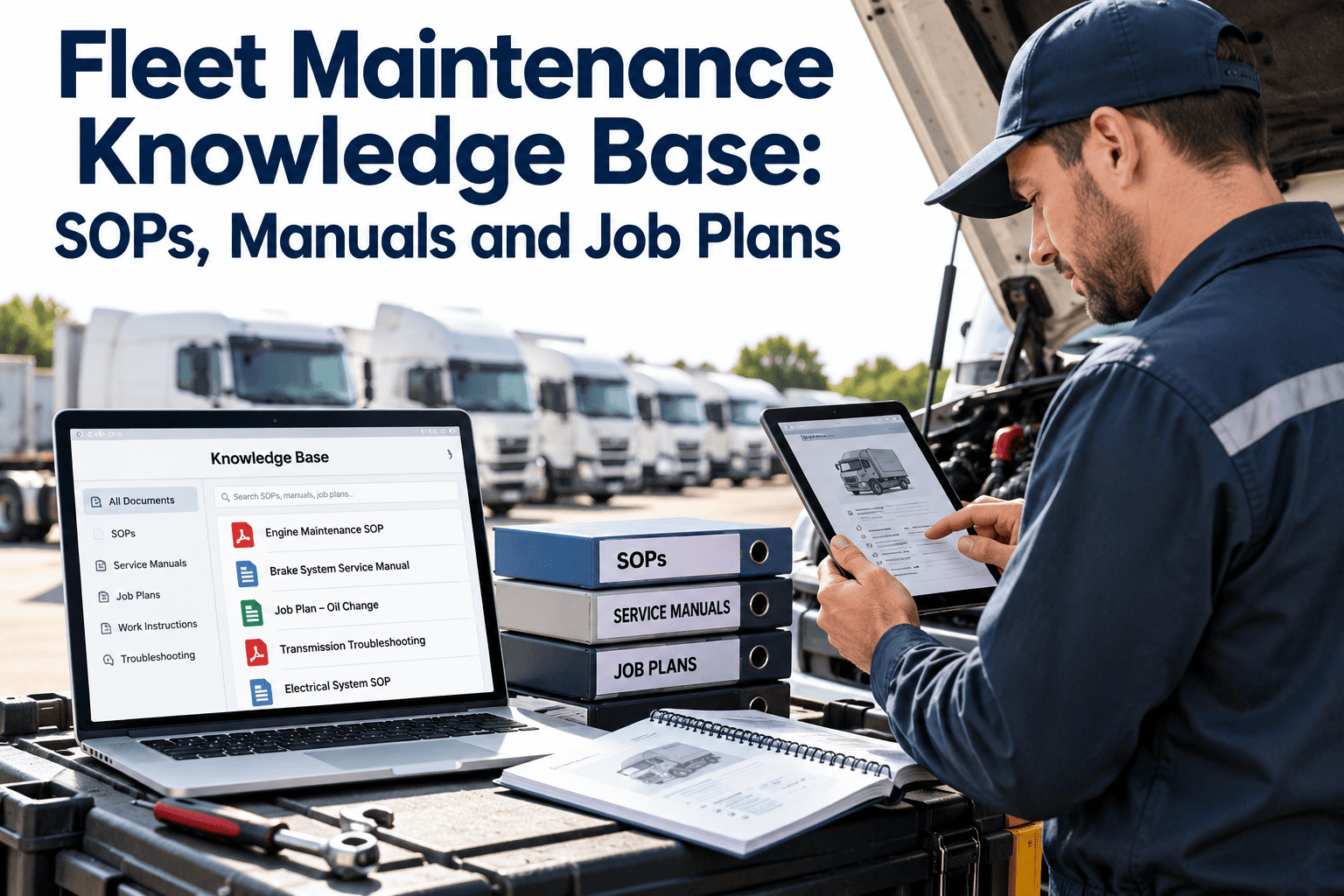
When a senior technician retires, the shop loses more than a pair of hands. It loses the knowledge of which fastener always seizes, which sensor fails first, and which shortcut should never be taken. A fleet maintenance knowledge base captures that experience in standard operating procedures, manufacturer manuals and reusable job plans, so the next technician starts from the best known method instead of from scratch. This guide explains how to structure each document type, how to keep content current, and how to connect it to work orders in a fleet maintenance CMMS so people use it during the job.
Build a fleet maintenance knowledge base that technicians use on the job
Organize SOPs, manuals and job plans by vehicle class and task, assign owners, and link them to the work orders where the knowledge is needed.
Three document types, three different jobs
Teams often mix these into one folder. Separating them makes each easier to write, review and find.
Manufacturer manuals
The source of specifications, torque values, wiring and service intervals. Keep them as published and link to the exact section instead of copying numbers into other documents.
Standard operating procedures
How your shop performs recurring work, including safety steps, quality checks and approvals. They reflect your tools, your people and your regulatory duties.
Job plans
A ready-to-run plan for a defined task: steps, estimated labor, tools, parts and safety notes. A job plan attaches to a work order or preventive maintenance schedule.
What happens when the knowledge is not organized
Anatomy of a good job plan
A job plan is the most reusable asset in the knowledge base. A complete one lets a planner schedule the work and a technician perform it with minimal back and forth.
Attach job plans to the work orders technicians open every day
Standardize steps, parts and checklists inside Oxmaint so planned work starts with the right instructions.
Structuring the library so people can find things
A library is only useful if a technician can reach the right document in a few taps. Organize by how work is requested, not by how files were created.
| Organizing dimension | Example values | Why it helps |
|---|---|---|
| Vehicle or equipment class | Day cab tractor, box truck, reefer trailer, forklift | Procedures differ by configuration and manufacturer |
| System | Brakes, engine, electrical, tires, HVAC, body | Matches how defects and repair codes are recorded |
| Task type | Inspection, preventive service, repair, calibration | Lets planners pull the right plan for the trigger |
| Document status | Draft, approved, under review, retired | Prevents obsolete procedures from being used |
| Risk level | Routine, controlled, safety-critical | Determines review depth and required sign-off |
| Owner and revision date | Named role, last reviewed date | Makes accountability and freshness visible |
Document lifecycle: from tip to approved procedure
Good knowledge starts at the bay. A simple lifecycle moves useful tips into the library without letting unreviewed content pose as official.
Writing procedures that people follow
Writing rules
- Start each step with a verb and keep it to one action
- State the measurable acceptance criterion, such as a pressure, a gap or a visual check
- Put warnings before the step they apply to, not after
- Reference manufacturer values by section instead of copying them into text
- Use photos or diagrams where words are ambiguous
- Keep one procedure to one task so it stays short enough to read at the bay
Signs a procedure needs rewriting
- Technicians skip steps because they are unclear or impractical
- Actual job time differs widely from the plan every time
- Repeat repairs show up on units that followed the procedure
- Equipment, tools or parts have changed since the last review
- Different shops interpret the same step differently
Ownership and review cadence
Assign each document a named role, not just a file location. Review frequency should follow risk, with safety-critical content checked more often.
| Content type | Suggested owner | Review trigger |
|---|---|---|
| Safety-critical SOPs | Safety lead with maintenance manager | Annual review, incident, regulation change |
| Preventive maintenance job plans | Maintenance planner | Interval change, repeat failure, new vehicle class |
| Repair job plans | Lead technician for the system | Rework, tool change, manufacturer bulletin |
| Manufacturer manuals | Parts or technical administrator | New model year, service bulletin or recall |
| Inspection checklists | Compliance or safety coordinator | Regulation change, audit finding |
Connecting the knowledge base to maintenance workflows
A document that sits in a folder is easy to ignore. Place it inside the workflow where decisions are made.
A 60-day plan to get started
Capturing knowledge from experienced technicians
Much of the most valuable shop knowledge has never been written down. A short, structured interview turns it into material that can be reviewed and reused.
A simple capture method
- Pick one task and one experienced technician, and keep the session to under an hour.
- Ask the technician to talk through the job while performing it, with a second person taking notes or photos.
- Ask what goes wrong, what looks fine but is not, and what a newer technician usually misses.
- Record the tools, parts and small tricks that are not in the manual.
- Draft the job plan the same day, and have the technician correct it before it is reviewed.
Questions that surface hidden knowledge
- What is the first thing you check when this unit comes in with that complaint?
- Which step takes longer than the manual says, and why?
- When have you seen this repair come back, and what caused it?
- What would you tell someone doing this job for the first time?
Quality checks before a document is published
Publishing is a promise that a technician can follow the document without guessing. A short review checklist prevents most problems.
Content checks
- The task, applicable vehicle class and trigger are stated clearly
- Safety steps come first and match shop and regulatory requirements
- Specifications link to the manufacturer source
- Each step can be verified by someone who is not the author
Usability checks
- A technician unfamiliar with the job completed it using the plan in a trial
- Estimated labor matches the time observed in the trial
- The document reads clearly on a phone or tablet at the bay
- Owner, revision date and approval status are visible
Measures that show the knowledge base is working
| Measure | What it shows | Why it matters |
|---|---|---|
| Job plan coverage | Share of preventive tasks that have an attached plan | Shows how much planned work starts with instructions |
| Planned versus actual labor | Gap between estimated and recorded hours | Highlights plans that need rewriting |
| Rework and comebacks | Jobs reopened for missed steps | Indicates unclear or missing instructions |
| Document age | Time since last review by risk level | Keeps safety-critical content current |
| New technician ramp-up | Time before independent work on common tasks | Shows the value of documented methods |
Version control, bulletins and retirement
A knowledge base loses trust the first time a technician follows an outdated procedure. Control versions deliberately, and treat retirement as a normal step in the lifecycle.
Version control habits
- Allow only one approved version of a document to be visible to technicians at a time
- Keep earlier versions archived with their approval dates, in case a past repair needs to be reviewed
- Write a one-line summary of what changed in each revision
- Notify affected technicians when a safety-critical procedure changes
Manufacturer bulletins and recalls
- Assign one person to monitor bulletins and recalls for the makes and models in the fleet
- Convert each relevant bulletin into a work order or an update to the matching job plan
- Link completed recall work to the asset record so it can be shown on request
- Retire bulletin-driven instructions once they are folded into the standard procedure
Shared and local content in multi-site fleets
| Content | Shared across sites | Local to a site |
|---|---|---|
| Safety procedures | Core requirements and approval status | Site-specific hazards and equipment |
| Job plans | Standard steps and checks for each vehicle class | Tool locations and local supplier details |
| Manuals | Manufacturer documents by model | Notes on locally modified equipment |
| Inspection checklists | Common items by class | Additions required by local regulation |
Frequently asked questions
What is the difference between an SOP and a job plan?
An SOP defines how the shop performs a type of work, including safety and quality rules. A job plan is a ready-to-run task list for a specific job, often attached to a work order.
Should we copy manufacturer specifications into our SOPs?
Prefer linking to the manual section, since copied values go stale. If you must include numbers, record the source and revision beside them.
How do we keep technicians from ignoring the knowledge base?
Put it inside the work order and keep documents short and practical. You can schedule a demo to see job plans attached to maintenance tasks.
How often should procedures be reviewed?
Review by risk. Safety-critical content should be checked at least annually and after incidents or regulation changes, while routine plans can follow repeat-failure and feedback triggers.
Where do we start if our documents are a mess?
Start with the ten most frequent or riskiest tasks rather than everything. You can get started by building those job plans in your maintenance system.
Capture shop knowledge before it walks out the door
Standardize job plans, checklists and asset history in one maintenance platform your whole shop can use.