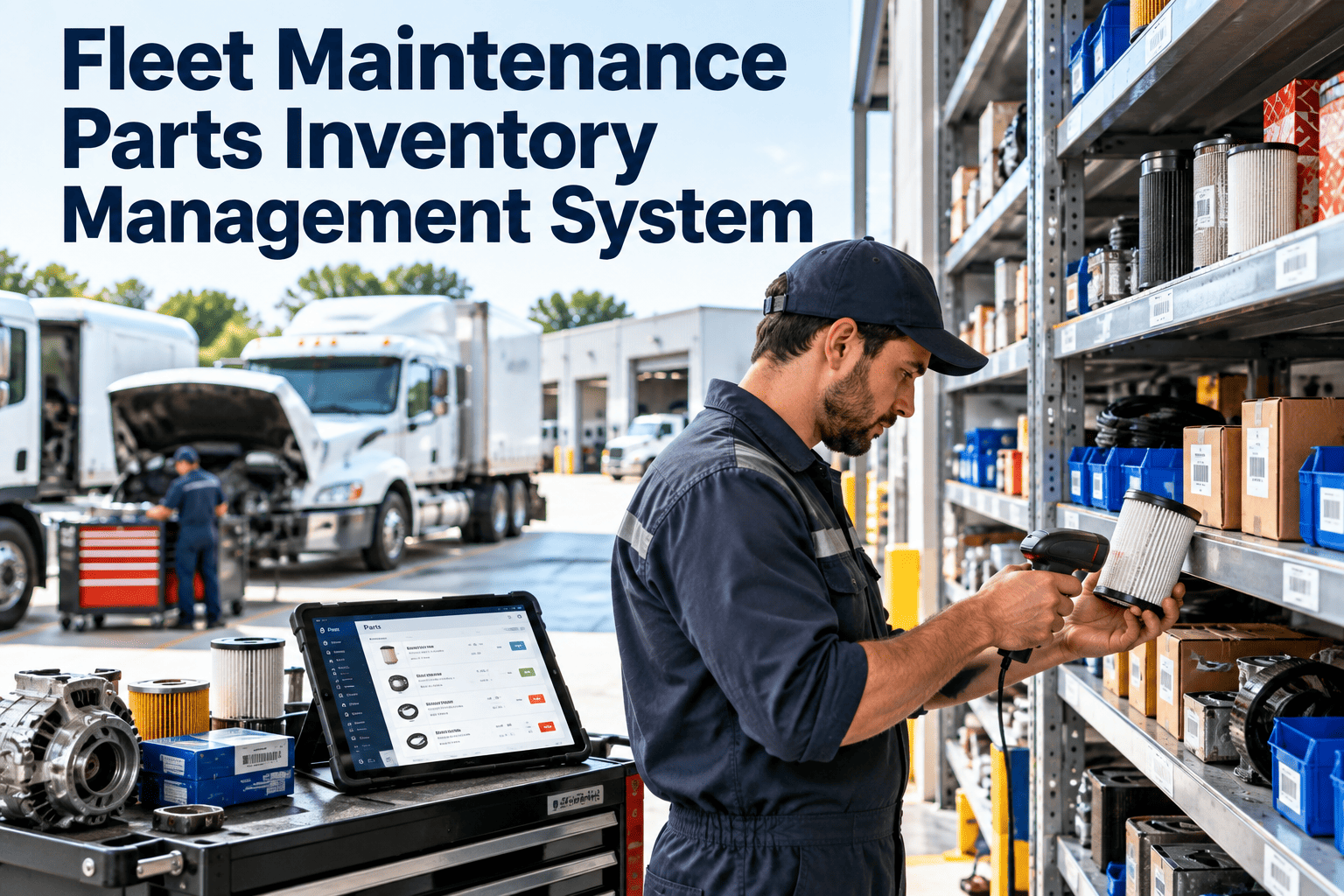
A fleet vehicle waiting for a part is a vehicle that earns nothing. Yet many shops still run parts from a storeroom shelf, a spreadsheet and the memory of one senior technician. The result is emergency orders, duplicate stock and repairs delayed by a missing filter or brake kit. A fleet maintenance parts inventory management system links every part to the vehicles, work orders and suppliers that depend on it. This guide covers how to set one up, and how Oxmaint maintenance management software keeps parts and repairs in sync.
Parts and Procurement
Fleet Maintenance Parts Inventory Management System
Stop choosing between overstocked shelves and vehicles stuck waiting on parts. Tie stock levels to preventive schedules and open work orders so the right part is on hand before the repair starts.
Oil filtersHealthy
Brake padsReorder
BeltsOverstock
Vertical line marks the reorder point
The Real Cost of Poor Parts Control
Stockout
Vehicle sits in the bay while a part is sourced. Downtime grows and the schedule slips.
Overstock
Cash is tied up in parts that rarely move, and some become obsolete or expire.
Rush buying
Emergency purchases usually cost more and skip supplier comparison.
Lost parts
Items taken without a record cannot be charged to a vehicle or reordered.
These are the patterns maintenance managers report most often. Measure your own baseline before setting targets.
What a Parts Inventory System Needs to Do
- Maintain a clean catalog with part numbers, descriptions and cross-references
- Link parts to the makes, models and specific vehicles that use them
- Track quantity on hand by storeroom, van or yard location
- Issue parts against work orders so cost lands on the correct vehicle
- Trigger reorders at defined minimum levels
- Record supplier, price, lead time and warranty terms
- Support returns, core exchanges and warranty claims
1Request
2Approve
3Order
4Receive
5Store
6Issue to work order
7Review usage
Sort Parts by How They Behave
Not every part deserves the same attention. Grouping parts by usage and criticality decides how much stock to hold and how closely to watch it.
| Category | Examples | Stocking approach |
|---|---|---|
| Consumables | Oil, filters, wipers, fluids | Stock to preventive maintenance demand, reorder on minimums |
| Wear items | Brake pads, tires, belts | Forecast from vehicle mileage and past replacement history |
| Critical spares | Alternators, sensors, air system parts | Keep a small buffer where downtime is costly |
| Slow movers | Body panels, model-specific items | Order on demand unless lead time is long |
| Rebuildable cores | Starters, turbochargers | Track core returns and credits |
Put Every Part on the Repair It Belongs To
See how parts, work orders and vehicle history connect in one maintenance system.
Setting Reorder Points That Work
Average daily use
multiplied by
Supplier lead time
plus
Safety buffer
equals
Reorder point
- Use real consumption from work orders, not estimates
- Add planned preventive maintenance demand for the coming weeks
- Raise the buffer for parts with unreliable suppliers
- Review levels each quarter as the fleet changes
Preventive Maintenance and Parts Must Be Planned Together
Parts handled separately
- Service is scheduled without checking stock
- Technicians hunt for parts mid-job
- Repairs are paused and restarted
- Cost per vehicle is incomplete
Parts linked to schedules
- Service tasks list the parts they need
- Shortages appear before the service date
- Kits are staged for the technician
- Issued parts update vehicle cost history
Storeroom Control Checklist
Every bin and shelf has a label and location code
Parts leave the storeroom only against a work order
Receiving is checked against the purchase order
Cycle counts are done on a fixed rotation
Service vehicle stock is counted like the main store
Returned and warranty parts are tagged and recorded
Supplier and Procurement Discipline
Primary supplier for routine parts, based on price, availability and delivery reliability.
Backup supplier for stockouts, so an emergency does not depend on one source.
Dealer or OEM for warranty-sensitive and model-specific items.
Remanufactured options where the parts and warranty terms suit your fleet.
Record lead time and actual delivery performance per supplier. That history supports better reorder points and fairer negotiations.
Parts Data Reveals Repair Patterns
| Pattern in parts usage | What it may indicate | Follow-up |
|---|---|---|
| Same part replaced repeatedly on one vehicle | Unresolved root cause or poor part quality | Review repair notes and supplier |
| Sudden rise in a wear item | Route, load or driving change | Check inspections and duty cycle |
| Parts issued with no work order | Process gap or shrinkage risk | Enforce issue-to-work-order rule |
| Stock unchanged for a long period | Obsolete or over-ordered item | Reduce minimums or return stock |
How Oxmaint Supports Fleet Parts Control
Oxmaint is built around maintenance workflows, so parts control sits inside the repair process instead of beside it.
Inventory records
Part catalog, quantities, locations and minimum levels in one place.
Work orders
Parts used are recorded on the job and charged to the vehicle.
Preventive maintenance
Recurring service tasks that carry their parts requirements.
Asset history
Every part fitted to a vehicle, with dates and costs.
Mobile workflows
Technicians log parts and findings from the bay or roadside.
Reporting
Parts cost by vehicle, category and period.
Parts KPIs Worth Tracking
Stockout rate
How often a needed part is unavailable.
Inventory turnover
How quickly stock is used versus held.
Wait time for parts
Hours vehicles spend idle awaiting parts.
Count accuracy
System quantity versus physical count.
Parts cost per vehicle
Spend by unit to spot outliers.
Emergency order share
Portion of purchases made in a rush.
Implementation in Four Phases
Phase 1
Clean the catalog. Remove duplicates, standardize part numbers and link parts to vehicle types.
Phase 2
Count the storeroom, label locations and load opening quantities.
Phase 3
Require parts to be issued against work orders and set minimums for critical items first.
Phase 4
Review usage, adjust reorder points and extend control to service vehicles and satellite yards.
Frequently Asked Questions
What is a fleet parts inventory management system?
It tracks parts stock, usage, suppliers and costs, and links them to vehicles and work orders.
How do I decide which parts to stock?
Start with preventive maintenance consumables and high-downtime critical spares, using real work order history.
Can parts be tied to preventive maintenance?
Yes. Service tasks can list required parts so shortages show before the due date. Start with Oxmaint to set this up.
How does inventory affect fleet uptime?
Missing parts extend repair time. Better availability shortens waits, though results depend on your fleet and suppliers.
Can I see this with my own fleet data?
Yes. You can book a demo to walk through your parts workflow.
Have the Right Part Ready Before the Vehicle Arrives
Connect inventory, preventive maintenance and work orders so repairs stop waiting on the storeroom.