Choosing fleet maintenance software in 2026 means looking past long feature lists. Most platforms promise work orders, reminders, and reports, yet the real differences appear in how well they fit your shop, your vehicles, and your team. This guide sets out practical comparison criteria, suggested weights, and demo scenarios you can use with any vendor. It also shows how Oxmaint approaches the maintenance-first workflows fleets depend on.
Fleet Maintenance Software Comparison Criteria for 2026
Compare fleet CMMS options with a clear scorecard. Weigh workflows, mobile use, asset and parts control, reporting, integration, and adoption before you choose.
Illustrative emphasis for a maintenance-first evaluation. Adjust the weights to match your fleet.
Start with your workflow, not a feature list
Two fleets can choose the same software for different reasons. Define your own workflows first so the comparison tests what you actually do each day.
Feature-led selection
- Vendors set the agenda in the demo
- Long checklists reward quantity over fit
- Shop staff are consulted after the decision
- Gaps appear during rollout
- Success is hard to define
Workflow-led selection
- Your own scenarios set the agenda
- Criteria are weighted by what hurts most today
- Technicians and planners join the evaluation
- Gaps are found in the demo, not after signing
- Success measures are agreed in advance
Evaluation criteria and suggested weights
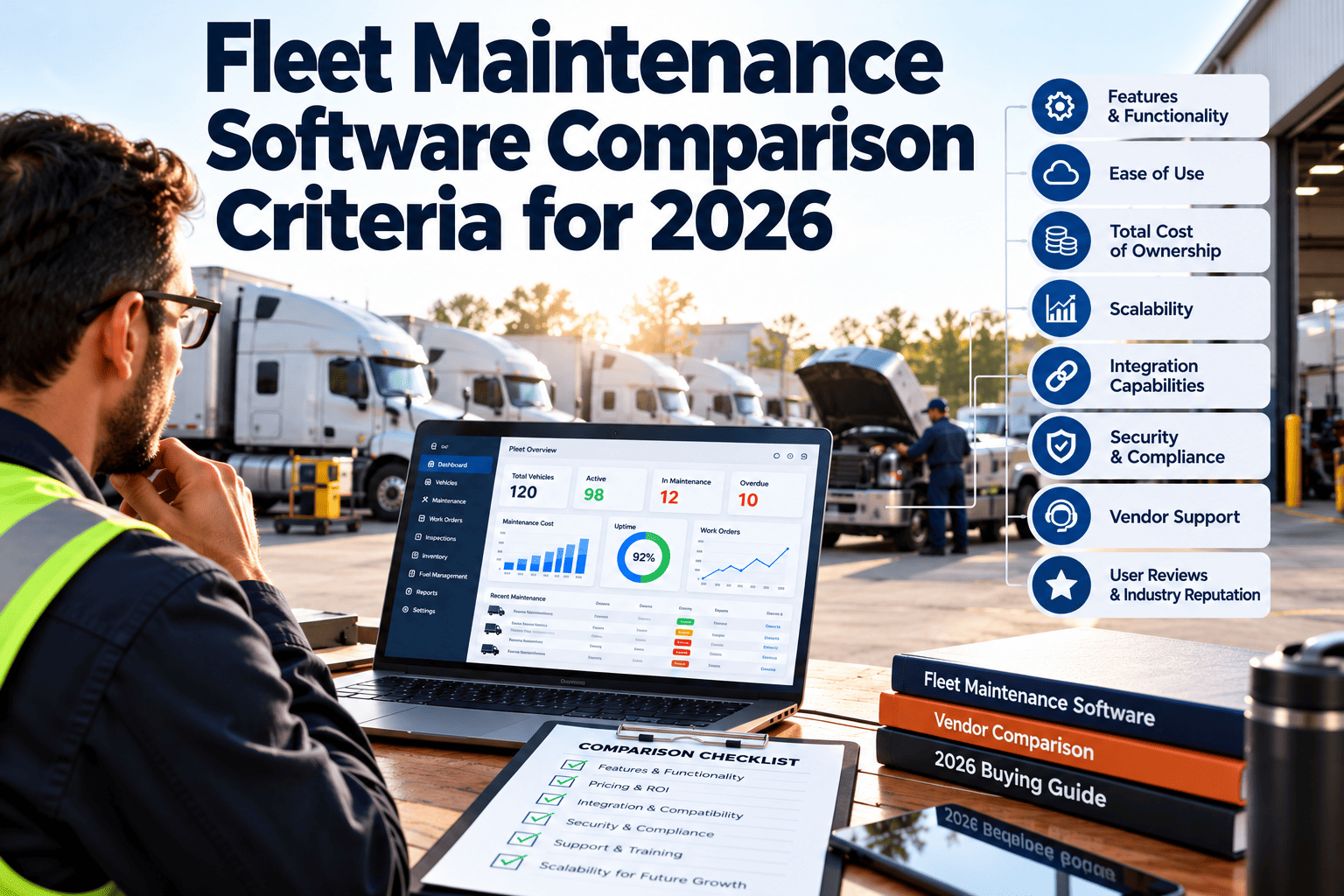
Use these weights as a starting point and adjust them. A fleet with strict regulatory duties might raise compliance, while a small shop might raise ease of use and cost.
Work orders, preventive maintenance by date or meter, corrective repairs, approvals, and scheduling.
Mobile inspections, photos, offline use, and fast technician updates at the vehicle.
Vehicle and component records, repair history, inventory, and parts linked to work orders.
Dashboards, cost reports, downtime, repeat failures, and the ability to export data.
Connections to telematics, fuel, accounting, and purchasing, plus data import and export.
Inspection records, retention, user roles, and clear audit trails.
Data migration help, training, responsiveness, and a realistic rollout plan.
Pricing structure, growth costs, and ability to add vehicles, users, and shops.
Questions to ask and evidence to request
For each criterion, ask the same questions of every vendor and collect evidence you can check, not just claims.
| Criterion | Questions to ask | Evidence to request | Red flag |
|---|---|---|---|
| Core workflows | Can we model our PM rules and approvals without custom work? | A live demo using your tasks | Heavy reliance on workarounds |
| Inspections and mobile | What works offline and how fast do technicians update jobs? | Hands-on test by a technician | Mobile view is a reduced version |
| Asset and parts | How are components, parts, and repair history linked? | Sample vehicle record with full history | Separate systems for parts and work |
| Reporting | Can we build the reports we use today without export? | Reports built from your sample data | Reports require vendor services |
| Integrations | Which integrations are standard and which are custom? | Documentation and reference customers | Vague integration promises |
| Compliance | How are inspections, roles, and changes recorded? | Audit trail example | Records can be edited without history |
| Implementation | Who migrates our data and trains our team? | Written plan and timeline | No named responsibilities |
| Cost | What changes if we add vehicles, users, or modules? | Itemized pricing | Key features sold as add-ons |
Test your own workflows before you decide
Bring your preventive schedules, inspections, and work order process to a live session and see how a maintenance-first CMMS handles them.
Six demo scenarios to run with every vendor
A scripted demo makes vendors comparable. Run the same scenarios and score each one.
Create a preventive schedule
Set a service by mileage or hours for a vehicle group and generate the first tasks.
- Check meter-based triggers
- Check task lists and parts included
Complete an inspection with a defect
Have a technician record a defect on a mobile device and watch the work order appear.
- Check photo and note capture
- Check routing to a supervisor
Handle a repair with parts
Open a corrective work order, reserve parts, and close it with labor and cost.
- Check stock updates
- Check cost posting to the vehicle
Route an approval
Send a high-cost repair through an approval rule and an emergency repair through a different one.
- Check backup approvers
- Check the audit record
Review reports
Build a report on cost, downtime, and overdue preventive work.
- Check filters by vehicle class
- Check data export
Import and edit data
Load a sample vehicle list and fix errors.
- Check import tools
- Check how duplicates are handled
Cost beyond the subscription price
A lower price can hide costs elsewhere. Compare total cost of ownership across the first few years.
| Cost area | What to ask | Often missed |
|---|---|---|
| Subscription | Per vehicle, per user, or per site? | Price changes as the fleet grows |
| Implementation | Is setup included or billed separately? | Data cleanup effort on your side |
| Training | Initial and ongoing training options | Time for technicians to learn |
| Integrations | Standard or custom, and who pays? | Ongoing maintenance of connections |
| Support | Response expectations and hours | Premium support tiers |
| Add-on modules | Which features are extra? | Mobile, inspections, or reports sold separately |
Evaluating AI and automation claims in 2026
Many vendors now describe AI features. Treat these claims like any other capability and test them against your data and workflows.
Ask what it actually does
- Which task does the feature perform, such as summarizing notes, flagging risk, or suggesting schedules?
- What data does it use, and does your history meet that need?
- How are results explained so a planner can review them?
Ask how people stay in control
- Who approves actions that affect safety or cost?
- Can you change or turn off rules and suggestions?
- Is there a record of what was suggested and what was done?
Ask how it is measured
- How does the vendor measure accuracy and usefulness?
- Can they show results using data like yours?
- What happens when the data is incomplete?
Integration and data checklist
Fleet maintenance rarely stands alone. Check how well the software shares data with the systems around it.
Systems to connect
- Telematics and vehicle diagnostics
- Fuel and mileage sources
- Accounting and purchasing
- Parts suppliers and catalogs
- Single sign-on and user directories
Data questions
- Can we import our existing vehicles and history?
- Can we export all data in a usable format?
- How often does synced data refresh?
- Who owns the data if we leave?
- How are duplicate and conflicting records handled?
Rollout and adoption readiness
The best software fails if the team does not use it. Judge the vendor and your own readiness together.
Prepare data
Clean vehicle lists, meter readings, and service intervals before migration.
Pilot
Run one shop or vehicle group, with technicians testing daily tasks.
Train and expand
Train by role, roll out to more groups, and keep a support channel open.
Review
Compare results with success measures and adjust workflows and rules.
Types of tools fleets compare
Fleets usually compare a few categories before looking at individual vendors. Knowing the trade-offs helps you narrow the list.
Operational impact of choosing the wrong system
A poor fit costs more than the subscription. It affects daily work, data quality, and the trust your team places in the system.
Shop effects
- Technicians return to paper or personal notes when the tool is slow
- Work orders are updated late, so status is unreliable
- Preventive tasks are missed when schedules do not match real rules
Management effects
- Reports require manual cleanup before they can be trusted
- Cost per vehicle is unclear because parts and labor are not linked
- Audit preparation takes longer when records are scattered
Financial effects
- Switching later costs time in migration and retraining
- Paid add-ons accumulate when core needs were not tested
- Lost data history weakens future analysis
Questions to ask your own team first
Before talking to vendors, gather input internally. These questions expose your real priorities.
For technicians and planners
- Which tasks take the most time to record today?
- Where do jobs get stuck or lost?
- What information is missing when you start a repair?
- What would make you open the system more often?
For managers and finance
- Which reports do we build by hand each month?
- Where do costs fail to match vehicles?
- Which audits or inspections cause the most effort?
- What outcome would justify the change?
Define success measures before you buy
Agree on what the software must improve so you can judge it after rollout.
Preventive maintenance compliance
Scheduled tasks completed on time compared with before the rollout.
Planned versus unplanned work
Share of maintenance that is scheduled, which should rise over time.
Work order cycle time
Days from open to close for common repair types.
Inspection completion
Share of required inspections done with defects followed up.
Data completeness
Closed work orders with cause, labor, and parts recorded.
User adoption
Technicians and supervisors using the system daily.
A blank comparison matrix you can copy
Score each vendor from 1 to 5 for every criterion, multiply by your weight, and discuss the gaps as a team.
| Criterion | Weight | Vendor A score | Vendor B score | Vendor C score | Notes |
|---|---|---|---|---|---|
| Core maintenance workflows | 20 | 1 to 5 | 1 to 5 | 1 to 5 | Scenario results |
| Inspections and mobile use | 15 | 1 to 5 | 1 to 5 | 1 to 5 | Technician feedback |
| Asset and parts control | 15 | 1 to 5 | 1 to 5 | 1 to 5 | Record depth |
| Reporting and analytics | 12 | 1 to 5 | 1 to 5 | 1 to 5 | Report tests |
| Integrations and data | 10 | 1 to 5 | 1 to 5 | 1 to 5 | Connection list |
| Compliance and audit | 10 | 1 to 5 | 1 to 5 | 1 to 5 | Audit trail |
| Implementation and support | 10 | 1 to 5 | 1 to 5 | 1 to 5 | Plan quality |
| Cost and scalability | 8 | 1 to 5 | 1 to 5 | 1 to 5 | Total cost |
Security and compliance questions
Maintenance systems hold operational and sometimes personal data, so basic controls matter.
Access and records
- Role-based permissions for technicians, supervisors, and managers
- Audit trails for edits to work orders, approvals, and inspections
- Retention rules that match your policies
Vendor practices
- Documentation on data hosting, backup, and recovery
- Security certifications or reports the vendor can share
- Clear terms for data ownership and export
How Oxmaint maps to these criteria
Oxmaint is built around maintenance work, so its core features line up with the highest-weighted criteria in this guide.
- Work orders and approvals for corrective and preventive tasks
- Preventive maintenance scheduling by date, meter, or usage
- Mobile inspections and work updates from the vehicle
- Asset records with repair history and linked parts
- Inventory control tied to work orders
- Dashboards and reports on cost, downtime, and overdue work
Try it against your own scenarios
- Run the six demo scenarios from this guide
- Use your own vehicles and service intervals
- Include technicians and supervisors in the test
- Ask finance to review cost reports using the same sample data
- Compare results with your weighted scorecard before making a decision
Common mistakes when comparing fleet maintenance software
Avoid these traps to keep the evaluation fair and useful.
| Mistake | Effect | Fix |
|---|---|---|
| Choosing by price alone | Hidden costs and poor fit | Compare total cost and fit scores |
| Leaving technicians out | Low adoption after launch | Include them in demos and pilots |
| Accepting scripted vendor demos | Strengths shown, gaps hidden | Run your own scenarios |
| Skipping data preparation | Slow, error-prone migration | Clean data before the pilot |
| Over-weighting advanced features | Basic workflows suffer | Weight core workflows highest |
Frequently asked questions
What are the most important fleet maintenance software criteria?
Core work order and preventive maintenance workflows, mobile inspections, asset and parts control, and reliable reporting.
How should I weigh criteria?
Weight by the problems you face today and adjust the example weights. You can book a demo to test them on your workflows.
Should AI features drive the decision?
Treat them as extra. Confirm what data they need, how people review them, and how results are measured.
How long should an evaluation take?
Allow time for scenario demos, a small pilot, and feedback from technicians and finance.
Where can I test a maintenance-first CMMS?
You can start with a pilot group and compare results against your scorecard.
Compare fleet maintenance software with confidence
Use a weighted scorecard, real scenarios, and a small pilot to find the system your shop will actually use.