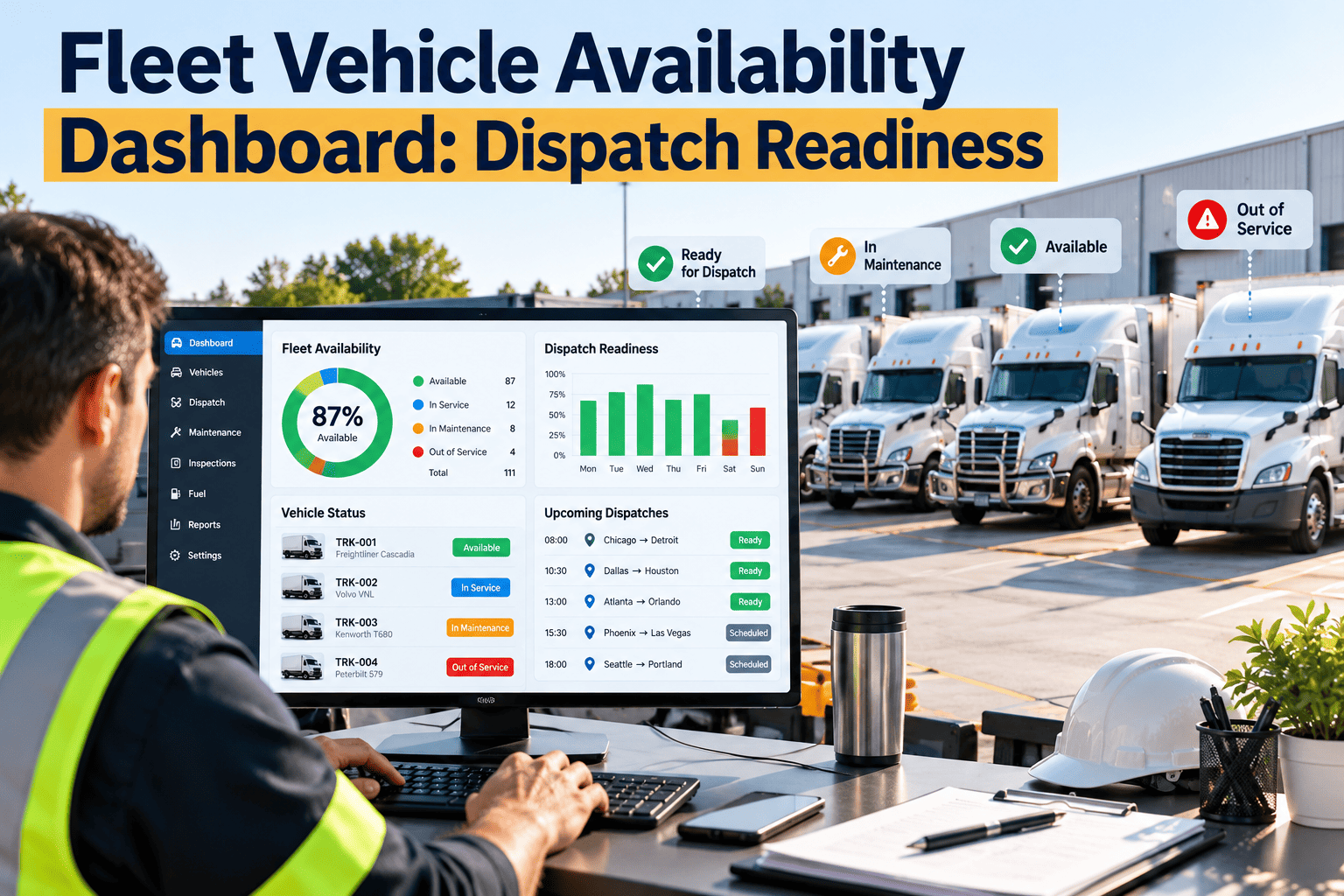
A fleet vehicle availability dashboard shows dispatchers which vehicles are truly ready to roll and which are not, along with the reason. Too often a unit appears available while it carries an open brake defect, an overdue inspection, or a part still on order. That gap causes last-minute swaps, missed routes, and vehicles leaving the yard with unresolved issues. Feeding the dashboard from live maintenance data closes the gap, and a CMMS such as Oxmaint fleet maintenance software supplies the work order, inspection, and PM status that make dispatch readiness something you can trust.
Fleet Vehicle Availability Dashboard: Dispatch Readiness
Know which vehicles can be dispatched right now, which need attention first, and what is holding the rest in the shop.
Available is not the same as ready
What most dashboards show
- Vehicle is parked at the depot.
- No work order was opened this week.
- Driver is assigned and on shift.
What dispatch really needs
- No unresolved safety-related defect.
- Inspection and PM status confirmed current.
- Repair status and return time visible.
Dispatch readiness is a maintenance question first. The dashboard only works when it reads from the same records technicians update every day.
Five readiness gates every vehicle should pass
Inspection valid
The latest pre-trip or post-trip inspection is complete and shows no unresolved defect.
PM not overdue
Mileage, engine hour, or calendar triggers have not passed their due point.
No open safety defect
Brakes, steering, tires, lights, and similar items are closed out with sign-off.
Repairs complete or scheduled
Open work orders show a clear status, owner, and expected completion time.
Compliance documents current
Annual inspection, registration, and required certificates are valid for the vehicle.
Status definitions that dispatchers can act on
| Status | Rule behind it | Dispatch action | Owner |
|---|---|---|---|
| Ready | All five gates pass | Dispatch normally | Dispatcher |
| Ready with limits | Minor non-safety defect or PM due within a set window | Dispatch with approval and short routes if needed | Maintenance supervisor |
| In maintenance | Open work order with a repair in progress | Plan a substitute unit | Shop lead |
| Waiting on parts or vendor | Work order paused for an outside dependency | Escalate and confirm return date | Parts or fleet coordinator |
| Out of service | Safety defect or expired required inspection | Block dispatch until cleared | Fleet manager |
Anatomy of a useful availability dashboard
Keep the top of the screen simple. Dispatchers need the answer in seconds, and managers need the reason behind it.
Why availability data goes wrong
Late updates
Work orders are closed in batches at the end of the week, so the board lags the shop floor.
Defects outside the system
Driver notes on paper or in messages never reach the maintenance record.
No status for waiting
Vehicles waiting on parts or approval look identical to vehicles being repaired.
Manual PM tracking
Due dates live in spreadsheets, so overdue units are found only by chance.
A daily dispatch readiness routine
KPIs behind the availability view
Alert and escalation matrix
| Trigger | Alert sent to | Expected response |
|---|---|---|
| Safety defect reported | Maintenance supervisor and dispatcher | Vehicle blocked and work order created |
| PM due within set window | Shop planner | Service slot scheduled around dispatch demand |
| Work order paused over target time | Fleet manager | Review cause, approve or expedite parts |
| Required inspection nearing expiry | Compliance lead | Inspection booked before the due date |
Design rules for a dashboard people actually use
- Show status first and detail second, so dispatchers get the answer in a glance.
- Define every status in writing and use the same rules at every depot.
- Make the reason for a status visible with one click.
- Update from work orders and inspections, never from manual status edits.
- Review the numbers weekly and adjust thresholds based on real dispatch experience.
Trends shaping dispatch readiness
Condition-based triggers
Telematics fault codes and odometer feeds, where integrations exist, can open work orders before a vehicle fails on the road.
Mobile-first inspections
Phone-based checklists with photos shorten the time between a defect and a visible status change.
Planning around demand
Scheduling PM against route demand protects peak-day availability instead of reacting to breakdowns.
How Oxmaint supports dispatch readiness
Frequently asked questions
What is a fleet vehicle availability dashboard?
It is a live view of which vehicles are ready for dispatch, based on maintenance and inspection status.
What does dispatch readiness mean?
A vehicle is dispatch ready when inspections, PM, defects, and compliance documents all clear.
How often should the dashboard update?
Status should change as work orders and inspections change, not in end-of-week batches.
Can I see this for my own fleet?
Yes, you can book a demo to review your vehicle classes and statuses.
Where do I begin?
Load your vehicles, set PM schedules, and sign up to start logging inspections.