CMMS Implementation Guide for FMCG: 90-Day Deployment Playbook
By Jonas on March 10, 2026
Most CMMS implementations fail not because the software is wrong, but because the deployment was treated as an IT project rather than an operational change programme. FMCG manufacturers face a specific set of implementation challenges — high asset counts, multi-shift operations, mixed-skill technician workforces, and integration requirements with ERP, SCADA, and quality systems — that make generic deployment timelines unworkable. This 90-day playbook is built specifically for FMCG plants deploying Oxmaint across food, beverage, personal care, and household products operations, with week-by-week milestones from data preparation through go-live and first ROI measurement. Book a deployment consultation to map this playbook to your specific facility.
Oxmaint's structured onboarding programme guides FMCG plants through all 90 days — with dedicated implementation support, data migration templates, and go-live validation checklists included in every deployment.
Of CMMS Implementations That Fail Do So Due to Poor Data Migration and User Adoption
90
Days to Full Operational CMMS Deployment in FMCG Plants With Structured Playbook
4.2x
Faster Time-to-ROI With Structured Deployment vs Unguided Self-Implementation
$340K+
Average Annual Maintenance Cost Reduction After Successful CMMS Deployment
Why FMCG CMMS Implementations Fail — And How to Avoid It
FMCG maintenance operations are complex environments for CMMS deployment. A beverage plant may have 800+ assets across filling, packaging, utilities, and HVAC. A food manufacturing site operates 24/7 with three-shift handovers that break training momentum. A personal care facility has GMP documentation requirements that must be built into every work order template from day one. Implementations that skip or rush the data preparation phase consistently fail — not at go-live, but six months later, when the system is running on incomplete asset data and PM schedules that do not reflect actual equipment intervals.
Unstructured vs Structured CMMS Deployment
Outcome comparison for FMCG plants — 12-month post-deployment performance
Unstructured Self-Implementation
Asset Registry
Incomplete — 40–60% of assets entered, poor hierarchy
PM Schedule Coverage
30–50% of equipment on scheduled maintenance
User Adoption at 6 Months
45–55% — teams revert to spreadsheets and verbal reporting
Time to First ROI
14–22 months — often never fully realised
Structured 90-Day Deployment
Asset Registry
95%+ complete — full hierarchy, nameplate data, spare parts links
PM Schedule Coverage
85–95% of critical assets on PM by Day 90
User Adoption at 6 Months
88–94% — all work orders created and closed in CMMS
Time to First ROI
3–5 months post go-live — measurable downtime reduction
Structured deployment reduces time-to-ROI by 4.2x vs unguided self-implementation
Phase 1: Foundation (Days 1–30) — Data Preparation and System Configuration
The first 30 days determine whether the CMMS will succeed. Every hour invested in asset data quality during this phase eliminates weeks of correction later. FMCG facilities that skip asset hierarchy design and rush directly to PM schedule entry consistently report the same problem at Day 60: the system does not reflect how maintenance is actually organised on the floor, and technicians stop using it. Days 1–30 are not visible to production — they happen entirely in preparation — but they are the most important phase of the deployment.
Phase 1 — Week-by-Week Milestones: Days 1–30
Stakeholder Alignment & Scope Definition
Days 1–7
Define deployment scope (sites, departments, asset classes), assign CMMS champion, identify integration requirements with ERP/SCADA/QMS, and establish go-live success criteria with maintenance and operations leadership.
Asset Inventory Audit & Hierarchy Design
Days 8–14
Walk the plant floor. Record every maintainable asset with nameplate data, location, asset class, and criticality rating. Design the functional location hierarchy — Site → Area → System → Equipment — before entering a single record into the CMMS.
Asset Registry Build & Data Migration
Days 15–21
Enter the asset hierarchy into Oxmaint using validated templates. Migrate historical maintenance data from spreadsheets or legacy systems. Link assets to spare parts from storeroom inventory. Target 95%+ asset coverage before moving to PM build.
System Configuration & Workflow Setup
Days 22–30
Configure work order types (corrective, preventive, predictive, LOTO, inspection), approval workflows, priority levels, and GMP documentation fields. Set up user roles and permission levels for technicians, supervisors, and planners.
Oxmaint provides pre-built FMCG asset templates, hierarchy frameworks, and data migration tools that cut Phase 1 preparation time by 40% compared to blank-canvas CMMS setup.
Phase 2: Build (Days 31–60) — PM Schedules, Training, and Pilot Operations
Days 31–60 transform the configured system into a working maintenance programme. PM schedules are built from OEM manuals, historical maintenance records, and FMCG industry benchmarks. A pilot group of technicians and supervisors goes live on a defined asset subset — typically the highest-criticality production line — while remaining assets are built in parallel. Feedback from the pilot directly shapes final configuration before full go-live.
Phase 2 — Week-by-Week Milestones: Days 31–60
PM Schedule Build — Critical Assets
Days 31–37
Build PM task lists for all Tier 1 critical assets first — filling lines, primary packaging, CIP systems, boilers, compressors. Set intervals from OEM manuals, cross-referenced against actual failure history from maintenance logs and technician interviews.
User Training — Pilot Group
Days 38–44
Train 10–15% of the total user base as the pilot group: 2–3 technicians per shift, 1–2 supervisors, the maintenance planner. Training covers mobile work order execution, parts consumption logging, and downtime coding — not just system navigation.
Pilot Go-Live — Line 1 / Priority Area
Days 45–51
Pilot group operates fully in Oxmaint for all work orders on the designated pilot area. All corrective and PM work orders created, assigned, and closed in the system. Document friction points, missing asset data, and workflow gaps for immediate resolution.
PM Build Completion & Configuration Refinement
Days 52–60
Complete PM schedule build for all remaining asset tiers. Incorporate pilot feedback into work order templates, approval workflows, and reporting dashboards. Validate that all GMP, HACCP, and audit documentation fields are correctly configured before full rollout.
Phase 3: Go-Live (Days 61–90) — Full Deployment and ROI Validation
Days 61–90 complete the rollout across all shifts and departments, train the remaining user base, and establish the KPI baseline against which ROI will be measured. A common mistake at this phase is treating go-live as the end of the implementation rather than the beginning of the measurement period. The first 30 days of full operation generate the data that proves the business case and identifies the highest-value optimisation opportunities.
Phase 3 — Week-by-Week Milestones: Days 61–90
Full User Training Rollout
Days 61–67
Train remaining technicians, operators (affected employees for LOTO/PM access), and management reporting users. Use pilot group members as peer trainers — on-floor coaching during actual work order execution is more effective than classroom-only sessions for FMCG shift teams.
Full Plant Go-Live
Days 68–74
All assets, all shifts, all departments operating in Oxmaint. Decommission parallel spreadsheet-based tracking. CMMS champion monitors daily adoption metrics — work order creation rate, PM completion rate, parts consumption logging compliance — and resolves gaps immediately.
KPI Baseline Establishment
Days 75–81
Pull the first full KPI report: MTTR, MTBF, PM compliance rate, reactive vs planned work ratio, parts cost per asset, and OEE contribution by line. Compare against pre-CMMS baseline data to quantify early impact and identify the top 5 improvement opportunities.
90-Day Review & Optimisation Plan
Days 82–90
Present 90-day deployment results to leadership: adoption rate, PM coverage, early downtime impact, and first ROI estimate. Document the 6-month optimisation roadmap covering predictive maintenance integration, advanced reporting, and multi-site rollout planning.
The 90-day review is where most FMCG plants see their first measurable downtime reduction. Oxmaint's deployment support team runs this review as part of every structured implementation.
The asset registry is the backbone of every CMMS function — PM scheduling, parts management, downtime tracking, and KPI reporting all depend on it. FMCG facilities that build their asset registry correctly in Phase 1 spend less time correcting data errors in Phases 2 and 3, and see measurably higher user adoption because the system reflects the reality of their plant floor. This benchmark table shows the coverage and quality standards that define a deployment-ready asset registry.
Minimum thresholds required before PM schedule build can begin (Phase 1 → Phase 2 gate)
Asset Coverage
All maintainable assets entered with unique ID, location, and asset class — no orphaned records
≥ 95%
Nameplate Data Completeness
Manufacturer, model, serial number, install date, and rated capacity recorded per asset
≥ 90%
Functional Location Hierarchy
Site → Area → System → Equipment hierarchy applied consistently — no flat asset lists
100%
Criticality Classification
Every asset classified as Tier 1 (production-critical), Tier 2 (supporting), or Tier 3 (non-critical)
100%
Spare Parts Linkage
Critical spare parts linked to parent asset — minimum coverage for Tier 1 and Tier 2 assets
≥ 80%
OEM Documentation Attachment
Maintenance manuals, wiring diagrams, and PM interval specifications uploaded to asset record
≥ 75%
GMP / Regulatory Fields
Food contact designation, sanitary zone classification, and cleaning frequency fields populated (food/beverage)
100% (F&B)
Historical Data Migration
Minimum 12 months of maintenance history imported — failure codes, repair costs, downtime duration
≥ 12 months
Plants that pass all eight criteria at the Phase 1 → Phase 2 gate achieve 89% average PM schedule completion by Day 60. Plants that proceed with less than 80% asset coverage consistently report configuration rework that extends deployment by 4–8 weeks.
PM Schedule Configuration: FMCG-Specific Intervals and Task Standards
Preventive maintenance schedule build is the most time-intensive Phase 2 activity — and the one most directly linked to deployment ROI. FMCG facilities typically need PM task lists for five to eight equipment categories, with intervals that reflect both OEM guidance and the actual duty cycles of production equipment in a 24/7 operation. This framework covers the six core PM categories for FMCG plants and the configuration standards for each.
Weekly: nozzle inspection and seal check. Monthly: actuator calibration, valve seat inspection, flow meter verification. Quarterly: full drive and mechanical inspection. Annual: rebuild and pressure test. GMP sanitary zone PM integrated with CIP schedule — no separate maintenance window required.
02
Packaging and Sealing Lines
Daily: sealing jaw temperature log and jaw wear check. Weekly: film path inspection, drive belt tension, conveyor chain lubrication. Monthly: servo drive check, sensor verification, labeller adhesive system. Quarterly: full servo calibration and line speed certification. Annual: gearbox oil change and complete mechanical overhaul.
03
CIP and Cleaning Systems
After each CIP cycle: chemical concentration verification and rinse conductivity check. Weekly: spray ball inspection and flow verification. Monthly: pump seal check, valve actuator test, instrumentation calibration. Quarterly: full circuit pressure test and spray coverage validation. CIP PM scheduled to complete before production start — not during changeover windows.
04
Utilities — Compressed Air and Steam
Weekly: pressure and temperature log, filter element inspection, condensate trap test. Monthly: compressor oil and belt inspection, dew point measurement, safety valve test. Quarterly: air receiver inspection and condensate drain system service. Annual: compressor major service, pressure vessel inspection (statutory), and full distribution system leak survey.
05
Conveyors and Material Handling
Daily: visual inspection during operation — belt tracking, chain tension, guard condition. Weekly: lubrication points and drive chain/belt tension. Monthly: gearbox oil level, motor temperature log, pulley and roller bearing check. Quarterly: full belt or chain replacement assessment and drive alignment check. Annual: gearbox oil change and structural inspection.
06
Refrigeration and HVAC
Weekly: refrigerant pressure log, condensing unit fan inspection, evaporator defrost cycle verification. Monthly: coil cleaning, filter replacement, belt tension and motor check. Quarterly: refrigerant charge verification (F-gas compliance), heat exchanger inspection. Annual: full refrigerant system service and statutory pressure vessel inspection where applicable.
CMMS User Adoption: The Deployment Metric That Determines ROI
User adoption is the single most important predictor of CMMS deployment success in FMCG operations. A system with perfect data that technicians do not use delivers zero value. The barriers to adoption in FMCG are specific and predictable: multi-shift environments break training continuity, mobile device availability varies by facility, and experienced technicians often resist documentation requirements they see as adding time without adding value. This framework addresses all six adoption barriers identified across FMCG CMMS deployments.
Six FMCG CMMS Adoption Barriers — and How to Overcome Each
Multi-Shift Training Dropout
Barrier
Train pilot group per shift rather than cross-shift. Use each shift's pilot technicians as peer trainers for colleagues. Record short video walkthroughs for night shift reference. Completion-based training tracking in Oxmaint confirms which employees have been trained before go-live.
"Too Much Admin" Resistance
Barrier
Mobile-first work order execution reduces documentation time to under 60 seconds per closure. Show technicians how QR-code asset scanning eliminates manual ID lookup. Demonstrate that CMMS reduces total admin burden — technicians currently re-explain the same breakdown to three supervisors across shifts. The CMMS eliminates those conversations.
Parallel Spreadsheet Use
Barrier
Set a hard decommission date for all parallel tracking systems — spreadsheets, whiteboards, and manual logs — at Day 68 (full go-live). Supervisors who maintain parallel systems undermine CMMS adoption by signalling that the system is optional. The CMMS champion enforces single-system-of-record from go-live date.
Incomplete Asset Data at Go-Live
Barrier
Technicians who scan a QR code and find no asset record immediately lose confidence. The Phase 1 gate criterion (95% asset coverage) exists specifically to prevent this. Deploy the "flag and add" workflow for any missing assets encountered post-go-live — technicians report gaps via a dedicated work order type that routes to the CMMS champion for same-day resolution.
Management Not Using the System
Barrier
If maintenance managers pull their weekly reports from spreadsheets rather than the CMMS, technicians conclude the system does not matter. Management KPI dashboards must go live on Day 1 of full rollout — not after the system is "bedded in." When leadership references CMMS data in daily production meetings, technician adoption accelerates visibly.
No Feedback Loop Post Go-Live
Barrier
Run a structured weekly review for the first four weeks post go-live: review adoption metrics, identify friction points, and make visible improvements to work order templates or workflows within 48 hours. Technicians who see their feedback acted on become advocates. Those who report problems and see no response revert to old habits within two weeks.
Oxmaint's mobile-first interface is designed for FMCG floor conditions — QR code scanning, offline capability, and sub-60-second work order closure. Built to overcome the adoption barriers that sink CMMS deployments.
The business case for CMMS deployment in FMCG is measurable within 90 days of full go-live. The ROI is not primarily driven by software cost — it is driven by the value of planned maintenance displacing reactive breakdowns, parts cost reduction from right-sized inventory, and labour efficiency from optimised work order scheduling. For a mid-size FMCG plant operating 3–5 production lines, the following ROI model is conservative and achievable within the first deployment year.
25–35% reduction in reactive breakdowns within 6 months — average 4 hrs/week downtime eliminated at ₹85,000/hr production loss
₹1.77Cr/yr
Emergency Procurement Reduction
42% reduction in emergency spare part orders — planned procurement at standard pricing vs 4.8x emergency premium
₹38L/yr
Labour Efficiency Improvement
18–22% reduction in time lost to manual reporting, paper-based work orders, and shift handover gaps — 15 technicians × 45 min/day
₹22L/yr
Inventory Carrying Cost Reduction
15–20% reduction in MRO inventory value through right-sizing — parts consumption data eliminates overstocking buffer
₹18L/yr
Compliance and Audit Preparation
8–12 hrs/week saved in audit documentation preparation — automated evidence packages vs manual record retrieval
₹8L/yr
Oxmaint Deployment Investment
Annual subscription, implementation support, training, data migration, and integration — all inclusive
₹18L–₹32L/yr
Net Annual Value — Structured CMMS Deployment
₹2.4Cr+ 8–14x ROI
The downtime reduction figure is the dominant ROI driver and is measurable within 90 days of full go-live. Plants that complete Phase 1 with 95%+ asset registry coverage and achieve 85%+ PM compliance by Day 90 consistently hit the lower bound of this model within 6 months. Facilities with higher-value production lines (beverages, pharma-adjacent personal care) typically see 2–3x these figures.
CMMS Integration Checklist: ERP, SCADA, and Quality Systems
FMCG CMMS deployments that are not integrated with existing enterprise systems create data silos that undermine both adoption and ROI. Work orders disconnected from ERP purchasing mean manual purchase requisition creation. Asset data disconnected from SCADA means maintenance teams cannot correlate condition data with maintenance history. This integration checklist covers the six most common FMCG system connections and the configuration requirements for each.
FMCG CMMS Integration Requirements — Six System Categories
01
ERP Integration (SAP / Oracle / Dynamics)
Sync asset master data, purchase orders, and invoice confirmation. Work order parts requests auto-generate purchase requisitions in ERP. Maintenance cost codes map to ERP cost centres. Bidirectional sync — CMMS work order closure triggers ERP goods receipt for consumed parts.
02
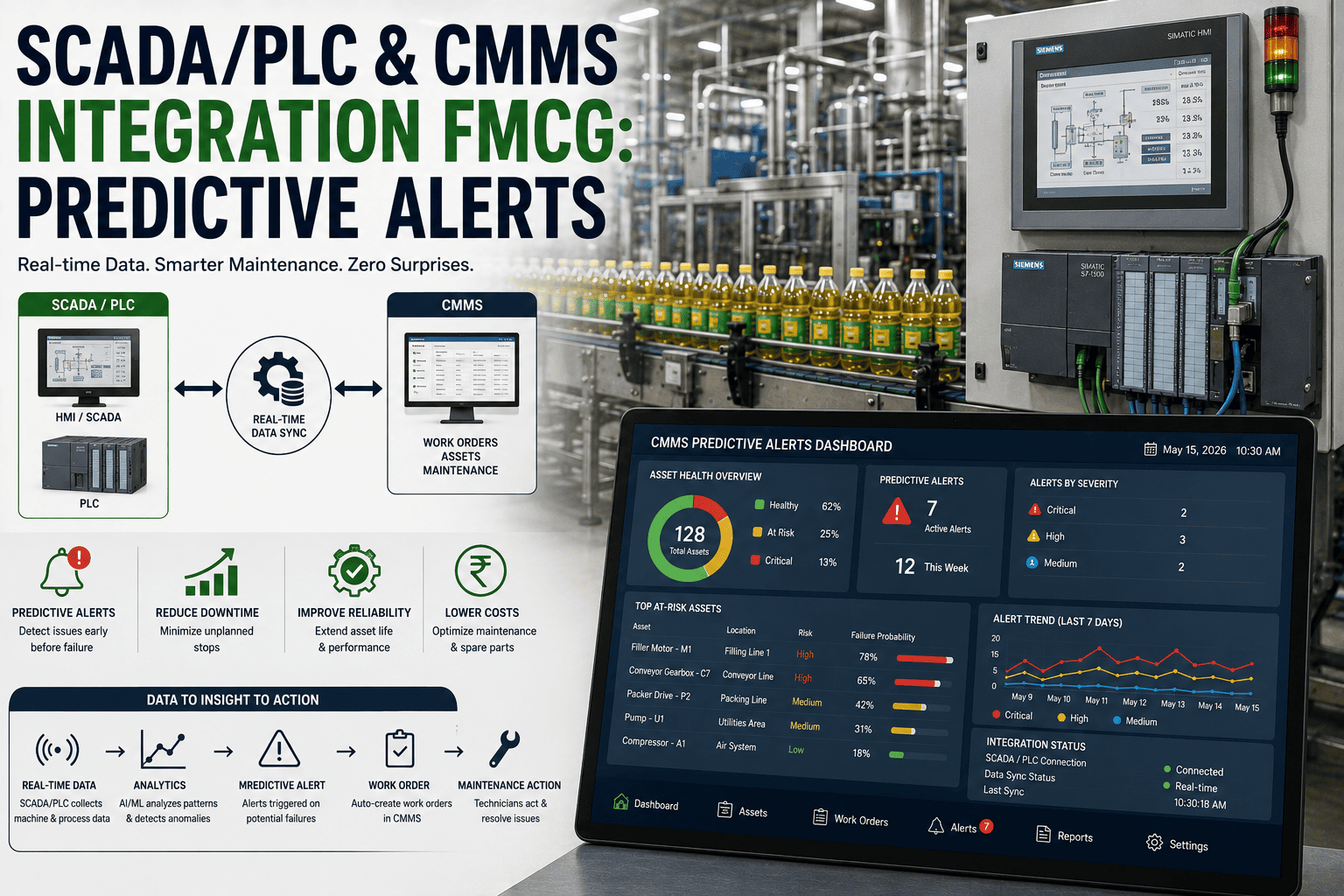
SCADA / BMS Condition Monitoring
Connect vibration, temperature, pressure, and energy monitoring data streams to asset records in Oxmaint. Automated work order generation when sensor readings exceed thresholds. Condition data visible alongside maintenance history in the asset record — no separate dashboard switching.
03
Quality Management System (QMS)
Maintenance work orders that affect GMP-regulated equipment link to QMS deviation and CAPA records. Calibration work orders auto-generate QMS calibration certificates on completion. Equipment maintenance status visible to QA team for batch release decision-making.
04
Storeroom Inventory / WMS
Real-time spare parts inventory sync between CMMS and warehouse management system. Parts consumption logged at work order closure auto-deducts from WMS inventory. Min/max reorder triggers flow from CMMS consumption data to WMS or ERP replenishment workflows.
05
Production Scheduling (MES / Scheduling)
PM schedules in CMMS visible to MES production planner — maintenance windows allocated in the production schedule before line commitment. Breakdown work orders flagged to MES in real time so production scheduling adjusts immediately. OEE data from MES populates CMMS asset performance records.
06
HR and Training Management
Technician competency records from HR system sync to CMMS skill-based work assignment. Work orders requiring specific certifications (electrical, pressure systems, food handling) only assignable to employees with current valid certifications in HR. Retraining alerts flow from CMMS to HR when technician certification expiry approaches.
Frequently Asked Questions
The 90-day playbook represents the standard timeline for a mid-size FMCG plant deploying across 3–5 lines with 800–1,200 assets. Single-line pilots can go live in 30–45 days. Large multi-site deployments (5+ facilities) typically use a staggered approach: first site at 90 days, subsequent sites at 45–60 days each using the first site's configuration as a template. The primary driver of timeline is asset data quality — facilities with existing asset registers in spreadsheet format typically complete Phase 1 in 2 weeks rather than 4.
The minimum viable data set for starting a CMMS deployment includes: a list of all maintainable assets (even a rough spreadsheet works — it will be validated and enriched during Phase 1), 12 months of maintenance history in any format (spreadsheet, paper logs, or legacy CMMS export), current spare parts storeroom inventory, and OEM maintenance manuals for Tier 1 critical equipment. You do not need perfect data to start — the asset registry build process in Phase 1 is specifically designed to collect and structure the missing information. Oxmaint provides data migration templates that map most common legacy formats.
The five most common failure modes in FMCG are: incomplete asset registry (the system does not reflect the plant floor, so technicians stop using it); rushing to go-live without completing PM schedule build (the system becomes a breakdown log rather than a proactive maintenance tool); training only day-shift and assuming knowledge transfers (night and weekend shifts never get properly onboarded); no CMMS champion with dedicated time to enforce adoption in the first 60 days; and allowing parallel spreadsheet tracking to continue post go-live (which communicates that the CMMS is optional). Each of these is addressed by a specific milestone in the 90-day playbook.
The 90-day playbook is designed to run in parallel with live production. Phases 1 and 2 (Days 1–60) require minimal production time — asset audits happen during changeovers and planned downtime windows, and system configuration is performed off-site. The pilot go-live (Days 45–51) is deliberately limited to one line or area so production risk is contained. Full go-live at Day 68 transitions the entire facility with no production window required — it is a system switch, not a physical change. Training sessions are scheduled per-shift in 60–90 minute blocks during slow production periods, and peer trainer support covers knowledge gaps between formal sessions.
The first measurable ROI indicators appear within 30 days of full go-live (approximately Day 90–100 overall): reduction in emergency procurement orders as parts consumption becomes visible and reorder points are set, reduction in MTTR as work order history allows faster root cause identification, and labour efficiency improvement as shift handover communication moves from verbal briefings to CMMS-based work order status. Downtime reduction — the largest ROI driver — becomes statistically measurable at 60–90 days post go-live, as PM schedule completion begins displacing reactive breakdowns. Most FMCG plants using the structured 90-day playbook confirm positive ROI within 4–6 months of full go-live.
Oxmaint includes structured implementation support in the deployment package — covering data migration templates, asset hierarchy design guidance, PM schedule build workshops, user training materials, and go-live validation checklists. A dedicated implementation manager is assigned for the 90-day deployment period. Most FMCG plants complete deployment without a third-party consultant. For facilities with complex ERP integrations (SAP S/4HANA, Oracle Cloud) or regulatory requirements (FDA 21 CFR Part 11), supplementary integration consulting may be beneficial. Book a deployment consultation to assess what your specific facility requires.
CMMS Implementation for FMCG Plants
Deploy in 90 Days. Measure ROI in 120. Scale Across Every Site.
Oxmaint's structured deployment programme guides FMCG maintenance teams from data preparation through full go-live — with implementation support, FMCG-specific asset templates, PM schedule libraries, and KPI dashboards built for food, beverage, personal care, and household products manufacturing.
Dedicated Implementation Manager for 90-Day Deployment
FMCG Asset Templates — Food, Beverage, Personal Care, Household
Data Migration Templates for Spreadsheet and Legacy CMMS Exports
ERP Integration — SAP, Oracle, Microsoft Dynamics
GMP and HACCP Documentation Built Into Every Work Order Type
90-Day ROI Review — First Measurement Report Included
Used by FMCG maintenance teams across food, beverage, personal care, and household products manufacturing. Deployment support included in all plans. No minimum contract term.