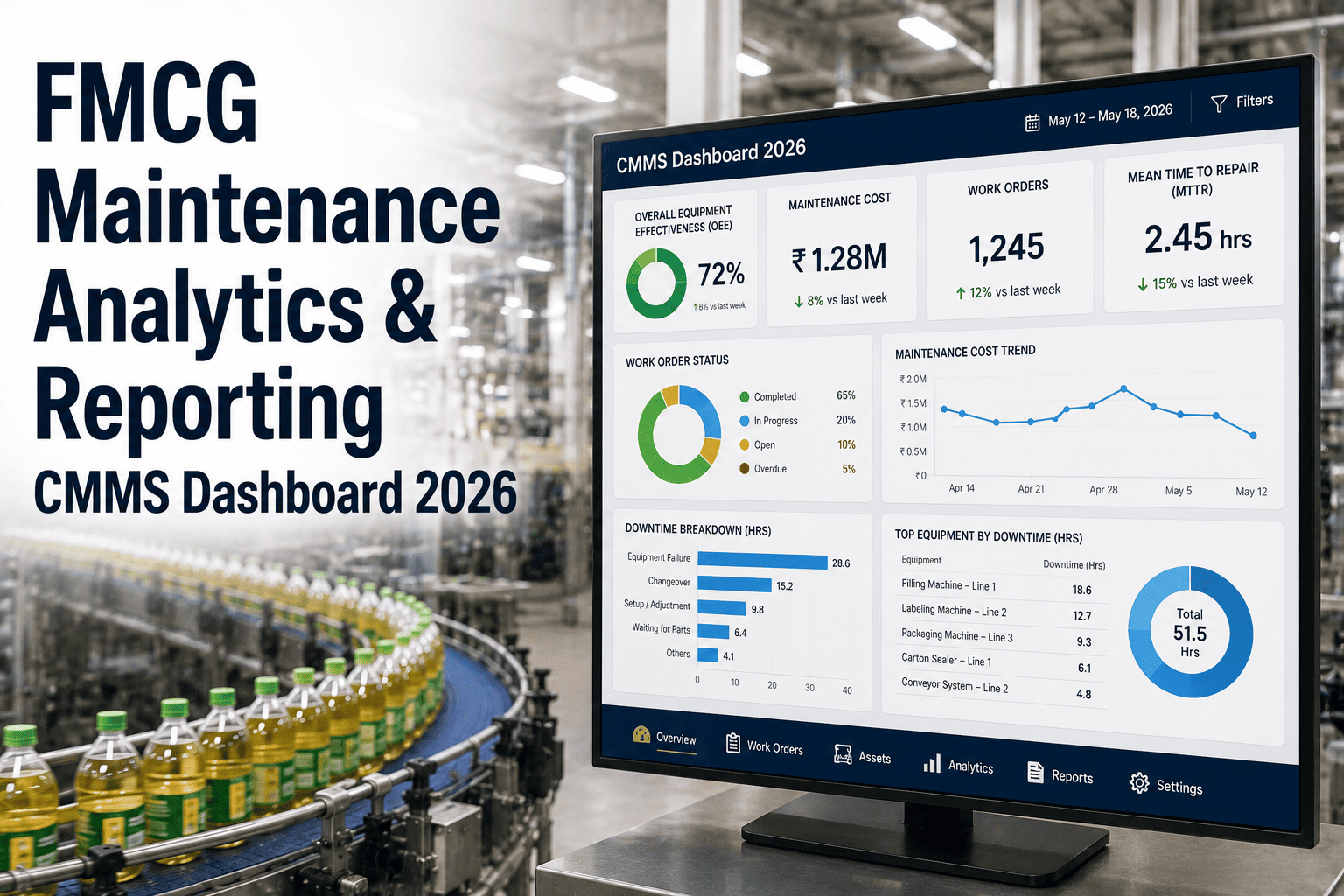
Most FMCG plants already collect maintenance data, yet few use it to decide anything. Work orders close, downtime gets logged, and the numbers sit in reports until the same line fails again. Data-driven maintenance changes that by turning failure history, equipment usage, and parts consumption into clear decisions about what to fix, when to inspect, and what to stock. This guide shows how each step works and where Oxmaint maintenance analytics fits into the workflow.
FMCG Data-Driven Maintenance: Using CMMS Analytics to Make Better Decisions
Replace opinion and habit with evidence. Find the failures that repeat, tune PM intervals, and predict spare parts demand from your own records.
Step 1
Capture
Work orders, downtime, readings, parts
Step 2
Clean
Standard codes and complete records
Step 3
Analyze
Patterns, trends, and bad actors
Step 4
Decide
Intervals, tasks, spares, projects
The analytics ladder: four levels of maintenance insight
Plants rarely jump straight to prediction. Each rung depends on the one below it, and most of the value in FMCG sits on the first three.
Level 1: Descriptive
What happened? Downtime by line, work orders by type, PM completion by week.
Level 2: Diagnostic
Why did it happen? Failure modes, causes, repeat events, and shift or SKU patterns.
Level 3: Predictive
What will happen next? Trends in running hours, readings, and parts consumption.
Level 4: Prescriptive
What should we do? Recommended intervals, task changes, and stocking levels.
Reliable decisions need reliable inputs. Plants that skip level 1 and 2 usually end up with predictions nobody trusts.
Data foundations: what your CMMS must capture
Analytics is only as good as the work order behind it. These fields decide whether a report can answer a real question.
| Data field | Question it answers | Typical weakness |
|---|---|---|
| Asset and component | Which machine and part keep failing? | Work logged against the whole line |
| Failure mode and cause | How did it fail, and why? | Free text such as "fixed" or "adjusted" |
| Downtime start and end | How much production time was lost? | Times estimated at the end of shift |
| Labor hours and parts used | What did the repair really cost? | Parts issued outside the system |
| Meter or running hours | Does wear follow usage or the calendar? | Readings entered irregularly |
| Shift, crew, and SKU | Do failures cluster around a pattern? | Context never recorded |
Data quality checklist before you analyze
- Every asset has a unique ID and sits in a line-and-machine hierarchy.
- Failure codes are short, standard, and limited to a manageable list.
- Technicians close work orders with cause and action, not just a status change.
- Duplicate assets, old codes, and orphaned work orders are cleaned up once, then governed.
Failure pattern analysis: find the few assets that cause most of the pain
A Pareto chart of downtime minutes usually shows that a small set of machines and failure modes drives most of the loss.
Illustrative downtime share by asset group
Figures are illustrative. Build the same chart from your own downtime data.
Six analyses worth running every month
- Downtime minutes by asset, then by failure mode within the top asset.
- Repeat failures: the same asset and fault within a short window.
- MTBF and MTTR trends for critical machines.
- Failures by shift, crew, or day of week, which can expose procedure gaps.
- Failures by SKU or format, which can expose changeover or setup problems.
- Corrective work that followed a recent PM, which can expose task quality issues.
PM interval optimization: let the data challenge the calendar
Many PM intervals were set once, copied from the manual, and never reviewed. Failure and inspection history shows which ones are wrong.
| What the data shows | Likely meaning | Decision to consider |
|---|---|---|
| Failures cluster just before the PM is due | Interval is too long for real conditions | Shorten it or add a mid-cycle inspection |
| Many PM cycles with no findings | Task may be over-frequent or low value | Extend carefully, or move to condition checks |
| Parts replaced at PM still have life left | Time-based replacement wastes parts | Replace on condition or measured wear |
| Failures soon after a PM | Possible workmanship or disturbance issue | Review the task steps, torque, and training |
| Wear tracks running hours, not weeks | Calendar trigger does not match usage | Switch to a meter-based trigger |
A safe way to change intervals
- Start with non-critical assets where a wrong call has a small cost.
- Change one variable at a time, so the result can be traced to the change.
- Involve operators and technicians, since they often know why failures happen.
- Keep safety, legal, and manufacturer-mandated tasks outside the optimization exercise.
Spare parts prediction: stock what the data says will be needed
Parts decisions improve when consumption history, lead time, and asset criticality are viewed together.
Consumption history
Parts issued per asset and per failure mode
Lead time and cost
Supplier delay and value at risk
Asset criticality
Line impact if the part is missing
Stocking decision
Min and max, reorder point, or on-demand
| Part category | Data signal | Stocking approach |
|---|---|---|
| Fast-moving wear parts | Regular consumption tied to PM | Min and max levels with auto reorder alerts |
| Critical long-lead parts | Rare use, severe downtime impact | Hold a spare, review on criticality |
| Slow-moving, low-risk items | Almost no consumption | Order on demand or share across sites |
| Parts linked to one bad actor | Spikes after repeated failures | Fix the root cause before raising stock |
Condition data: from running hours to early warning
Time-based records tell you what broke. Condition data starts to tell you what is about to break.
| Measurement | Typical FMCG use | How it feeds a decision |
|---|---|---|
| Running hours and cycle counts | Fillers, cappers, sealing jaws, gearboxes | Move wear-part replacement from calendar to usage |
| Motor current | Conveyors, mixers, pumps | Rising load can signal drag, wear, or product build-up |
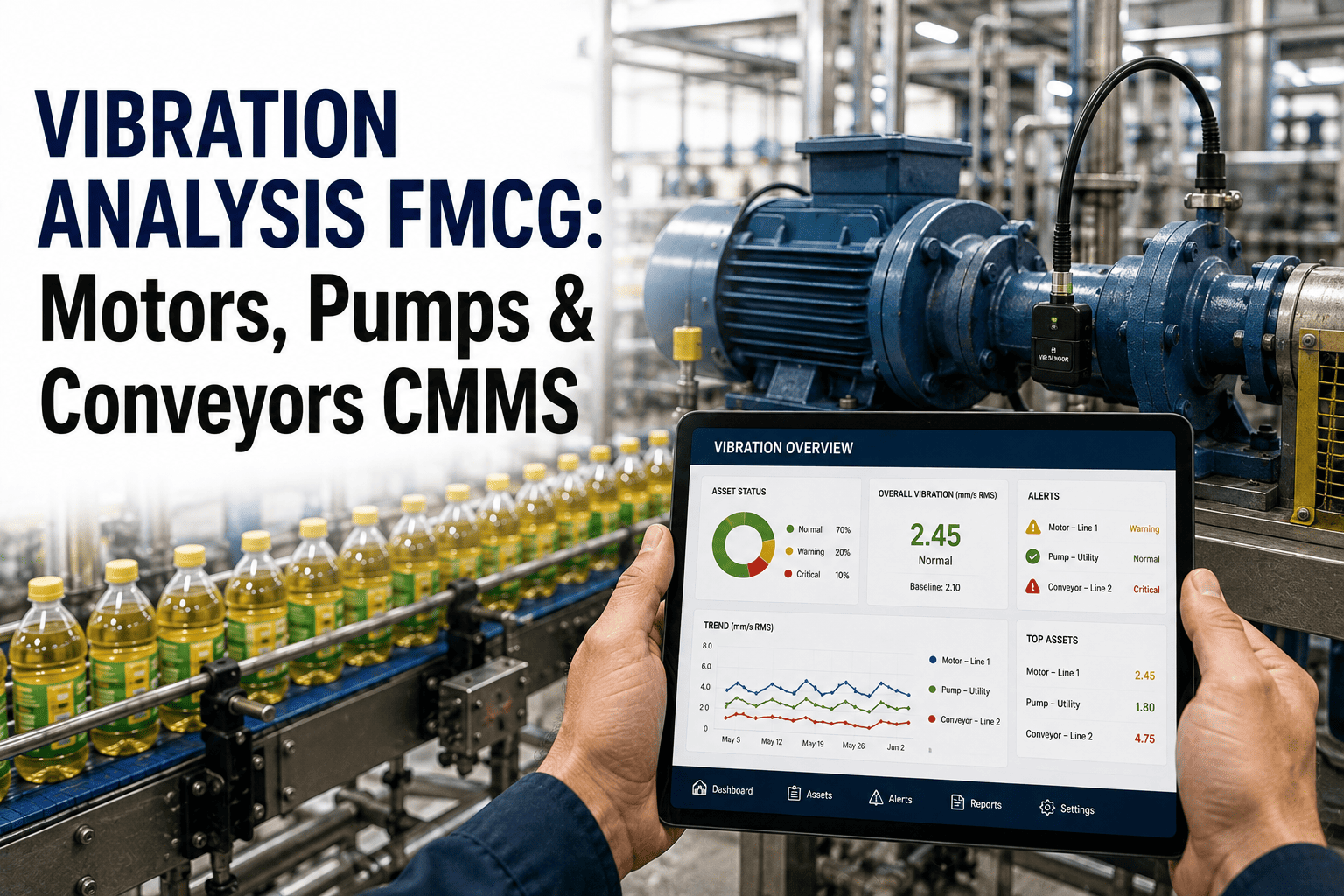
| Vibration | Fans, gearboxes, rotating drives | Trend changes trigger an inspection work order |
| Temperature | Heat sealers, bearings, panels | Drift beyond a set band triggers a check |
| Pressure and flow | Compressed air, CIP, filling circuits | Gradual change points to leaks or blockage |
A simple three-limit approach to alerts
- Baseline: record the normal range while the machine is healthy.
- Alert limit: a deviation that creates a low-priority inspection task.
- Action limit: a deviation that creates a high-priority work order and notifies the supervisor.
Start with a few critical assets. Too many alerts teach crews to ignore all of them.
Root cause analysis powered by records
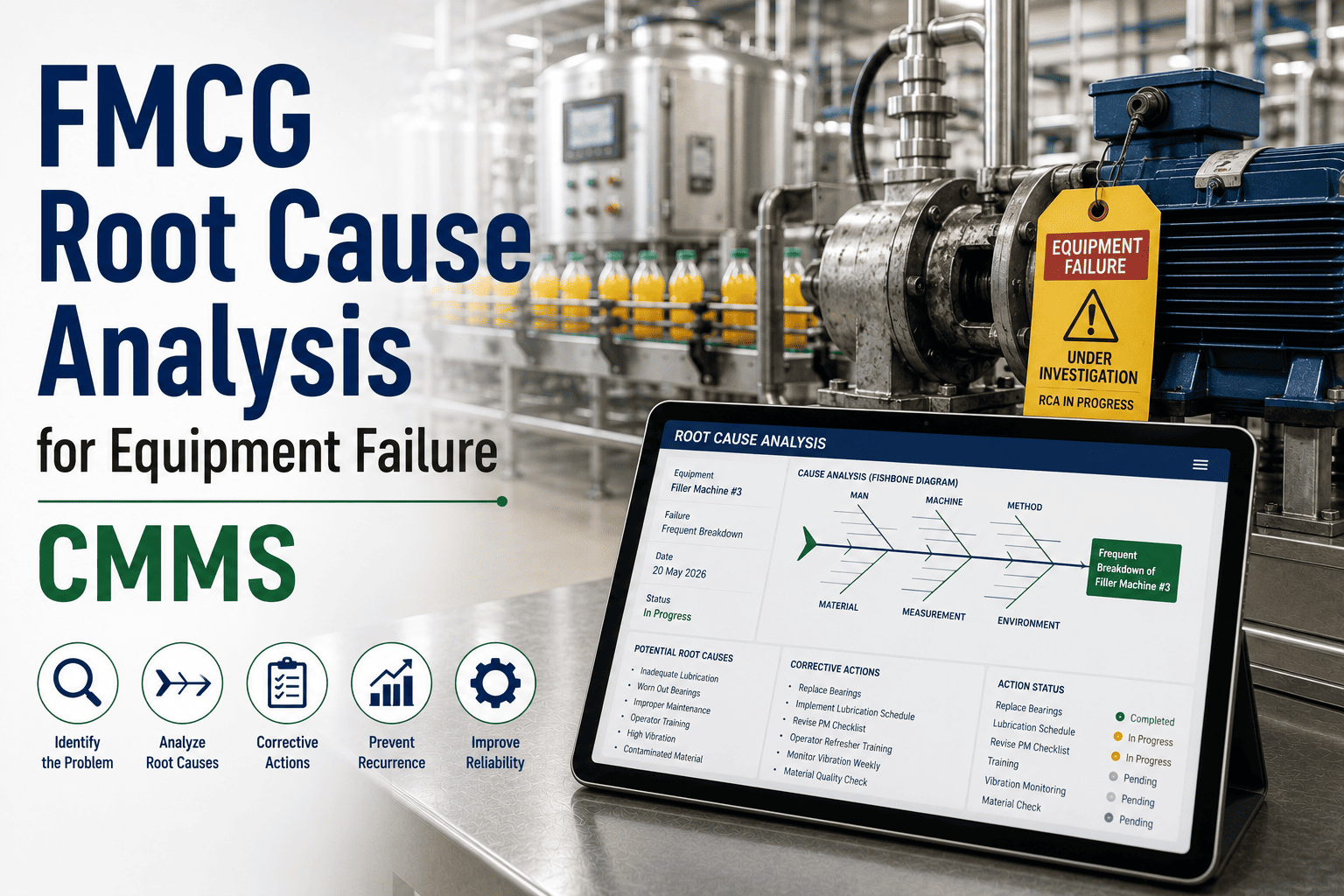
A repeat failure deserves more than another repair. History gives the investigation a head start.
Step 1
Select the repeat failure
Choose a fault that costs the most downtime or recurs most often on a single asset.
Step 2
Pull the history
List every related work order, with dates, parts used, shifts, SKUs, and technicians.
Step 3
Look for the pattern
Compare conditions around each event, such as product, speed, operator, or recent PM.
Step 4
Test one hypothesis
Change one thing, such as the part grade, alignment method, or inspection frequency.
Step 5
Verify and standardize
Watch the failure rate afterward, then update the PM task or procedure if it worked.
Reliability metrics defined clearly
Metrics help only when everyone calculates them the same way. Write the definitions down and keep them stable.
| Metric | Definition | Watch out for |
|---|---|---|
| MTBF | Average operating time between failures for an asset or group | Mixing minor stops and major failures in one number |
| MTTR | Average time to restore an asset after a failure | Missing start and end times on work orders |
| PM compliance | Scheduled PM tasks completed within the allowed window | Closing tasks without doing the work |
| Planned work share | Share of labor hours spent on planned tasks | Emergency work booked as planned |
| Backlog | Open work expressed in weeks of available labor | Old, obsolete work orders inflating the figure |
Linking maintenance data to OEE
- Availability loss: connect downtime events to work orders so every lost minute has a cause.
- Performance loss: record slow running and micro-stops that maintenance can influence, such as worn guides.
- Quality loss: link defects such as seal failures or fill variation to equipment condition.
Running a monthly data review that leads to action
Agenda
- Review the top downtime assets and any new repeat failures.
- Check PM compliance and overdue critical tasks.
- Review parts stockouts and emergency purchases.
- Agree on three actions, each with an owner and a date.
Who should attend
- Maintenance manager and planner
- Production or line supervisor
- Reliability or process engineer
- Storeroom or procurement lead
Closing the loop: from insight to work order
An analysis that never changes a task list is a report, not a decision. Each finding should end as a recorded action.
| Insight from the data | Action in the CMMS | How to confirm it worked |
|---|---|---|
| Sealing jaws fail near a fixed usage level | Add a usage-based replacement task | Fewer seal faults between replacements |
| One drive shows repeated overheating | Add a thermal inspection and cleaning task | Lower repeat trips on that drive |
| A spare part is bought urgently three times in a quarter | Set a minimum stock level and reorder point | No emergency purchases for that part |
| Night shift has more jams on one machine | Review the start-up checklist and training | Jam counts align across shifts |
Keeping analytics trustworthy over time
- Name an owner for failure codes, so new codes are added deliberately rather than invented on the floor.
- Audit a sample of closed work orders each month for missing cause, time, or parts.
- Give feedback to crews when their records produced a useful finding, which encourages good data entry.
- Freeze metric definitions for at least a quarter before comparing results.
- Record when assets are modified or replaced, so trends are not compared across different machines.
Eight questions to ask your maintenance data every month
- Which three assets cost the most downtime, and has that list changed since last month?
- Which failures repeated within thirty days of a previous repair?
- Which critical PM tasks are overdue, and why?
- Which PM tasks produced no findings for many cycles in a row?
- Which parts were bought urgently, and could usage history have predicted the need?
- Which shifts or products show higher failure rates on the same equipment?
- How much labor went to planned work compared with emergency repairs?
- Which improvement from last quarter can now be checked against the numbers?
Keep the list short and the answers specific. A question that never changes a decision can be dropped.
Who benefits from the data, and how
- Technicians see repeat faults and past fixes before they start a job.
- Planners balance workload and place PM into production windows.
- Engineers prioritize improvement projects using downtime and cost evidence.
- Production leaders understand why availability moves and what is being done about it.
- Finance and procurement see parts spend and urgent purchasing patterns.
Put your maintenance history to work
See how work orders, downtime, and parts data become dashboards your planners and engineers can act on.
Dashboards that drive action, not just attention
Each panel should answer one question and have one owner. Decorative charts add noise.
| Dashboard panel | Question it answers | Typical owner |
|---|---|---|
| Downtime Pareto by line | Where is time being lost? | Maintenance manager |
| Repeat failure list | Which faults keep returning? | Reliability engineer |
| PM compliance and backlog | Is preventive work getting done? | Maintenance planner |
| MTBF and MTTR trend | Is reliability improving? | Engineering lead |
| Parts usage and stockouts | Are spares supporting repairs? | Storeroom supervisor |
Analytics mistakes that mislead FMCG teams
What looks useful
- Plant-wide averages that hide a failing line
- Counting work orders instead of lost minutes
- Judging PM only by completion rate
- Trusting reports built on free-text causes
What actually helps
- Line, asset, and component level views
- Downtime weighted by production impact
- PM results tied to later failures
- Standard failure codes with cause and action
A six-week path to data-driven maintenance
Weeks 1 to 2
Fix the foundations
Clean the asset list, set failure codes, and train crews to close work orders properly.
Weeks 3 to 4
Find the bad actors
Build downtime Pareto and repeat-failure views for your most constrained line.
Week 5
Review intervals and spares
Test PM intervals and stocking levels on a short list of assets with the highest impact.
Week 6
Lock in a review rhythm
Hold a weekly data review with maintenance, production, and engineering at the table.
How Oxmaint supports the workflow
- Asset management keeps a clean hierarchy from plant to component.
- Work orders capture cause, labor, parts, and downtime in one record.
- Preventive maintenance schedules can follow calendar or meter triggers.
- Inventory data shows parts usage and supports reorder decisions.
- Reports and dashboards turn the records into the views described above.
Data-driven maintenance FAQs
Do we need predictive sensors before starting?
No. Clean work order, downtime, and parts data already supports strong diagnostic decisions. Sensors can come later.
How much history do we need?
Even a few months of consistent records reveal bad actors. Longer history improves interval and parts decisions.
What is the first report to build?
A downtime Pareto by asset for one line. Start in the Oxmaint platform and expand from there.
Can data replace technician judgment?
No. Data narrows the questions, and experienced technicians confirm causes and practical fixes.
Is it worth starting with one line?
Yes. A pilot proves the method, and you can book a demo to plan the rollout.
Make the next maintenance decision a data decision
Connect failures, PM results, and parts usage in one system, and give your team evidence to act on.