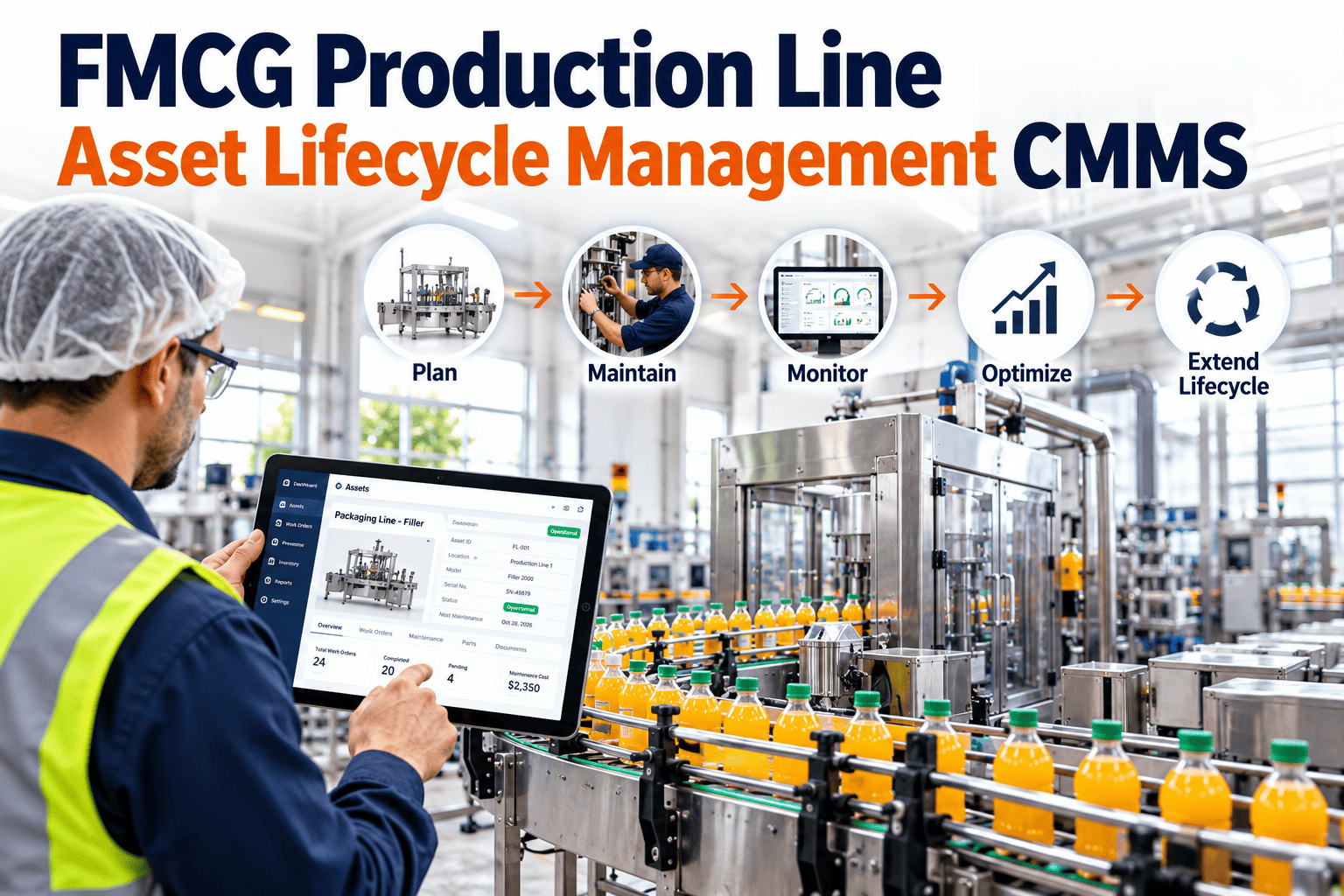
A filler or packaging machine is not bought once and forgotten. It is commissioned, tuned, maintained, modified, rebuilt and eventually replaced, and each stage creates decisions that affect cost, quality and uptime for years. Most FMCG plants make those decisions with scattered records, so refresh budgets are argued from opinion and old machines are kept running long after they stop paying their way. This guide follows a production line asset from commissioning to decommissioning and shows how a CMMS such as Oxmaint can hold the full history needed to manage each stage with evidence.
Asset Lifecycle Management for FMCG Production Lines
Track fillers, sealers, labelers, case packers and conveyors from commissioning to decommissioning, and decide when to repair, overhaul or replace using real maintenance history.
- CommissionBaseline and handover
- OperateRun, clean, changeover
- MaintainPM, repairs, spares
- RefreshOverhaul or upgrade
- RetireReplace and archive
The Real Cost of Owning a Packaging Machine
The purchase price is only the visible part. Most ownership cost appears after installation and rarely lands in one budget line.
- Purchase priceVisible
- Installation and commissioningVisible
- Preventive and corrective maintenance laborSpread across budgets
- Spare parts, wear parts and format partsSpread across budgets
- Downtime, minor stops and quality lossRarely costed
- Energy, compressed air and cleaning resourcesRarely costed
- Decommissioning and disposalOften forgotten
A CMMS brings maintenance labor, parts and downtime onto one asset record so total cost of ownership can be reviewed, not guessed.
Stage by Stage: What to Capture and Decide
Each lifecycle stage has its own questions. Record the answers when they are fresh, because they are hard to rebuild years later.
- 1
Commissioning and Handover
Register the asset, serial numbers, manuals, drawings and settings. Record baseline readings such as vibration, jaw temperatures and motor currents, and agree the initial critical spares list.
- 2
Early Operation
Watch for teething problems, retune settings and refine the PM plan from actual conditions rather than OEM defaults alone. Capture format-change lessons while operators remember them.
- 3
Steady-State Maintenance
Run planned maintenance, log corrective work with failure codes and track spares use. This is where the cost and reliability history accumulates.
- 4
Ageing and Refresh
Watch repair frequency, parts availability and performance against the line's needs. Decide whether to rebuild, upgrade controls or replace the asset.
- 5
Decommissioning
Isolate and clean the machine, salvage usable spares, archive records and document lessons for the replacement specification.
Lifecycle Considerations by Equipment Type
Different machines age in different ways. Use this as a starting point and adjust it for your plant and products.
| Equipment | What drives ageing | Common refresh signals | Records worth keeping |
|---|---|---|---|
| Filler | Seal and valve wear, corrosion, product residue, hygiene design | Repeated fill variance, hard-to-find parts, difficult cleaning | Seal changes, calibration results, rebuild dates |
| Sealer | Heater cycles, jaw wear, alignment, pneumatic wear | Persistent seal inconsistency, rising heater failures | Temperature readings, jaw exchange history |
| Labeler | Sensor fouling, drive wear, adhesive build-up | Label placement drift, long changeovers | Sensor replacements, format settings |
| Case packer | Mechanical linkages, cams, grippers, vacuum components | Frequent jams, slower speeds, obsolete parts | Gripper and vacuum part life, adjustment logs |
| Conveyor | Chain and belt wear, bearings, gearboxes, guides | Elongation limits reached, recurring motor faults | Wear measurements, lubrication history |
| Controls and HMI | Component obsolescence, software support, spare boards | Unsupported PLC or drive models, repeated nuisance faults | Software versions, backup dates, spare modules |
Repair, Overhaul or Replace: A Decision Path
Work through these questions in order. Each answer should be backed by data from the asset record.
Is the failure pattern understood?
If a root cause is known and fixable, a targeted repair or modification may restore reliability.
Are repair costs trending upward?
Compare maintenance cost and downtime per period against the asset's replacement value and output.
Can parts and support be sourced?
Long lead times, discontinued components or ended OEM support raise operational risk.
Does it still meet the line's needs?
Consider speed, formats, hygiene design, safety standards, energy use and traceability requirements.
What does the overhaul or replacement deliver?
Compare the option cost with expected reliability, capacity and risk reduction.
Give Every Line Asset a Complete, Searchable History
Bring commissioning data, PM, repairs, spares and costs into one record so refresh decisions rest on facts.
Lifecycle Records: Scattered Files Versus One Asset History
Without a Lifecycle System
- Manuals and drawings held by individuals
- Repair costs unknown or estimated
- Rebuild history lost when staff move on
- Replacement budgets based on age or opinion
- Same weaknesses repeated in the next machine
With a CMMS Asset Record
- Documents and settings attached to the asset
- Labor, parts and downtime linked to each work order
- Overhauls and modifications recorded by date
- Refresh cases supported by trend reports
- Lessons feed the next purchase specification
Metrics That Support Lifecycle Decisions
Review these by asset and over time. A single month rarely tells the story.
| Metric | What it shows | Lifecycle question it answers |
|---|---|---|
| Maintenance cost per asset | Labor and parts spent over time | Is cost rising faster than output? |
| Corrective versus planned work | Balance of reactive and proactive effort | Is the asset becoming harder to keep stable? |
| MTBF trend | Reliability over successive periods | Is failure frequency worsening? |
| Downtime by failure mode | Where time is lost | Are the same weaknesses returning? |
| Spare parts availability | Lead times and stock-outs | Can we keep supporting this machine? |
| PM completion | Whether care is being delivered | Is the decline due to ageing or missed upkeep? |
Check PM completion before blaming age. A machine that is poorly maintained can look older than it is.
Commissioning and Handover Checklist
A good start shortens the learning curve for years. Use this list when a new line or machine arrives.
- Asset registration. Create the record with hierarchy, location, serial numbers and supplier details.
- Documentation. Attach manuals, wiring diagrams, lubrication charts and validation records.
- Baseline readings. Capture normal temperatures, pressures, currents and vibration levels.
- PM plan. Load initial tasks and intervals, then revise them with early experience.
- Critical spares. Agree a starter list with quantities, locations and lead times.
- Training records. Document who has been trained on operation, cleaning and maintenance.
From Asset History to Capital Planning
Lifecycle data becomes powerful when finance and operations can use it together.
- 1
Rank Assets by Risk and Cost
Combine downtime impact, repair trends and parts risk to identify refresh candidates.
- 2
Test Alternatives
Compare targeted repair, overhaul, control upgrade and replacement against line needs.
- 3
Schedule Around Production
Plan outages for planned shutdowns or low-demand periods, with parts and skills ready.
- 4
Close the Loop
After refresh, compare actual performance with the expected improvement.
Decommissioning Without Losing Knowledge
Retiring a machine is also a data event. Capture what you learned before the record disappears.
- Safe isolation and cleaning. Follow lockout and hygiene procedures before removal.
- Parts salvage. Move usable spares into stock and update inventory records.
- Record retention. Archive history in line with your quality and regulatory needs.
- Lessons learned. Note recurring failures and design weaknesses for the next specification.
Structuring the Asset Hierarchy for a Packaging Line
Lifecycle data is only useful if it attaches to the right level. A clear hierarchy lets you see cost for the line, the machine or a single component.
- Site and area. Plant, building and production area, such as filling hall or secondary packaging.
- Line. A named production line with its own output and downtime reporting.
- Machine. Filler, sealer, labeler, case packer, palletizer and conveyors.
- Assembly. Dosing unit, nozzle manifold, jaw set, drive, control cabinet.
- Component. Serialized items such as servo motors, flow meters or heater cartridges when tracking is worthwhile.
Warranty, OEM Support and Service Contracts
Early in life, warranty and supplier support can change who pays for repairs. Record the terms so claims are not missed.
| Item to record | Why it matters | Review point |
|---|---|---|
| Warranty start and end | Defects may be recoverable from the supplier | Before expiry, check open issues |
| Service contract scope | Defines which repairs and visits are covered | Annual contract review |
| OEM support status | Affects parts, software and technical help | When the model approaches end of support |
| Recommended spares list | Starting point for critical spares | After the first year of operation |
| Software and firmware versions | Needed for upgrades and fault diagnosis | After every change |
Recording Modifications and Changes
Over time, machines are modified, upgraded or adjusted to suit new products. Undocumented changes are a common source of confusion and risk later in life.
Undocumented Changes
- A new nozzle type fitted with no record
- Settings altered and never written down
- Spare parts list no longer matches the machine
- Cause of later faults hard to trace
Controlled Changes
- Change request with reason and approval
- Drawings, settings and PM updated
- Parts list and training revised
- Change linked to the asset record
Controls and Software Obsolescence
The mechanical frame of a machine may last decades, while its drives, PLC and HMI age much faster. Planning for controls obsolescence avoids sudden forced replacements.
- 1
Inventory Control Components
List PLC models, drives, HMIs, servo amplifiers and software versions per machine.
- 2
Check Manufacturer Status
Note whether each component is current, limited or discontinued.
- 3
Back Up Programs
Keep current copies of PLC programs and drive parameters, with dates.
- 4
Plan the Upgrade Path
Schedule control upgrades with planned shutdowns, not after a failure.
Format Parts and Tooling Have Their Own Lifecycle
Changeover tooling, such as nozzles, guides, star wheels and gripper sets, wears separately from the machine. Treat it as managed equipment.
- Identify each set. Label tooling by format and record where it is stored.
- Track usage and condition. Log inspection results after each run or at set intervals.
- Plan refurbishment or replacement. Worn tooling can cause jams, drips and quality defects long before it fails.
- Keep drawings. Needed when remaking parts for older formats.
Calibration and Validation Records Through Life
Measuring and protective equipment carries records that auditors and customers may ask to see.
- Calibration history. Weight checks, flow meter verification and temperature sensors with dates and results.
- Validation after change. Revalidate when a major component or control program changes.
- Out-of-tolerance actions. Record what was done with product produced since the last good check.
- Equipment status. Mark assets as in service, out of service or awaiting verification.
Ownership: Who Decides What in the Lifecycle
| Decision | Typical lead | Supporting data |
|---|---|---|
| Specification of new equipment | Engineering and operations | Lessons from older assets and failure history |
| PM plan and spare list | Maintenance and reliability | Failure modes, OEM advice, work orders |
| Overhaul timing | Maintenance and production planning | Condition trends and production calendar |
| Replacement budget | Plant management and finance | Cost, downtime and risk reports |
| Decommissioning | Engineering, quality and maintenance | Asset records and disposal requirements |
Agree these responsibilities in advance so that lifecycle reviews lead to decisions rather than discussion.
Relocating or Buying Second-Hand Line Equipment
Used or moved machines arrive without the history that a new purchase would have. Rebuild a baseline before putting them into production.
- Condition survey. Inspect wear parts, drives, bearings, seals and structure, and photograph the findings.
- Document gaps. Identify missing manuals, drawings, software backups and spare parts lists.
- Refurbish deliberately. Replace parts with known wear issues before commissioning rather than during early production.
- Create a new baseline. Record readings after installation so later trends have a starting point.
- Reassess the PM plan. A machine with unknown history may need tighter inspection at first.
Warning Signs That an Asset Is Reaching Late Life
| Sign | What to check | Possible response |
|---|---|---|
| Repeat failures despite correct PM | Failure codes and root causes in history | Redesign weak parts or plan overhaul |
| Rising share of unplanned work | Planned versus corrective hours over time | Review condition and refresh options |
| Parts hard to obtain | Lead times, supplier status and substitutes | Stock critical spares or plan replacement |
| Quality drift that adjustment cannot fix | Fill, seal or label capability data | Rebuild or replace the affected assembly |
| Hygiene design no longer meets needs | Cleaning time, residue traps and audit findings | Modify or replace with a hygienic design |
None of these signs alone requires replacement. Several appearing together, supported by cost and downtime data, build a stronger case.
Lifecycle Review Cadence
- Quarterly. Review downtime, repeat failures and PM completion for the most critical assets.
- Annually. Compare cost, reliability and risk across lines and rank refresh candidates.
- At major events. Reassess after a serious failure, product change or capacity expansion.
- Before budgets are set. Prepare asset cases with data so requests are backed by evidence.
Practical Starting Points for Existing Lines
Most plants already have equipment of mixed age and uneven records. You do not need perfect history to begin.
- Register what you have. Start with critical machines and add serial numbers, locations and documents.
- Begin recording from today. Capture work orders, parts and downtime so history accumulates from now on.
- Add past data selectively. Import major overhauls, modifications and warranty information if they exist.
- Review after six months. Use the first trends to correct hierarchy and failure codes.
Asset Lifecycle FAQs
When should a filler be replaced?
When trends show rising cost, poor reliability, unsupported parts or inability to meet needs.
What is total cost of ownership?
It is purchase, operation, maintenance, downtime and disposal costs across the asset's life.
What should a CMMS asset record hold?
Documents, hierarchy, PM, work orders, spares and costs. Try Oxmaint's asset management.
Can old machines be tracked too?
Yes. Start recording now and add historical documents where available.
Can lifecycle reports be shown to finance?
Plan Every Stage of Your Line's Life With Real Data
Manage commissioning, maintenance, refresh and retirement from one asset history, and make capital decisions your team can defend.