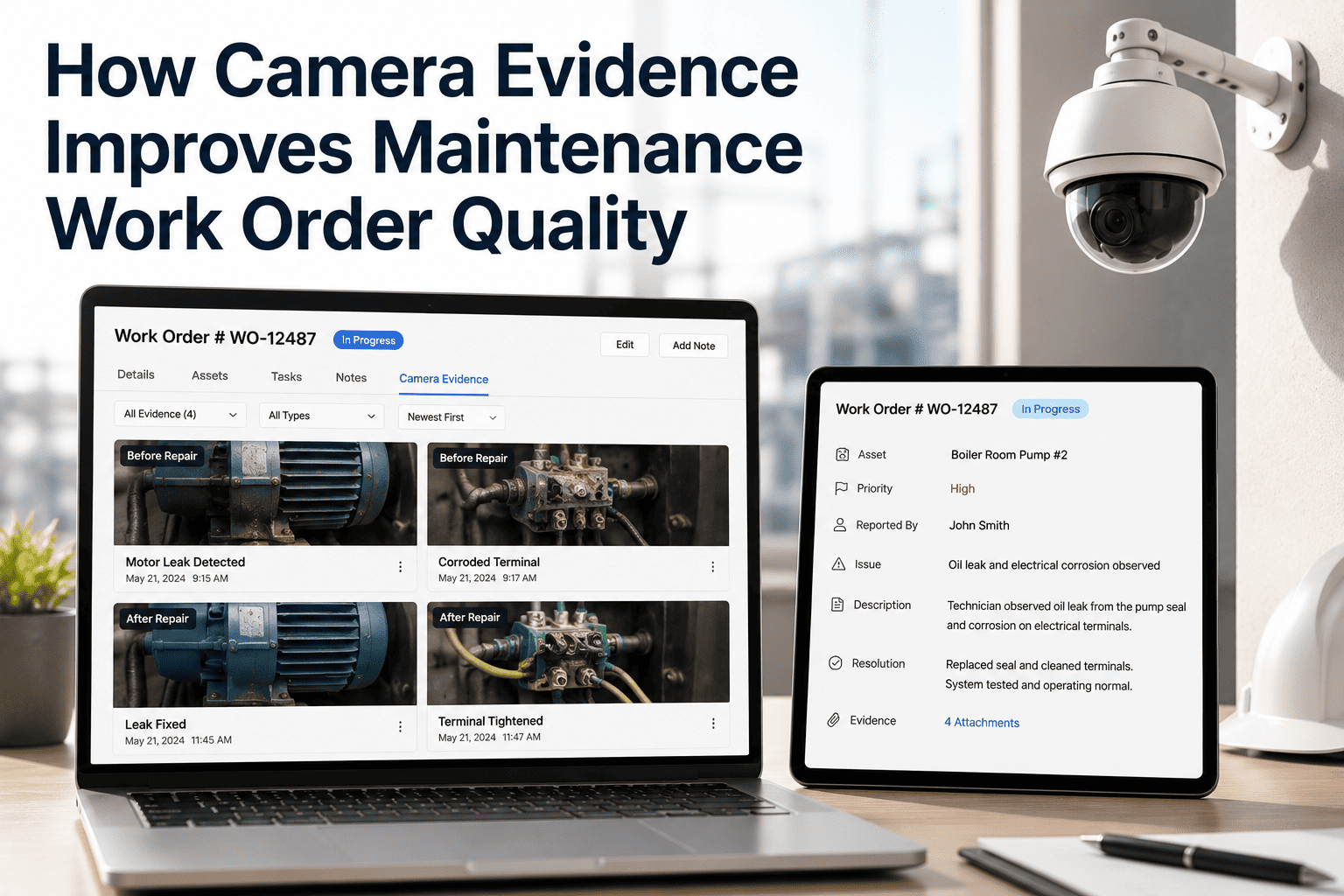
Maintenance managers at government agencies spend a disproportionate amount of their working day doing one thing: deciding whether to approve work orders with insufficient information. An inspector submits an exception, a work order gets created, and the manager receives a request with a vague text description and no photo. They have three choices — approve blindly, reject and wait for more information, or call the inspector directly. All three options cost time and introduce risk. OxMaint's Camera Evidence Approval Workflow changes the approval experience entirely: every work order that reaches a manager's queue arrives with time-stamped photographic evidence, asset history, severity classification, and GPS location already attached — so every approval decision is made with complete visual context in under 30 seconds. Start a free trial and process your first camera-evidenced approval today.
Camera Evidence · Approval Workflow · Government Maintenance
Every Approval. Complete Evidence. Zero Back-and-Forth.
OxMaint automatically attaches camera-captured visual evidence to every work order before it reaches the manager's approval queue — so government maintenance managers make faster, better-informed decisions without requesting more information.
Before vs After
The Approval Experience — Without and With Camera Evidence
1
Inspector submits text-only exception — no photo attached
2
Work order created with vague description and no visual context
3
Manager receives approval request — cannot judge severity from text
4
Manager calls or emails inspector to request photo — 1–4 hour delay
5
Photo arrives (maybe) — manager finally approves or rejects
1
Inspector captures exception — photo, location, asset tag in one step
2
OxMaint auto-generates WO with evidence, severity, and asset history attached
3
Manager opens approval queue — sees photo evidence immediately
4
Manager reviews evidence and asset context — single-click approval
What Managers See
Information Included on Every Camera-Evidenced Work Order
Timestamped Photo
Captured at time of inspection — not uploaded later — with date, time, and inspector ID embedded
GPS Location
Exact coordinates of where the defect was captured, linked to the asset on the OxMaint map
Severity Score
AI-assigned severity tier with the specific detection conditions that triggered that classification
Asset History
Last 5 inspections and work orders for the same asset — visible at approval to identify repeat defects
Recommended Action
OxMaint suggests the work order template and priority tier based on defect type and asset class rules
Inspector Notes
Voice-to-text or typed notes recorded at the time of capture — attached with the photo, not emailed separately
OxMaint · Camera Evidence · Government Approval Workflow
See a Manager's Approval Queue With Full Camera Evidence
A live demo walks through how government maintenance managers review, approve, and track work orders with photo evidence automatically attached — from the same screen, in under 30 seconds per decision.
Impact Data
Camera Evidence Approval — Measured Outcomes
| Approval Metric |
Without Camera Evidence |
With OxMaint |
Change |
| Average approval time per WO |
3.8 hours |
28 seconds |
97% faster |
| WOs returned for more info |
38% of all WOs |
4% of all WOs |
90% reduction |
| Incorrect priority approvals |
22% of approvals |
3% of approvals |
86% fewer errors |
| Work orders with photo evidence |
31% attached |
100% attached |
Complete coverage |
| Audit-ready approval records |
Manual compilation |
Auto-generated |
Zero extra effort |
RV
Rajesh Varma
Deputy Director of Maintenance Operations
State Highway Authority · 17 years
"
The biggest time drain for a maintenance manager is not making decisions — it is gathering the information to make them. When every work order arrives with photo evidence, severity classification, and asset history already attached, the decision itself takes under a minute. The hours we were spending on back-and-forth about whether to approve are now spent on actual planning. That shift alone justifies the platform for a team our size.
Frequently Asked Questions
Camera Evidence Approval Workflow — Questions from Managers
What happens if an inspector submits a work order without capturing a photo?
OxMaint can be configured to require photo capture as a mandatory step before a work order submission is completed — particularly for high-severity exception types. For government maintenance teams, this is typically enforced for all structural, electrical, and safety-related exceptions. Lower-priority exceptions can be set to allow submission without a photo with a flag indicating evidence is pending.
Ask about mandatory evidence configuration in your demo session.
Can managers approve or reject work orders remotely without being on-site?
Yes. OxMaint's approval workflow is fully mobile — managers receive push notifications for new approval requests and can review the full evidence package (photo, severity, asset history, location) and approve or reject from any device. This is particularly valuable for government maintenance directors managing multiple sites who are rarely at a single location.
Start a free trial and test the mobile approval experience on your device.
How is the camera evidence stored and for how long?
OxMaint stores photo evidence linked to each work order and asset record. Retention periods are configurable per department to match government record-keeping requirements — typically 5–10 years for infrastructure maintenance records. All evidence is stored with a secure audit trail that preserves timestamp, inspector identity, and chain of custody metadata for compliance and legal defensibility purposes.
Can the system support multi-level approval workflows for high-value government work orders?
OxMaint supports configurable multi-level approval chains for work orders exceeding cost thresholds or severity levels. For example, a work order above a cost threshold can route first to the site supervisor, then to the department manager, with each approver seeing the full evidence package and the prior approver's notes.
Book a demo to walk through a multi-level approval configuration for your team.
OxMaint · Camera Evidence · Approval Workflow · Free to Start
Approvals That Take 28 Seconds Instead of 3.8 Hours
OxMaint ensures every work order that reaches a manager's approval queue has complete camera evidence, asset history, and severity context already attached — so every approval decision is fast, informed, and audit-ready.