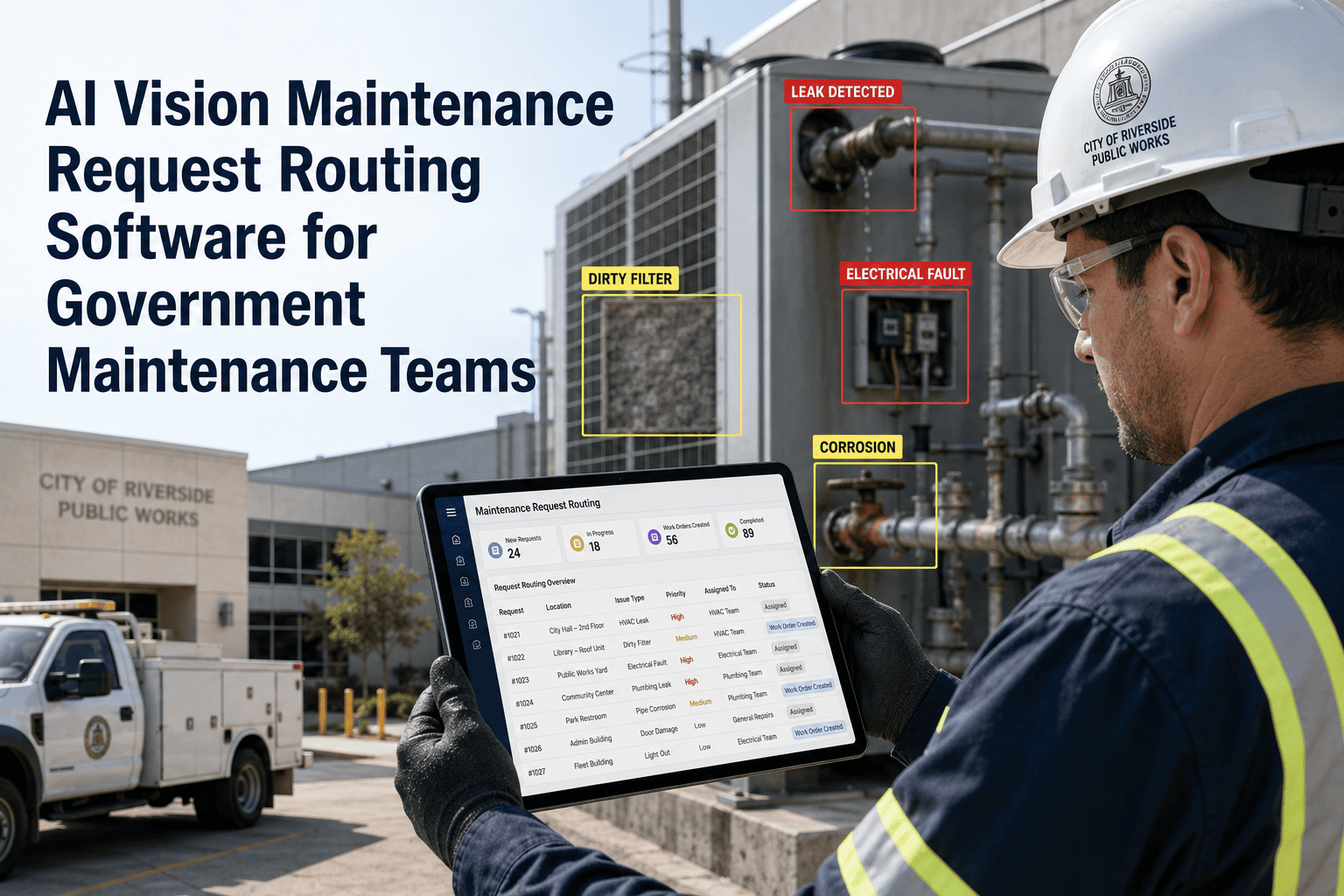
The most expensive moment in a government inspection program is not the flight — it is the 48 hours between landing and the first repair action. Drone inspections generate findings, but those findings only create value when they reach the right maintenance technician, at the right priority level, with the right asset context attached. Drone inspection to work order routing software built for government maintenance teams eliminates that delay entirely — automatically converting inspection findings into CMMS work orders the moment a defect is logged, classified, and assigned. Public sector agencies managing road networks, utility infrastructure, and public facilities report that unrouted inspection findings have a re-inspection rate of over 40 percent — meaning the same asset is inspected twice because no repair was ever triggered from the first finding. Oxmaint's inspection routing workflow closes that gap with automated severity-based routing, cross-department assignment, and real-time work order tracking — so every finding ends in a repair, not a file.
Inspection Routing · Government · Public Works · 2026
Drone Inspection to Work Order Routing Software for Government Maintenance Teams
Stop losing inspection findings between the flight and the repair. Oxmaint routes every drone defect to the right team, at the right priority, automatically — with full compliance documentation built in.
40%+
of inspection findings result in re-inspection because no work order was ever created
48hrs
average delay between inspection finding and repair assignment in manual workflows
8 min
from drone landing to work order assigned using Oxmaint automated routing
2.8x
faster repair cycle completion when inspection-to-work-order routing is automated
Routing Engine
How Oxmaint Routes Inspection Findings to the Right Team
Critical Severity
Routed immediately to on-call maintenance supervisor with SMS notification — work order active within 2 hours of finding log
Moderate Severity
Added to department maintenance queue with scheduled completion window — 7 to 14 day default, configurable per asset type and agency policy
Monitor / Low
Logged to asset history, flagged for next scheduled inspection — no active work order created, but evidence stored and accessible
Cross-Department
Findings spanning multiple departments auto-assigned to each responsible team — no manual re-routing or duplicate entries required
Drone Finding Logged
↓
Severity Classified
↓
Critical
Immediate WO + Alert
Moderate
Scheduled WO
Low
Logged + Monitored
↓
Compliance Record Generated
Ready to automate your inspection routing?
See how Oxmaint connects drone findings to work orders across every department in your agency — in under 8 minutes from flight to assignment.
Routing Checklist
What Every Routed Work Order Contains
Oxmaint work orders generated from drone inspection findings include everything a technician needs to act — without follow-up calls, missing photos, or unclear repair scope.
01
Annotated Evidence Image
The original drone photo with defect location marked — attached directly to the work order for technician reference on site.
02
Asset ID and GPS Location
Work order linked to the specific asset record in CMMS, including GPS coordinates and site map reference for field navigation.
03
Defect Classification and Severity
Defect type, severity rating, and recommended repair action — giving the assigned technician a clear scope before arriving on site.
04
Inspection Date and Pilot ID
Full inspection metadata — date of flight, drone operator, inspection type — stored in the work order for audit and accountability.
05
Compliance Requirement Flag
If the defect falls under a federal or state reporting requirement, the work order is automatically flagged so compliance officers are notified.
06
Completion Deadline
Severity-based repair deadline calculated and attached — with escalation alerts triggered if the work order approaches deadline without closure.
Agency Use Cases
Inspection-to-Work-Order Routing by Infrastructure Type
| Infrastructure Type |
Inspection Finding |
Routing Destination |
SLA Window |
| Bridge |
Cracking in deck concrete |
Structural engineering team |
24 hours (Critical) |
| Road Network |
Pothole cluster on arterial |
Road maintenance crew |
7 days (Moderate) |
| Water Main |
Suspected pipe seepage |
Utilities operations team |
Same day (Critical) |
| Public Building |
Roof membrane deterioration |
Facilities maintenance |
14 days (Moderate) |
| Utility Corridor |
Vegetation encroachment near line |
Grounds and clearance team |
30 days (Monitor) |
Expert Review
The bottleneck in most government inspection programs is not data collection — it is routing. Agencies collect high-quality inspection data from drone flights but fail to translate it into maintenance action quickly enough to prevent secondary damage. Automated inspection-to-work-order routing removes the human handoff delay entirely. In every program where this has been implemented at scale, repair cycle times dropped by at least 60 percent in the first 90 days of deployment.
Government Infrastructure Management Quarterly, 2025 — Synthesis of workflow automation outcomes across 22 public sector maintenance programs
Frequently Asked Questions
How does automatic work order routing work when a drone inspection covers multiple departments?
Oxmaint's routing engine maps each asset to its responsible department in the CMMS. When a drone inspection returns findings across multiple asset types — for example, a road surface and a drainage structure in the same corridor — the system automatically generates separate work orders routed to each responsible team. There is no manual re-assignment required and no risk of a finding being lost between departments.
See how multi-department routing is configured in Oxmaint.
Can the routing software enforce agency-specific SLA windows for different defect severities?
Yes. Oxmaint allows agencies to configure severity-based SLA windows per asset class and defect type — so a critical finding on a load-bearing bridge structure triggers a different completion deadline than a low-priority cosmetic issue on a park facility. When a work order approaches its deadline without closure, the system automatically escalates to the supervising team.
Book a demo to walk through SLA configuration for your agency's specific maintenance policy requirements.
Does the work order include the original drone evidence so technicians have context on site?
Every Oxmaint work order generated from a drone inspection includes the annotated evidence image, GPS coordinates, defect classification, and recommended repair action — accessible from the technician's mobile device in the field. This eliminates the need for technicians to contact the inspection team for clarification or return to the site without the right equipment. The full evidence package travels with the work order from assignment through completion.
How does the routing system generate compliance documentation for state and federal reporting?
Every Finding Deserves a Work Order. Not a File Folder.
Oxmaint routes drone inspection findings to the right team, at the right priority, with the right evidence attached — automatically. No manual triage, no lost findings, no re-inspection delays.