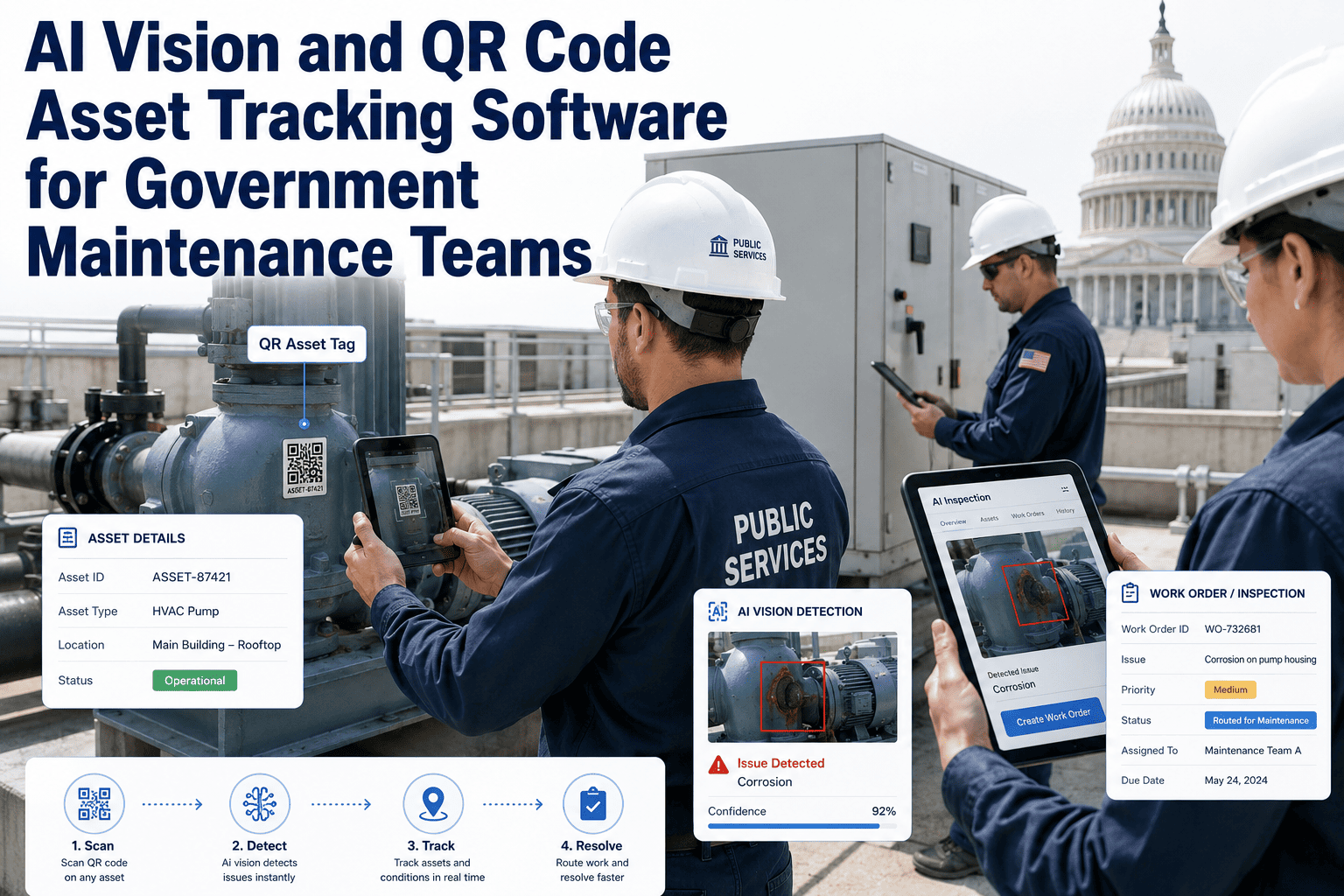
Government maintenance teams manage thousands of assets spread across buildings, infrastructure, fleet, and public spaces — and most of those assets have no reliable way to be identified in the field, linked to their maintenance history, or updated in real time. OxMaint combines AI vision inspection with QR code asset tracking to give government teams a complete, field-ready solution: scan a QR code to pull up the asset's full maintenance history, or let the camera detect and identify assets automatically during inspection rounds. Both approaches feed the same CMMS — so every inspection, work order, and repair is attached to the right asset, every time. Book a demo to see how this works across your agency's specific asset types and field conditions.
AI Vision · QR Code Tracking · Government Asset Management
AI Vision and QR Code Asset Tracking for Government Maintenance Teams
Two ways to identify any asset in the field — QR scan for instant history access, AI vision for automatic identification. Both connected to the same CMMS, same work orders, same audit trail.
Instant
field access to full asset history via QR scan — no login, no search
Auto-ID
AI recognizes assets during inspection rounds — no manual scan required
100%
asset attribution — every work order linked to the exact asset, location, and crew
The Asset Identification Problem in Government Maintenance
When a technician finds a defect, the most important question is: which asset is this, and what is its history? Without reliable asset identification, maintenance records become disconnected, repeat failures go unrecognized, and compliance documentation has gaps.
Problem 1
No Asset ID in the Field
Technicians identify assets by memory, location description, or handwritten tags — all unreliable methods that cause misattribution in the CMMS.
Problem 2
Disconnected History
Repairs logged without proper asset linking mean repeat failures aren't recognized as patterns — and the same assets break repeatedly without root cause action.
Problem 3
Compliance Record Gaps
Government asset management frameworks (GASB 34, federal reporting) require complete, attributable maintenance histories. Disconnected records fail audits.
Two Identification Methods — One Unified Platform
Technician scans QR on asset with phone
Full history, last PM date, open work orders appear instantly
New inspection findings logged directly to this asset
Work order created and attributed — no manual asset search
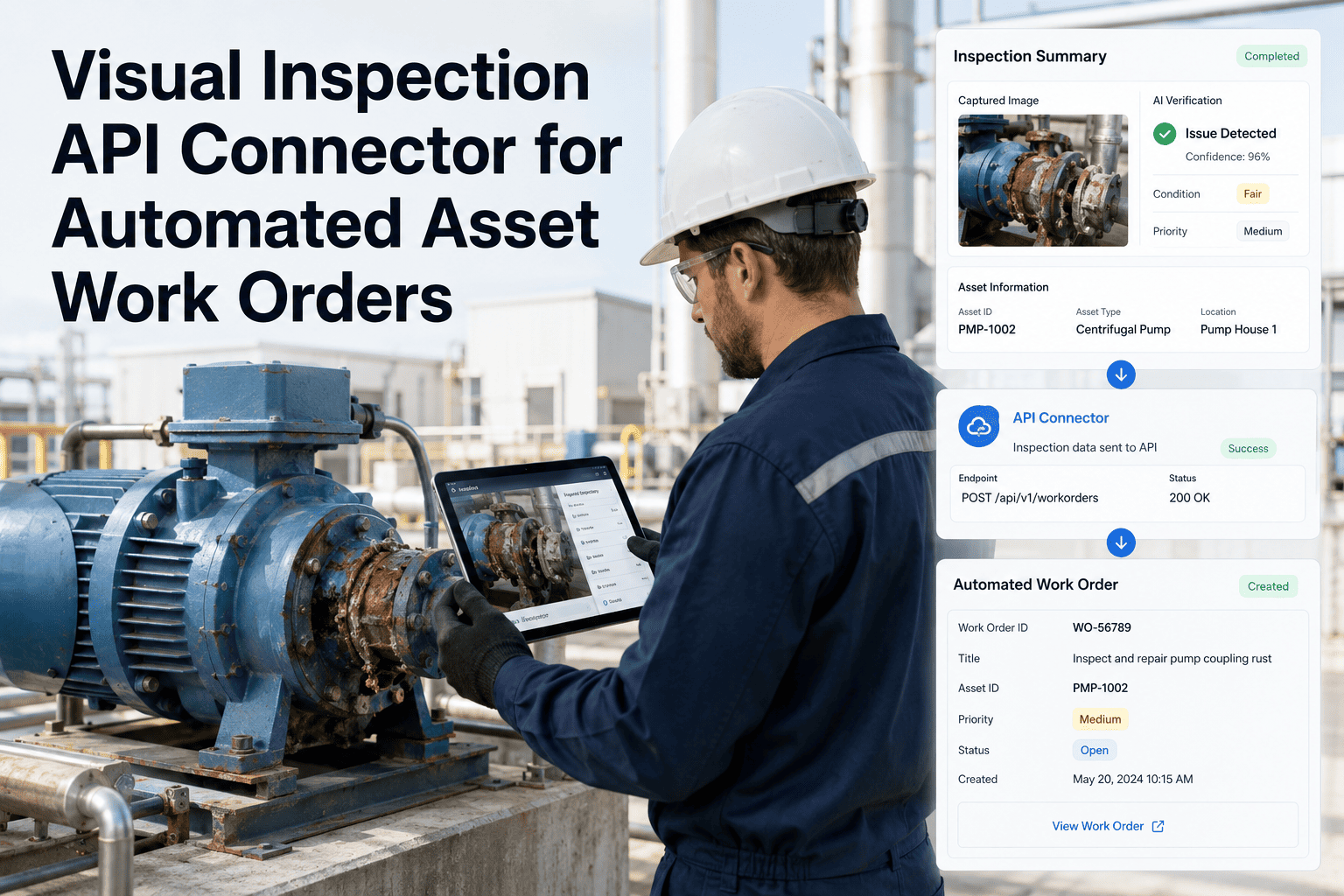
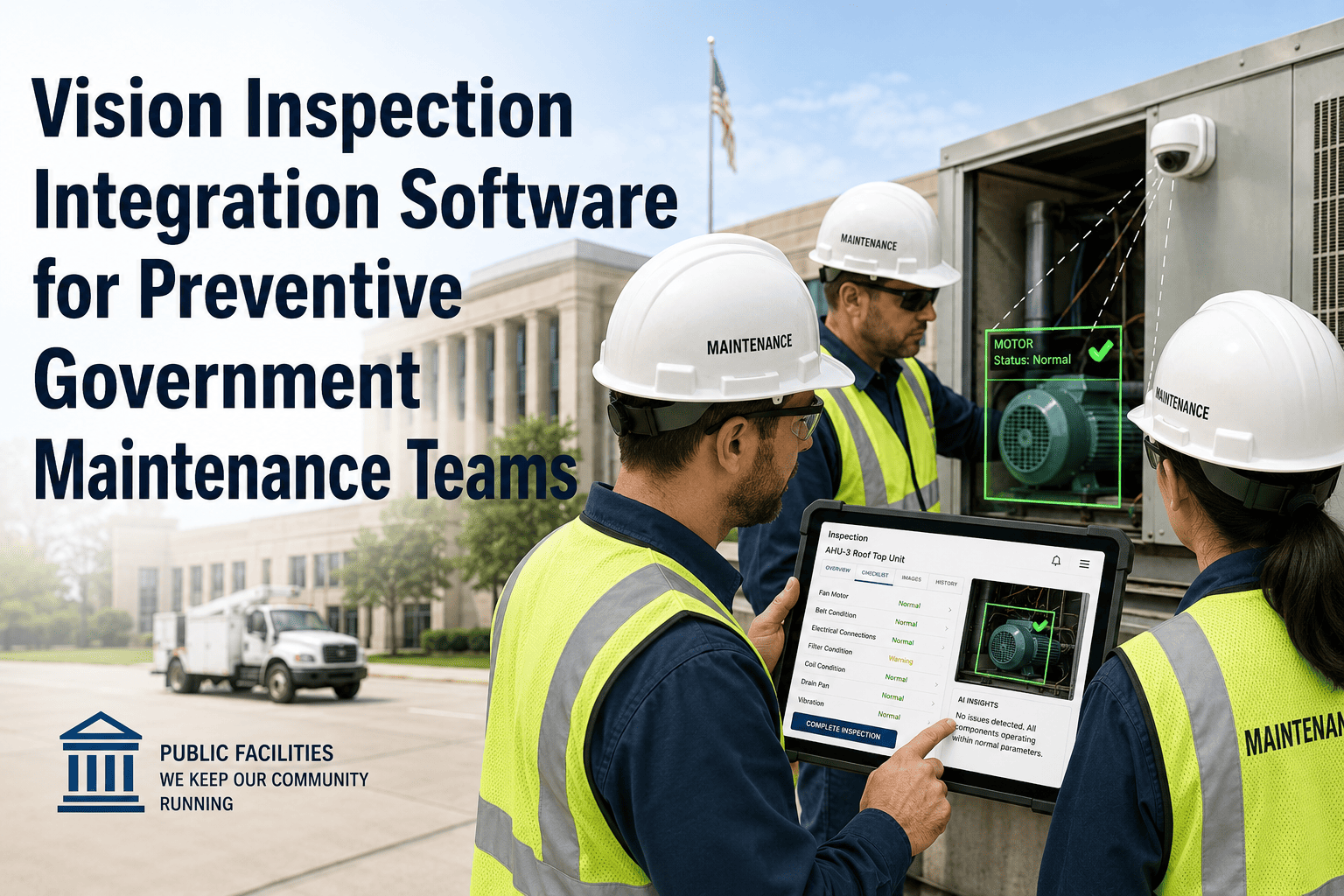
Camera captures asset image during inspection or continuous monitoring
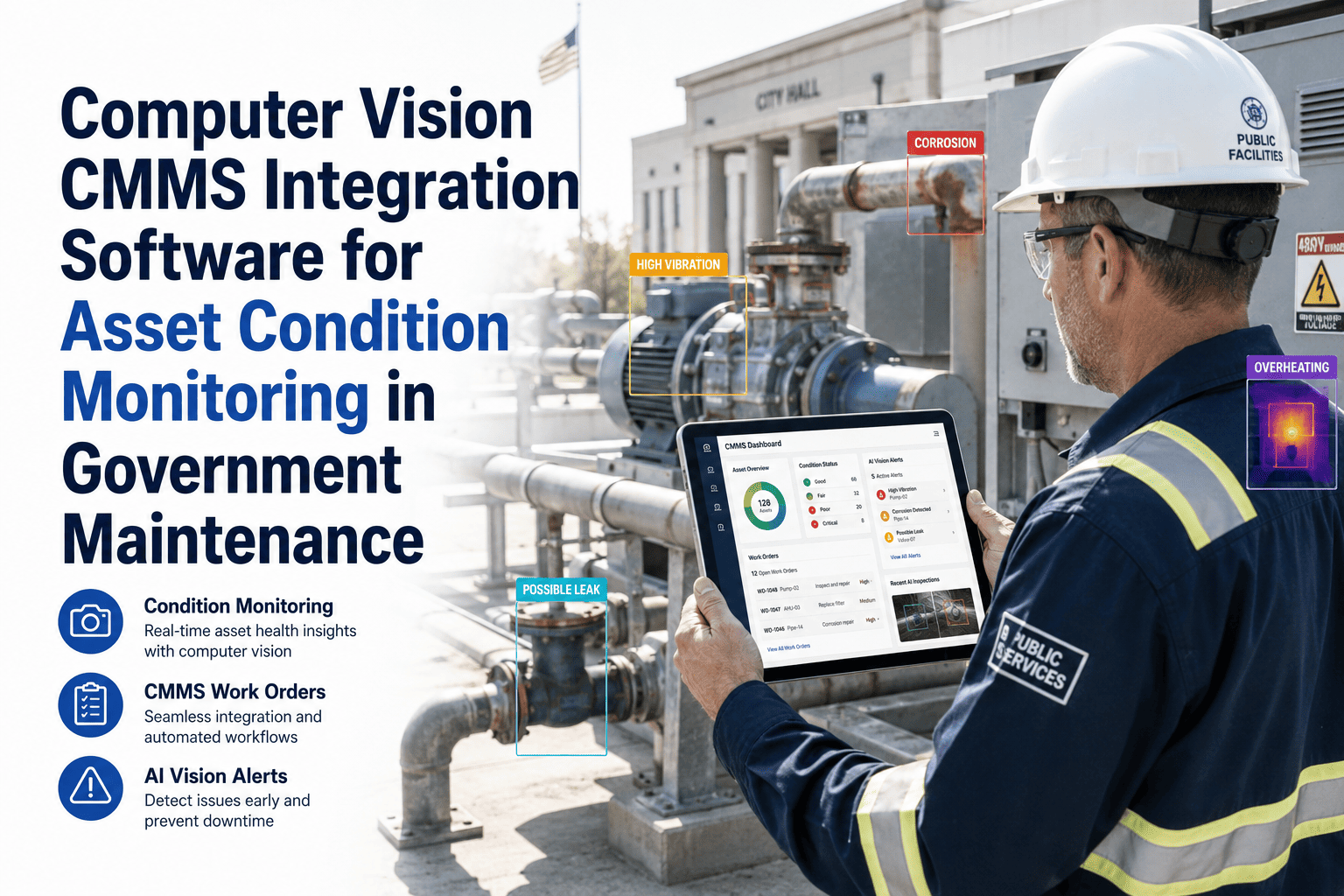
AI identifies asset type, location, and condition automatically
Defect detected — classified by type and severity
Work order auto-created and linked to the correct asset record
No QR scan required — ideal for fixed cameras, drone inspection, and high-volume asset zones
Asset Tracking Coverage by Identification Method
| Asset Scenario |
QR Code |
AI Vision |
Recommended Approach |
| Individual equipment (pumps, panels, HVAC) |
Yes |
Yes |
QR for history; AI for condition |
| Infrastructure (bridges, roads, pipes) |
Partial |
Yes |
AI vision primary |
| Fleet vehicles |
Yes |
Yes |
QR at check-in; AI for pre-shift scan |
| High-volume asset zones (100+ items) |
Slow at scale |
Yes |
AI vision for coverage speed |
| Restricted access areas |
Limited |
Yes |
Fixed camera with AI |
| Field crew inspection rounds |
Yes |
Handheld |
QR scan + mobile inspection |
See AI vision and QR tracking working together in a live government maintenance demo.
Walk through an actual asset identification and work order workflow with your agency's asset types — bridges, fleet, buildings, infrastructure.
Expert Perspective
10,000+
assets is the typical inventory a mid-sized municipality needs to track — without reliable field identification, a CMMS is just a list
Combining AI vision with QR code tracking solves the core problem of government asset management: the gap between what is in the CMMS and what is actually in the field. QR codes give technicians instant access to history during hands-on work. AI vision gives supervisors continuous awareness across the whole asset network. Together, they eliminate the attribution errors, duplicate records, and compliance gaps that plague manual tracking systems in public-sector maintenance organizations.
Government Asset Management Technology Specialist — Public Infrastructure Advisory
Frequently Asked Questions
How are QR codes installed on assets — and what if a tag is damaged or removed?
OxMaint generates QR tags for each asset during onboarding. Tags are printed on weatherproof, tamper-resistant labels suitable for outdoor infrastructure, vehicles, and equipment. If a tag is damaged, the technician can still identify the asset through the AI vision identification layer or manual search in the OxMaint field app — the asset record is never dependent on a single identification method.
Book a demo to see tag generation and field identification in action.
Can OxMaint track assets that are mobile or change location — like government fleet vehicles?
Yes. Fleet vehicles are tracked as mobile assets in OxMaint. QR code scans log the vehicle's current location and status at each scan point. AI vision can identify vehicles in camera-covered fleet yards for pre-shift condition detection and post-use inspection. The asset record follows the vehicle regardless of location — all maintenance history, work orders, and inspection records stay attached to the specific vehicle identifier.
Start a free trial to set up fleet asset tracking.
Does QR-based field access require technicians to have a special device or login?
No special device is required. Technicians use the OxMaint mobile app on any smartphone — iOS or Android. QR code scanning opens the asset record instantly within the app, showing maintenance history, last PM date, open work orders, and the inspection form for that asset type. Offline mode is supported for field work in areas with limited connectivity, syncing data when the device reconnects.
How does the combined system handle large asset inventories across multiple government departments?
OxMaint supports multi-department asset hierarchies — assets can be grouped by department, site, category, and sub-category, with role-based access controlling which teams see which assets. A public works department sees roads and infrastructure; a facilities team sees buildings; fleet management sees vehicles. Work orders flow within department boundaries unless escalation rules route them across teams.
Book a demo to review your department structure and configure the asset hierarchy.
Every government asset needs two things: a way to be found in the field and a complete maintenance history. OxMaint delivers both.
QR codes for technician access. AI vision for continuous monitoring. One CMMS for every work order, every asset, every audit.