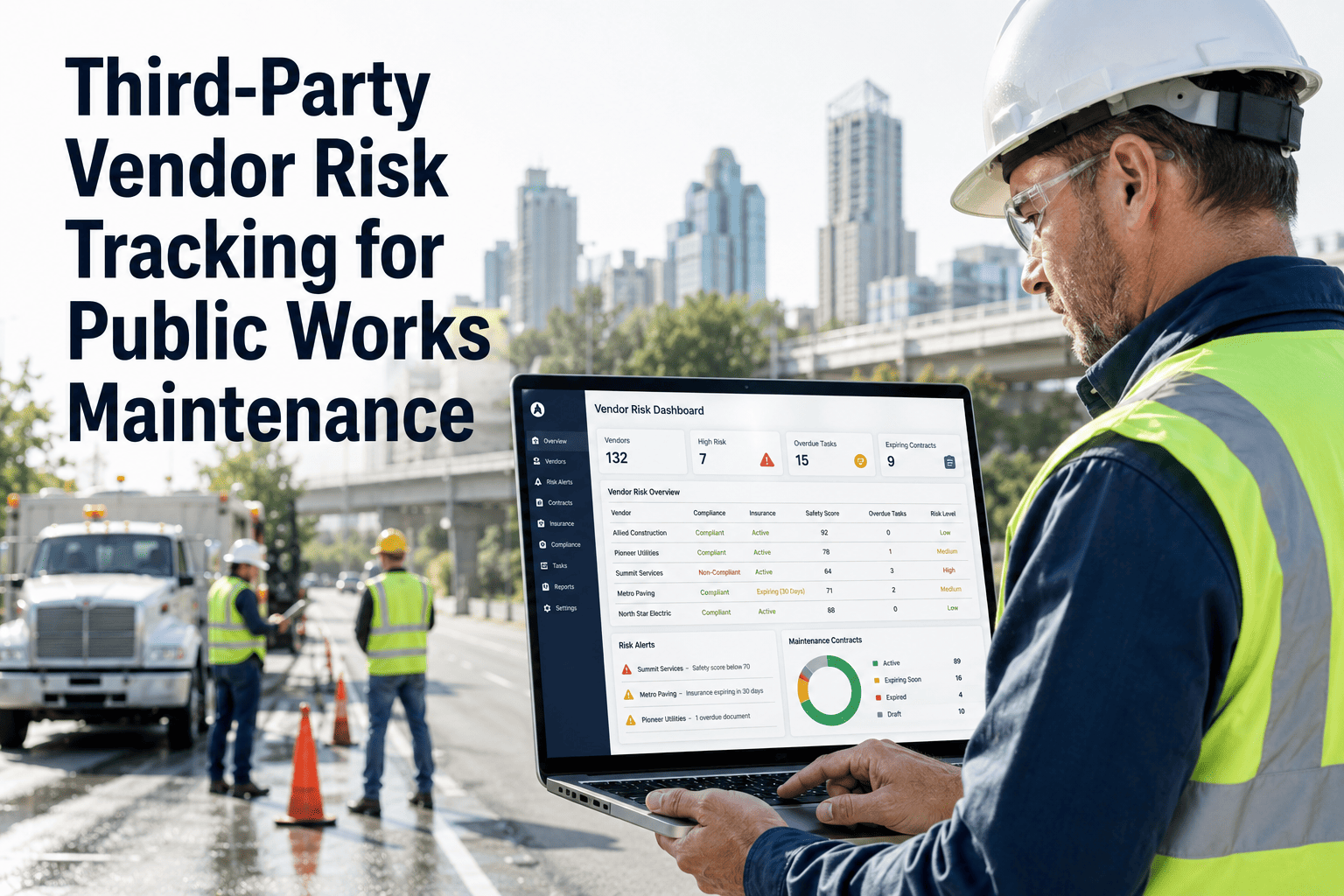
Municipal maintenance departments outsource a significant share of their work — road resurfacing, HVAC service, tree trimming, electrical maintenance, wastewater repairs — to contractors who operate largely outside the agency's visibility. A contractor does the work, submits an invoice, and the agency pays — often without verifiable proof that the scope was completed, that the work passed inspection, or that the permit was closed. This gap between contractor activity and agency records creates audit exposure, budget overruns, and repeated failures on the same assets. OxMaint's vendor management module closes that gap by putting contractor work orders, permits, SLA timers, inspection proof, and invoices into one traceable system — and a live 30-minute demo shows exactly how agencies are using it to manage contractor accountability today.
Public Works Contractor Maintenance Management Software
From work order issuance to invoice approval — every contractor task tracked, verified, and documented in one place.
What Agencies Lose When Contractor Work Is Untracked
Invoices approved against a verbal completion confirmation, with no work order, photo, or inspection record to verify scope — creating audit findings and potential fraud exposure
Contractors miss response time commitments with no automated tracking to flag the breach — delays compound and the agency has no data to enforce contract terms or penalize non-performance
The same asset fails again 60 days after a contractor repair — but without a documented inspection record, the agency cannot determine whether the original repair was performed to scope
Contractor pulls a permit, completes work, but never closes the permit — creating liability for the agency and blocking future work on the same asset or location
Track Every Contractor Task From Work Order to Paid Invoice
OxMaint gives public works agencies full visibility into contractor task status, SLA compliance, inspection proof, and invoice accuracy — without requiring contractors to adopt a new platform.
How Contractor Maintenance Tasks Flow Through OxMaint
Agency creates work order with scope, asset, location, required permits, and SLA deadline. Contractor receives notification via email or guest portal — no OxMaint account required.
Contractor confirms receipt and estimated start date through the guest portal. SLA timer begins. Agency can see acknowledgment in real time — no follow-up phone call needed.
Contractor attaches before/after photos, inspection results, and permit numbers through the portal. All documentation is timestamped and linked to the work order — not in an email thread.
Agency inspector verifies completion through the same work order — adds inspection notes, pass/fail, and sign-off. Completion proof and inspection record live together in one record.
Contractor submits invoice through the portal. OxMaint matches invoice amount against approved PO, flags variances, and routes to approver — payment is gated on completion proof, not just submission.
Contractor Response Time Standards by Work Category
| Work Category | Standard SLA | OxMaint Alert Trigger | Escalation Action |
|---|---|---|---|
| Emergency road repair | On-site within 2 hours | Alert at 1.5 hours with no acknowledgment | Supervisor notification + backup contractor flag |
| Traffic signal fault | Responded and resolved same day | Alert at 4 hours if work order still open | Public works director escalation |
| HVAC building repair | On-site within 24 hours | Alert at 20 hours with no site arrival logged | Facilities manager notification |
| Planned maintenance | Completed by scheduled date | Alert 48 hours before due date if not started | Contract coordinator notification |
| Permit closure | Closed within 5 business days of work completion | Alert on day 4 if permit still open | Compliance officer notification |
The problem with contractor management is not that contractors do bad work — most of them do reasonable work. The problem is that agencies have no system to distinguish good contractors from bad ones because they have no consistent record of what was done, when, to what quality, and at what cost. Once we put contractor work orders, SLA timers, inspection sign-offs, and invoice matching into one system, we renegotiated three contracts based on actual performance data, terminated one that was chronically non-compliant, and saved 18 percent on contractor spend in one budget cycle.
Stop Paying for Contractor Work You Cannot Verify
OxMaint gives public works agencies a full audit trail for every contractor task — scope, documentation, inspection, and invoice — without requiring contractors to adopt complex new software.
Frequently Asked Questions
Do contractors need to create an OxMaint account to use the portal?
Contractors access their work orders and submission portal through a secure guest link sent via email — no OxMaint account creation required. They can view assigned tasks, update status, attach photos, upload permit numbers, and submit invoices through the link. This removes the barrier of contractors adopting new software while keeping all their submissions inside your agency's OxMaint record. See the contractor portal by requesting a demo guest link in your trial account.
Can OxMaint track multiple contractors working on the same infrastructure project simultaneously?
Yes. Projects in OxMaint can have multiple contractor work orders running in parallel, each with its own SLA, documentation requirements, and invoice process. Project managers see all contractor tasks consolidated in a single project view — and can identify bottlenecks, gaps, or dependency conflicts before they affect project timelines. Book a demo to see how multi-contractor project tracking is configured for a road or utilities project in OxMaint.
How does OxMaint handle contractor work where permits are required?
Permit requirements are attached to work order types in OxMaint — if the work category requires a permit, the work order cannot be marked complete without a permit number and closure confirmation entered by the contractor. This prevents the chronic problem of work completed but permits left open, which creates liability and compliance exposure for the agency. Configure permit requirements for your work categories in your OxMaint trial.
Can we use OxMaint to build a performance history for contractor renewal decisions?
OxMaint tracks SLA compliance rate, first-time completion rate, average response time, repeat failure rate, and invoice accuracy for each vendor over any date range. This data exports directly as a vendor performance report — giving procurement and contract management teams objective evidence for renewal, renegotiation, or termination decisions that replaces anecdotal supervisor opinions. Book a demo to see how vendor scorecards are configured and exported from OxMaint for contract review cycles.
What if a contractor submits an invoice for work that failed the agency inspection?
OxMaint gates invoice approval behind work order status. If the agency inspection closed the work order with a failed status, the work order cannot trigger invoice payment until it is reopened, corrected, and re-inspected to pass. Contractors who submit invoices while their work order is in failed status receive an automated notification that approval is pending re-inspection sign-off. See the invoice approval workflow and how it integrates with inspection results in your trial account.