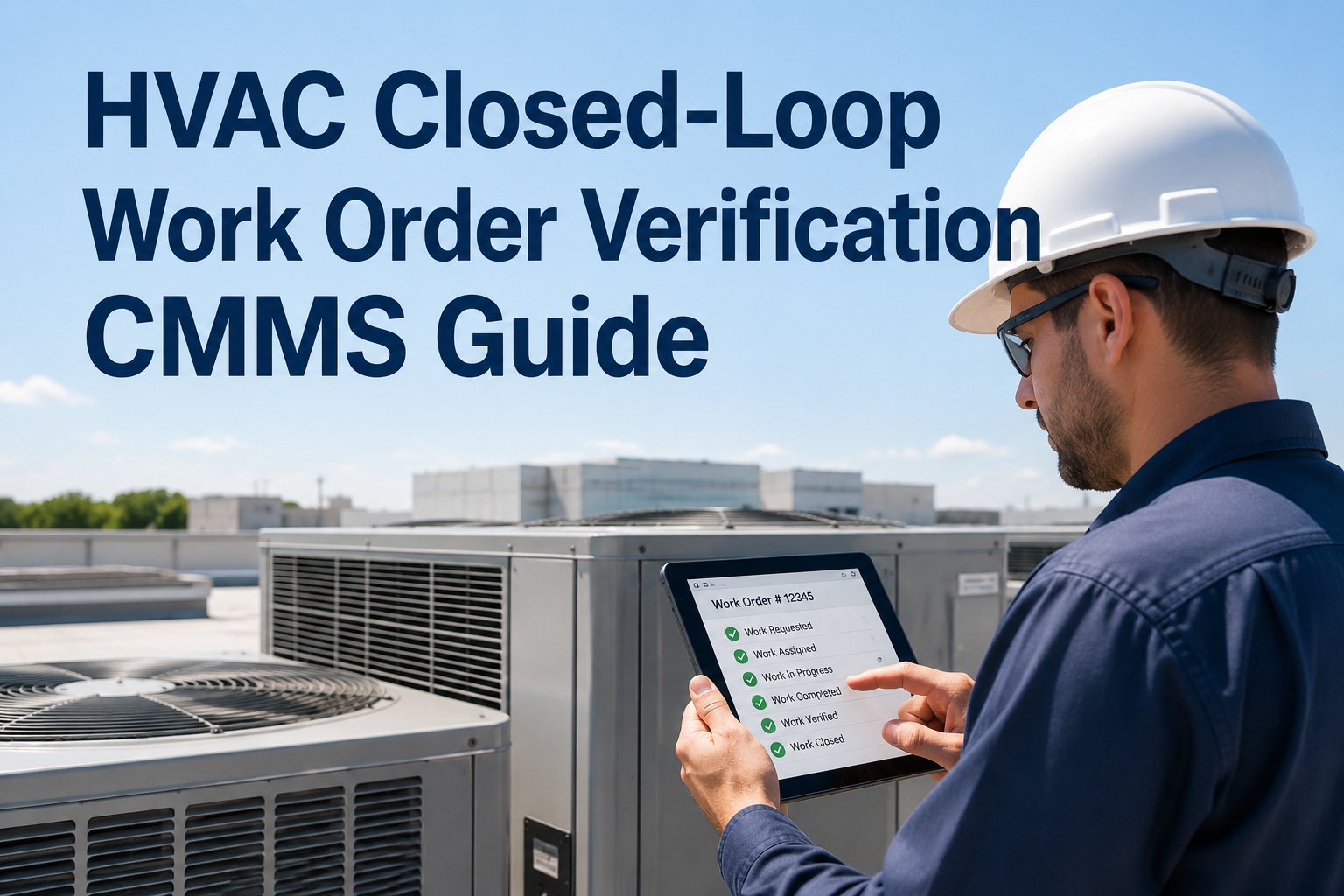
With over 200 CMMS platforms available in 2026, picking the wrong one for your HVAC operation is not just a software mistake — it is months of lost productivity, missed PMs, and technician frustration that accelerates the very downtime you were trying to prevent. This guide cuts through the noise with a structured evaluation framework so you can identify, compare, and confidently select the HVAC CMMS platform that fits your facility’s size, compliance requirements, and team capability — not just the one with the slickest demo. HVAC assets are uniquely demanding: chillers, cooling towers, AHUs, VAV boxes, RTUs, and refrigerant circuits each carry distinct inspection intervals, failure modes, regulatory obligations, and spare parts profiles. Generic CMMS tools miss this complexity entirely.
The HVAC CMMS That Works From Day One
OxMaint combines asset management, PM scheduling, mobile work orders, BMS integration, predictive alerts, and compliance tracking in a single AI-powered CMMS — purpose-built for how HVAC facility teams actually operate. Free to start, no implementation consultant required.
Why Generic CMMS Fails HVAC Operations — and What to Look for Instead
The global CMMS market reached $1.46 billion in 2025 and is projected to more than double by 2034. Cloud deployments now account for 64% of new CMMS installations, and 65% of maintenance teams plan to adopt AI-powered tools by end of 2026. Yet despite this growth, most CMMS implementations in HVAC operations underperform — not because the software is bad, but because it was not designed for the specific demands of HVAC asset management.
HVAC maintenance carries requirements that generic platforms were not built to handle: EPA Section 608 refrigerant tracking, BMS integration for condition-based PM triggers, multi-zone seasonal scheduling, and compliance documentation for ASHRAE, LEED, or ENERGY STAR reporting. A CMMS that manages work orders generically becomes a liability when those specific requirements are unmet. Sign up free and see how OxMaint handles HVAC-specific requirements from the first day of deployment.
CMMS vs Field Service Management: Choosing the Right Category
Before evaluating any platform, establish which category of software your operation requires. Buying the wrong type is the single most common — and most costly — software selection mistake in HVAC maintenance.
Facility & Building Operations
Designed for teams managing their own HVAC assets inside a facility they operate. Focus is on maximising asset reliability, minimising unplanned downtime, and controlling maintenance costs across the building portfolio. This is the right category for facility managers, property teams, and in-house maintenance departments.
- Asset-centric: asset health, PM compliance, MTBF
- Work orders tied to owned equipment records
- Predictive maintenance and condition monitoring
- Compliance documentation for audits and certifications
Service Companies & Contractors
Designed for HVAC contractors servicing external customers. Focus is on technician dispatching, customer service agreements, invoicing, and job scheduling across a customer base. This is the right category for HVAC service companies, contractors, and field service operations.
- Customer-centric: SLA management, invoicing, dispatch
- Technician scheduling and route optimisation
- Service agreement and contract management
- Customer portal and communication tools
Unified CMMS + IoT Integration
OxMaint serves both in-house facility teams and HVAC service organisations — with native CMMS asset management, predictive maintenance, BMS integration, and mobile work orders unified in a single cloud platform. No separate tools, no integration cost between categories.
- AI-powered predictive maintenance from day one
- BMS integration via BACnet, Modbus, and REST API
- Mobile-first — full functionality on any device
- Multi-site portfolio dashboard across all buildings
The Seven Non-Negotiable CMMS Capabilities for HVAC Operations
90% of HVAC teams believe in preventive maintenance but only 26% are consistently practising it (UpKeep, 2026). The gap is not intention — it is the wrong tools. When evaluating any CMMS platform for HVAC, these seven capabilities determine whether the software solves that gap or compounds it. Book a demo to see how OxMaint delivers every one of them.
Asset Registry with HVAC-Specific Hierarchies
The asset registry must support HVAC equipment hierarchies — chillers as parent assets with compressors, condenser fans, and cooling towers as children. When a chiller fails, the CMMS must show the full dependency chain. Flat asset lists produce incomplete failure analysis and missed related maintenance tasks.
- Parent-child equipment relationships (chiller → compressor)
- QR code asset tagging for mobile technician access
- Full service history per asset from day one
Condition-Based and Usage-Triggered PM Scheduling
Calendar-based PM intervals were built for average equipment — not your equipment. HVAC assets at different load profiles need PM triggered by actual runtime hours, production cycles, or BMS sensor thresholds — not the date on a wall calendar. Platforms offering only time-based scheduling structurally over-maintain low-use assets and under-maintain high-use ones.
- Calendar, runtime hours, and sensor threshold triggers
- Seasonal PM scheduling for HVAC switchover tasks
- Auto-enrolment of new assets matching equipment type
Mobile-First Work Orders — Full Field Capability
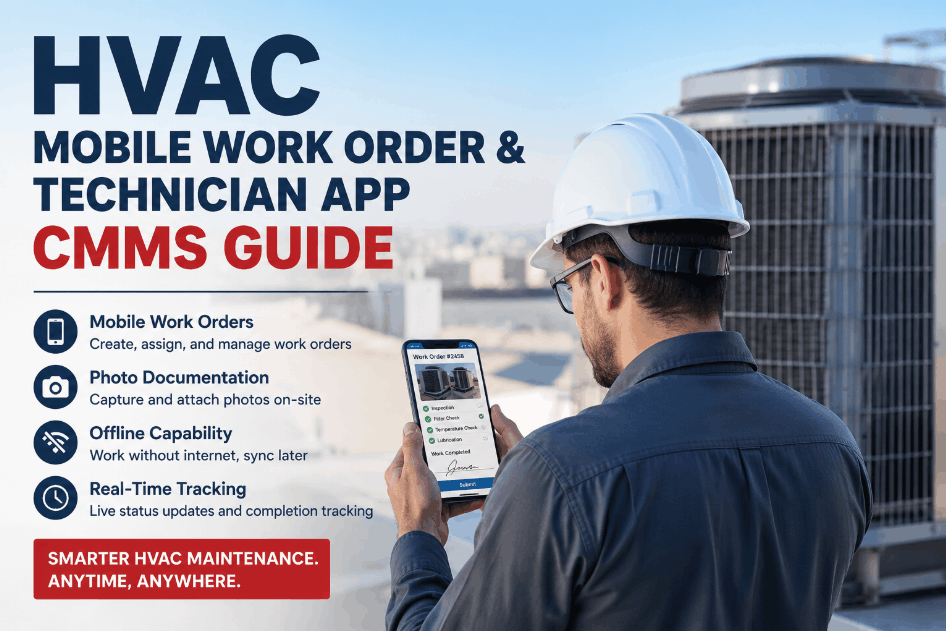
HVAC technicians work in plant rooms, on rooftops, and in ceiling voids — not at desks. The CMMS mobile app must provide full work order capability including opening, executing, and closing jobs with photo capture, parts consumption, and technician sign-off — offline-capable, with automatic sync on reconnection. Mobile-only platforms that require desktop for reporting or asset management fail in practice.
- Offline-capable — full functionality without connectivity
- Photo documentation captured at equipment location
- Parts consumption logged at point of repair
BMS and IoT Sensor Integration
A CMMS that requires manual sensor readings provides point-in-time snapshots — not continuous monitoring. Native integration with BAS via BACnet, Modbus, and REST API enables condition-based PM triggers, predictive fault detection, and energy anomaly alerts to generate work orders automatically from sensor thresholds. Evaluate both current protocol support and API openness for future expansion.
- BACnet/IP, BACnet MS/TP, Modbus RTU/TCP support
- Major BAS platforms: Tridium, Siemens, Johnson Controls
- Wireless IoT sensors for equipment without BAS connectivity
Predictive Maintenance with Pre-Trained HVAC Models
In 2026, a CMMS that only manages work orders is no longer sufficient. Pre-trained AI fault models for HVAC chillers, AHUs, RTUs, and VAV systems must activate from day one — not after 12 months of custom model development. Platforms that reserve predictive maintenance for premium-tier upgrades are selling a CMMS feature at an AI platform price point.
- Pre-trained fault models for AHUs, chillers, RTUs, VAVs
- Fault detection to work order — automatic, no manual step
- Remaining Useful Life forecasts for CapEx planning
Spare Parts Inventory with Consumption Tracking
A 45-minute repair becomes a 6-hour outage when the right part is not on the shelf. The CMMS must track parts consumption against work order history, set minimum stock levels per asset criticality, generate reorder alerts before stockouts, and flag food-grade or refrigerant-compliant part requirements where applicable.
- Automatic parts deduction when used on work orders
- Minimum stock alerts by part criticality
- Consumption trending to forecast next reorder cycle
Multi-Site Portfolio Dashboard and Compliance Reporting
Facility managers overseeing multiple buildings need portfolio-level dashboards showing maintenance performance, asset health, PM compliance, and cost benchmarks across all sites simultaneously. CMMS platforms that require manual report aggregation per site eliminate the analytical advantage that justifies the software investment. Compliance documentation — PM records, calibration logs, corrective actions — must be available on demand, not compiled before audits.
- Cross-site fault status and work order completion rates
- LEED, ASHRAE, and ENERGY STAR documentation
- Audit-ready records available on demand, not compiled manually
HVAC CMMS Software Comparison: Feature Benchmark 2026
The table below reflects the feature landscape across the CMMS platforms most commonly shortlisted by HVAC facility teams in 2026. Evaluate each against your specific operation using the criteria above — not against each other’s marketing claims.
| Capability | OxMaint | Limble CMMS | MaintainX | UpKeep |
|---|---|---|---|---|
| HVAC asset hierarchy | Full parent-child + QR | Yes — configurable | Yes — asset tree | Yes — asset hierarchy |
| PM triggers | Calendar, runtime, sensor, event | Calendar + meter-based | Calendar + meter-based | Calendar + meter-based |
| Mobile app | Full offline capability | Full offline capability | Mobile-first, offline | Mobile-first, offline |
| BMS / BAS integration | BACnet, Modbus, REST API, all major BAS | API-based, limited native | API-based only | API-based, limited BAS |
| Native AI / predictive maintenance | Pre-trained HVAC fault models, day one | Analytics — no AI prediction | No native predictive | No native predictive |
| IoT sensor support | Native LoRaWAN, Zigbee, Wi-Fi, BACnet | Limited sensor integration | Limited sensor integration | Limited sensor integration |
| Multi-site portfolio dashboard | Full portfolio view, cross-site KPIs | Multi-site — add-on cost | Multi-site available | Multi-site available |
| Starting price | From $8/user/month, free plan available | From $28/user/month | From $16/user/month | From $45/user/month |
This comparison reflects publicly available feature information as of March 2026. Feature availability varies by pricing tier — verify current capabilities directly with each vendor during your evaluation. The defining differentiator for HVAC operations is native BMS integration and pre-trained fault detection: only platforms with these capabilities can shift from reactive firefighting to proactive asset management without a separate analytics tool investment. Book a demo to see OxMaint’s HVAC-specific capabilities configured for your asset portfolio.
HVAC CMMS ROI: What the Data Consistently Shows
Facility managers frequently ask how quickly a CMMS pays for itself. The answer depends on maintenance maturity, but the data from real-world deployments consistently supports positive ROI within the first year — and often within the first quarter, driven by a single avoided emergency repair.
| ROI Driver | Baseline (Reactive) | With CMMS + PM Programme | Source |
|---|---|---|---|
| Maintenance cost reduction | Baseline | 10–40% reduction | McKinsey — predictive maintenance analysis |
| Unplanned downtime reduction | Baseline | 30–50% fewer downtime events | McKinsey — CMMS implementation study |
| Preventive maintenance ROI | Run-to-failure | 545% documented ROI | Jones Lang LaSalle PM study |
| CMMS total ROI range | — | 200–400% within 18–24 months | State of Maintenance 2026 |
| Emergency repair vs planned repair cost | Baseline | Emergency costs 3–9× more | Industry average — multiple sources |
| AI-integrated CMMS maintenance savings | Baseline | 25% cost reduction + 10–20% uptime gain | Deloitte — AI-integrated CMMS study |
| First positive ROI event | — | Often within first 30–90 days | Single avoided chiller or AHU failure |
CMMS Implementation Roadmap: From Selection to Full Deployment
Even the right CMMS delivers poor results if implementation is rushed. HVAC teams that achieve strong adoption follow a phased approach that builds momentum without overwhelming technicians or managers at once.
Asset Registry and BAS Connection
Import your existing asset register into the CMMS. Start with the 20% of HVAC equipment that drives 80% of your maintenance activity — chillers, primary AHUs, cooling towers, and critical RTUs. Tag assets with QR codes and assign location hierarchies. Resist the temptation to enter every asset before going live — partial deployment that is actually used beats a complete registry that sits idle. Connect BAS data via BACnet or Modbus integration. In most deployments, 5–15 existing faults are identified within the first week of BAS connection from rule-based detection alone.
PM Schedules and Work Order Workflow
Build PM schedules for your priority assets — seasonal HVAC tasks, filter changes, coil inspections, and refrigerant checks. Configure calendar, runtime, and sensor-threshold triggers. Establish work order routing and technician assignment logic. Train the maintenance team on mobile work order execution at the equipment, not in a conference room. Track PM compliance rate weekly — the first month of CMMS deployment typically reveals that 30–50% of what was believed to be PM completion was never actually captured in a retrievable record.
Spare Parts Inventory and Predictive Alerts
Set up spare parts inventory tracking for your top 15–20 components consumed in HVAC repair events. Assign minimum stock levels and configure reorder alerts. Review the fault alerts generated by the pre-trained AI models — validate true positives against technician findings and use confirmed outcomes as model feedback to improve accuracy. False positive rates typically run 15–25% in the first 90 days, dropping below 10% as the system learns your specific fleet's operating patterns.
KPI Measurement and Portfolio Expansion
With 3–6 months of CMMS data, your first meaningful KPI comparison is available: PM compliance rate, MTBF by asset, MTTR, emergency vs planned ratio, and maintenance cost per asset. Compare against your pre-CMMS baseline to document ROI for the next budget cycle. Expand BAS integration and asset registry to secondary equipment and additional buildings. Configure the portfolio dashboard to give leadership a real-time view of maintenance performance across all sites without manual report compilation.
ML Model Maturity and CapEx Forecasting
At 6 months of baseline data, ML anomaly detection models begin outperforming rule-based alerts — catching multi-variable fault patterns invisible to threshold logic. Remaining Useful Life predictions start appearing for major components, feeding the 5-year capital expenditure forecast with asset-specific replacement timelines. Full programme ROI — measurable energy savings, emergency repair reduction, and extended equipment life — is documentable at this stage. Present the ROI comparison to leadership to justify continued investment and planned programme expansion.
Start Your HVAC CMMS Journey — Free, No Implementation Consultant Required
OxMaint deploys in hours, not months. Import your asset registry, connect your BAS, activate pre-trained HVAC fault models, and run your first PM cycle — all without a six-figure implementation engagement. Free plan available. No credit card required for setup.
Frequently Asked Questions: HVAC CMMS Software
What is HVAC CMMS software and why do HVAC teams need it?
An HVAC CMMS (Computerized Maintenance Management System) is a platform that centralises every aspect of HVAC maintenance operations — work orders, asset records, PM schedules, spare parts inventory, sensor data, and compliance documentation — in a single digital system that replaces spreadsheets, paper forms, and disconnected email chains. HVAC teams need it because reactive maintenance costs 3–9 times more than planned maintenance, PM compliance without a CMMS rarely exceeds 55–68%, and the downtime risk from unmanaged HVAC assets increases every year as building equipment ages. The global CMMS market is growing at over 10% annually precisely because facility managers have quantified how much the alternative costs.
What is the ROI of HVAC CMMS software?
CMMS adoption delivers 200–400% ROI within 18–24 months of structured deployment, with a single avoided emergency failure event — a chiller compressor or primary AHU — often recovering the full annual subscription cost in one repair event. McKinsey documents 30–50% reduction in unplanned downtime and 10–40% maintenance cost reduction from predictive CMMS programmes. Jones Lang LaSalle documents 545% ROI from structured PM programmes versus reactive maintenance. Most HVAC operations see the first measurable ROI signal within 30–90 days of deployment, from improved PM compliance and spare parts availability improvements alone.
What is the difference between a CMMS and Field Service Management software for HVAC?
CMMS software is designed for in-house teams managing their own HVAC assets — the focus is on maximising asset reliability, minimising downtime, and controlling maintenance costs across buildings you operate. Field Service Management (FSM) software is designed for HVAC contractors servicing external customers — the focus is on technician scheduling, customer SLA management, and invoicing. The needs are structurally different: CMMS serves your assets, FSM serves your customers. OxMaint serves both use cases from a single platform, making it suitable for both facility managers with internal teams and HVAC service organisations managing external customer portfolios.
How long does HVAC CMMS implementation take?
Modern cloud CMMS platforms designed for HVAC operations deploy in days, not months. OxMaint can be set up in under two minutes — asset import, BAS connection, and first PM schedule configuration can be completed in a single working day for a single-site operation. Multi-site portfolios typically achieve full initial deployment within 2–4 weeks. The phased approach recommended in this guide — starting with the 20% of assets generating 80% of maintenance cost — ensures the platform is delivering measurable value within the first 30 days, before full portfolio coverage is achieved. Legacy enterprise CMMS platforms with six-month implementation timelines and implementation consulting requirements are a product of a different era of software architecture.
Can OxMaint integrate with existing HVAC BAS systems?
Yes. OxMaint integrates natively with all major BAS platforms — Tridium Niagara, Siemens Desigo, Johnson Controls Metasys, Honeywell, and Schneider EcoStruxure — via BACnet/IP, Modbus TCP, and REST API. For HVAC equipment without existing BAS connectivity, wireless IoT sensors can be retrofitted in 15–30 minutes per unit with no electrical modification required. The BAS integration enables condition-based PM triggers, predictive fault detection, and energy anomaly alerts to generate CMMS work orders automatically from sensor thresholds — closing the gap between monitoring data and maintenance action. Book a demo to see the BAS integration configured for your specific systems.
What HVAC-specific compliance features should a CMMS support?
HVAC operations carry compliance requirements that generic CMMS platforms often cannot handle: EPA Section 608 refrigerant tracking and leak log documentation, ASHRAE 62.1 ventilation compliance records, LEED and ENERGY STAR maintenance documentation, local authority inspection and certification records, and internal audit trails for ISO 50001 or GFSI-aligned programmes. The CMMS must generate all of this documentation automatically from work order data — not require manual compilation before audits. Audit-ready records should be available on demand via report export, not require a week of data assembly before every inspection. OxMaint generates all required compliance documentation automatically from the work order record system.