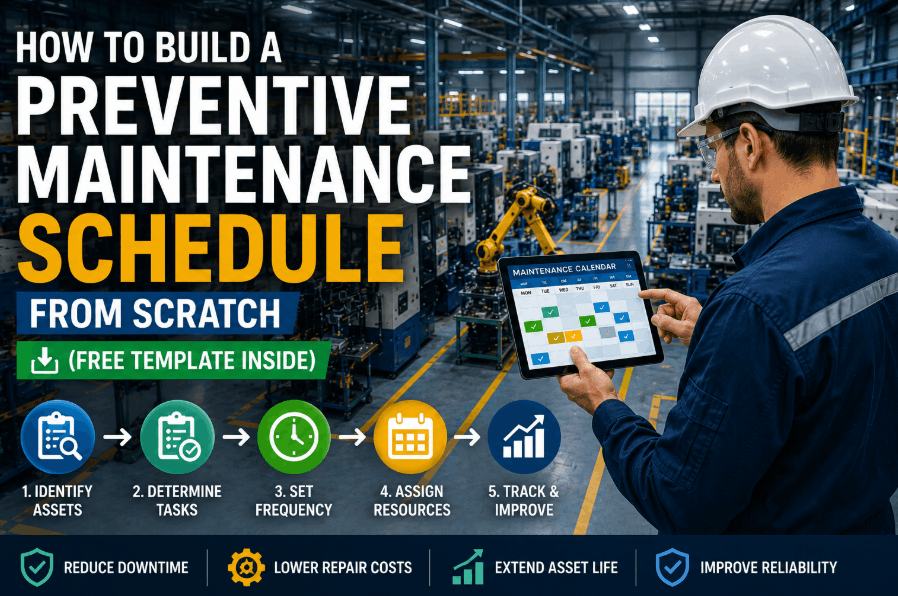
Building a preventive maintenance schedule from scratch is one of the highest-leverage decisions a maintenance or reliability engineer can make in 2026. Plants operating without a structured PM program spend 3–5× more on reactive repairs, suffer 15–40% higher equipment downtime, and consistently miss production targets. Whether you manage a 50-machine shop floor or a multi-site manufacturing operation, this guide walks you through every step of creating a preventive maintenance schedule template that actually works — from asset inventory and OEM interval mapping to priority matrices and digital CMMS rollout. If you want to skip the manual build and get a running start, Sign Up Free and load your first PM schedule in under 30 minutes.
What Is a Preventive Maintenance Schedule and Why Does It Matter?
A preventive maintenance schedule is a structured, time-based or usage-based plan that defines when, how, and by whom maintenance tasks should be performed on each piece of equipment — before failures occur. Unlike reactive maintenance, which responds to breakdowns, a PM schedule is proactive. It maps OEM-recommended service intervals, historical failure data, and operational priorities onto a calendar or trigger-based system, so maintenance teams always know what's due, what's overdue, and what's coming next. A well-executed equipment maintenance schedule reduces unplanned downtime by up to 45%, cuts emergency repair costs by 25–30%, and extends asset life significantly. For manufacturing plants where one hour of downtime can cost $50,000 or more, the ROI of a solid PM program compounds every single month. Book a Demo to see how leading manufacturers structure their PM programs inside OxMaint.
Step 1 — Complete an Asset Inventory Before Writing a Single PM Task
You cannot schedule maintenance for equipment you haven't documented. Start by capturing every asset in one place before writing a single PM task. Sign Up Free to access OxMaint's built-in asset registry and criticality scoring tools.
- Record asset ID, location, make, model, serial number, and installation date for each equipment
- Group by category: rotating equipment, HVAC, hydraulics, electrical systems, conveyors
- Classify each asset — A (mission-critical), B (important), C (non-critical)
- Assign a responsible person to every asset in the inventory
- Class A assets get priority scheduling with the tightest PM intervals
Step 2 — Map OEM Intervals and Historical Failure Data to Every Asset
OEM manuals are the starting point — not the ending point. Your actual operating conditions and failure history determine the real PM interval. Book a Demo to see how OxMaint consolidates historical work order data into interval recommendations automatically.
- Pull OEM manuals and extract service intervals for lubrication, filters, belts, and calibration
- Adjust intervals based on your environment — high heat, dust, or overload conditions tighten schedules
- Layer historical failure data on top of OEM baselines for every critical asset
- If a bearing fails at 8 months but OEM says 12, your interval is 7 months — not 12
- Document all interval decisions so future teams understand the reasoning
Step 3 — Build a PM Priority Matrix for Your Plant
Not every PM task carries equal weight. A priority matrix helps you direct limited technician time toward the tasks that prevent the most expensive failures first.
- Score each task on two axes: consequence of failure and probability of failure
- High consequence + high probability = daily or weekly PM interval
- Low consequence + low probability = quarterly or annual cycle
- Use the matrix to justify PM budgets — show the cost of failure vs. cost of PM
- Sequence your PM build starting from the highest-priority assets downward
| Asset Category | Criticality Class | Recommended PM Frequency | Trigger Type | Primary PM Tasks |
|---|---|---|---|---|
| Main Production Compressors | A — Mission Critical | Weekly / 250 hrs | Time + Usage | Oil analysis, filter check, belt tension, pressure gauges |
| Conveyor Drives & Belts | A — Mission Critical | Bi-weekly | Time-based | Belt alignment, tensioner check, lubrication, roller inspection |
| HVAC & Cooling Systems | B — Important | Monthly / Seasonal | Time + Season | Filter replacement, coil cleaning, refrigerant check, controls calibration |
| Hydraulic Power Units | A — Mission Critical | Monthly / 500 hrs | Usage-based | Fluid sampling, filter replacement, seal inspection, pressure testing |
| Pumps — Process Water | B — Important | Quarterly | Time-based | Vibration measurement, seal leak check, coupling alignment, lubrication |
| Electrical Panels & MCC | A — Mission Critical | Semi-annual | Time-based | Thermal imaging, connection torque, breaker testing, arc flash assessment |
| Dust Collection Systems | B — Important | Monthly | Time-based | Filter differential pressure, hopper cleanout, fan bearing lubrication |
| Lighting & Non-Critical Utilities | C — Non-Critical | Annually | Time-based | Bulb replacement, fixture cleaning, ballast check, emergency lighting test |
Step 4 — Structure Your PM Schedule Template: Time-Based vs. Usage-Based Triggers
Most plants need both trigger types. Choosing the wrong one for an asset wastes budget or misses failures entirely. Sign Up Free to explore how OxMaint handles both trigger types with automatic meter readings and runtime integration.
- Time-based triggers suit assets running continuously at consistent loads — HVAC, lighting, fire systems
- Usage-based triggers suit variable-utilization assets — production machinery, compressors, vehicles
- Daily checks: operator-performed fluid levels, visual inspections, temperature readings
- Weekly tasks: lubrication points, belt tension, filter checks by maintenance technicians
- Monthly/quarterly: deeper inspections, calibrations, and component replacements
Step 5 — Balance Technician Workload Across Shifts and Days
A PM schedule that exceeds your team's capacity will fail within weeks. Build labor capacity into the plan before finalizing any schedule. Book a Demo to see how OxMaint's scheduling engine visualizes technician workload before the week starts.
- Sum estimated task durations per week and compare against available technician hours
- Reserve 30–40% of capacity as reactive maintenance buffer — do not schedule it away
- Spread tasks evenly across the week to avoid Monday overload and Friday neglect
- Use CMMS to flag over-assigned technicians and rebalance automatically
- If workload exceeds capacity: hire, reduce low-criticality PMs, or extend monitored intervals
Step 6 — Load Your PM Schedule Into a CMMS and Go Digital
Spreadsheet-based schedules break down past 50 tasks. A CMMS turns your static template into a live, accountable system that runs itself. Sign Up Free and load your first PM schedule inside OxMaint today.
- Every task gets assigned — no more ambiguity about who does what
- Completions logged with timestamp and technician sign-off automatically
- Overdue PMs trigger automatic escalation alerts to supervisors
- Week 1: asset import — Week 2: PM library load — Week 3: mobile training — Week 4: full cutover
- Plants using CMMS reach 85–95% PM compliance within 60 days vs. 40–55% on spreadsheets
How to Use a Free Preventive Maintenance Schedule Template
A maintenance schedule template free download gets you started, but it only works if it's structured correctly. An effective PM schedule template includes these columns for every task row: Asset ID, Asset Name, Location, Task Description, Frequency, Trigger Type, Estimated Duration, Assigned Technician, Parts Required, Last Completed Date, Next Due Date, and Compliance Status. Templates that omit parts requirements or estimated duration lead to technicians arriving at an asset unprepared, forcing task abandonment and rescheduling — the single biggest driver of poor PM completion rates. When you Book a Demo with OxMaint, you get access to a pre-built PM schedule template library covering common manufacturing asset categories including compressors, conveyors, HVAC, pumps, electrical panels, and mobile equipment.
Common PM Schedule Mistakes That Kill Compliance
PM Interval Planning: How to Set the Right Frequency for Every Asset
Determining the right PM interval planning frequency for each asset is part science, part experience, and part data analysis. Four primary inputs drive interval decisions: OEM recommendations (baseline), operating hours and environment (adjustment factor), historical failure data (validation), and consequence of failure (override trigger). For assets where failure causes safety incidents or complete production line stoppage, PM intervals should be set conservatively — even if costs increase. A practical approach is the RCM-lite model: identify the dominant failure mode for each asset, determine whether that failure mode is age-related or random, and choose the appropriate PM type. Age-related failures respond well to time or usage-based PM tasks, while random failures are better addressed through condition monitoring or redundancy.


.png)
![corrective-maintenance-report-template-for-manufacturing-[free-download]](./manage-post-2k26/uploads/corrective-maintenance-report-template-for-manufacturing-[free-download].png)
![equipment-asset-register-template-for-manufacturing-plants-[free-excel]](./manage-post-2k26/uploads/equipment-asset-register-template-for-manufacturing-plants-[free-excel].png)
![preventive-maintenance-task-list-template--manufacturing-[download-free]](./manage-post-2k26/uploads/preventive-maintenance-task-list-template--manufacturing-[download-free].png)

