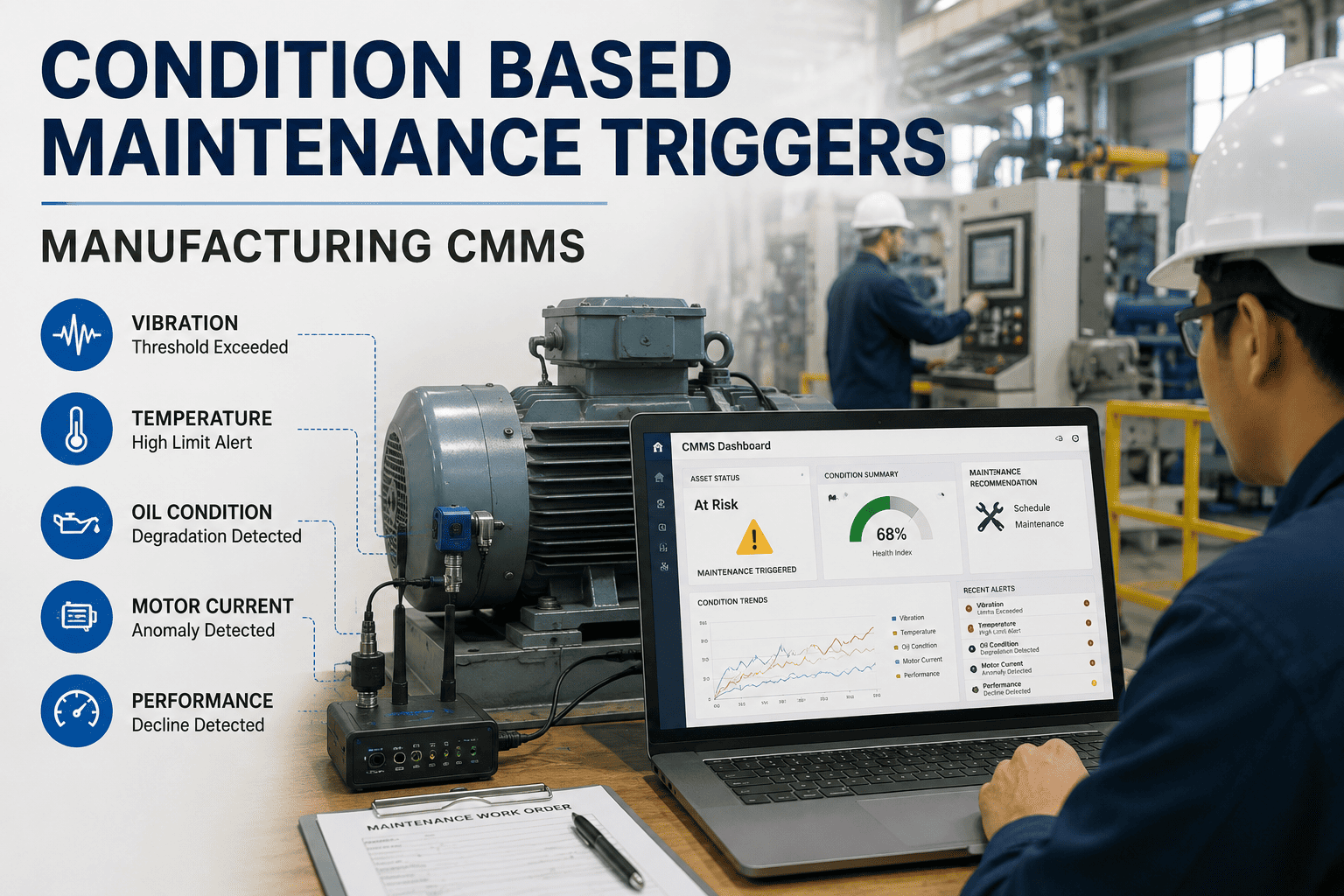
Condition-based maintenance only delivers ROI when the CMMS translates sensor alerts into the right work order — not a flood of tickets operators learn to ignore. On a typical 200-asset plant, poorly tuned CBM triggers generate 300-plus nuisance alarms per week, masking the two or three real failure signals that matter. The fix is disciplined trigger configuration: threshold rules, multi-parameter logic, priority tiers and escalation paths tuned to the asset's failure modes. This guide walks through the exact CMMS setup that turns vibration, temperature and oil condition data into the right work order — and you can test it on your own asset register when you Start Free Trial.
Are your sensor alerts triggering the right work orders — or just noise?
80% of CBM programs fail not because the sensors are wrong, but because the CMMS turns every threshold breach into a generic ticket. The result is alarm fatigue, missed failures, and a 5x spike in unplanned downtime. Tuning your triggers changes that.
Why most CBM trigger setups create alarm floods
A food processing plant running 180 assets on a basic vibration program was generating 312 work orders per month from a single threshold rule — 280 were closed as "no action found" within 48 hours.
Single-threshold rules
One vibration limit per asset triggers on every startup transient and load change. Plants report 4–6 false positives per asset per week under this model.
No time-delay gating
A threshold breach lasting 8 seconds is treated identically to one sustained for 8 minutes. The result is identical priority on fundamentally different failure signals.
Flat priority assignment
Every alert lands as "Medium" urgency. Operators triage by habit, not by criticality — and the real failure signal sits in the same queue as a sensor drift alert.
No multi-parameter correlation
Vibration spikes alone trigger work orders — even when temperature, oil quality and load data tell a different story. The CMMS never cross-checks before opening a ticket.
The 5-stage CBM trigger configuration timeline
A disciplined rollout takes 8–12 weeks for a 200-asset plant. Skipping the baseline stage is the single most common cause of alarm floods in year one.
Asset criticality mapping
Rank every monitored asset against production impact, redundancy and safety exposure. ISO 55000-aligned criticality scores (A/B/C) determine which assets get multi-parameter triggers vs. simple threshold alerts.
Baseline data capture
Log 30 days of sensor data under normal operating conditions to establish the statistical baseline — mean, standard deviation and noise floor for each parameter on each asset.
Threshold rule definition
Define warning and alarm limits at 2-sigma and 3-sigma from baseline. Layer in time-delay gates (typically 15–60 minutes) so transient breaches don't generate tickets on their own.
Multi-parameter logic
Configure AND/OR rules so a vibration warning only opens a work order when temperature or oil debris confirms the trend. This stage typically cuts false-positive tickets by 70–85%.
Escalation path tuning
Map each priority level to a response SLA, assignee pool and escalation chain. Run a 14-day shadow period where triggers generate alerts without auto-creating work orders, then validate against actual failures.
The trigger logic that separates real failures from noise
A well-tuned CMMS uses compound boolean logic — not a single threshold — to decide when a sensor signal becomes a work order.
If any condition is false, the alert is logged for trend analysis but does not auto-generate a work order. This single rule structure reduces false-positive tickets by 70–85% in typical manufacturing environments.
Alert priority levels and escalation paths
Every CBM trigger must map to one of four priority tiers — each with its own response SLA, assignee pool and escalation chain. A trigger without a priority is a trigger that gets ignored.
| Priority | Trigger Example | Response SLA | Assignee | Escalation Chain |
|---|---|---|---|---|
| P1 — CRITICAL | Vibration alarm + temperature alarm + oil debris alarm on Class A asset | 30 minutes | On-call reliability engineer | Maintenance manager → Plant manager |
| P2 — HIGH | Two parameters in alarm state on Class A, OR single alarm on Class B | 4 hours | Assigned technician | Reliability engineer → Maintenance manager |
| P3 — MEDIUM | Single parameter warning sustained beyond time gate | 24 hours | Shift technician | Team lead → Reliability engineer |
| P4 — LOW | Trend deviation within statistical noise band | 7 days | Planned maintenance queue | Reviewed at weekly reliability meeting |
A 180-asset plant that cut alarm floods by 81%
A Midwest food processing facility was spending $42K annually on CBM sensor infrastructure — but operators were dismissing 9 out of 10 alerts as noise. Here's what changed.
Single-threshold, flat priority
- 312 work orders/month from CBM triggers
- 280 closed as "no action found"
- 14 hours/week spent triaging false alarms
- 3 genuine failures missed in 6 months
- $87K in unplanned downtime over the same period
Multi-parameter, tiered priority
- 59 work orders/month — all action-verified
- 3 closed without corrective action
- 2.5 hours/week spent triaging
- 0 genuine failures missed in 6 months
- $11K in unplanned downtime — 87% reduction
Stop chasing false alarms. Start catching real failures.
Configure multi-parameter CBM triggers in your CMMS and cut nuisance work orders by up to 80% in the first 90 days.
CBM trigger configuration — answered
How many parameters should a CBM trigger combine before opening a work order?
For Class A critical assets, combine at least two independent parameters — typically vibration plus temperature or oil debris — with a time-delay gate of 15–60 minutes. For lower-criticality assets, a single parameter with a sustained-duration gate is usually sufficient. The goal is correlation: one signal is a hint, two confirming signals is a failure trend worth a work order.
What's the difference between a warning threshold and an alarm threshold?
A warning threshold is set at roughly 2 standard deviations from the baseline — it flags a trend deviation for monitoring but doesn't auto-create a work order. An alarm threshold sits at 3 standard deviations and, when combined with the other trigger conditions, opens a prioritized work order. The gap between the two gives operators room to investigate before the CMMS commits maintenance resources.
How do I stop alarm fatigue without missing real failures?
Tier every trigger into one of four priority levels, each with its own SLA and escalation path. Run a 14-day shadow period where new triggers log alerts without creating work orders, then compare the alerts against actual asset condition. Tune the thresholds and time gates until false positives fall below 15% — then enable auto-work-order creation. You can validate your own thresholds when you Start Free Trial on your live asset register.
Can CBM triggers integrate with existing SCADA and IoT sensor data?
Yes — a modern CMMS pulls sensor values via OPC-UA, MQTT or REST API endpoints on a polling interval of 1–5 minutes for vibration and temperature, and event-driven updates for oil analysis results. The trigger engine evaluates the incoming data stream against your configured rules in real time, so the work order is created within seconds of a confirmed threshold breach. Book a demo to see the integration architecture mapped to your specific sensor stack.
How often should CBM triggers be re-tuned?
Review trigger performance monthly for the first 90 days after rollout, then quarterly thereafter. Key metrics to track: false-positive rate (target below 15%), mean time to detect (should trend down), and alert-to-work-order conversion rate (target above 85%). Any asset that undergoes a rebuild, retrofit or operating-profile change needs its baselines re-established before triggers are re-enabled.
Turn sensor data into the right work order — every time.
Configure multi-parameter CBM triggers, tiered priorities and escalation paths in a CMMS built for manufacturing reliability teams.
Free 14-day trial · No credit card