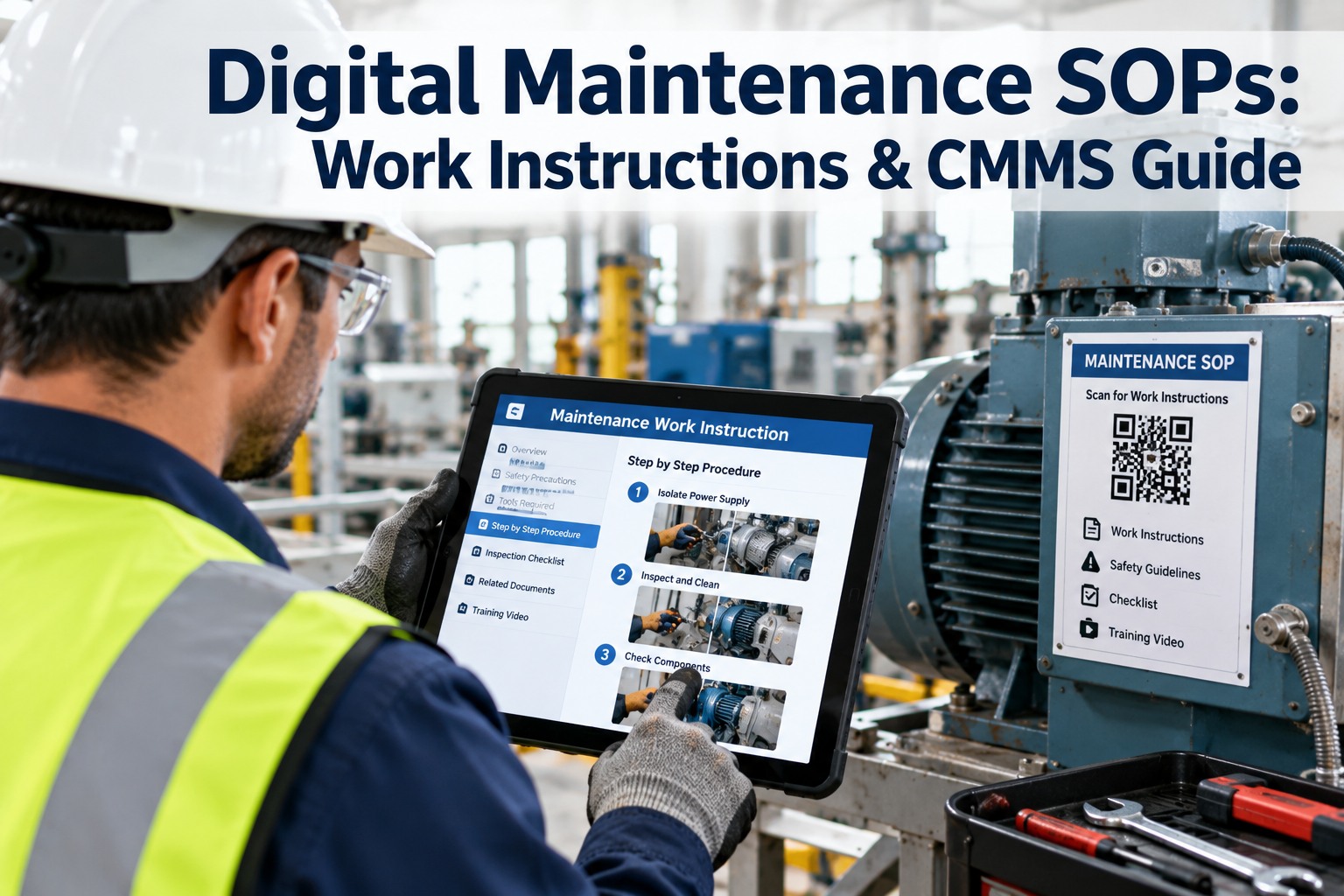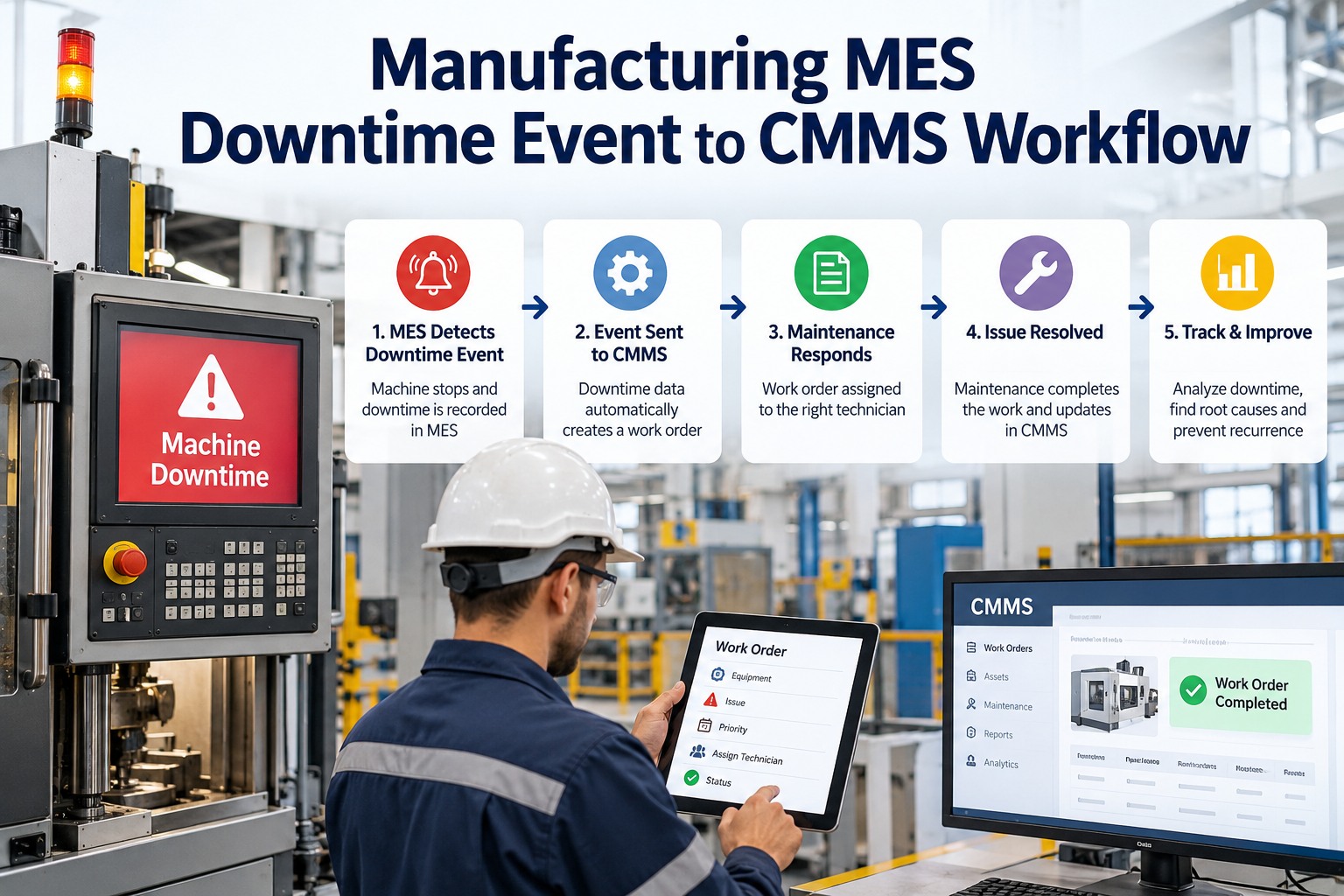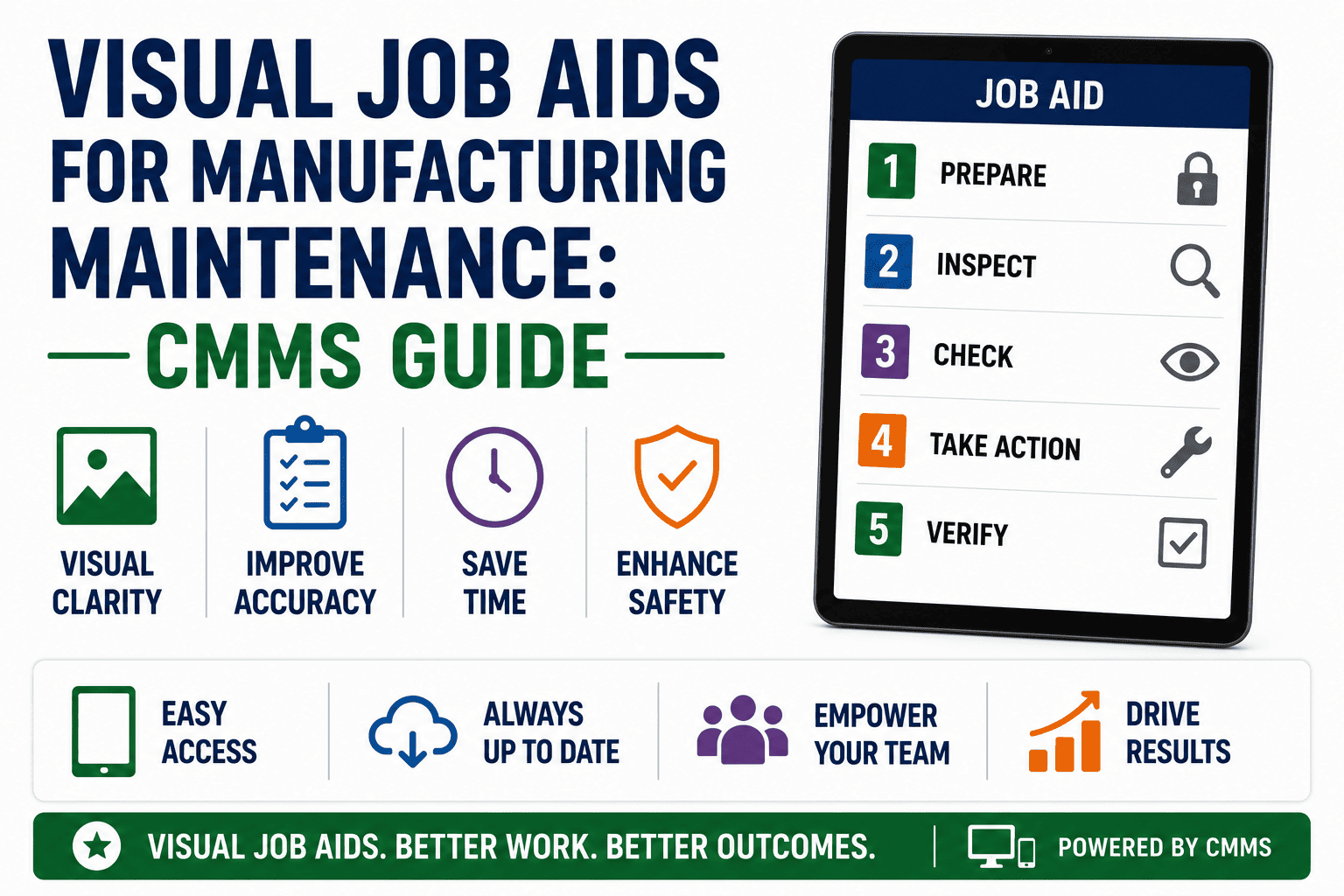
Visual job aids for manufacturing maintenance — photo-based instructions, exploded diagrams, torque maps and short video clips embedded directly in work orders — help technicians complete tasks faster and with 70% fewer errors than text-only SOPs. The reason is cognitive: the human brain processes images in roughly 13 milliseconds, while parsing a dense maintenance procedure document can take five to ten minutes. This guide walks reliability leaders through proven conventions for maintenance visual instructions, annotation standards, before/after photo sets, and the mechanics of attaching visual aids to CMMS work orders so guidance appears exactly where work happens. If you want to embed VJAs inside your work orders today, you can Start Free Trial or read on for the complete framework.
CMMS Visual Job Aid Guide
Can your technicians rebuild a pump from memory — or do they need the visual instructions in front of them?
Text SOPs lose 40–60% of critical detail between the engineer who wrote them and the mechanic who follows them at 2 a.m. Visual job aids close that gap. Photo-based work instructions embedded in your CMMS cut mean-time-to-repair by up to 25% and reduce rework errors by 70%. Below is the complete playbook for building, embedding and sustaining plant visual job aids.
Step-by-Step Framework
How to create maintenance visual instructions that technicians actually use
Building effective VJAs for manufacturing maintenance is a six-step process — from identifying high-risk tasks to embedding finished aids inside work orders so they surface automatically.
Identify high-impact tasks
Pull the last 12 months of work-order data and rank tasks by frequency, downtime cost and error rate. Focus first on PMs and corrective jobs that account for the top 20% of unplanned downtime — typically bearing replacements, V-belt drives, hydraulic valve adjustments and sensor calibrations.
Photograph each step at the asset
Walk to the machine with your best technician. Capture a clean photo of every critical step: before disassembly, intermediate stages, orientation of components and the finished state. Use consistent lighting, a plain background where possible and a reference object (a coin, a wrench) for scale on small parts.
Annotate with a standard convention
Apply the same visual language across every job aid. Green circles = correct orientation or insertion point. Red arrows = direction of force or removal. Yellow callout boxes = torque values, tolerances or safety warnings. Never use more than five annotations per photo — cognitive overload defeats the purpose.
Create before/after photo standards
Pair each "before" image with an "after" image so the technician can self-verify the completed work. This single technique reduces comebacks by 30–50% because the person doing the job has a clear visual target rather than a subjective interpretation of a written acceptance criterion.
Record 30-second video micro-lessons
Some tasks — alignment, tensioning, lockout/tagout sequences — are easier shown than explained. Record 15–45 second clips of critical motions and host them inside your CMMS as streaming attachments. Video job aids are especially powerful for training new hires and capturing tribal knowledge from retiring senior mechanics.
Embed visual aids inside CMMS work orders
Attach the finished photo sequences, annotated diagrams and video clips to the corresponding task template inside your CMMS. When a work order is generated, the visual instructions appear automatically on the technician's mobile device — no PDF hunting, no binder retrieval, no guessing.
Annotation Standards
Maintenance visual instructions: annotation conventions and photo standards
A visual job aid only works if every mechanic interprets the symbols the same way. The following four-convention standard — adopted by plants running TPM and ISO 55000-aligned asset management programs — eliminates ambiguity.
Green circle — correct state
Marks the correct orientation, insertion point or final position of a component. Use one green circle per photo. Example: the alignment dot on a bearing housing that must face the drive end.
Red arrow — direction of action
Shows the direction of force, removal path or rotation. Always pair with a verb label: "PULL," "ROTATE CW," "LIFT UP." Never rely on the arrow alone — colorblind technicians may miss the cue.
Yellow callout — critical value
A yellow rectangle beside a fastener, gap or surface calls out a specific tolerance: torque in Nm, clearance in mm, temperature range. This is your torque map convention — technicians look for yellow before touching a bolt.
Navy diamond — safety hazard
Marks a pinch point, electrical hazard, stored-energy source or chemical exposure. The technician must acknowledge each navy diamond before proceeding. Embed these as mandatory check items in the CMMS work order flow.
ROI & Impact
What visual job aids cost — and what they save a manufacturing plant
A 180-asset plant spending $42K per year on rework, callbacks and extended downtime from procedure errors can recover that cost in a single quarter by deploying visual maintenance instructions tied to work orders.
Annual Savings Formula
Savings = (Rework Hours Reduced × Loaded Labor Rate) + (Downtime Hours Avoided × Production Loss per Hour)
Example: 320 rework hours eliminated at $85/hr + 140 downtime hours avoided at $1,200/hr = $195,200 annual savings against a $14K implementation cost. Payback: under 1 month.
| Metric | Text SOP Baseline | With Visual Job Aids | Improvement |
|---|---|---|---|
| Mean time to repair (MTTR) | 68 min average | 51 min average | 25% faster |
| Rework / callback rate | 14% of work orders | 4% of work orders | 70% reduction |
| Training time for new tech | 6 weeks to proficiency | 3.5 weeks to proficiency | 42% faster |
| Safety incidents (procedure-related) | 3.2 per year | 0.8 per year | 75% reduction |
| Audit readiness | 2–3 days of prep | Same-day evidence | Instant |
Embedding Visual Aids in Your CMMS
How to attach visual maintenance instructions to work orders in a CMMS
A visual job aid stored in a shared drive or printed in a binder is useless at 2 a.m. on a Saturday. The power of VJAs is unlocked only when they appear automatically inside the work order the technician is already completing.
Build a library of task-level visual templates
Group visual aids by asset class and maintenance task type — not by individual asset. A pump-seal replacement VJA applies across dozens of identical pumps. This keeps your library maintainable: 200 templates cover 85% of routine work at most plants.
Link templates to PM and corrective work order types
Inside your CMMS, attach the relevant visual template to the task definition on each preventive maintenance schedule and failure-mode-based corrective job. When the system generates a work order, the visual instructions are inherited automatically — no manual attachment by the planner.
Surface aids on the technician's mobile device
Configure the CMMS mobile app so the visual job aid opens as the first screen when a technician taps "Start Work." Photos, annotated diagrams and video micro-lessons should be one tap away — not buried under three menu layers. Offline access is non-negotiable for plants with poor WiFi coverage.
Capture completion photos for closed-loop verification
Require the technician to photograph the completed work and attach it to the work order before closing. This creates a visual audit trail, enables remote supervisor review and feeds your predictive maintenance analytics with real-world asset condition data over time.
OxMaint Solution
How OxMaint embeds visual job aids directly in work orders
OxMaint is an AI-powered CMMS and EAM platform built for maintenance and reliability teams. It turns static SOPs into living, photo-based visual work instructions that appear on every technician's device the moment a work order opens.
Native photo and video attachment on every work order
Attach annotated photos, exploded diagrams and 30-second video clips directly to task templates. OxMaint renders them automatically on mobile devices — online or offline — so visual instructions show up where work happens, not in a binder three rooms away.
Outcome: 25% faster MTTR and 70% fewer procedure errors
AI-assisted job aid generation from existing photos
Upload a batch of photos from a completed repair and OxMaint's AI drafts a step-by-step visual job aid with suggested annotations, torque callouts and safety flags. Your senior technician reviews and publishes in minutes — not hours.
Outcome: 5x faster VJA creation across your asset library
Closed-loop completion photos and audit trail
Technicians must photograph completed work before closing a work order. OxMaint stores these images with time stamps and GPS data, giving you a visual audit trail for ISO 55000, OSHA and regulatory compliance — no paper, no scanning, no gaps.
Outcome: Same-day audit readiness, zero paper work orders
Predictive analytics fed by visual condition data
Every completion photo and visual inspection becomes a data point. OxMaint's predictive engine detects degradation patterns across identical assets — when the same bearing wear appears in photos from three pumps, it flags the fourth for early intervention before failure.
Outcome: 30–50% reduction in unplanned downtime
See how OxMaint delivers visual job aids on your assets
Book a 30-minute demo and we will load your top three maintenance tasks into OxMaint — with annotated photos, torque maps and video clips — before the call ends.
Frequently Asked Questions
Visual job aids for manufacturing maintenance: common questions
What is a visual job aid in manufacturing maintenance?
A visual job aid (VJA) is a photo-based, diagram-based or video-based instruction set that shows a technician exactly how to perform a maintenance task step by step. Unlike text SOPs, visual maintenance instructions use annotated photographs, exploded views and torque maps so the mechanic can see the correct orientation, tool position and acceptance standard at a glance. VJAs are most effective when embedded directly in CMMS work orders so they appear on the technician's device when work begins.
How do visual job aids reduce maintenance errors?
Visual job aids reduce errors by 60–70% because the brain processes images 60,000 times faster than text. Annotated photos eliminate the interpretation gap between the engineer who wrote the SOP and the technician executing it at 2 a.m. Before/after photo standards give the mechanic a clear visual target for self-verification, cutting rework and callback rates dramatically. You can Start Free Trial on OxMaint to embed them in your work orders today.
What should be included in a maintenance visual job aid?
An effective VJA includes: a title and asset identifier, step-by-step photos of the task from start to finish, standard annotations (green circles for correct orientation, red arrows for direction, yellow callouts for torque values, navy diamonds for safety hazards), before/after acceptance photos, and short video clips for complex motions. Keep each aid to one task — no more than 12 steps — so it remains scannable on a mobile screen.
How do I attach visual job aids to CMMS work orders?
In a modern CMMS like OxMaint, you attach the visual job aid to a task template at the PM or failure-mode level. When the system auto-generates a work order, it inherits the visual instructions and surfaces them on the technician's mobile device — no manual attachment required. Completion photos captured at job close create a closed-loop audit trail for compliance. Book a Demo to see this workflow live.
How long does it take to create visual job aids for a manufacturing plant?
A focused reliability team can document the top 50 high-impact tasks in 4–6 weeks by photographing work as it happens and annotating photos with a standard convention. With AI-assisted tools like OxMaint, the drafting time drops by 80% — the platform generates step-by-step job aids from uploaded photo batches, and senior technicians only review and publish. Most plants achieve 80% visual coverage of critical tasks within one quarter.
Turn text SOPs into visual job aids your technicians will actually follow
OxMaint gives you the CMMS platform to embed photo-based instructions, torque maps and video micro-lessons directly in work orders — so every technician sees the right visual guidance on every job, online or offline.
Free 14-day trial · No credit card