Power Plant Work Order Management: Digital Workflow Best Practices

By William Jerry on September 21, 2026

power-plant-work-order-management

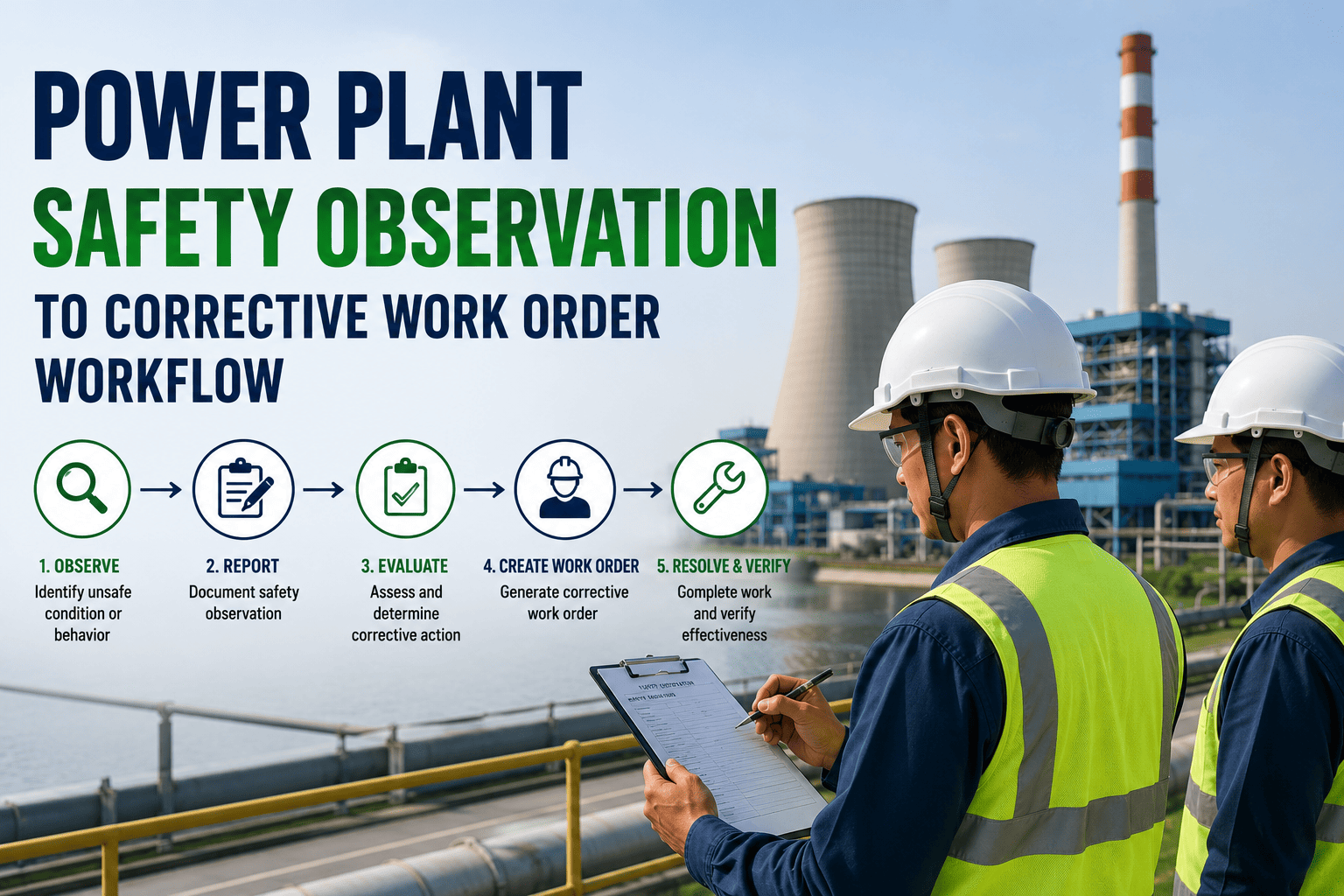
In a power plant, a work order isn't a task — it's a chain of custody. It carries the safety authorisation, the parts reservation, the craft assignment, the regulatory record and the closeout evidence for every touch on a live asset. When that chain breaks — a permit issued against a stale isolation, a WO closed without the failure code, a scope addition that never hit the planner's queue — you don't get a small inefficiency. You get a safety incident, a compliance gap or a forced outage. This guide walks the 8 stages of a digital work-order workflow that actually holds together, built on OXMAINT AI, the AI-powered CMMS for power-generation reliability teams.

Power Generation · Digital Work Order Workflow · Best Practices

Every Work Order in Your Plant Should Carry Its Own Chain of Custody.

OXMAINT AI, the AI-powered CMMS/maintenance management software, connects the full workflow on one platform — requests in, prioritised, planned with permits and parts, assigned by craft, approved, executed and closed with the evidence a regulator or root-cause review actually needs.

Request → Closeout on One Platform Permit-Linked Work Orders Craft & Parts Scheduling
8 Stages
from request intake to closed WO with evidence attached
4 Triggers
creating WOs — SCADA, IoT, operator report, PM schedule
4-Tier
prioritisation matrix by safety, generation and asset criticality
1 Record
holding permit, parts, labour, approvals and closeout data

The 8-Stage Digital Work Order Lifecycle

Every stage below is a control point — skip one and the downstream stages inherit the risk. OXMAINT AI enforces the sequence: a request can't jump straight to a technician's mobile without prioritisation and planning; a planned WO can't be released to the field without permits and parts confirmed; a WO can't be closed without failure code, labour hours and evidence attached. Sign up free and set up your first workflow in OXMAINT AI today.

01
Request Intake
Standardised form — operator, control room, engineer, IoT/SCADA alert, PM schedule. Every request captures asset ID, symptom, criticality, photo/reading evidence at source. No email, no radio, no whiteboard.

02
Triage & Prioritisation
Planner scores against the 4-tier matrix — safety, generation impact, asset criticality, regulatory hold. Duplicates merged, out-of-scope requests bounced with a reason.

03
Planning & Scoping
Task steps written, craft type sized, estimated hours locked, dependencies mapped. Prior WOs on the same asset surfaced so the planner isn't scoping blind.

04
Permit-to-Work Linked
LOTO, hot work, confined space, high-voltage or radiological permits generated from the WO itself — isolation points listed, hazard assessment attached, no permit no field release.

05
Parts & Materials Reserved
Storeroom reservation created, kit built, long-lead items flagged. WO stays in "waiting on parts" state (not "ready") until the last item is confirmed on the shelf.

06
Craft Assignment & Approvals
Auto-routed by certification, current load and shift. High-risk WOs route to a supervisor approver; contractor WOs run through the vendor gate. Nothing gets to the field un-approved.

07
Field Execution — Mobile
Technician gets the WO on mobile with steps, drawings, permit copy and parts list. Time-on-tool, photos, readings and part consumption captured at the point of work — even offline.

08
Closeout & Evidence
Failure code, root-cause note, labour hours, parts used, post-work test result and permit closeout — all attached before the WO closes. The record is now audit-ready and RCA-ready.

Not Every Work Order Is Equal — A 4-Tier Prioritisation Matrix

"Everything is urgent" is a scheduling failure. A working priority matrix uses objective criteria — safety exposure, generation impact, regulatory hold, asset criticality — not the loudest requestor. OXMAINT AI applies the same matrix to every incoming request, so the queue reflects real risk, not who happened to call the planner first. Book a demo to configure the priority matrix to your plant.

P1
EMERGENCY
Life-safety, environmental release, imminent trip
Response: immediate · Field: on-shift
P2
URGENT
Generation at risk, regulatory hold, permit-tied
Response: 24 h · Field: within 72 h
P3
PLANNED
Standard corrective, PM, condition-based finding
Response: 5 days · Field: next weekly cycle
P4
OUTAGE-DEFER
Requires unit down, bundleable with major work
Response: logged · Field: next outage window

Where Manual Workflows Break — And Where the Digital One Holds

Every plant that still runs on paper job cards, whiteboard schedules and email threads has the same failure modes: lost requests, WOs closed without evidence, permits issued twice, parts consumed off-record. The point of digital isn't the tablet — it's the enforced sequence that makes those failure modes structurally impossible. Start free and swap your first manual workflow into OXMAINT AI this week.

StageManual / Paper WorkflowOXMAINT AI Digital Workflow
Request Intake Radio call, sticky note, email to planner Standardised form with asset ID, photo, timestamp
Prioritisation Requestor tone sets priority Rule-based matrix (safety / generation / regulatory)
Planning Planner rebuilds scope from scratch each time Prior WOs, drawings, failure history surfaced automatically
Permits Paper permit book, manual isolation walk Permit generated from WO, isolation points listed, no permit no release
Parts Kit built at storeroom counter on arrival Reservation on the WO, kit built, long-lead flagged
Assignment Whiteboard, verbal handover Certification-matched, load-aware, mobile-pushed
Execution Notes on the back of the job card Time, photos, readings, part consumption captured live
Closeout "Done" scribbled and filed Failure code, RCA note, test result, permit close — all locked before WO closes

A Work Order Without Its Evidence Is a Compliance Bill Waiting to Be Paid.

Digital doesn't mean faster — it means every WO closes with the failure code, permit closeout, test result and parts consumption a regulator or RCA team can actually query.

What Every Power-Plant WO Should Carry — Field-by-Field

The value of a WO isn't in creating it — it's in what it carries at closeout. A good field set turns every WO into a data point for reliability engineering: mean-time-between-failure by asset, wrench-time by craft, spare-parts turnover, permit throughput, contractor productivity. OXMAINT AI ships this field set as the default template — your team doesn't have to design it from scratch. Book a demo to see the default WO template on OXMAINT AI.

HEADER
WO number
Asset ID + hierarchy path
Trigger source (PM / SCADA / request)
Priority tier + SLA clock
Planner + supervisor approver
SAFETY & PERMITS
LOTO isolation points
Hot-work / confined-space / HV permit refs
Hazard assessment attached
PPE requirement
Permit close signature
RESOURCES
Craft type + skill level
Estimated vs actual labour hours
Parts reserved / issued / consumed
Contractor scope (if any)
Tools / rigging / access
CLOSEOUT
Failure code (standard taxonomy)
Root-cause note
Post-work test result
Photos and readings
Follow-up WO trigger (if any)

The KPIs a Digital Workflow Lets You Actually Report

Once every WO carries the same field set and closes with real evidence, you get reliability KPIs that survive an audit — not just a dashboard number. OXMAINT AI rolls these up per asset, per crew, per unit and per plant. Sign up free and see your KPI rollup on live data.

Schedule Compliance
% of scheduled WOs completed in the assigned week — the leading indicator for planning discipline.
PM : CM Ratio
Preventive vs corrective work order share. Reactive plants sit under 50%; disciplined ones run 70%+.
Wrench Time
Time on the tool vs total shift hours. Captured from mobile timestamps, not self-report.
MTBF by Asset
Mean time between failure for each rotating asset. Only reliable when every WO carries a real failure code.
Backlog Age
Open WOs older than 30 / 60 / 90 days by priority. Ageing P2s are the hidden reliability risk.
Permit Throughput
Time from permit request to permit issued. A leading indicator of field-team blocked hours.

What OXMAINT AI Gives a Power-Plant Maintenance Team

OXMAINT AI is built for the power-generation reality — SCADA-linked WO creation, permit-to-work integration, craft scheduling, contractor management and closeout evidence a NERC-style audit can actually pass. Below are the capabilities that make the 8-stage lifecycle operational. Start free and configure your first digital workflow in OXMAINT AI.

Multi-Trigger WO Creation
SCADA alarms, IoT thresholds, operator mobile reports and PM schedules all create WOs on one queue.
Permit-Linked Work
LOTO, hot-work, confined-space and HV permits generated from the WO — no permit, no field release.
Craft-Aware Assignment
Certification-matched, load-balanced, shift-aware — assignment happens in seconds, not a morning meeting.
Parts Reservation Gate
WO stays in "waiting on parts" state until the last kit item is confirmed on the shelf — no wasted crew mobilisations.
Mobile Field Capture
Time, photos, readings and part consumption logged at the point of work, even offline — no post-shift data entry.
Closeout Evidence Lock
Failure code, RCA note, test result and permit closeout all required before WO closes — no half-closed records.
"

We used to close about 60% of work orders without a failure code — the field said "done" and the record went into the archive. Reliability engineering couldn't calculate MTBF on anything because the data wasn't there. Locking closeout behind the failure code and post-work test result changed the whole reporting picture in one quarter. It also surfaced a repeat failure on two feedwater pumps that we'd been treating as separate incidents for eighteen months.

Maintenance Superintendent · 2 × 600 MW Coal-Fired Plant

Frequently Asked Questions

How is a work request different from a work order in this workflow?
A request is a raw report from anyone — operator, control room, SCADA, PM schedule. A work order is the approved, prioritised, scoped, permit-linked task assigned to a technician. OXMAINT AI holds both on one queue so nothing falls between them. Start free and see the request-to-WO conversion live.
Can our SCADA or DCS trigger work orders automatically?
Yes — sensor thresholds, alarm codes and PM schedules can all raise WOs without a human step. The planner still triages and prioritises; the software just removes the delay between event and record. Book a demo to see SCADA-triggered WOs on OXMAINT AI.
Does the mobile app work in areas of the plant with poor connectivity?
Yes — WOs, drawings, permits and forms are cached on the device, and readings, photos and closeout data sync when the technician is back in coverage. Time-on-tool captures locally regardless of signal. Sign up free and try the offline mode in OXMAINT AI.
How does the platform handle contractor work orders during an outage?
Contractors get scoped portal access to only their WOs — they see the scope, log hours, close with evidence, and their work rolls into the plant's audit trail without exposing the wider asset register. Book a demo to see the contractor portal.
How long does it take to see reliability data become useful?
Failure-code trending typically becomes meaningful after one quarter of enforced closeout discipline. Wrench-time and PM:CM ratios show within weeks — they only need mobile time-stamps to become real. Start free and start the clock on your reliability data.

Digital Isn't Faster. It's Traceable, End-to-End.

Move your plant's work-order workflow onto OXMAINT AI — 8 stages, one platform, one chain of custody from request intake to closeout evidence.



Share This Story, Choose Your Platform!