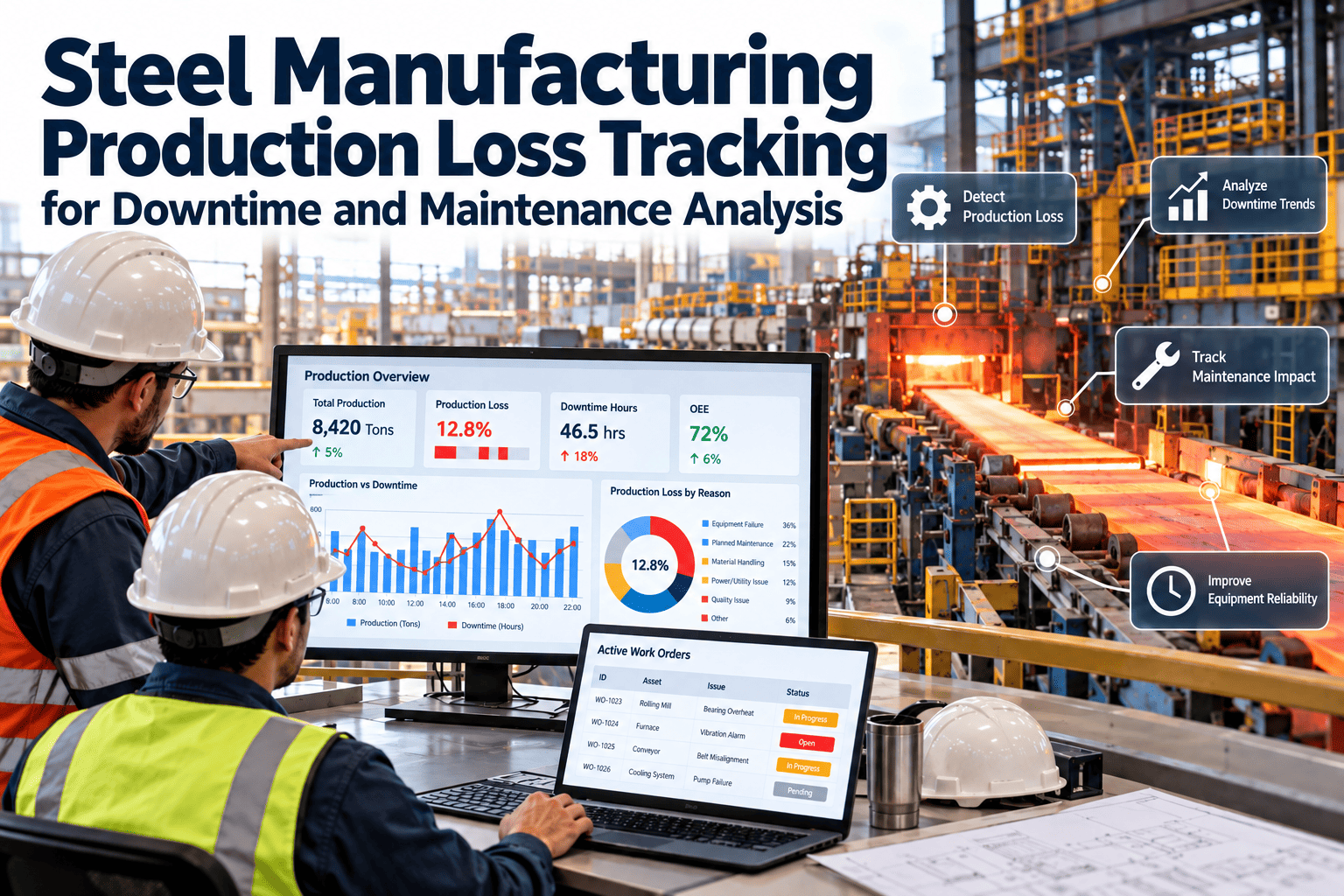
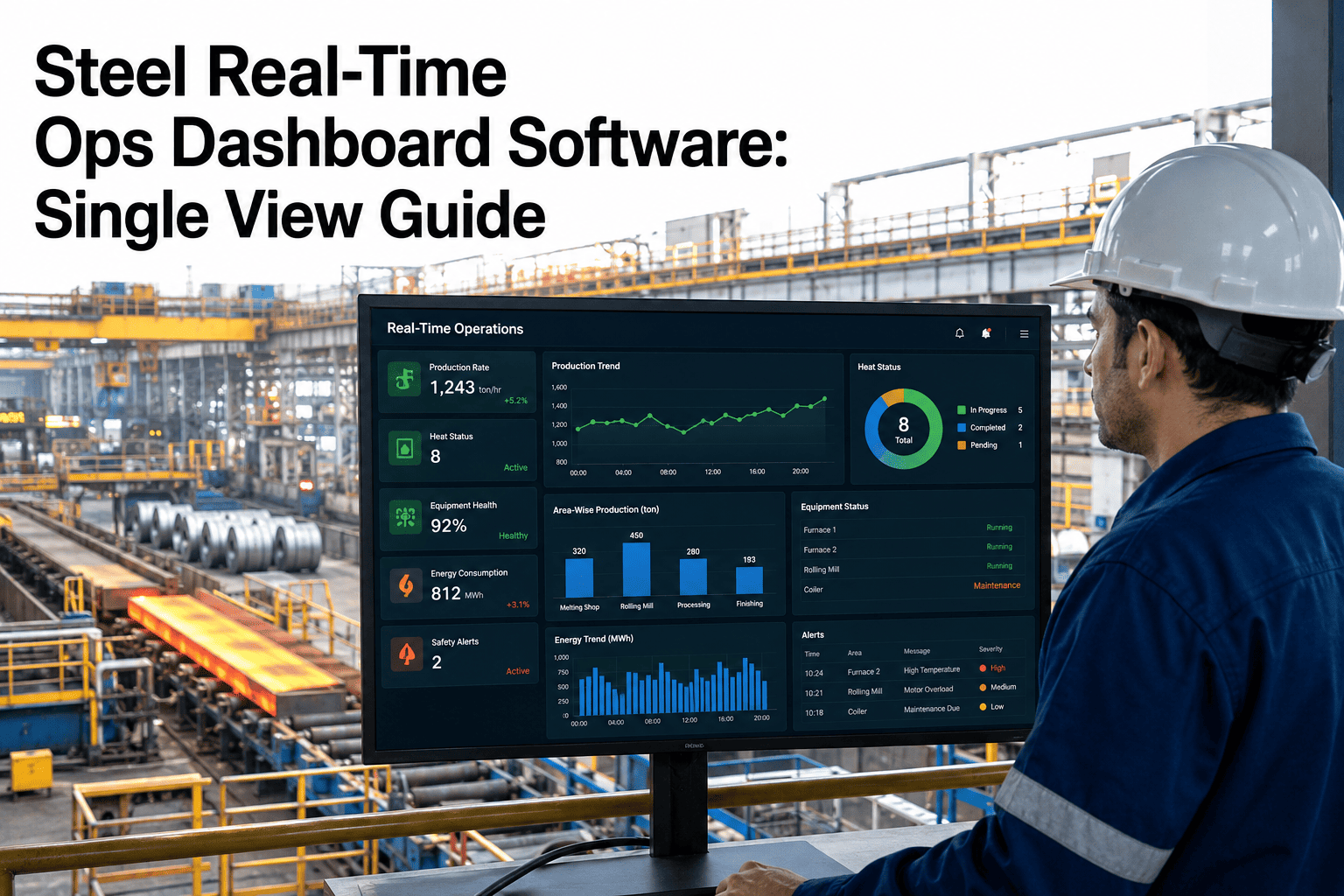
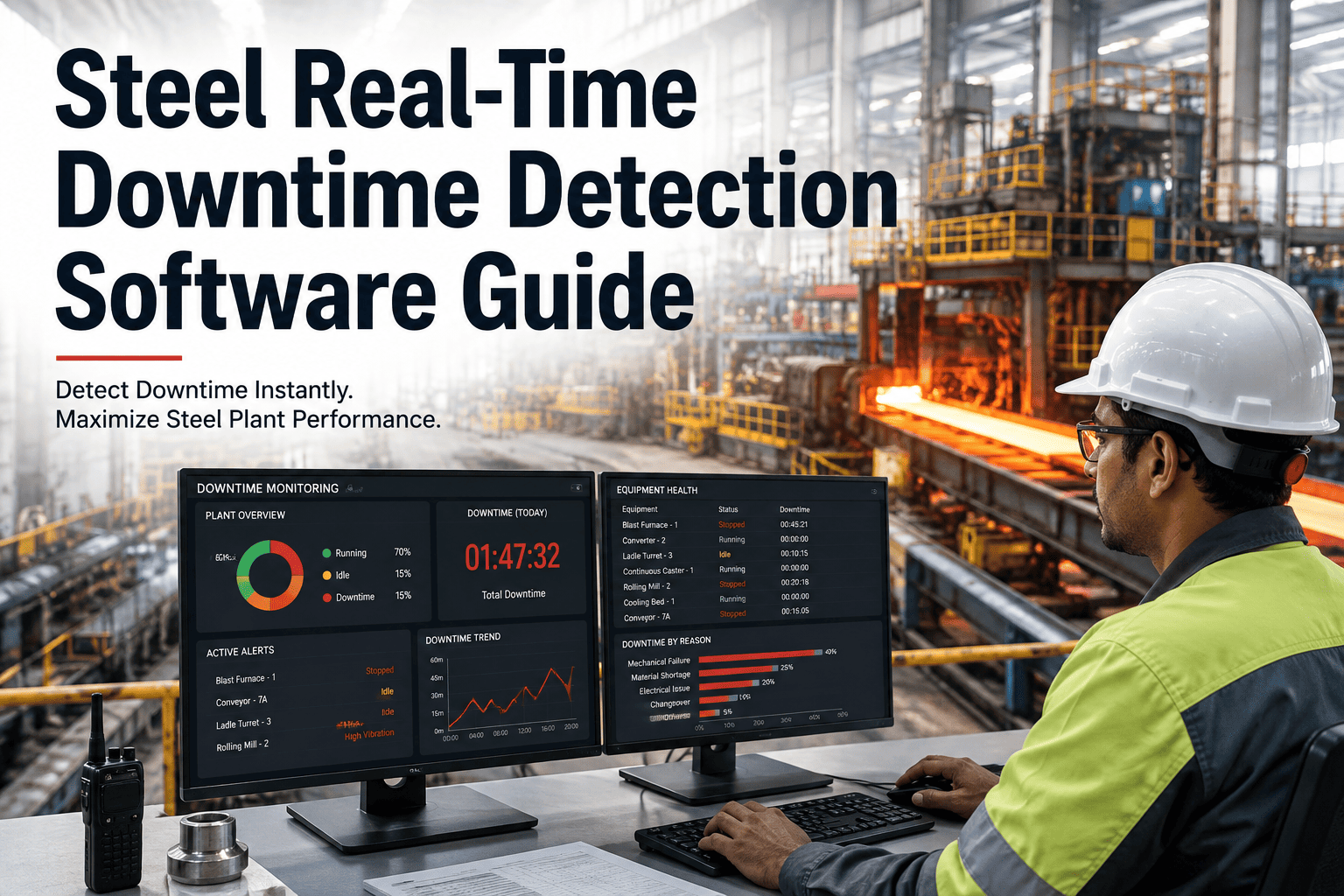
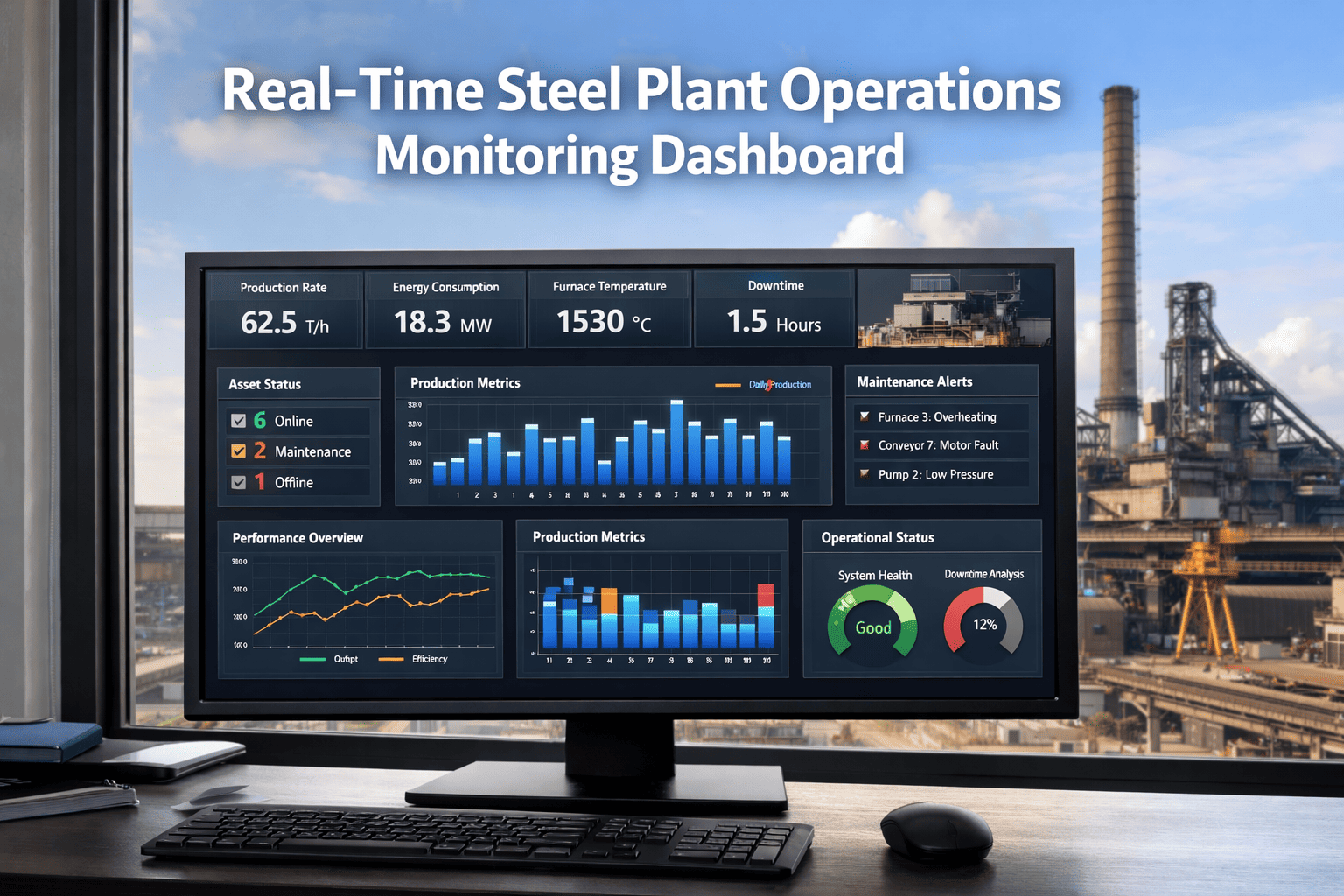
Manufacturing floors generate thousands of data points per minute, but if your team is reviewing yesterday's OEE in a spreadsheet, you're steering by looking in the rearview mirror. By the time you spot the problem, you've already lost hours of production and thousands in margin.
Real-time OEE dashboards transform manufacturing from reactive firefighting to proactive optimization. When operators, supervisors, and plant managers see performance metrics update every second, they can intervene while problems are still small—not after they've compounded into catastrophic losses.
The Real-Time Advantage
Traditional OEE reporting happens in batches—hourly, by shift, or daily. Real-time dashboards eliminate the delay between problem occurrence and problem awareness. Here's what changes when you can see performance data instantly:
Catch Micro-Stops
Those 30-second jams that happen 40 times per shift? They're invisible in shift reports but devastate your performance rate. Real-time dashboards expose them immediately, revealing patterns that point to root causes like misaligned guides or worn components.
Prevent Quality Excursions
When defect rates start climbing, real-time alerts give you minutes to adjust—not hours to discover you've produced 500 units of scrap. Operators can tweak temperature, pressure, or speed before quality deteriorates beyond recovery.
Enable Dynamic Scheduling
Machine down unexpectedly? Real-time visibility lets production control reroute work to alternate equipment within minutes, minimizing customer impact. Historical data can't compete with live operational intelligence.
Drive Continuous Improvement
When teams see OEE change in response to their actions immediately, the feedback loop accelerates learning. Test a new setup procedure and watch performance metrics respond in real time—no waiting for next week's report.
Essential Dashboard Components
Not all dashboards are created equal. Effective real-time OEE dashboards balance comprehensive data with clarity and actionability. Modern CMMS platforms deliver these critical components out of the box.
Live OEE Gauges
Color-coded gauges provide instant status recognition. Green indicates meeting target, yellow shows degradation, red demands immediate attention.
Machine Status Grid
At-a-glance view of entire plant floor status—running, idle, or down—with drill-down to details.
Active Alerts Panel
Prioritized notifications ensure critical issues get immediate attention while minor variances are tracked.
See Real-Time OEE Dashboards in Action
Experience how instant visibility transforms manufacturing performance from reactive to proactive.
Dashboard Design Principles
Bad dashboards overwhelm users with data noise. Great dashboards deliver actionable insights at a glance. Follow these principles to ensure your real-time OEE dashboard drives results, not confusion.
Visual Hierarchy
Most critical metrics (overall OEE, machine status) dominate the view. Supporting details are accessible but don't clutter the primary display. Users should understand plant status in under 3 seconds.
Context, Not Just Numbers
Show current OEE alongside target, historical trend, and shift-to-shift comparison. A 75% OEE is good or bad depending on context—dashboards must provide that perspective instantly.
Actionable Alerts
Don't just notify that OEE dropped—explain why and suggest actions. "Performance down 12% due to 6 micro-stops in last 10 minutes" is actionable. "OEE: 68%" is noise.
Role-Based Views
Operators need different information than plant managers. Customize dashboard views by role—operators see their line details, managers see comparative performance across all equipment.
Drill-Down Capability
Start with the 30,000-foot view, but enable users to click deeper into root causes. From plant-level OEE to line-specific downtime to individual stop events—each level reveals more detail.
Mobile Accessibility
Plant managers aren't chained to desks. Responsive design ensures dashboards work on tablets and phones, delivering critical insights anywhere on the floor—or off-site during emergencies.
Key Metrics Beyond Basic OEE
Overall OEE is the headline, but real-time dashboards should expose the underlying drivers and leading indicators that enable proactive intervention.
Availability Drivers
Performance Indicators
Quality Metrics
Alert Configuration Best Practices
Real-time dashboards are only valuable if they trigger timely, appropriate responses. Poor alert configuration leads to alarm fatigue where critical notifications get ignored in a sea of noise.
Immediate Action Required
Attention Needed Soon
Awareness & Monitoring
Configure Smart Alerts That Drive Action
Stop drowning in notifications. Learn how intelligent alert systems focus attention where it matters most.
Multi-Level Dashboard Architecture
Different stakeholders need different views. A three-tier dashboard architecture ensures everyone gets the right information at the right level of detail.
Operator Dashboard
Operators need granular, real-time data on their specific equipment. Large fonts, high contrast, touch-friendly controls optimized for shop floor terminals.
Line Manager Dashboard
Supervisors manage multiple lines and need comparative views. Focus on exceptions, bottlenecks, and resource deployment decisions.
Plant Manager Dashboard
Executives need strategic insight, not operational detail. High-level metrics, financial impact, competitive positioning, and long-term trends.
Technical Implementation Considerations
Building reliable real-time dashboards requires careful attention to data infrastructure, system integration, and performance optimization.
Data Pipeline Architecture
High-frequency data from PLCs and sensors requires buffering, aggregation, and streaming architectures. Edge computing preprocesses data before cloud transmission, reducing latency and bandwidth.
Refresh Rate Optimization
Balance real-time responsiveness with system load. Critical metrics update every 2-5 seconds, trending data every 30-60 seconds, historical comparisons every 5 minutes.
System Integration
Dashboards pull from multiple sources—SCADA, MES, ERP, quality systems. APIs and middleware ensure data consistency and handle system failures gracefully without dashboard downtime.
Security & Access Control
Role-based permissions prevent unauthorized data access or configuration changes. Encrypted connections protect sensitive production data. Audit logs track all dashboard interactions.
Implementation Roadmap
Rolling out real-time OEE dashboards requires phased implementation to manage complexity, validate accuracy, and build user adoption.
Foundation Setup
- Deploy data collection infrastructure
- Establish PLC/SCADA connectivity
- Configure basic OEE calculations
- Build pilot dashboard for 1-2 lines
Validation & Refinement
- Validate data accuracy vs manual counts
- Tune alert thresholds and logic
- Train operators and supervisors
- Gather feedback and iterate UI
Full Deployment
- Roll out to all production lines
- Deploy mobile access for managers
- Integrate with maintenance systems
- Establish KPI review cadence
Advanced Analytics
- Add predictive downtime alerts
- Enable cross-plant benchmarking
- Integrate AI-driven root cause analysis
- Expand to supply chain metrics
ROI and Business Impact
Real-time OEE dashboards deliver measurable returns through faster problem resolution, reduced downtime, and improved operational discipline.
Frequently Asked Questions
How fast should dashboard data update for true "real-time"?
Critical machine state data (running/stopped) should update every 2-5 seconds. OEE calculations can refresh every 30-60 seconds since they're averaged metrics. The key is that operators see problems develop in real-time, not discover them hours later in a report.
Can dashboards work without direct PLC integration?
Yes, but with limitations. Manual operator logging can feed dashboards, but accuracy and timeliness suffer. Sensor-based solutions (photoelectric counters, current monitors) offer a middle ground—more automated than manual entry, less invasive than PLC integration.
What happens if network connectivity fails?
Robust systems use edge computing and local data buffering. When connectivity drops, devices continue collecting data locally and sync when connection restores. Critical displays can run from local servers to ensure floor visibility even during network outages.
How do we prevent information overload with real-time data?
Intelligent filtering and prioritization are essential. Use exception-based alerts (notify only when thresholds breached), role-based views (show people only what they need), and progressive disclosure (summary first, details on-demand). Good dashboards inform without overwhelming.
Should we display dashboards publicly on the plant floor?
Absolutely. Large displays visible to all team members create transparency and accountability. When everyone can see performance in real-time, it drives collective ownership of results. Just ensure displays show actionable information, not just numbers that breed anxiety without enabling improvement.
Stop Reacting to Yesterday's Problems
Real-time OEE dashboards give you the visibility to intervene when it matters—while production is happening, not after the shift ends. See how Oxmaint delivers the insights you need, when you need them.