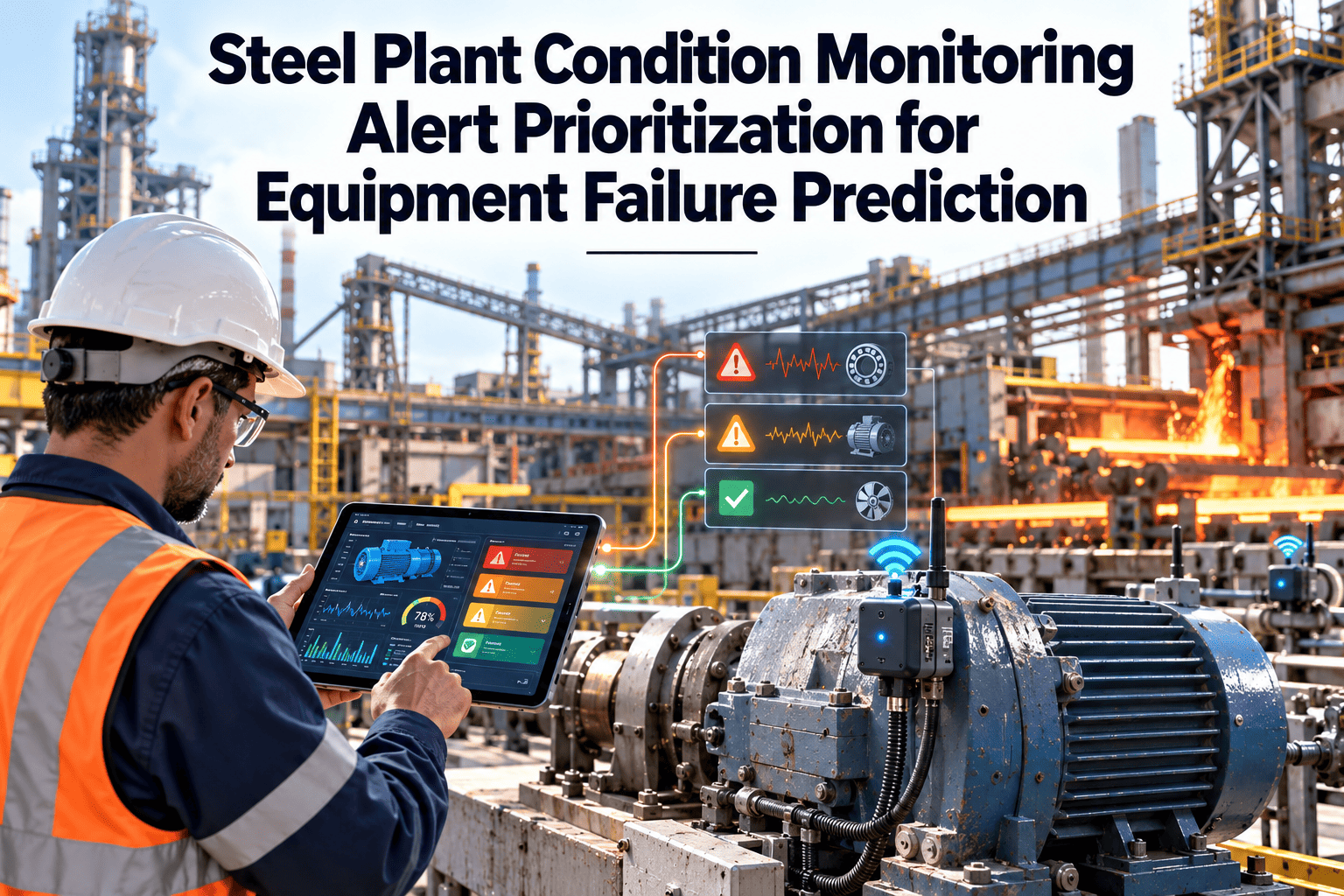
Condition monitoring in a steel plant can generate hundreds of alerts per shift from vibration, temperature, current and process signals. Most are minor, some are false and a few are early warnings of failures that would stop a caster or a mill. When everything is flagged as urgent, the important alerts get lost. This guide explains how to rank, route and tune condition monitoring alerts for equipment failure prediction, and how Oxmaint maintenance management software turns the right alerts into planned work.
Act on the Alerts That Predict Failure, Not on All of Them
Prioritization combines severity, confidence, asset criticality and time to failure into one clear ranking, so technicians see the right job first.
Why alert overload hides real failures
Process industries learned this lesson with control room alarms, and the same principles apply to condition monitoring. ISA-18.2 describes alarm management as a lifecycle that includes rationalization, prioritization and ongoing review.
Static thresholds on changing assets
A fixed limit ignores load, speed and grade, so normal operation trips alerts repeatedly.Duplicate alerts
One developing fault raises several alerts across sensors and rules, each treated as a separate job.Bad sensor data
Drift, noise and loose connections create alerts that point to the sensor, not the machine.No ownership
Alerts land in a shared inbox where nobody is responsible for deciding what happens next.No feedback
Technician findings never return to tune rules, so the same false alerts repeat.Four inputs that decide how urgent an alert is
A usable priority score comes from a small number of factors that engineers and planners agree on. Keep the logic visible so people trust it.
Severity of the condition
How far the signal has moved from normal, and whether it matches a known fault pattern such as bearing defects or imbalance.Confidence in the finding
Sensor health, agreement between several signals and how often similar alerts proved correct on this asset type.Asset criticality
The consequence of failure for safety, production and quality, taken from the criticality rank in the asset register.Time to act
How quickly the condition is changing and when the next outage or maintenance window is available.Turn criticality and confidence into a clear response
Combine asset criticality with the confidence and severity of the finding to select a response class. The table below is an example that plants can adapt.
| Asset criticality | High severity and high confidence | Moderate severity or medium confidence | Low severity or low confidence |
|---|---|---|---|
| A: Safety or line stop | Class 1: immediate verification, work order, notify supervisor | Class 2: inspect this shift, pre-stage spares | Class 3: check sensor health, review at next round |
| B: Production or quality impact | Class 2: inspect this shift and plan repair | Class 3: inspect within days | Class 4: log and trend |
| C: Limited impact | Class 3: schedule at next window | Class 4: add to next preventive task | Class 4: log only |
| D: Low impact | Class 4: schedule as routine work | Class 4: log only | Class 5: no action, review monthly |
Define each class clearly
Send Only the Right Alerts to Technicians
Route scored findings into inspections and work orders with clear owners, due dates and a record of what was found.
What every alert definition should contain
An alert that does not say what to do is just a notification. Define the same fields for each alert type before it goes live.
| Field | Question it answers | Example for a mill gearbox |
|---|---|---|
| Condition | What was detected? | Rising vibration at bearing defect frequency |
| Consequence | What happens if no action is taken? | Bearing failure, gearbox damage, mill stop |
| Expected action | What should the responder do? | Inspect, take readings, check oil, decide on repair |
| Owner | Who is responsible? | Mechanical reliability technician for the area |
| Response time | How quickly must it be handled? | Within the same shift for Class 2 |
| Evidence | What data supports it? | Trend chart, spectrum and recent oil result |
| Closure outcome | How is it closed? | Confirmed fault, false alert, sensor fault or monitor only |
An escalation ladder that prevents silent failures
Cut alert volume without hiding real faults
Reduce noise
- Use state-aware thresholds that change with load, speed and product
- Merge alerts from the same asset and fault pattern into one case
- Require persistence over time before raising a low-class alert
- Suppress alerts when the sensor health check fails
- Shelve alerts during planned maintenance with an expiry time
Protect against missed faults
- Review shelved and suppressed items on a fixed schedule
- Keep high criticality assets on tighter review thresholds
- Track missed failures as carefully as false alerts
- Test alert rules against past failures before changing them
- Record every rule change with a reason and an owner
Measure whether prioritization is working
How Oxmaint supports the alert-to-action path
- Asset register and criticality: priority is grounded in the same criticality ranking used for planning and spares.
- Work orders and inspections: findings become tracked tasks with priority, owner and due date.
- Mobile workflows: technicians record readings, photos and the outcome from the equipment.
- Scheduling: planned repairs are fitted into outage and maintenance windows.
- Inventory: spares are reserved when a high-class alert is confirmed.
- Dashboards and reports: backlog, overdue inspections and repeat failures are visible by area.
How prioritization plays out on common steel plant assets
The examples below show how the same scoring logic leads to different responses, depending on the asset and the strength of the evidence. They are illustrations of the method, not recorded cases.
| Asset and finding | Criticality and confidence | Class | First response |
|---|---|---|---|
| Caster segment roll bearing temperature rising against neighbors | A, high confidence from two sensors agreeing | Class 1 or 2 | Verify on site, check cooling flow, plan roll change in the next window |
| Blast furnace blower vibration at a new frequency | A, medium confidence pending spectrum review | Class 2 | Engineer reviews spectrum, adds readings to the next round, pre-stages spares |
| Descaling pump pressure slowly falling | B, high confidence from a steady trend | Class 2 or 3 | Inspect seals and impeller at the next opportunity |
| Auxiliary fan motor current spike once | C, low confidence, single event | Class 4 | Log and trend, check whether it repeats |
| Conveyor idler temperature alert with a flat-line sensor | B, low confidence due to sensor health | Class 3 | Raise an instrument task before treating it as an equipment fault |
Who sees which alerts, and what they are expected to do
Area technician
Receives Class 1 to 3 alerts for the assigned area, verifies on site and records readings and findings on the work order.Shift supervisor
Sees Class 1 and any alert not acknowledged in time, and decides on immediate restrictions with operations.Maintenance planner
Converts verified alerts into planned work, reserves parts and fits repairs into outage windows.Reliability engineer
Owns scoring rules, reviews false alerts and missed failures, and approves changes to thresholds and models.Operations lead
Confirms process context, approves stops and shares upcoming changes that will affect signals.Write these responsibilities down and review them when crews or shift patterns change. An alert with no named recipient is the most common cause of silent failures.
A monthly routine that keeps prioritization accurate
Pull the closure outcomes
List alerts closed as confirmed fault, false alert, sensor fault or monitor only, grouped by rule and asset class.Find the noisiest rules
Sort by volume and false alert share, and look for patterns in load, state or sensor type.Review misses
Check every failure that occurred without a timely alert and ask what signal could have shown it.Change one thing at a time
Adjust a threshold, filter or weighting, test it on past data and record the reason and owner.Mistakes that undermine prioritization
- Setting every critical asset alert to the highest class, which removes the value of ranking.
- Changing several rules at once, so nobody knows which change helped.
- Counting only false alerts and ignoring missed failures.
- Leaving suppressed and shelved alerts without an expiry date.
- Scoring with factors that operators cannot see or challenge.
Different alert types need different handling
A threshold crossing, a slow trend and a model anomaly carry different kinds of evidence. Treat each family with its own rules before the shared priority score is applied.
| Alert family | Evidence it offers | Typical weakness | How to handle |
|---|---|---|---|
| Limit alarms on protected values | Direct breach of a defined safe or design limit | Late warning, since damage may already be starting | Treat as high class on critical assets and add earlier trend alerts |
| Trend alerts | Steady movement away from baseline over days or weeks | Slow wear may trigger early, before action is practical | Rank by projected time to limit and the next available window |
| Spectral or pattern alerts | Match to a known fault signature such as a bearing defect | Needs analyst review for edge cases | Send to an engineer with the spectrum attached |
| Anomaly detection | Departure from learned normal behavior | Hard to explain, sensitive to operating state changes | Require sensor health and state checks, then verify by inspection |
| Process-linked alerts | Equipment behavior against process variables such as flow or load | Depends on reliable process data | Confirm process context with operations before acting |
Grouping alerts into one case
- Merge alerts on the same asset within a short time window into a single case.
- Show the highest-scoring evidence first, with related signals listed underneath.
- Escalate the case when a second independent signal agrees with the first.
- Close the case with one outcome, so feedback is not split across duplicates.
Planned outages and prioritization
- Use the outage calendar to decide whether a Class 3 or 4 finding can wait for the next stop.
- Flag findings that must be repaired in the next outage so scope is locked early.
- Record deferred findings with a reason and a review date, so they are not forgotten.
- After the outage, compare findings with alerts to see which warnings were confirmed.
What a technician should do when a high-class alert arrives
Questions to ask when reviewing an alert definition
- What failure does this alert protect against, and how much earlier than today's methods will it warn?
- What will the responder actually do, and can they do it within the stated response time?
- How often has a similar alert been correct on this asset class?
- What happens if the sensor behind it fails or drifts?
- Who owns it, and when will it next be reviewed?
Alert prioritization questions
How many priority classes should we use?
Four or five is enough. More classes make responders hesitate, and each class needs a clear response time.Should an AI score decide priority alone?
Use it as an input, with engineer review for high-class alerts and visible logic so teams can challenge the result.How often should alert rules be reviewed?
Review high-volume rules monthly and all rules at least quarterly, using closure outcomes from technicians.Can alerts create work orders automatically?
Yes for well-proven rules. See how in a live demo, and keep human review on critical assets.What should we do first?
Rank assets by criticality, then set up inspection and work order workflows for the top tier.Make Every Alert Lead to a Decision
Combine asset criticality, condition findings and planned work in one system, so failure warnings reach the people who can act.