A steel plant can hold years of maintenance history and still fail to answer a simple question, such as how many times one particular gearbox has failed. The cause is rarely missing data. It is unstable identity: the same asset is written three ways, parts are filed against a neighbouring machine, and sensor tags carry yet another name. This checklist sets out a practical equipment tagging standard for steel plants, from hierarchy and tag syntax to physical labels and audits, so every record lands on the right asset. To enforce the rules at the point of entry, you can build a structured asset register in Oxmaint and apply the standard as you load equipment.
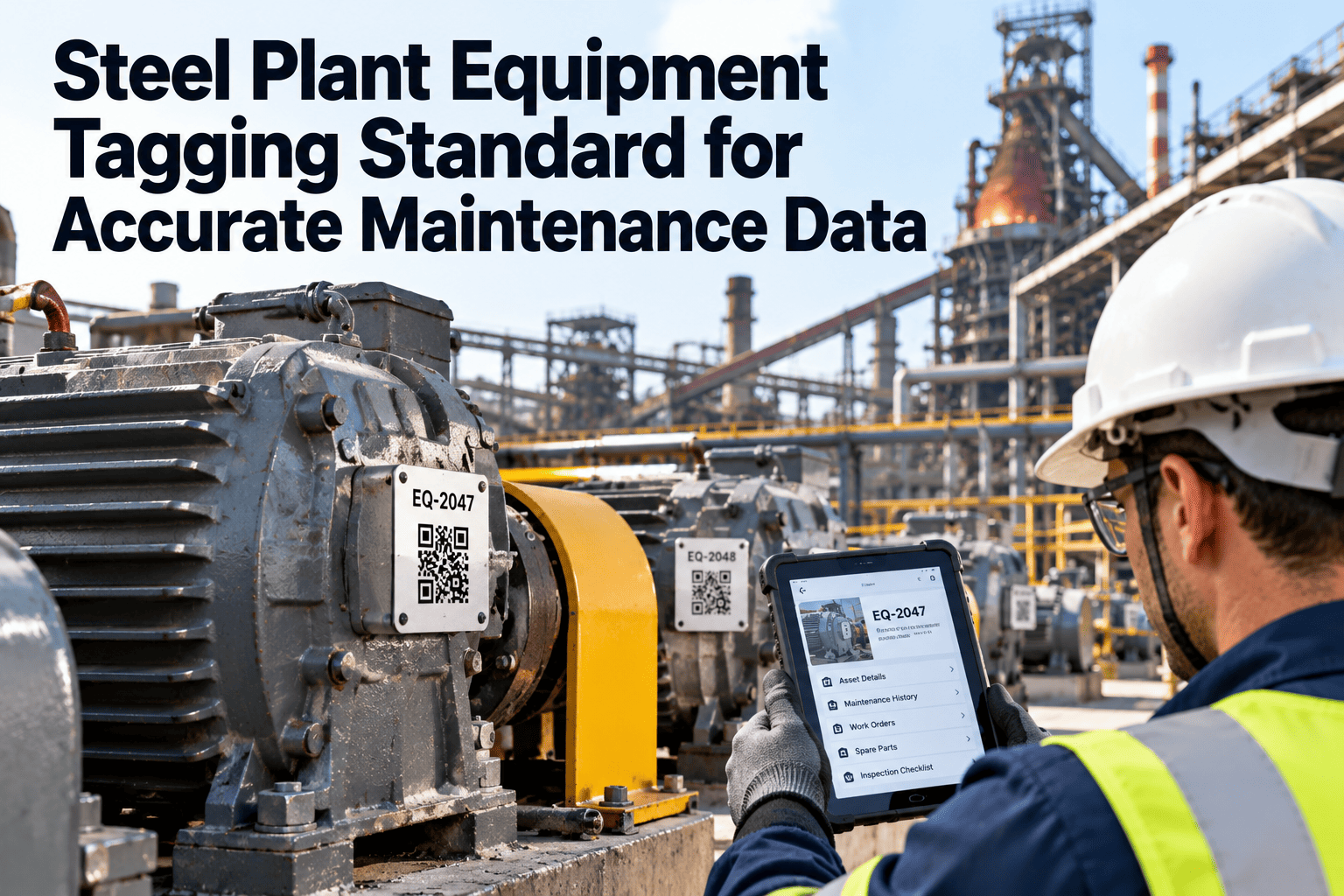
Steel Plant Equipment Tagging Standard for Accurate Maintenance Data
One asset, one tag, one history. Work through the checklist to give every furnace fan, caster gearbox and mill drive a stable identity that work orders, spares, sensors and analytics can all trust.
Same gearbox, three names: why tagging comes before analytics
Without a standard
- Operations calls it "Caster 2 osc box"
- The store lists it as "OSC GB No.2 old"
- The PLC signal reads "CC2_OSC_GB_TEMP"
- Work orders split across all three names
- Failure count looks like three small problems
With a standard
- One tag, CST-L2-OSC-GBX-003, used everywhere
- Store, PLC map and work order point to that tag
- Every repair, inspection and part is on one history
- Failure count shows one repeating problem
- Reliability decisions rest on a real pattern
What a weak tag quietly breaks
| Downstream use | What goes wrong without a clean tag | Result for the maintenance team |
|---|---|---|
| Work order history | Jobs are logged against the wrong or a duplicate asset | Repeat failures stay invisible |
| Failure analysis | Failure codes cannot be grouped by equipment class | Bad actors are not identified |
| Spare parts | Bills of materials point at the wrong machine | Stockouts on one asset, dead stock on another |
| Sensors and historian | Signals cannot be matched to a maintainable asset | Alarms do not become work orders |
| Cost reporting | Labour and material cannot be rolled up by area | Cost per tonne by unit is unreliable |
| AI and analytics | Models train on mixed or mislabelled history | Predictions are noisy and distrusted |
Decide the hierarchy before you decide the tag
A tag is the address of an asset inside a hierarchy. ISO 14224, the reliability and maintenance data standard, describes a nine-level taxonomy, and most plants report at the equipment unit level, roughly level six. For day-to-day maintenance, four to six practical levels are enough, and going deeper adds data entry cost without adding insight.
Site or plant
Integrated works, mini-mill or finishing site. Rolls up total maintenance cost.Area
Raw materials, sinter, coke, blast furnace, melt shop, caster, rolling mill, utilities.Line or system
Caster line 2, hot strip mill, stove cooling circuit, descaling water system.Equipment
The maintainable unit that gets a tag: gearbox, motor, pump, fan, hydraulic power pack.Component or position
Bearing, coupling, seal, stand position, segment position. Tagged only where history is needed.The tagging checklist
Tick each item as your team completes it. The boxes respond on screen, so the page works as a working review sheet in a standards meeting.
AGovernance and ownership
BTag syntax rules
Tag segment reference
| Segment | Rule | Illustrative value | Common error |
|---|---|---|---|
| Area | Three-letter code from the plant area list | CST, RLM, BFN | Mixing full names and codes |
| Line | Letter plus digit for each production line | L1, L2 | Skipping the line on single-line areas |
| System | Functional system the asset serves | OSC, HYD, COL | Naming the system after the supplier |
| Class | Equipment class from the controlled list | GBX, MTR, PMP | Free-text types such as "gear box" and "gearbx" |
| Serial | Three digits, unique within the class and system | 001, 014 | Reusing a serial after scrapping |
The codes above are illustrative. Define your own area and class lists once, then lock them.
Area coding across the steel route
Raw materials and sinter
Conveyors, crushers, screens, fans, idler positions and return fines systems.
Coke and blast furnace
Stoves and valves, blowers, casthouse cranes, cooling circuits and tuyere positions.
Melt shop
Furnaces, transformers, electrodes, ladle turrets, fume extraction and ladle cranes.
Casting
Segments, oscillators, mould drives, spray cooling and torch cutting equipment.
Rolling and finishing
Stands, main drives, spindles, roll shop assets, coilers and inspection lines.
Utilities and services
Compressors, pumps, water treatment, substations, oxygen and gas networks.
Steel repeats the same equipment across many positions, and each position wears differently. Segment 6 and segment 11 of a caster are not interchangeable in the data, so give positions their own sub-tags where wear history matters.
Equipment boundaries, classes and failure data
A tag only helps if everyone agrees what the asset includes. ISO 14224 groups reliability data into equipment data, failure data and maintenance data, and it relies on clear equipment boundaries so that failures are counted against the right unit.
CBoundaries and classification
Putting the tag on the steel: a physical tagging sequence
Walk and survey
Record what is actually installed, not what the drawings say.Assign tags
Generate tags from the standard and check for clashes.Produce labels
Print durable labels with the tag and a scannable code.Install
Fix labels on the asset body where they stay readable.Scan and verify
Confirm each label opens the correct record.Lock the record
Close the survey item and release the asset for work.DLabel and field checks for harsh areas
Enforce the tagging standard where work is recorded
Oxmaint links assets, work orders, inspections and inventory to one asset register, so the tag you define is the tag every record uses.
Carry the tag into every downstream record
| Record type | Tag must appear in | Check before go-live |
|---|---|---|
| Work orders | Asset field, required at creation | No work order can be saved without an asset |
| Preventive plans | Each task and inspection route | Completion appears on the asset history |
| Spare parts | Bill of materials per asset | Critical spares are linked to the machine they protect |
| Sensors and historian | Signal-to-asset mapping table | Each monitored signal resolves to one tag |
| Permits and isolation | Isolation points and lockout records | Permit asset matches the work order asset |
| Contractor reports | Job sheets and handover documents | Contractors quote the plant tag, not their own naming |
A five-phase cleanup for plants with existing data
Inventory
Export the current asset list and count duplicates, blanks and orphans.Design
Agree hierarchy, codes and syntax with operations and engineering.Map
Match every old name to one new tag and flag merges.Migrate
Merge records so work order history moves to the surviving asset.Enforce
Lock creation rules so drift cannot return.Start with one area rather than the whole plant. A single clean area gives you a working example, exposes gaps in the standard, and builds trust before the wider rollout.
Audit scorecard: prove the standard is holding
| Measure | How to calculate | What a poor trend means |
|---|---|---|
| Tag compliance rate | Assets matching the syntax divided by total active assets | Informal naming is returning |
| Orphaned records | Assets with no parent in the hierarchy | Hierarchy edits are not controlled |
| Duplicate candidates | Assets sharing nameplate serial or description | The same machine exists twice |
| Work orders with an asset | Work orders linked to a valid tag divided by all work orders | Jobs are being logged against generic areas |
| Failure code completion | Corrective work orders with mode and cause divided by all corrective work orders | Technicians skip coding at close-out |
ERecurring audit actions
Why a clean tag standard makes AI and predictive work possible
What models need
- Failure history that sits on one asset
- Sensor signals mapped to that same asset
- Consistent failure codes across similar equipment
- Reliable timestamps for repairs and part changes
What the tag standard supplies
- A permanent identity that survives renames and rebuilds
- A hierarchy that groups like-for-like equipment
- Controlled classes that make comparison fair
- An audit trail that explains every change
Predictive analytics in steel works best on a foundation of dependable records. Fixing identity first is usually quicker and cheaper than tuning models that learn from mislabelled history.
How Oxmaint supports the standard in daily maintenance
Asset management
Build a nested hierarchy from plant to component and keep nameplate data, criticality and status on each record.
Work orders and PM
Link every preventive and corrective job to a tagged asset so history builds automatically.
Inspections and mobile
Technicians scan labels in the field to open the right asset and record findings on the spot.
Inventory
Connect spare parts to the assets they protect, which supports clearer stocking decisions.
Reporting and dashboards
Track tag-linked metrics such as repeat failures and backlog by area to prove data quality is improving.
Frequently asked questions
Should the tag include the equipment manufacturer or rating?
No. Those details change when equipment is replaced. Keep make, model and rating in asset fields so the tag stays stable.
How many hierarchy levels does a steel plant need?
Four to six practical levels cover most needs, from site to component. ISO 14224 defines more, but deeper levels add data entry cost quickly.
What happens to history when an asset is replaced?
Keep the functional tag and record the replacement as an event, so repairs stay on one timeline. You can book a demo to see this in an asset register.
Can we start with only one area?
Yes, and it is the recommended route. One clean area proves the standard before you extend it plant-wide.
How do tags support condition monitoring and AI?
They tie sensor signals and failure history to one asset. You can get started and map signals to tagged equipment from the beginning.
Give every steel plant asset one tag and one history
Apply the checklist, enforce it in your maintenance system, and let cleaner data guide spares, inspections and reliability decisions.