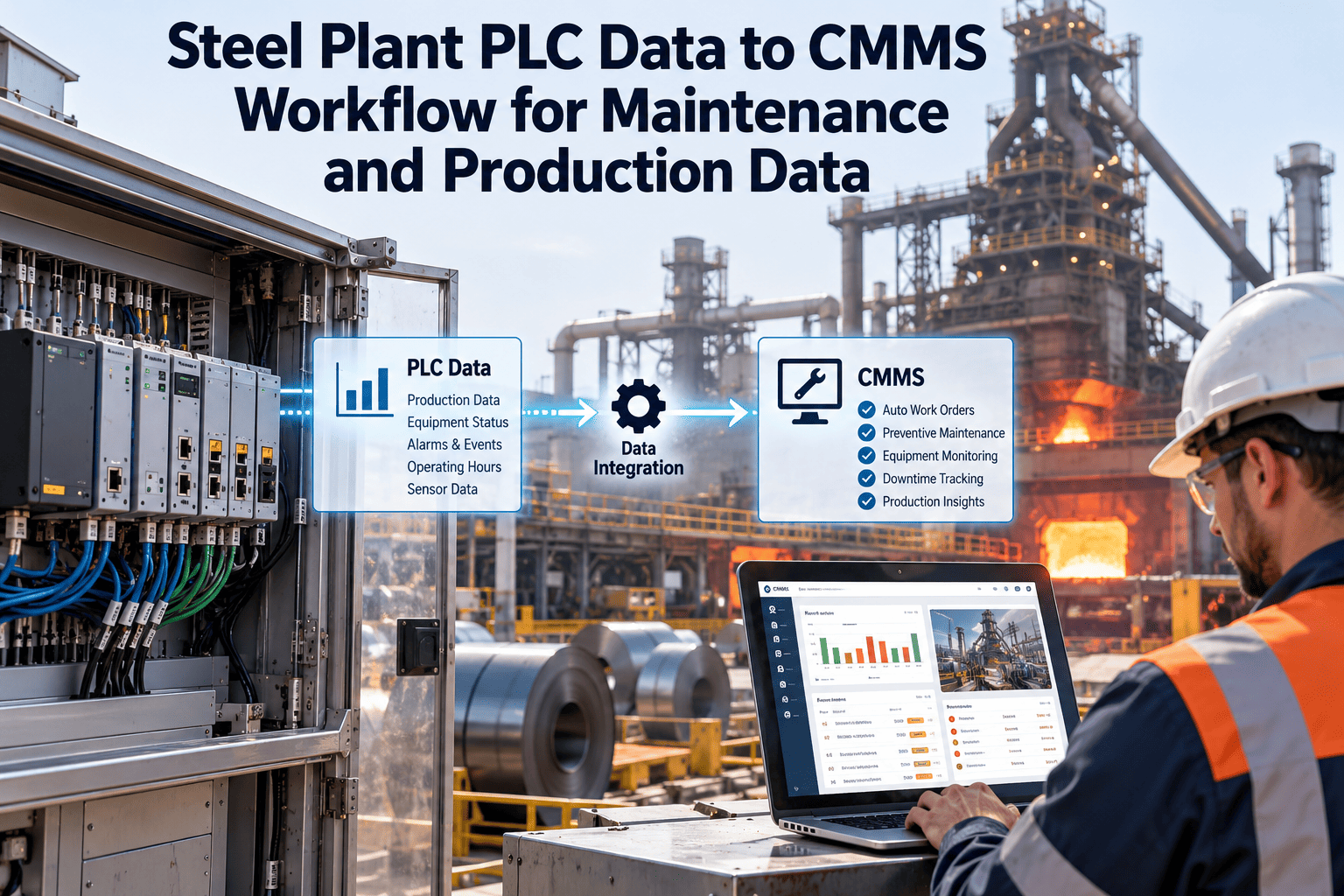
Every PLC in a steel plant keeps a running record of its machine: cycles completed, hours run, fault bits and the state of the line when they went high. Planners rarely see any of it and work from a calendar and a handwritten log. Moving PLC data into the maintenance workflow closes that gap, but only when each tag is chosen, cleaned and tied to an asset. This guide follows the path from controller register to closed work order. To prepare the maintenance side, create your Oxmaint account and build the asset register first.
Steel Plant PLC Data to CMMS Workflow for Maintenance and Production Data
Turn fault bits, counters and run-hour registers into work orders, usage-based PMs and production-aware maintenance, without rebuilding the control system.
The Problem: Controllers Know More Than Planners Do
- PMs fire on the calendar, not on how hard the machine worked
- Breakdown requests arrive by phone with a vague description
- Downtime reasons are typed in later from memory
- Technicians arrive without the fault history
- Production and maintenance argue about what actually stopped the line
- PMs trigger from counters and run hours on the assets that earned them
- Faults raise a work order carrying the tag, time and operating state
- Stop events are tied to an asset and a work order record
- Technicians see the alarm sequence before they open the cabinet
- Both teams read the same event record
Five Kinds of PLC Data and What Each Is Good For
Treat PLC data as five families. Each one drives a different maintenance behavior, and mixing them is what makes early integrations noisy.
| Data family | Typical steel plant example | Workflow it drives | Main risk |
|---|---|---|---|
| Fault and trip bits | Drive fault on a mill motor, overload trip on a pump starter | Corrective work order | Operator resets hide repeat faults |
| Counters | Cycles on a ladle slide gate, strokes on a hydraulic cylinder, coils processed | Usage-based preventive maintenance | Counter rollover or reset after a program download |
| Run-hour accumulators | Fan, pump, conveyor and compressor hours | Meter-based PM and lubrication tasks | Hours counted while the motor is energized but idle |
| Analog process values | Bearing temperature, hydraulic pressure, motor current, cooling water flow | Condition-based inspection or work order | Sensor drift mistaken for machine wear |
| State and mode bits | Running, idle, changeover, maintenance mode, E-stop | Context for every other signal | Missing context creates false work orders |
A Reference Workflow in Seven Moves
Data Quality Gates Before a Tag Reaches a Work Order
Most integration problems are data quality problems. Put these gates between the PLC and the work order queue.
Start With One Line, Ten Tags and a Review Date
Prove the workflow on a single production line before you copy it. Set up the assets, templates and PM schedules in Oxmaint and test the triggers in review mode.
Trigger Rules: Worked Examples in Plain Language
These are illustrative patterns. Thresholds and intervals must come from your own equipment manuals, history and reliability review.
Connecting Production Context to Maintenance Records
Maintenance data becomes more valuable when it carries the production situation around it. A fault during a grade change means something different from the same fault in steady running.
- Line state and operating mode at the time of the event
- Product, heat, coil or campaign reference where the plant records it
- Start and end of the stop, from the PLC rather than from memory
- Which asset caused the stop, and which were only affected
- Usage-based PM tied to tonnage or cycles, not to elapsed days
- Downtime reports that maintenance and production both accept
- Planned work scheduled into genuine low-load windows
- Repeat-failure analysis by operating condition
Where Steel Plant PLC Integrations Go Wrong
| Mistake | What happens | Better practice |
|---|---|---|
| Mapping every available tag | Thousands of events and no planner capacity to read them | Select tags that answer a failure-mode question |
| No asset hierarchy first | Events cannot be matched to equipment, so they land in a general queue | Build the asset register and criticality ranking before mapping |
| Ignoring counter resets | PM intervals jump after a program download or controller replacement | Handle rollover and reset events explicitly in the rules |
| Treating all alarms as faults | Nuisance alarms flood the work order list | Rationalize alarms and use dwell time and state checks |
| No closed loop | Triggers are never reviewed against outcomes | Require failure codes at closure and review monthly |
| Changing PLC code without notice | Tags move or change meaning, and the integration breaks quietly | Add the tag map to the plant change process |
Plant Areas Where PLC-Driven Workflows Pay Off First
What Oxmaint Handles on the Maintenance Side
Oxmaint supplies the maintenance workflow that PLC events feed into. The connection method depends on your controllers, network design and the integration approach agreed for the site.
- Asset management Hierarchy, criticality and history for every machine that has a mapped tag.
- Work orders and PM Corrective, calendar, meter-based and condition-based jobs in one queue.
- Mobile workflows Technicians receive jobs, read evidence, complete checklists and record failure codes in the field.
- Inventory Parts attached to assets and job plans, so a triggered PM already lists what it needs.
- Reporting Backlog, PM compliance, repeat failures and downtime-related work on dashboards.
Readiness Scorecard
Answer yes or no. Three or more no answers mean the integration should wait until those basics are fixed.
Choosing a Connection Method for PLC Data
There is no single best method. Match the method to the controller age, the network layout and who owns the data.
| Method | Typical use | Strength | Watch-out |
|---|---|---|---|
| OPC UA server | Controllers and SCADA packages that expose a standard server | Structured, secure and vendor-neutral | Tag names need mapping to assets |
| Vendor driver or gateway | Older controllers with proprietary or serial protocols | Reads existing registers without changing the PLC | Another device to document and maintain |
| Edge gateway with broker messaging | Remote units and several sites | Buffers data when links drop | Topic design and ownership must be agreed |
| Historian or database query | Trends and event history already stored centrally | No extra load on controllers | Only as good as what is stored and how often |
| Scheduled file export | Systems with no live interface | Simple, and a reasonable first step | Slow, so unsuited to urgent faults |
Test Cases to Run Before Real Work Orders Flow
Counters, Resets and Rollover
Counters and run-hour registers are the cheapest route to usage-based PM, and also the easiest to get wrong.
- Record the data type and maximum value of each counter, so rollover can be detected rather than misread as a drop to zero.
- Treat a sudden fall in the value as an event to investigate, not as normal use.
- Store the last good reading in the maintenance record, so the next-due calculation survives a controller replacement.
- Separate energized time from running time where the PLC allows it, because a motor that is on but idle does not wear like one under load.
- Reconcile counter-based intervals with a manual reading during the first PM cycle on each asset.
Change Management When Controller Programs Change
- Check whether the change touches any mapped tag, address or data type
- Tell the maintenance system owner which assets will be affected
- Agree a window and a rollback plan for the integration
- Pause automatic triggers on the affected assets if needed
- Re-test every mapped tag on the changed controller
- Confirm units, scaling and counter behavior are unchanged
- Update the tag map with the new versions and dates
- Resume triggers and watch the first day of events closely
Reporting Once the Data Is Flowing
Once events and work orders share an asset record, the reports that were hard to build become routine.
- Stops by asset and cause, with the time from fault to work order creation and from creation to completion.
- Usage-based PM compliance, showing which assets crossed their counter or run-hour limit and whether the job was done.
- Repeat fault lists, ranking assets by how many times the same tag has triggered in a rolling period.
- False trigger review, listing work orders closed with no fault found, so thresholds can be tuned.
- Planned versus unplanned work on integrated assets, tracked month by month against the baseline set before go-live.
Frequently Asked Questions
Let the Controller Start the Job, Let the Planner Finish It
Connect PLC events, counters and run hours to preventive maintenance, work orders and asset history in one maintenance workflow.