Smart Work Order Automation with AI: From Request to Resolution Hands-Free
By Riley Quinn on May 2, 2026
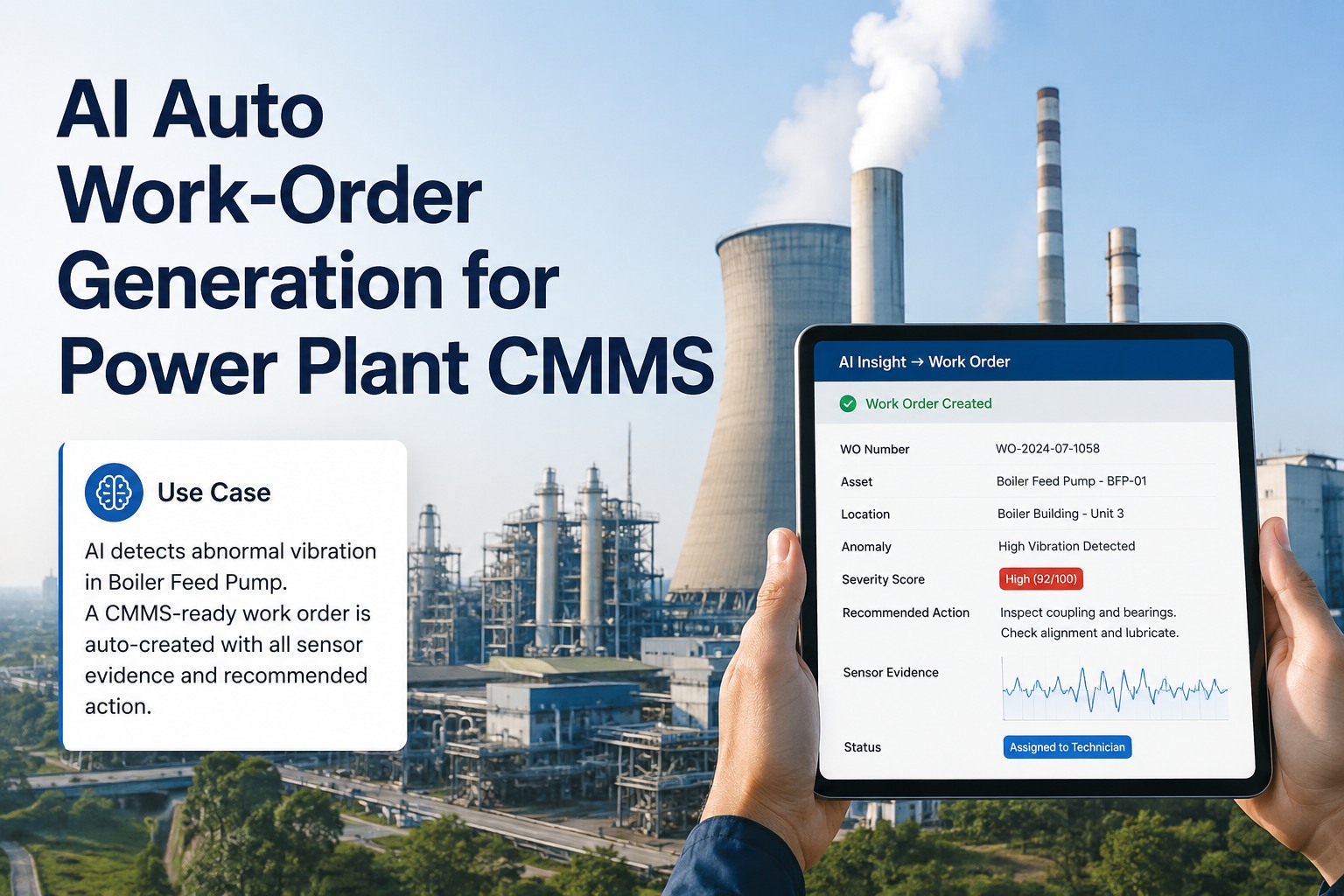
It's 2:14 PM on a Tuesday. A vibration sensor on Pump 7 catches a 0.4 mm/s spike in the bearing pass frequency. In a manual shop, here's what happens next: the alert sits in someone's email until 4:30 PM. The supervisor opens it the next morning, walks to the pump, writes a request slip, takes it to the planner who searches for asset history (15 minutes), checks parts inventory (20 minutes), figures out which technician is certified for that asset, sends it to dispatch, dispatch finds the tech, the tech walks to the parts crib, the parts aren't there, the tech walks back. Total elapsed time: 45 minutes to 4 hours. With AI work order automation, here's what happens instead: in 15 seconds, a fully populated work order exists with the right asset, the right fault classification, the right parts reserved from inventory, the right certified technician assigned by GPS proximity, and a mobile push notification already in the technician's pocket. See how Oxmaint's AI eliminates 80% of work order admin time and saves 15 hours a week per planner — start your free trial. This guide breaks down what zero-touch maintenance workflows actually look like in 2026.
MAY 12, 2026 5:30 PM EST , Orlando
Upcoming Oxmaint AI Live Webinar— Build a Zero-Touch Work Order Workflow in One Session
Join the OxMaint team in Orlando to design an AI-powered work order pipeline — from sensor trigger to mobile dispatch to closure — mapped to your existing CMMS, ERP, and SCADA infrastructure.
Sensor-to-work-order pipeline live demo
AI priority scoring & skill-based routing walkthrough
Tiered approval automation — under 15-minute SLA
QR code intake & mobile-first technician experience
How a Maintenance Technician's 8-Hour Shift Changes
Where the hours go before vs after AI work order automation
Before — Manual System
Wrench Time
1.9 hrs
Searching for parts & info
1.4 hrs
Travel between assets
1.3 hrs
Paperwork & data entry
1.1 hrs
Waiting for approvals
1.1 hrs
Re-work / wrong assignment
1.2 hrs
2× Wrench Time
After — AI Automated
Wrench Time
4.0 hrs
Optimized travel
1.4 hrs
Diagnostic & planning
1.1 hrs
Mobile documentation
0.8 hrs
Breaks & admin
0.7 hrs
Where AI Work Order Automation Wins — The 6 Pain Points It Eliminates
Every manual maintenance shop loses time to the same six bottlenecks. Each one looks small in isolation but compounds into weeks of lost productivity per technician per year. Here's what AI removes — and what changes for the team that has been firefighting around them.
01
Inconsistent Request Intake
Before Email, phone, paper, verbal — 42% of submissions miss key data
With AI QR code scan or sensor trigger creates a structured request in 60 seconds with asset ID, location, and history pre-populated
02
Subjective Priority Ranking
Before "Whoever escalates loudest" wins the queue — critical assets queue behind cosmetic issues
With AI Priority scored against 5 factors: criticality, failure consequence, safety, compliance deadline, historical patterns — under 2 seconds
03
Wrong Technician Assignment
Before Mechanical tech sent to electrical fault — work orders sit idle 3.2 hours per misassignment
With AI Skill-match + certification + GPS proximity + current workload — best-qualified tech assigned automatically in 73% of routine cases
04
Approval Bottlenecks
Before Average approval time: 4.2 days — work orders sit waiting for a signature
With AI Tiered auto-approval by cost: under $500 instant, $500–$5K mobile push, $5K+ manager review — 90% approved in under 15 minutes
05
Parts Hunt & Multiple Tool-Crib Trips
Before Tech arrives at asset, parts not there, walks back to crib, walks back again — wrench time evaporates
With AI Parts auto-checked against inventory at WO creation, reserved at the crib, ready for pickup with location pin
06
Silent Backlog & Vague Closure
Before 34% of WOs exceed target time with no escalation; closure notes read "Fixed it" — analysis impossible
With AI Auto-escalation per SLA tier; closure requires root cause + failure mode + parts + hours — 100% closure rate with complete data
Get 25–40% More Completed Work Orders — Without Hiring
Oxmaint's AI work order engine handles intake, priority scoring, technician routing, escalation, and compliance documentation automatically. Live in 14 days. No implementation project required.
Sensor anomaly, meter threshold, scheduled PM, or QR code request from operator. Any of 5 trigger types fires the workflow.
Stage 02
WO Auto-Populated
Asset ID, location, fault classification, failure mode, attached SOPs, safety procedures, and history references — all pulled from connected systems automatically.
Stage 03
AI Priority & Routing
5-factor priority score generated. Best-qualified tech matched on skills, certifications, location, and current backlog. Parts reserved from inventory.
Stage 04
Mobile Dispatch
Push notification to technician's phone with full context: asset, fault, parts location, navigation route, safety notes, and step-by-step SOP.
Stage 05
In-Field Execution
Tech checks off tasks on mobile, scans QR for asset confirmation, captures photos, logs parts used and labor hours. Everything synced in real time.
Stage 06
Closure & Learning Loop
Required closure data: root cause, failure mode, hours, parts, outcome. Feeds back into the AI model — every closed WO sharpens the next prediction.
The 5 Triggers That Auto-Generate Work Orders
A modern AI-powered CMMS doesn't wait for a human to type anything. It watches five distinct trigger types continuously and creates a work order the moment any of them fires. Here's the full pentagon of inputs.
Trigger 01
Sensor / IoT Anomaly
Vibration spike, temperature drift, current draw anomaly. AI fault classifier identifies the failure mode and creates a WO with the right repair task pre-attached.
Example: 0.4 mm/s spike in bearing pass frequency → "Bearing wear, Stage 2, RUL 18–25 days" → WO auto-created.
Trigger 02
Meter / Runtime Threshold
Operating-hour or cycle-count thresholds. Smarter than calendar PMs because it tracks actual asset utilization rather than wall-clock time.
Example: Compressor reaches 4,000 operating hours → oil change WO auto-generated and assigned.
Trigger 03
Calendar PM Schedule
Quarterly inspections, annual safety valve tests, regulatory PMs. Triggered by date, fully populated with linked SOPs and required parts.
Example: Quarterly safety valve inspection on Boiler #3 → WO assigned to safety team 7 days before due date.
Trigger 04
QR / Mobile Operator Request
Operator scans QR code on the asset with their phone's native camera — no app, no login. Selects issue category, attaches optional photo, submits.
Example: Operator spots leaking valve, scans QR, taps "Leak", submits → structured WO in CMMS in under 60 seconds.
Trigger 05
SCADA / DCS Alarm
Process control system alarms ingested via OPC-UA, MQTT, or direct integration. Distinguishes between operator-actionable alarms and maintenance-actionable ones.
Example: SCADA flags pump cavitation → maintenance WO auto-created and routed; operator alarm stays with operations.
Expert Review — Why "Wrench Time" Is the Real ROI
The benchmark I keep coming back to with maintenance leaders is wrench time — the percentage of a technician's shift actually spent turning a wrench on equipment, versus time lost to admin, travel, parts hunts, and waiting for approvals. The industry baseline for plants running manual work order systems sits between 24 and 35 percent. That means three out of every four shift hours are not spent maintaining anything. When I show a plant their own data, the reaction is usually disbelief — they intuitively knew it was bad, but seeing the actual breakdown is different. AI work order automation doesn't make technicians work harder. It removes the friction layer between a fault occurring and a qualified person being dispatched to fix it. The plants that get this right routinely double their wrench time inside a quarter — meaning they get the equivalent of a doubled maintenance team without hiring a single new tech. That's the metric the C-suite responds to.
$4.2M Saved on a $12M Maintenance Budget
A typical plant with a $12M annual maintenance budget loses 35% to administrative friction — $4.2M spent on process overhead instead of repairs. AI work order automation recovers most of that without adding headcount.
From 45 Minutes to 15 Seconds
Sensor-to-fully-populated-WO time drops from 45 minutes (manual) to under 15 seconds (AI). For night-shift faults, that's the difference between catching a problem and arriving to find collateral damage.
100% Closure With Complete Data
Manual systems close 59% of work orders with complete documentation; AI-driven systems close 100% with mandatory root cause + failure mode + parts + hours fields — making reliability analysis actually possible.
Your 14-Day Deployment Plan — Live Workflow This Quarter
Unlike traditional CMMS implementations that drag on for months, AI work order automation deploys in 14 days with measurable value visible from day one. Here's how the rollout actually sequences.
Days 1–4
Foundation
Import asset hierarchy, PM schedules, parts catalog, and technician skills matrix
Connect ERP, SCADA, and IoT sensor feeds via OPC-UA / MQTT / API
Print and post asset QR codes for operator-driven request intake
Days 5–9
Activation
Configure trigger types: sensor thresholds, meter rules, calendar PMs, QR intake
Deploy mobile app to technicians with push notifications enabled
First fully automated work orders flow end-to-end — measurable response-time improvement
Days 10–14
Intelligence
Activate skill-based assignment, AI priority scoring, and auto-parts reservation
Tiered approval rules live — 90% of WOs auto-approved or approved in under 15 minutes
KPI dashboards live: wrench time, MTTR, MTBF, response time, closure rate
Stop Feeding Forms — Start Fixing Machines
Oxmaint turns every sensor signal, schedule trigger, and operator request into a fully-formed, assigned, and tracked work order in under 60 seconds — flowing through your ERP, SCADA, and parts inventory without a single manual handoff.
How does AI decide which technician to assign a work order to?
Modern AI-powered CMMS evaluates four factors simultaneously to assign each work order: skill and certification match (does this tech hold the certifications required for this asset class — high-voltage, refrigerant handling, confined space, etc.), GPS proximity (which qualified tech is closest to the asset right now), current workload (which tech has bandwidth versus is already overloaded with active assignments), and shift schedule (who is on-shift, off-shift, or about to clock out). The system runs all four through a routing model in under 2 seconds and assigns to the best-fit candidate — automatically in 73% of routine cases. For complex or high-cost work, the system can be configured to suggest the best 2 or 3 options for a supervisor to confirm with one tap. The result: misassignment rates drop from industry-typical 18–25% to under 5%, eliminating the 3.2-hour idle time that misassigned work orders generate per incident.
Can AI work order automation work with our existing CMMS, ERP, and SCADA systems?
Yes — modern AI work order platforms are built on API-first architecture and integrate with existing systems through standard protocols. Sensor and SCADA data flows in via OPC-UA, MQTT, or direct DCS integrations. ERP integration covers parts inventory, purchase orders, and labor cost roll-ups via standard ERP connectors (SAP, Oracle, Microsoft Dynamics, NetSuite, and others). Existing CMMS data — asset hierarchies, work order history, PM schedules — is imported during the foundation phase. The deployment goal is augmentation, not replacement: the AI engine sits on top of your existing data and decision systems and removes the manual steps between them. This is why most plants achieve 14-day deployment without ripping out functioning infrastructure.
Does AI work order automation replace maintenance planners and supervisors?
No — it removes the administrative layer, not the decision-making layer. AI handles the repetitive, high-volume, low-judgment tasks: parsing requests, classifying faults, scoring priority, matching technicians, reserving parts, sending notifications, escalating overdue work, and capturing closure data. Planners and supervisors shift from these tasks to the higher-value work that actually requires human judgment: root cause analysis on recurring failures, strategic PM program design, contractor management, capital project planning, technician coaching and skill development, and exception handling on the 27% of cases where AI flags a complex situation for human review. The typical result is the same headcount producing significantly more output — usually 25–40% more completed work orders per planner — while spending their time on engineering and reliability work instead of paperwork.
What happens to high-cost or high-risk work orders — does AI auto-approve everything?
No — AI work order automation uses tiered approval logic specifically to keep human judgment on high-stakes decisions while removing it from routine ones. A typical configuration auto-approves work orders under $500 (90%+ of routine maintenance), routes $500–$5,000 work orders to a single supervisor via mobile push for one-tap approval (typically completed in under 15 minutes), routes $5,000–$25,000 work to a manager for review, and escalates anything above $25,000 to a director or chief budget officer. Each tier has auto-escalation if approval doesn't happen within 2–4 hours, so nothing sits silently. Emergency work bypasses approval entirely with a post-completion audit trail. This structure typically cuts average approval time from 4.2 days to under 15 minutes for 90% of work orders while keeping appropriate oversight on the high-cost minority that genuinely warrants it.
What's the realistic ROI timeline for AI work order automation in a manufacturing plant?
Most plants see measurable value from week one and full ROI inside the first quarter. The typical impact across the first 90 days: 80% reduction in administrative time per planner (15+ hours per week recovered), 60–80% faster response time on average work orders, 25–40% more completed work orders per technician without adding headcount, 100% closure rate with complete root cause data versus 59% on manual systems, and approval times dropping from 4.2 days to under 15 minutes. For a plant with a $12 million annual maintenance budget operating at industry-typical 35% administrative waste, that's roughly $4.2 million per year in recoverable spend — most of which gets converted into more wrench time and prevented failures rather than headcount cuts. Full deployment takes 14 days. The first prevented failure or recovered backlog event typically pays for the entire program in a single incident.