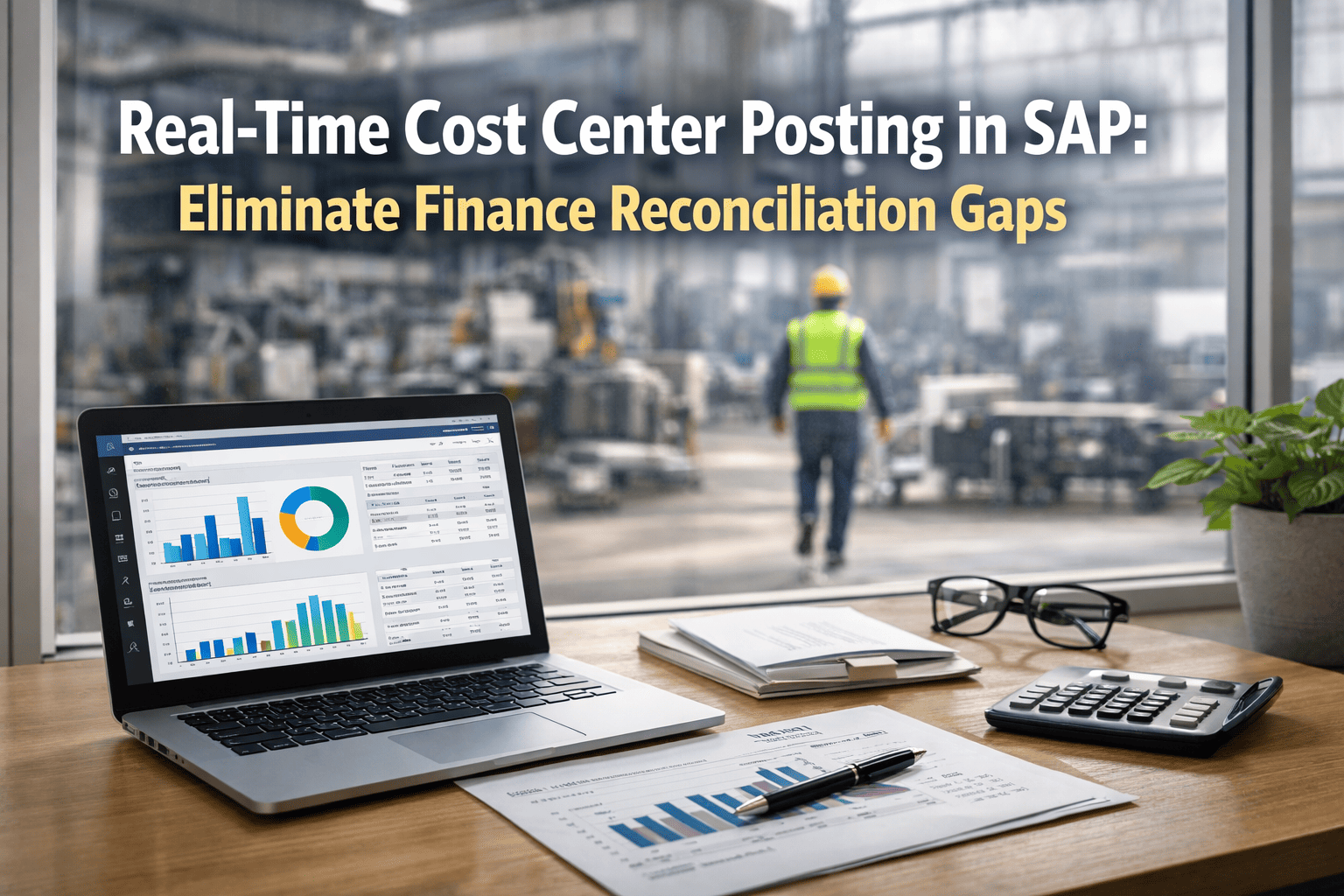
Real-Time Cost Center Posting in SAP: Eliminate Finance Reconciliation Gaps
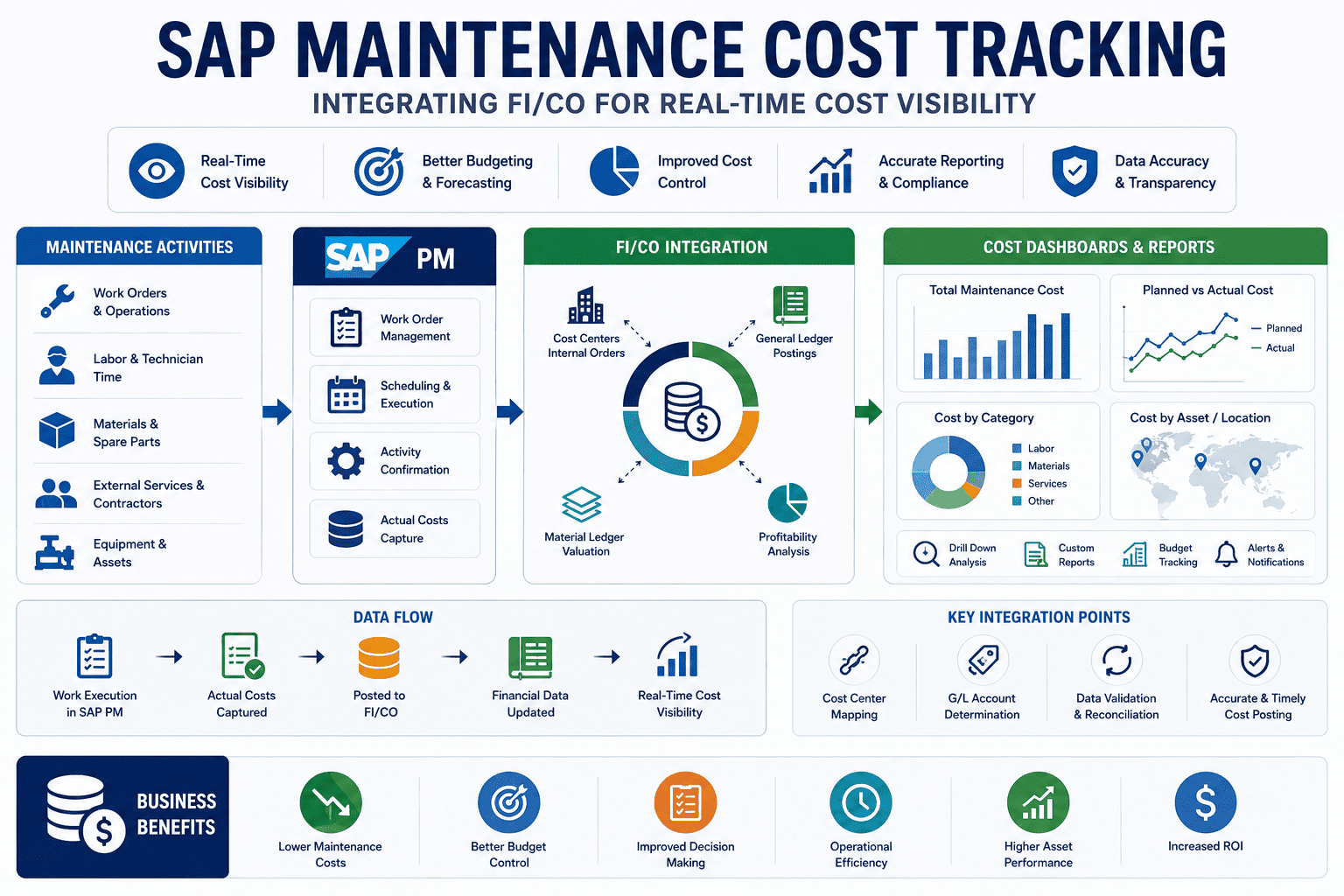
Every hour a maintenance work order sits closed in the field but unposted in SAP FI, your cost center balances are wrong — and every month-end reconciliation is a scramble to close the gap. Manual cost center posting is the silent killer of financial accuracy in industrial operations: labor hours entered days late, materials consumed but not allocated, and overhead charges applied to the wrong cost objects. The result is a finance team chasing maintenance supervisors for data while the books stay open past deadline. Oxmaint's real-time SAP FI/CO integration eliminates this entirely — the moment a technician closes a work order, labor costs post to the correct SAP cost center, materials are goods-issued from SAP MM, and the internal order is settled, all without a single manual entry. According to ASUG 2024, enterprises that automated maintenance cost posting to SAP reported 61% fewer month-end reconciliation adjustments and reduced financial close time by an average of 2.3 days. Start your free trial today and eliminate maintenance cost reconciliation gaps from your SAP financial close — permanently.
61%
Fewer reconciliation adjustments
After real-time cost posting
2.3
Days faster financial close
Per ASUG 2024 survey
100%
Automatic cost allocation
On work order close
Zero
Manual FI journal entries
For maintenance costs
Real-time
SAP CO postings
No batch, no delay
Where Maintenance Costs Leak Into Your SAP Financials
Technicians complete repairs but log hours the next day, next week, or never. SAP IW41 confirmations trail actual work by days, causing cost center understatement mid-period.
High Understated labor costs, incorrect absorption rates, period mismatches
Auto-confirmation on work order close — hours post to SAP PM IW41 in real time, no technician action required
02
Materials consumed but not goods-issued
Parts pulled from the storeroom without a formal SAP goods movement (261/551). Inventory records and cost center charges fall out of sync — sometimes permanently if nobody reconciles the storeroom.
High Phantom inventory, understated COGS, unreliable SAP MB52 stock reports
Every part confirmed in Oxmaint triggers a SAP MIGO 261 goods movement automatically — inventory and cost center update simultaneously
03
Costs posted to wrong cost center
Without a direct link between the maintenance work order and the SAP cost object, costs default to a catch-all cost center or get manually allocated by someone who guesses the right code.
Medium Misallocated costs, inaccurate department P&L, rework at period close
Oxmaint maps every asset to its SAP cost center at setup — all costs post to the correct object without manual lookup or human decision
04
Internal orders not settled at period close
SAP PM internal orders accumulate costs correctly during the period but settlement to cost centers (KO88) is missed or delayed. Finance carries unsettled balances that distort profitability reporting.
Medium Unsettled internal order balances, delayed variance reporting, controller rework
Oxmaint triggers automatic order settlement rules in SAP CO on work order closure — no month-end manual KO88 run required
Before Oxmaint vs. After Oxmaint: The Cost Posting Journey
The difference between manual cost posting and Oxmaint's automated real-time integration is not just speed — it is the elimination of an entire category of financial risk. Here is how the same maintenance event flows through SAP financials in both scenarios.
⚠️
Without Oxmaint — Manual Process
1
Technician completes repair — no system entry at point of work
↓
2
Paper timesheet filled next shift — hours may be approximate
↓
3
Planner enters IW41 confirmation 1–3 days later
↓
4
Parts pulled from storeroom — goods movement entered separately (often forgotten)
↓
5
Cost center wrong — finance corrects manually with journal entry
↓
6
Month-end: controller runs KO88 manually — some orders missed
Result
3–5 days of reconciliation work, inaccurate mid-period reporting, finance team frustration
VS
✅
With Oxmaint — Automated Real-Time
1
Technician closes work order in Oxmaint mobile app — on the spot
↓
2
SAP IW41 labor confirmation fires automatically — correct hours, correct work center
↓
3
Parts confirmed in Oxmaint — SAP MIGO 261 goods movement posts instantly
↓
4
Costs post to pre-mapped SAP cost center automatically — no lookup, no guesswork
↓
5
Internal order settlement rule triggers — KO88 executes without controller action
↓
6
SAP CO cost center balance updated in real time — accurate all period, not just at close
Result
Zero reconciliation backlog, real-time cost visibility, finance close on schedule
What Gets Posted Automatically — SAP FI/CO Object Mapping
Oxmaint's real-time SAP FI/CO integration covers every cost element generated by a maintenance event. Here is the complete mapping of what Oxmaint captures, which SAP object it posts to, and which standard SAP transaction or BAPI handles the posting.
Labor Hours
Oxmaint capturesActual hours per technician per operation
Cost elementAll order costs → receiver cost center
TimingOn work order TECO
Stop reconciling. Start reporting in real time.
Oxmaint posts every labor hour, part consumed, and external service directly to the correct SAP cost center the moment work is completed — giving finance a live, accurate view of maintenance costs without a single manual entry.
Cost Center Configuration: How Oxmaint Maps to SAP CO
Accurate cost posting depends entirely on correct cost object mapping. Oxmaint provides three mapping layers that together ensure every maintenance transaction reaches the right SAP CO object — regardless of the work type, asset category, or plant location.
Layer 1
Asset → Cost center mapping
Every SAP equipment record and functional location in Oxmaint is linked to its owning cost center at import. When work is performed on that asset, costs automatically route to the asset's responsible cost center — the production line, building system, or utility that bears the maintenance expense.
Example mapping
Compressor C-401 (FL: PLANT1-UTIL-AIR)→Cost Center 4200 (Utilities)
Conveyor CV-8 (FL: PLANT1-LINE2-CONV)→Cost Center 3100 (Production Line 2)
Layer 2
Work type → Cost element mapping
Different maintenance activities carry different cost elements in SAP CO. Oxmaint maps each work order type to its corresponding SAP cost element — ensuring corrective maintenance, preventive maintenance, and capital-level repairs post to the right primary cost element and are correctly classified for asset capitalization decisions.
Example mapping
Corrective maintenance (PM01)→Cost Element 620010 (Repairs & Maint.)
Capital repair (>threshold)→Investment Order (AuC posting)
Layer 3
Exception rules & overrides
Shared assets, cross-charged maintenance, and project-funded work require override rules. Oxmaint's exception engine allows finance controllers to define rules that override the default mapping — for instance, routing all shutdown maintenance during a capital project to the project's WBS element instead of the regular cost center, without changing the asset master in SAP.
Override rule example
Shutdown tag + asset in Area B→WBS Element P-2024-SHUTDOWN
External contractor work type→Cost Center 9900 (Contracted Services)
Real-Time vs. Batch Posting: What Finance Actually Sees
The operational difference between real-time posting and nightly batch runs goes beyond speed. It changes what finance teams can actually do with SAP data during the period — from reactive month-end closing to proactive cost management throughout the month.
What finance needs
Batch posting (current state)
Real-time with Oxmaint
Cost center balance accuracy
Accurate only after overnight run — intraday balance always stale
Accurate to the minute — every closed work order posts immediately
Budget vs. actual variance
Available only after close — overruns discovered too late to act
Live budget consumption visible — alerts fire when cost centers approach limit
Month-end reconciliation
3–5 days of journal entry corrections, re-allocations, and chaser emails
Minimal adjustments — costs posted correctly the first time, every time
Audit trail for costs
Batch log references only — linking back to source work order requires manual research
Full drill-down from SAP cost center line item to original Oxmaint work order in one click
Controller workload
High — manual KO88 settlement, corrections, cross-charges each period close
Low — automated settlement, pre-mapped cost objects, exception-based review only
Maintenance Cost Analytics Built on SAP Data
Real-time cost posting doesn't just fix reconciliation — it unlocks maintenance cost analytics that were previously impossible because the data was always out of date. With Oxmaint feeding live cost data to SAP, finance and maintenance leadership share a single, accurate view of where maintenance budget is being consumed and why.
Cost per asset per period
Break down total maintenance spend by individual equipment, production line, or plant — directly from SAP CO reports without any spreadsheet aggregation.
Corrective vs. preventive cost split
See exactly what proportion of your maintenance budget is reactive spend vs. planned — enabling a data-driven case for preventive maintenance investment to reduce future emergency costs.
Budget consumption tracking
Maintenance budget vs. actual spend is visible in real time across all cost centers — controllers can intervene before a cost center overspends, not after month-end close reveals the overrun.
Contractor cost benchmarking
External service costs post in real time to SAP — compare contractor rates per job type, identify where external spend exceeds internal labor cost, and build the business case for insourcing decisions.
Give your finance team real-time maintenance cost visibility — without changing how SAP works
Oxmaint posts every maintenance cost element to the correct SAP CO object the moment work closes. Finance gets live, accurate cost center balances. Maintenance gets a platform technicians actually use. And nobody runs reconciliation sprints at month-end anymore.
Does Oxmaint post directly to SAP FI, or only to SAP CO?
Oxmaint posts to both SAP CO and SAP FI as appropriate for each cost type. Labor confirmations post as activity allocations in SAP CO (cost center debits via internal activity). Goods movements post as FI material documents with automatic account determination through SAP's standard OBYC transaction. External service entry sheets create SAP FI documents upon posting. Internal order settlements post to the settlement receiver (cost center or WBS element) in both CO and FI — maintaining the standard SAP document linkage throughout.
What happens to cost postings if the SAP connection is temporarily down?
Oxmaint queues all cost-relevant events in a local transaction buffer when SAP connectivity is unavailable. Work orders can still be closed, parts confirmed, and labor hours captured. When connectivity is restored, the queued postings are replayed to SAP in sequence — preserving document ordering and preventing duplicate postings. Oxmaint's reconciliation engine then compares the posted documents against the work order record to confirm full financial capture before clearing the queue.
Can Oxmaint handle cost postings across multiple SAP company codes?
Yes. For multi-entity enterprises with separate SAP company codes per plant or legal entity, Oxmaint's plant-to-company-code mapping routes each posting to the correct SAP company code and controlling area automatically. Cross-company maintenance (where one entity performs work for another) is handled through intercompany posting rules that Oxmaint configures during implementation — generating the paired FI documents in both company codes required by SAP for intercompany cost allocation.
How does Oxmaint handle the capitalization threshold for maintenance vs. capital work?
Oxmaint includes a configurable capitalization threshold rule. When a work order's total cost exceeds the defined threshold (set by your finance team during configuration), Oxmaint automatically routes the posting to a SAP investment order (AuC) rather than the operating cost center — enabling asset capitalization through SAP's standard AIAB/AIBU settlement process. Below the threshold, costs post to the operating cost center as maintenance expense. The threshold can be set globally or per asset category.
Can finance controllers review and approve cost postings before they hit SAP?
Yes — Oxmaint includes an optional approval workflow for high-value work orders. When a work order's total cost exceeds a configurable approval threshold, the posting is held in "pending finance review" status and a notification is sent to the designated controller. The controller reviews the cost breakdown, cost object assignment, and cost element classification in Oxmaint before approving the SAP posting. Below the threshold, postings are automatic with no approval step — keeping low-value routine work flowing without bottlenecks.
Does this integration work with SAP S/4HANA Finance (SAP FIN) as well as classic FI?
Yes. Oxmaint's SAP integration is fully compatible with SAP S/4HANA Finance (formerly Simple Finance), which merges the FI and CO ledgers into the Universal Journal (table ACDOCA). Postings made through Oxmaint write directly to ACDOCA via the standard SAP posting APIs — there is no dependency on classic FI tables. For enterprises still on SAP ECC with classic FI/CO, the same BAPIs are used, writing to BSEG and COEP as expected. No configuration change is required when migrating from ECC to S/4HANA Finance.