Barcode & QR Code Tracking for Maintenance Parts: CMMS Integration Guide
It's 2:00 AM on a Thursday. A packaging line is down because a critical VFD drive failed. The maintenance technician knows there's a replacement somewhere in the storeroom — he saw one last week. But the storeroom has 4,200 SKUs spread across 60 shelf bays, and the inventory spreadsheet was last updated three months ago. He spends 47 minutes searching before finding the drive buried behind a box of obsolete gaskets on bay C-14. By the time the line restarts, the plant has lost $38,000 in production. The next morning, purchasing orders another VFD — not realising the storeroom already has two more on shelf D-22, because nobody scanned the last receipt. This is parts inventory management running on tribal knowledge and spreadsheets.
World-class maintenance organisations in 2026 operate entirely differently. Every part has a barcode or QR code label printed at receipt. Every issue, return, and transfer is scanned in real time via mobile devices. Cycle counts take hours instead of days. Reorder points trigger automatically when stock hits minimum thresholds. Technicians locate parts in seconds by scanning a work order that shows exact bin location, quantity on hand, and compatible assets. When paired with a CMMS like Oxmaint, barcode and QR code tracking eliminates stockouts, kills dead stock, and gives maintenance managers real-time inventory visibility they never had before. Start Free Trial.
Inventory Intelligence 2026
Barcode & QR Code Tracking for Maintenance Parts: CMMS Integration Guide
Implement barcode/QR label printing, mobile scanning workflows, and real-time CMMS inventory tracking to eliminate stockouts, reduce dead stock, and give technicians instant access to the right part at the right time
Inventory accuracy with barcode scanning vs. 63% manual
73%
Reduction in time spent searching for maintenance parts
Real-Time
CMMS Inventory Visibility
Every issue, receipt, return, and transfer logged instantly via mobile scan
The Inventory Chaos Costing Your Maintenance Programme
Most maintenance storerooms operate on a combination of handwritten logs, outdated spreadsheets, and tribal knowledge. Parts are received without scanning, issued without recording, and returned to random shelf locations. The result: technicians can't find parts during emergencies, purchasing orders duplicates because on-hand counts are wrong, and dead stock accumulates because nobody knows what's actually sitting on shelves. Manual inventory management is the silent productivity killer in every maintenance organisation.
Anatomy of a Scan-Driven Parts Operation
How barcode/QR scanning transforms maintenance inventory from chaos to precision
Scan Trigger
Work Order Creates Parts Demand
Phase 1 — Locate
Scan Work Order → See Bin Location
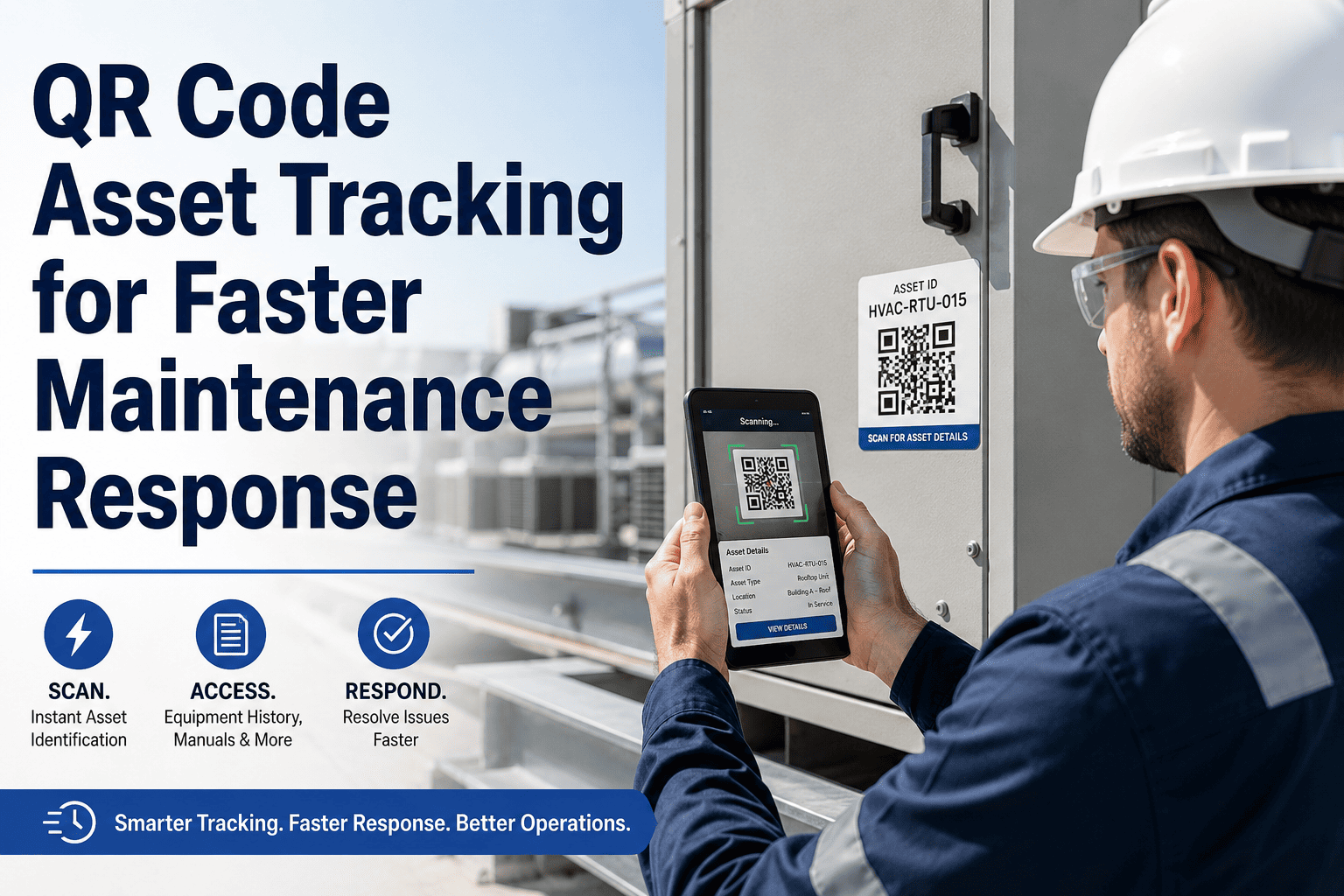
Technician scans the work order QR code. CMMS shows required parts, exact bin locations, quantities on hand, and alternative substitutes — no searching.
Phase 2 — Issue
Scan Part Label → Auto-Deduct from Stock
Tech scans the barcode/QR on the bin label or part packaging. CMMS instantly deducts quantity, logs the issue against the work order, and updates on-hand count.
Phase 3 — Reorder
Min/Max Threshold → Auto Purchase Request
When on-hand drops below minimum, CMMS auto-generates a purchase request with vendor, unit cost, and lead time — preventing stockouts before they happen.
Phase 4 — Receive
Scan Delivery → Print Labels → Shelve
Receiving clerk scans vendor packaging barcode, CMMS matches to PO, prints bin labels with QR codes, and updates inventory — receipt to shelf in under 2 minutes per line item.
Total Operational Impact
Zero Stockouts
Right part + right location + right quantity = zero emergency searches and zero duplicate orders
Barcode and QR code tracking doesn't eliminate the need for storeroom staff — it redirects their effort from searching and counting to organising, receiving, and continuous improvement. When every transaction is scanned, cycle counts become 10-minute spot checks instead of weekend-consuming physical inventories, and variance reports identify process gaps immediately.
Core Components of a Scan-Based Inventory System
A world-class maintenance parts tracking system in 2026 consists of six interconnected components. Each addresses a different point in the parts lifecycle, and together they create a fully connected, real-time inventory operation that a CMMS platform like Oxmaint can manage end to end.
Barcode/QR Inventory System Components
Key technologies powering scan-based maintenance parts management in 2026
01
Barcode/QR Label Printing
Generate and print durable barcode or QR labels at point of receipt — encoding part number, bin location, lot/serial, and CMMS asset link.
Label Generation
02
Mobile Scanning Devices
Rugged handheld scanners or smartphone cameras capture barcodes/QR codes for instant issue, receive, transfer, and cycle count transactions.
Mobile Capture
03
CMMS Integration Engine
Real-time sync between scan events and CMMS database — every issue, receipt, return, and transfer updates inventory counts and work order costs instantly.
Real-Time Sync
04
Min/Max Auto-Reorder
CMMS monitors real-time stock levels against configurable min/max thresholds and auto-generates purchase requests when reorder points are hit.
Auto Procurement
05
Bin Location Mapping
Every storage location is QR-coded with aisle-bay-shelf-bin coordinates. Scanning a part shows its exact location; scanning a bin shows its contents.
Spatial Tracking
⚙
Cycle Count Automation
CMMS generates daily scan-based cycle count assignments by ABC classification — replacing annual wall-to-wall inventories with continuous, low-effort accuracy checks.
Continuous Accuracy
Manual vs. Scan-Based Inventory Management
The difference between manual and barcode/QR-driven inventory isn't incremental — it's transformational. Where manual processes leave gaps in accuracy, speed, and accountability, scan-based systems close them entirely. Schedule a demo to see how Oxmaint connects every scan event to your work orders, purchase orders, and asset records.
Manual vs. Barcode/QR vs. Full CMMS Integration
Inventory Metric
Manual / Spreadsheet
Basic Barcode Only
Barcode + CMMS Integration
Inventory Accuracy
55–65% (hand counts)
85–90% (scan at receipt)
98%+ (every transaction scanned)
Part Search Time
15–45 min (tribal knowledge)
5–10 min (shelf labels)
< 60 sec (scan WO → bin map)
Stockout Frequency
Weekly (no visibility)
Monthly (delayed counts)
Near-zero (auto reorder)
Cycle Count Effort
Annual shutdown (3–5 days)
Quarterly manual audits
Daily ABC scans (15 min/day)
Cost Tracking
Monthly estimates
Receipt-level tracking
Real-time cost-per-work-order
98%Inventory accuracy with full integration
73%Faster part retrieval via scan-to-bin
$0Stockout-related production losses
Scan Every Part. Track Every Transaction. Eliminate Every Stockout.
See how Oxmaint CMMS integrates barcode/QR scanning with work orders, purchase orders, and real-time inventory dashboards — giving your maintenance team instant visibility into every part across every storeroom.
For maintenance managers justifying the investment, the numbers are decisive. Barcode/QR tracking reduces emergency purchases, eliminates duplicate ordering, cuts dead stock, and slashes the production losses caused by parts search delays. For a mid-sized facility with 3,000+ SKUs, the payback period is typically under 6 months.
Annual Maintenance Inventory ROI
Based on a mid-sized facility (3,000–5,000 SKUs, 20+ technicians)
Emergency Purchases
Eliminated rush orders from inaccurate counts
$185K Rush Orders
$46K Planned
$139,000
Dead Stock Reduction
Visibility eliminates forgotten inventory
$320K Sitting Idle
$128K Right-Sized
$192,000
Downtime From Part Searches
Scan-to-bin eliminates search time
$210K Lost Production
$32K Minimal
$178,000
Cycle Count Labour
Daily scans replace annual shutdowns
$45K Annual Count
$14K Continuous
$31,000
Total Annual Savings
$540K+
Per year for a mid-sized facility, plus intangible gains in technician productivity and audit readiness
Implementation Roadmap: From Spreadsheets to Scan-Based
Transitioning to barcode/QR inventory tracking is a phased journey. It starts with cleaning your parts master data and ends with a fully scan-driven, auto-reordering storeroom operation. The key is building a clean data foundation first — deduplicating part numbers, establishing bin locations, and configuring min/max thresholds before printing the first label.
Barcode/QR Implementation Roadmap
Steps to deploy scan-based inventory tracking across your maintenance operation
01
Data Cleanup
Deduplicate part numbers, standardise descriptions, assign bin locations.
02
Label Printing
Print barcode/QR labels for every part, every bin, and every shelf location.
03
Mobile Deploy
Deploy scanners or mobile app to technicians and storeroom staff.
04
Scan Training
Train all users on issue, receive, return, transfer, and cycle count scan workflows.
05
Auto-Reorder
Configure min/max thresholds and enable automated purchase requests in CMMS.
06
Continuous Optimisation
ABC cycle counts, dead stock purges, and threshold tuning driven by CMMS analytics.
Expert Perspective: Scanning Is the Foundation of Inventory Accuracy
"
We had a storeroom with $1.2 million in parts and absolutely no idea what was actually there. Our spreadsheet said 4,200 SKUs; the physical count found 3,100 — and 800 of those were duplicates under different part numbers. After implementing barcode scanning with CMMS integration, our accuracy went from 58% to 97% in 90 days. Emergency purchases dropped by 74%. Our technicians stopped wasting 30 minutes per job hunting for parts. But the biggest win was trust — when work order planning shows a part is in stock, the crew actually believes it now. That's transformational.
From 58% to 97% inventory accuracy in 90 days — every transaction scanned, every count verified, every discrepancy flagged immediately.
Emergency Elimination
Rush orders dropped 74% because the CMMS auto-reorder system triggers purchase requests the instant stock hits minimum threshold levels.
Technician Productivity
30 minutes per job saved on average. Technicians scan the work order, see the bin location, walk directly to the part — no searching, no asking, no frustration.
Organisations that achieve 98%+ inventory accuracy through barcode/QR scanning don't just reduce costs — they build the data foundation for predictive maintenance, warranty tracking, and total cost of ownership analysis. Scanning is not a storeroom project; it's a reliability programme. Schedule a consultation to start your inventory transformation.
Transform Your Maintenance Storeroom with Oxmaint
Join maintenance teams using Oxmaint to print barcode/QR labels, scan every transaction, automate reorder points, and eliminate the inventory chaos that causes stockouts, duplicate orders, and wasted technician time.
Should we use barcodes or QR codes for maintenance parts?
Both work, but QR codes offer significant advantages for maintenance environments. QR codes store more data (up to 4,296 characters vs. ~20 for standard barcodes), can be read from any angle, remain scannable when partially damaged or dirty, and can encode a URL that links directly to the CMMS asset record. Barcodes (Code 128 or Code 39) are still useful for linear scanning environments like receiving docks. Most organisations use QR codes on bin locations and asset tags, and barcodes on part packaging for compatibility with vendor labelling systems. Oxmaint supports both formats natively.
What label printer hardware do we need?
For maintenance storeroom environments, a thermal transfer label printer (such as Zebra ZD621 or Brother TD-4550DNWB) produces durable, smudge-resistant labels that withstand oil, grease, and industrial conditions. Direct thermal labels fade in heat and sunlight and are not recommended for warehouse use. Print resolution of 300 DPI is sufficient for QR codes down to 0.5-inch squares. For high-volume operations, consider a network-connected printer in the storeroom plus a portable Bluetooth printer for field labelling. Label stock should be polyester or polypropylene for chemical resistance.
How does barcode scanning integrate with Oxmaint CMMS?
Oxmaint's mobile app includes a built-in barcode/QR scanner that works with any smartphone camera — no dedicated hardware required for basic operations. When a technician scans a work order QR code, the app shows required parts with bin locations and on-hand quantities. Scanning a part label at issue automatically deducts inventory, logs the cost against the work order, and checks reorder thresholds. At receiving, scanning the vendor barcode matches delivery to the purchase order and prints bin labels. Every scan event is timestamped, geotagged, and linked to the user for full audit traceability. Sign up free to test scanning workflows.
What is ABC cycle counting and how does scanning make it practical?
ABC classification ranks inventory by value or criticality: A-items (top 20% by value) are counted weekly, B-items monthly, and C-items quarterly. Without scanning, cycle counting requires dedicated staff with clipboards walking aisles and manually reconciling counts — which is why most plants only do it annually during shutdowns. With barcode/QR scanning and CMMS integration, the system generates a daily scan list of 15–30 bins. A storeroom clerk scans each bin, confirms or corrects the count on their mobile device, and discrepancies are flagged for immediate investigation. Total daily effort: 15–20 minutes. Result: 98%+ accuracy maintained continuously without ever shutting down operations.
How quickly does barcode/QR inventory tracking show ROI?
Most facilities see measurable ROI within 90–180 days. The fastest returns come from eliminating emergency rush purchases (typically 40–75% reduction within 90 days as accuracy improves and auto-reorder takes effect), reducing dead stock through visibility (most storerooms carry 15–25% obsolete inventory that scanning identifies immediately), and cutting the production downtime caused by parts search delays (average savings of $150K–$300K per year for a mid-sized plant). Implementation cost for a 3,000-SKU storeroom is typically $15K–$40K including labels, printers, scanners, and CMMS configuration — paid back many times over in the first year.



.png)

.png)