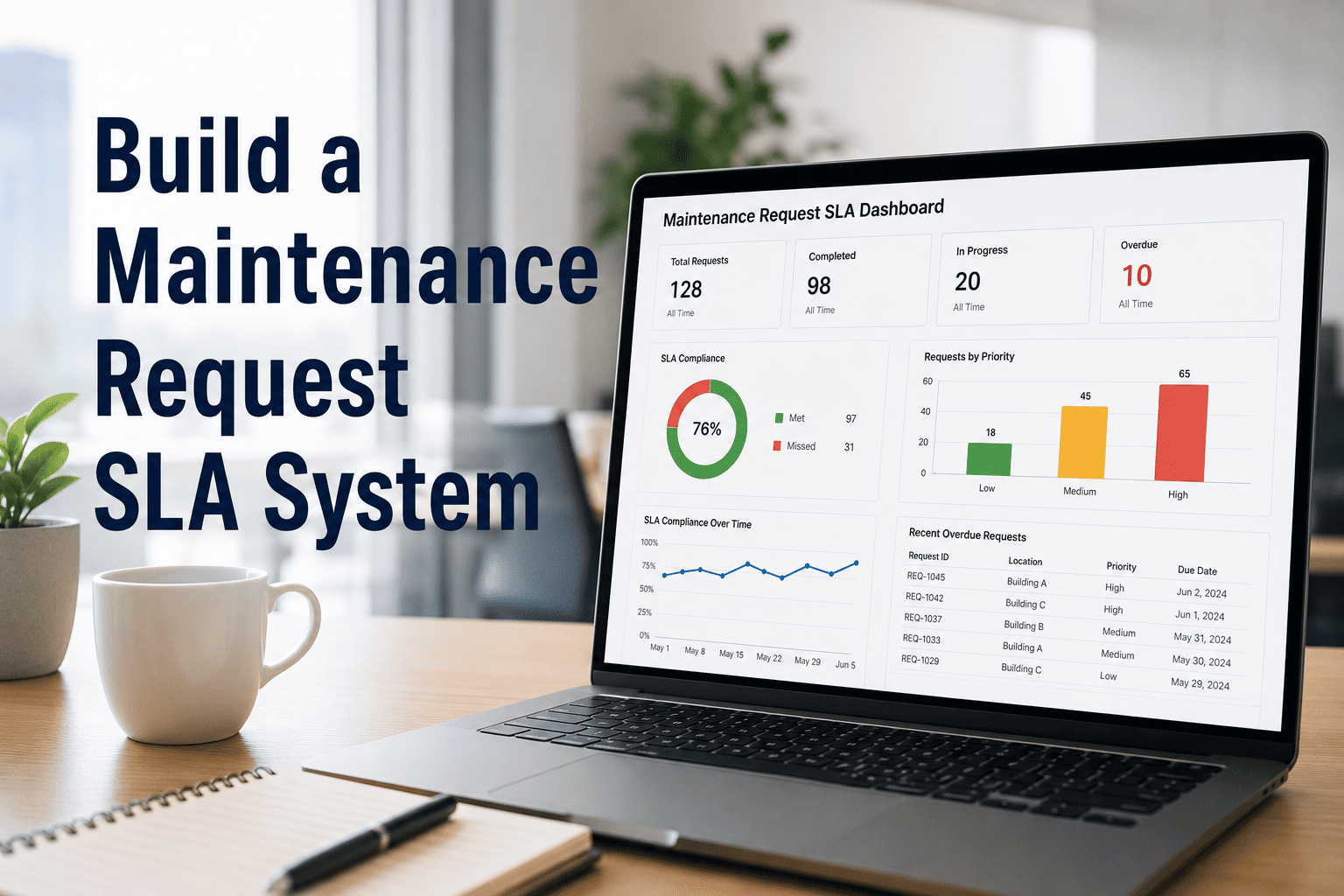
Maintenance requests without SLA targets are just noise — no accountability, no deadlines, no way to measure team performance. OxMaint's SLA tracking module gives maintenance managers the structure to define response windows, trigger escalations automatically, and report compliance to leadership every week without manual effort.
How to Build a Maintenance Request SLA System
Set response and resolution targets, configure escalation rules, categorize request types, and report compliance — so every maintenance request gets closed on time, every time.
5 Steps to Build Your SLA System
A working SLA system doesn't require complex software setup. It requires four decisions made clearly upfront — and a CMMS that enforces them automatically.
Group requests by impact: Safety-Critical, Production-Impacting, Non-Critical, Planned. Each category needs its own SLA clock. A leaking valve and a burnt-out office bulb shouldn't share the same 72-hour window.
Response time is when a technician acknowledges the request. Resolution time is when work is complete and verified. Both need separate targets. Industry standard: safety-critical = 1hr response / 4hr resolution. Planned = 48hr response.
If a critical request hits 50% of its SLA window without acknowledgment, it should auto-escalate to the supervisor. At 80%, the maintenance manager gets notified. Manual follow-up doesn't scale — automation does.
A request on a production-critical CNC machine should inherit a tighter SLA than the same request type on a spare compressor. Connect your asset register to request routing so priority is set by equipment, not by guesswork.
A good SLA system surfaces exactly two numbers every week: requests closed on time vs. total requests, and average resolution time by category. If your CMMS can't produce this report in under 2 minutes, your SLA isn't being tracked — it's just documented.
SLA Benchmark by Request Category
Use this industry baseline to set your initial targets. Adjust based on your shift structure, team size, and asset criticality classification.
| Request Category | Response Target | Resolution Target | Escalation Trigger | Compliance Benchmark |
|---|---|---|---|---|
| Safety-Critical | 15 – 30 min | 2 – 4 hrs | At 50% of window | ≥ 99% |
| Production-Impacting | 1 – 2 hrs | 4 – 8 hrs | At 60% of window | ≥ 95% |
| Facility / Comfort | 4 – 8 hrs | 24 – 48 hrs | At 75% of window | ≥ 90% |
| Planned / Routine | 24 – 48 hrs | 5 – 7 days | At 80% of window | ≥ 85% |
Set SLA Rules Once. OxMaint Enforces Them Automatically.
Configure response targets, resolution windows, and escalation rules in OxMaint. Every request gets a compliance clock. Every breach triggers an alert. Every week generates a report without manual effort.
What Good SLA Compliance Looks Like
These are the operational metrics that separate high-performing maintenance teams from reactive ones. Track all four monthly.
"Most maintenance teams aren't failing because of bad technicians — they're failing because there's no system telling anyone what 'on time' means. The moment you define SLA targets by category and publish compliance numbers weekly, behavior changes immediately. Technicians prioritize differently. Supervisors ask better questions. Backlog shrinks in 60 days or less. I've seen this pattern at every plant where SLAs were introduced properly."
— Maintenance Operations Consultant, 18 years in manufacturing and facilities management



.png)