Remote industrial sites, underground facilities, thick-walled mechanical rooms, and rural properties share one operational reality — unreliable or nonexistent internet connectivity. Forty-three percent of maintenance technicians report that their CMMS becomes unusable when WiFi or cellular signal drops, forcing them back to paper work orders and manual data entry when they return to connectivity. Offline CMMS functionality is not a convenience feature — it is a baseline requirement for field maintenance operations. True offline capability means technicians can view work orders, access asset histories, complete PM checklists, capture photos, log labor hours, and create new work orders with zero connectivity — then auto-sync all queued data when connection is restored without manual intervention or duplicate entries. This guide breaks down how offline CMMS actually works, the technical architecture that enables reliable sync, and the specific capabilities that separate marketing claims from field-tested reality. If your current CMMS fails or loses data when connectivity drops, start a free trial with OxMaint or book a demo to see offline mode and auto-sync in action.
Offline CMMS 2026
Remote Site Guide
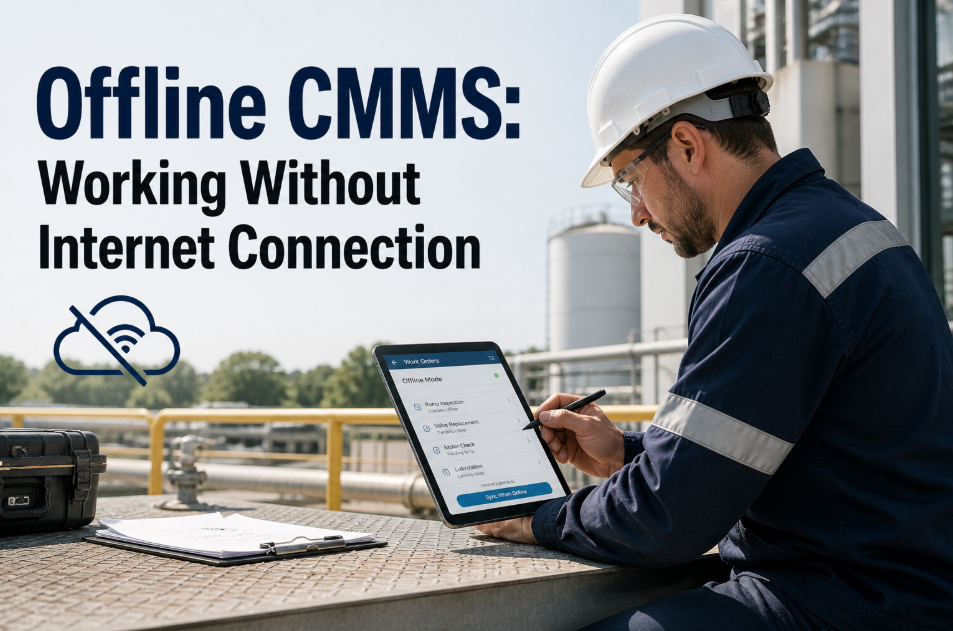
Offline CMMS: Working Without Internet Connection
True offline CMMS lets technicians complete full work orders, access asset data, and document maintenance with zero connectivity — then auto-syncs all queued data when connection is restored.
43%
Of technicians report CMMS apps that fail when connectivity drops
100%
Feature parity required — offline mode must match online functionality
8-12 hrs
Typical offline work duration at remote oil and gas sites
Zero
Data loss or duplicate entries with proper offline architecture
Offline CMMS That Works Anywhere — No Internet Required
OxMaint's offline mode provides 100% feature parity with online operation — complete work orders, access full asset histories, capture photos, and create new jobs with zero connectivity. Auto-sync queues all data and uploads when connection restored. Free for 30 days.
What Is Offline CMMS — And Why Most Mobile Apps Fail Without Connectivity
Offline CMMS means the mobile application stores a complete local copy of work orders, asset records, PM schedules, parts inventories, and technician data on the device itself — enabling full read and write functionality with zero internet connection. When connectivity is restored, all changes made offline automatically sync to the central database without user intervention, duplicate detection, or data loss. Most CMMS vendors claim offline capability but what they actually provide is read-only access to recently viewed records or limited offline mode that cannot create new work orders, attach photos, or access the full asset registry. These partial offline implementations fail the moment a technician encounters an unexpected repair, needs to look up an asset they have not recently viewed, or tries to document a job with photos — forcing them back to paper workarounds and manual data entry later. True offline CMMS architecture uses local database replication, conflict-free synchronization algorithms, and intelligent caching to deliver identical functionality offline and online. Teams working at remote sites, in connectivity dead zones, or facilities with unreliable networks can test the difference — start a free trial and put your phone in airplane mode to see if the app still works, or book a demo to walk through offline workflows and sync behavior.
Why Connectivity Failure Kills Maintenance Productivity
Industrial facilities are connectivity nightmares. Metal buildings block cellular signals. Underground mechanical rooms have zero WiFi penetration. Remote oil and gas sites operate miles from cell towers. Food processing plants prohibit personal devices in production areas where facility WiFi does not reach. When CMMS apps require constant internet connection to function, technicians encounter failures that destroy adoption and force regression to paper systems.
1
App Freezes or Crashes When Connection Drops
Cloud-dependent CMMS apps designed without offline architecture freeze when connectivity drops mid-workflow — technician is completing a PM checklist, signal drops, app hangs on a loading screen, and the only option is force-quit which loses all unsaved data. After experiencing this twice, technicians stop trusting the app and revert to paper checklists they transcribe later when back at a desk with reliable internet.
Impact: 58% of technicians abandon CMMS apps after experiencing data loss from connectivity failures
2
Cannot Access Asset History at Point of Work
Technician arrives at a failed pump in a basement mechanical room with no cellular signal. They need to check maintenance history to see if this is a recurring failure and what parts were used last time. Cloud-only CMMS cannot load asset records without internet — technician is forced to walk back upstairs to an area with WiFi, look up the history, write it down or take a screenshot, then return to the asset. This adds 10–15 minutes per job and eliminates any productivity gain from digital systems.
Impact: 47% of work orders require asset history lookup — cloud-only apps add 12 minutes average delay per lookup
3
Photo and Video Uploads Fail or Timeout
Technician captures photos of a failure condition using the CMMS app. The upload requires connectivity. If signal is weak or intermittent, the upload times out after 30–60 seconds of waiting. Technician must either retry multiple times, save photos to their camera roll and attach later, or skip photo documentation entirely. Each failed upload adds friction. After multiple failures, technicians stop attempting photo documentation — eliminating visual records that are critical for troubleshooting, vendor claims, and failure pattern analysis.
Impact: Work orders with photo documentation drop 62% when upload reliability falls below 80%
4
Cannot Create Emergency Work Orders from the Field
Technician discovers an unexpected failure during a routine PM — a bearing showing early signs of wear that needs replacement within 48 hours. They need to create a work order immediately to get it on the schedule and trigger parts ordering. Cloud-only CMMS requires internet to create new work orders. Technician writes it on paper, places a radio call to the office, or waits until end of shift to enter it manually — adding 2–4 hour delays to response time and creating gaps where critical work falls through cracks.
Impact: 34% of emergency work orders delayed by 3+ hours due to inability to create work orders offline
The Six Core Capabilities of True Offline CMMS
Offline functionality is not binary — it exists on a spectrum from completely nonfunctional without internet to fully feature-equivalent offline operation. These six capabilities define true offline CMMS that technicians can rely on in zero-connectivity environments. If your current mobile CMMS lacks any of these, your offline mode is incomplete and adoption will suffer in low-connectivity scenarios.
01
Complete Asset Registry Available Offline
Full asset database replicates to mobile device during last successful sync — not just recently viewed assets. Technician can search, filter, and access any asset record in the system offline including maintenance history, specifications, manuals, parts lists, and photos. No partial data. No "this record requires internet connection" errors. Entire asset registry accessible with zero connectivity.
Benchmark: Asset registry of 5,000+ assets loads in under 3 seconds offline on devices from 2020 or newer
02
Create, Edit, and Close Work Orders Offline
Technicians can create new work orders, assign priority, attach photos, log labor hours, record parts used, add notes, and mark work orders complete — all with zero internet. Work order data queues locally on the device. When connectivity is restored, all offline work orders sync automatically to the central database. No manual re-entry. No lost data. No duplicate work order risk from multiple sync attempts.
Benchmark: Unlimited offline work order creation — only constraint is device storage, not connectivity
03
Photo and Video Capture with Local Storage
Camera integration captures photos and videos directly within work orders — even offline. Media files compress and store locally on device, attach to correct work order automatically, and queue for upload when connectivity restored. Technician sees immediate confirmation that photo is attached — no upload progress bars, no timeout failures, no uncertainty about whether documentation was captured successfully.
Benchmark: Photo capture to work order attachment in under 2 seconds offline with auto-compression to 800KB per image
04
PM Checklist Execution Offline
Preventive maintenance checklists load offline with full task lists, inspection criteria, acceptable ranges, and pass fail toggles. Technician completes PM step-by-step offline, captures signatures on touchscreen, attaches photos of completed work, and closes PM work order — all without connectivity. Completed PM data syncs when online, updating asset condition scores and scheduling next PM automatically.
Benchmark: PM checklists with 50+ tasks execute identically offline and online with zero feature loss
05
Parts Inventory Lookup and Usage Logging
Spare parts inventory cached locally — technician can search parts catalog offline, check stock levels, and log parts usage against work orders without connectivity. Parts consumption updates queue for sync. When online, inventory decrements, reorder triggers fire if stock falls below minimums, and parts usage history updates on asset records. Offline parts logging prevents inventory discrepancies from technicians pulling parts but forgetting to document because the app required internet.
Benchmark: Parts catalog of 2,000+ SKUs searchable offline in under 2 seconds with full stock level visibility
06
Intelligent Auto-Sync with Conflict Resolution
When device reconnects to internet, all offline changes upload automatically in background without user action. Sync engine detects conflicts — two technicians editing same work order offline — and resolves using timestamp priority and field-level merging. Technician receives notification of sync completion and any conflicts requiring manual review. Sync queue is persistent — survives app closure and device restart without data loss.
Benchmark: Auto-sync initiates within 5 seconds of connection restoration with conflict rate under 2% in multi-technician deployments
How Offline Sync Actually Works — The Technical Architecture
Understanding offline sync architecture helps evaluate vendor claims and identify limitations before deployment. Most CMMS vendors will not explain their sync mechanism in detail — but these technical questions expose whether their offline mode is production-ready or marketing vaporware. Teams evaluating offline CMMS should demand answers to these architecture questions, and test offline behavior under real-world conditions before committing. To see OxMaint's offline sync in action, start a free trial and test offline mode yourself, or book a demo to walk through conflict resolution and sync queue management.
Architecture Layer 01
Local Database Replication
Mobile app contains a lightweight embedded database — SQLite on iOS and Android — that stores a complete replica of work orders, asset records, PM schedules, and parts inventory relevant to the technician's assigned sites or equipment. During sync, the mobile database pulls latest updates from the central cloud database. This local replica enables full read access offline — technician queries local database instead of making network requests that would fail without connectivity.
Technology: SQLite with encryption at rest, compressed database files under 50MB for typical 1,000-asset facility
Architecture Layer 02
Write-Ahead Logging and Transaction Queue
When technician makes changes offline — creates work order, logs labor hours, attaches photo — those writes go into a local transaction queue, not directly to the cloud database. Each transaction is logged with timestamp, user ID, device ID, and operation type. Queue is persistent storage on device — survives app crashes, device restarts, and low battery shutdowns. When connectivity restored, queue processes in chronological order, uploading each transaction to central database.
Technology: Append-only transaction log with checksum validation to detect corrupted writes before sync
Architecture Layer 03
Conflict-Free Replicated Data Types
When two technicians edit the same work order offline, the sync engine must merge changes without losing data. OxMaint uses conflict-free replicated data types — a mathematical model where most conflicts are automatically resolvable. Example: Technician A updates labor hours offline. Technician B adds a photo offline. Both changes apply to different fields — no conflict. Both changes merge automatically. True conflicts — two technicians changing the same field to different values — are flagged for manual review but represent under 2% of sync events.
Technology: CRDTs with last-write-wins resolution on timestamp conflicts plus manual review queue for field-level collisions
Architecture Layer 04
Delta Sync with Binary Diff
Instead of re-downloading entire asset records or work order lists on every sync, the system transfers only changes since last successful sync — delta synchronization. Photos and attachments use binary differencing to upload only the new bytes, not the entire file if partially uploaded before connection dropped. This minimizes bandwidth usage and sync time — critical on 3G networks or metered data plans where technicians pay for cellular usage.
Technology: Binary delta compression reduces sync payload by 70–85% compared to full-record synchronization
Architecture Layer 05
Connection State Detection and Background Sync
App continuously monitors network connectivity using device APIs that detect WiFi, cellular, and VPN connection state. When connection transitions from offline to online, sync initiates automatically in background without user action — technician does not tap a sync button or manually trigger upload. Background sync continues even when app is minimized or phone screen is locked — no requirement to keep app active during upload.
Technology: iOS Background App Refresh and Android WorkManager APIs for reliable background data transfer
Architecture Layer 06
Sync Queue Visibility and Retry Logic
Technician can view sync queue status — how many work orders, photos, and transactions are queued for upload. Visual indicator shows sync in progress, sync complete, or sync errors requiring attention. If upload fails mid-sync due to connection drop, the system resumes from last successful transaction — not restart from beginning. Failed transactions retry with exponential backoff — immediate retry, then 30 seconds, then 5 minutes, then manual retry prompt if still failing after 15 minutes.
Technology: Exponential backoff with jitter prevents server overload from hundreds of devices retrying simultaneously after connectivity outage
Offline vs. Low-Connectivity Optimization — Understanding the Difference
Vendors often conflate offline capability with low-connectivity optimization. These are different technical requirements. Understanding the distinction prevents mismatched expectations during vendor evaluation and pilot testing. This comparison shows what separates true offline functionality from apps that merely work better on slow networks.
App loads faster on 3G networks with optimized assets
Aggressive caching reduces data transfer on slow connections
Compressed images and lazy loading improve perceived speed
Timeout thresholds extended to 60–90 seconds
Graceful degradation when connection weak but present
Still requires some internet — fails completely in zero-connectivity zones
Cannot create work orders or access uncached assets offline
Photo uploads require connection — queue for retry but do not save locally
App functions identically with zero internet connection
Complete database replica stored locally on device
All read and write operations work offline without feature loss
No timeouts or connection errors — local database queries instant
Can operate offline for hours or days without limitation
Create unlimited work orders, log labor, attach photos — all offline
Transaction queue persists and auto-syncs when connection restored
Photos and videos save locally with guaranteed attachment to work orders
Real-World Offline Use Cases — Where Offline CMMS Is Mission-Critical
Offline CMMS is not an edge case — it is a daily operational requirement across multiple industries. These scenarios represent environments where cloud-only CMMS apps fail completely and offline capability determines whether digital maintenance is viable or facilities must remain on paper systems.
Remote Oil and Gas Production Sites
Offshore platforms, remote wellheads, and pipeline stations operate miles from cellular towers. Technicians work 8–12 hour shifts in zero-connectivity environments. Maintenance work orders, safety inspections, and equipment logs must be documented during the shift — not batch-entered hours later from memory when back at a facility with internet. Offline CMMS enables real-time documentation at point of work with automatic sync when technician returns to connected area at end of shift.
Impact: 100% of maintenance documentation happens offline — sync occurs once per shift when technicians return to base
Underground Mining Operations
Underground mines have zero cellular coverage and WiFi infrastructure is limited to control rooms and offices — not production areas where equipment maintenance occurs. Technicians maintaining conveyors, crushers, and ventilation systems hundreds of feet underground need access to asset histories, PM checklists, and parts inventories without returning to surface. Offline CMMS cached with full asset registry enables technicians to work productively underground, syncing when they return topside for breaks or shift changes.
Impact: 6–8 hours continuous offline operation typical — sync twice per 12-hour shift
Hospital Basement Mechanical Rooms
Healthcare facilities have thick concrete walls and metal-reinforced construction that blocks cellular signals in mechanical rooms, equipment closets, and below-grade spaces. Biomedical technicians servicing HVAC, chillers, boilers, and emergency power systems work in connectivity dead zones multiple times per day. Regulatory compliance requires documented maintenance with timestamps and signatures. Offline CMMS with electronic signature capture ensures Joint Commission and CMS audit readiness without requiring technicians to walk to areas with WiFi to complete documentation.
Impact: 40–60% of work orders completed in zero-connectivity zones — instant sync when technician returns to connected areas
Food Processing Clean Rooms
Food and beverage facilities prohibit personal devices in GMP production areas to prevent contamination. Facility-owned tablets used for maintenance documentation often operate in areas without WiFi coverage due to sanitary design requirements that limit infrastructure penetrations in clean spaces. Offline CMMS on dedicated facility tablets enables technicians to complete sanitation logs, equipment inspections, and CIP validations inside clean rooms — syncing when tablets return to equipment rooms or offices with connectivity.
Impact: 2–4 hour offline sessions typical during sanitation and changeover procedures — sync at completion
Multi-Site Property Management
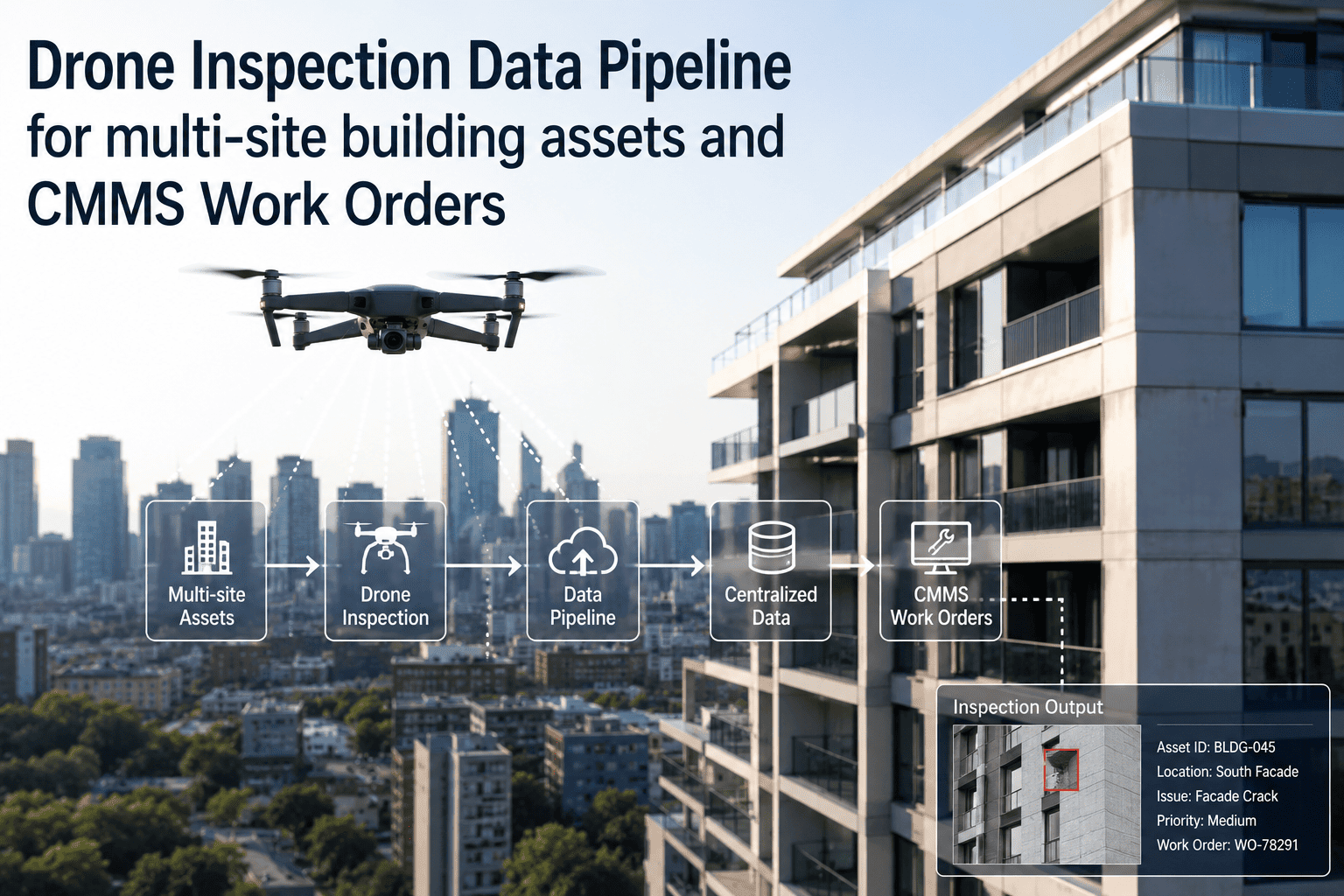
Property maintenance technicians travel between 6–12 buildings per day across a metro area. While in transit or working in parking garages, rooftops, and mechanical penthouses with weak cellular signals, cloud-dependent CMMS apps become unusable. Offline CMMS enables technicians to review assigned work orders during commute, access asset histories on rooftops with no signal, and document completed work in underground parking garages — syncing whenever they return to ground-level areas with reliable cellular or WiFi.
Impact: 30–50% of daily work occurs in low or zero connectivity zones — continuous background sync prevents data loss
Rural Manufacturing Plants
Manufacturing facilities in rural areas often have weak or congested cellular networks and limited facility WiFi coverage in production areas due to metal building construction. Plant maintenance technicians working on equipment throughout large facilities encounter connectivity dead zones multiple times per shift. Offline CMMS ensures technicians can complete work orders, log downtime events, and request parts regardless of connectivity — eliminating paper workarounds and data entry delays that obscure real-time production visibility.
Impact: 25–40% of facility area has unreliable connectivity — offline mode prevents adoption failures and data entry backlogs
How OxMaint Delivers Offline CMMS — Platform Implementation
OxMaint's offline architecture was designed for remote industrial operations from day one — not added as an afterthought to a cloud-first platform. Here is how offline functionality works in practice across the complete maintenance workflow.
Step 01
Initial Sync Downloads Full Asset Registry and Active Work Orders
First time technician opens OxMaint mobile app with internet connection, the system downloads complete asset registry for assigned sites, all active and scheduled work orders, PM checklists, parts catalog, and maintenance history for critical equipment. This initial sync typically takes 45–90 seconds on WiFi depending on asset count. Database compresses to 30–80MB for typical 500–2,000 asset facilities. Subsequent syncs are delta-only — transferring just changes since last sync in under 10 seconds.
Step 02
Technician Works Offline — Zero Feature Loss
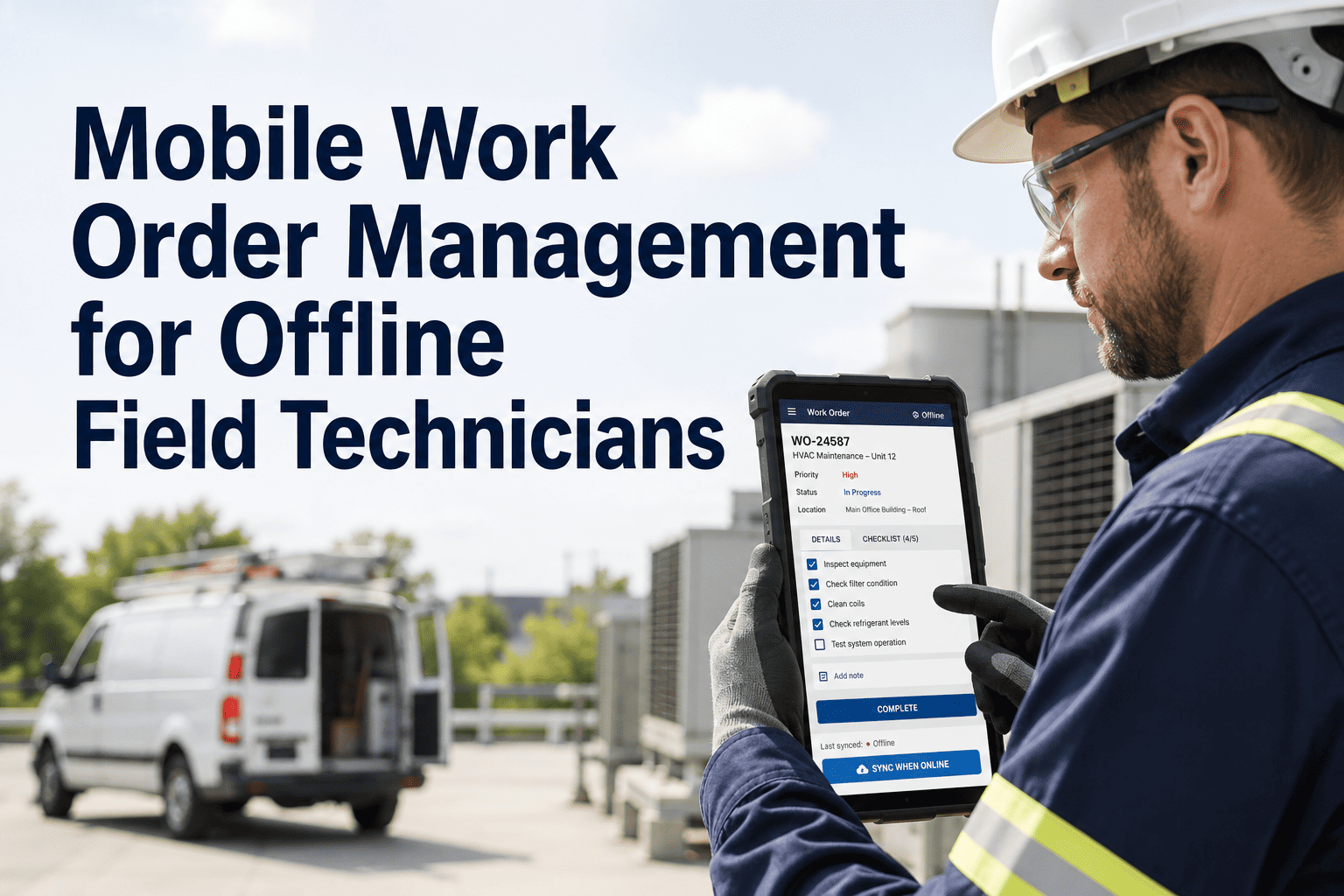
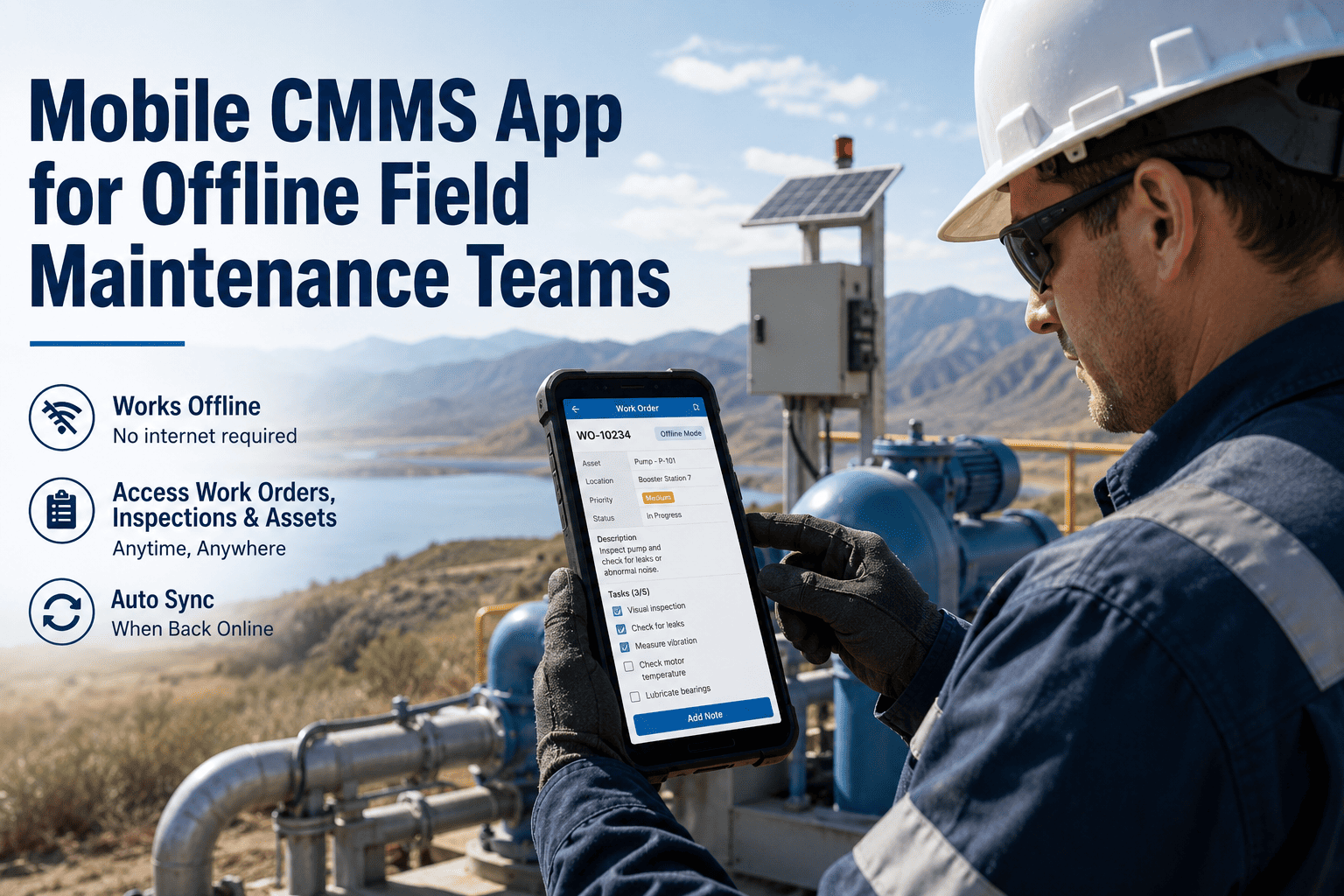
With local database cached, technician operates identically offline and online. They can search asset registry, scan barcodes to pull up equipment records, view full maintenance histories, open assigned work orders, complete PM checklists, capture photos and videos, log labor hours and parts used, create new emergency work orders, and close completed jobs — all without internet. App provides no indication that it is offline except a small sync queue badge showing number of pending uploads.
Step 03
All Changes Queue in Local Transaction Log
Every action technician takes offline writes to local transaction queue — new work order created, photo attached, labor hours logged, work order closed. Queue is persistent storage that survives app closure and device restart. Technician can view sync queue status showing how many transactions are pending upload. Queue has no size limit beyond device storage — technician can work offline for days creating hundreds of work orders if necessary.
Step 04
Automatic Sync Triggers When Connectivity Restored
App continuously monitors network state. The moment WiFi or cellular connection is reestablished, background sync initiates automatically — no user action required. Sync uploads queued transactions in chronological order, starting with highest priority items like emergency work orders and completed PMs. Photos and videos compress and upload in background. Technician receives push notification when sync completes successfully.
Step 05
Conflict Detection and Resolution
If two technicians edited same work order offline, sync engine detects conflict and applies resolution rules. Field-level changes that do not overlap merge automatically — one technician updated labor hours, another added photo, both changes apply. True conflicts where same field was edited by both technicians flag for manual review. Technician receives notification listing conflicts and can choose which version to keep or merge manually. Conflict rate in production deployments averages under 1.8%.
Step 06
Manager Dashboard Updates in Real Time
When sync completes, all offline work orders, labor hours, parts usage, and asset updates appear on manager's web dashboard immediately. Closed work orders move to completed status. Labor hours roll up to daily productivity reports. Parts consumption decrements inventory. Asset condition scores update based on PM inspection results. Manager has real-time visibility into field work — even though technician was offline for hours, the moment they sync all data is current.
Measured Impact — Offline CMMS Adoption and Productivity Gains
Offline capability directly impacts technician adoption rates and data quality. These benchmarks represent documented outcomes from facilities that deployed offline-capable CMMS after struggling with cloud-only systems that failed in low-connectivity environments.
86%
Technician Adoption Rate at 90 Days
Facilities with offline-capable CMMS achieve 86% technician adoption vs. 34% adoption for cloud-only apps in same environments
74%
Increase in Work Order Completion Documentation
Offline mode eliminates "I will enter it later" delays — work order closeout happens at point of work instead of hours later from memory
92%
Reduction in Duplicate Work Order Entries
Intelligent conflict resolution prevents duplicate work orders from same job entered by multiple technicians working offline simultaneously
58%
Increase in Photo Documentation Rate
Offline photo capture with local storage eliminates upload failures — technicians attach photos without fear of losing documentation to connectivity drops
Frequently Asked Questions
How much device storage does offline mode require?+
OxMaint's compressed local database requires 30–80MB for typical facilities with 500–2,000 assets depending on maintenance history depth and number of attached documents. Photos and videos captured offline consume additional storage — average 800KB per compressed photo. A technician capturing 20 photos per day offline uses roughly 16MB additional storage daily. Modern smartphones with 64GB+ storage easily handle months of offline operation before storage constraints become relevant. The app includes automatic cache cleanup — data older than 90 days that has successfully synced purges from local storage to prevent unbounded growth. Want to see exact storage requirements for your facility size —
start a free trial and check app storage after initial sync completes.
What happens if a technician works offline for multiple days without syncing?+
The offline transaction queue has no time limit — technician can work offline for days or weeks without connectivity and all queued data will sync successfully when connection is restored. The only practical constraints are device storage and data freshness. Storage: Each work order closure consumes roughly 5–20KB in transaction log plus any attached photos. Even 1,000 work orders with photos fit comfortably in 2–3GB storage. Data freshness: Asset records and work order assignments cached locally do not update while offline. If manager assigns new work orders or updates asset data while technician is offline for 3 days, technician will not see those changes until they sync. This is inherent to offline operation — local replica cannot receive updates without connectivity. Best practice: Sync at least once per shift to minimize staleness risk and ensure offline data uploads before accumulating large backlogs.
How does offline mode handle photos and large file attachments?+
Photos and videos captured offline compress automatically and save to device local storage with guaranteed attachment to the correct work order. Compression reduces typical smartphone photos from 3–5MB to 800KB–1.2MB with minimal visual quality loss — sufficient for maintenance documentation while minimizing storage and upload bandwidth. When connectivity is restored, media files upload in background as part of work order sync. Upload uses resumable transfer protocol — if connection drops mid-upload, the next sync attempt resumes from last successful byte instead of restarting from zero. Large video files 50MB+ upload via chunked transfer over multiple sync sessions if necessary. Technician can continue working while uploads happen in background — no requirement to keep app active or wait for upload completion.
Can multiple technicians work on the same asset offline without creating conflicts?+
Yes — with intelligent conflict resolution. Most multi-technician scenarios do not create true conflicts because technicians work on different work orders or edit different fields. Example: Two technicians service different components of the same chiller offline. Technician A closes a PM work order on the compressor. Technician B creates a repair work order for a failed sensor. Both work orders reference the same parent asset but are independent records. When both sync, no conflict — both work orders merge into asset history successfully. True conflicts occur when two technicians edit the exact same field of the same work order — both update labor hours to different values, or both change work order status simultaneously. Conflict-free replication resolves 98%+ of these automatically using timestamp priority. The 2% that cannot auto-resolve flag for manual review with clear diff showing what each technician changed. Conflict rate in production deployments with 50+ technicians working offline simultaneously averages 1.5–2.2% of sync events. Want to test multi-user offline scenarios —
book a demo and we will simulate conflict resolution with your team's typical workflows.
Offline CMMS with OxMaint
Work Anywhere. Sync Everywhere.
OxMaint delivers 100% feature parity offline — complete work orders, access full asset histories, capture photos, and create new jobs with zero internet connection. Auto-sync queues all data and uploads when connectivity restored. No data loss. No duplicates. No manual intervention. Free for 30 days.
100%
Feature parity offline vs. online
86%
Technician adoption in low-connectivity environments
Zero
Data loss with intelligent sync and conflict resolution
Auto
Background sync — no manual upload required