Preventive maintenance scheduling is the single decision that determines whether your operation spends the next 12 months ahead of failures or behind them. Get the scheduling strategy right — the right intervals, the right triggers, the right escalation rules — and PM compliance climbs above 90%, unplanned failures drop by 30–40%, and maintenance cost per asset trends downward quarter over quarter. Get it wrong — calendar-based schedules that ignore actual usage, fixed intervals that over-maintain some assets while under-maintaining others, no dual-trigger logic for mixed-use equipment — and PM compliance hovers at 55–65%, reactive repairs dominate the budget, and every capital request is weakened by the suspicion that deferred maintenance was preventable. The difference between these two outcomes is not the number of technicians, the quality of parts, or the age of the equipment. It is the scheduling methodology and the system used to execute it. In 2026, the best-performing operations use multi-trigger PM scheduling built on usage data, condition signals, and OEM specifications — not just calendar dates. Platforms like Oxmaint's AI PM Builder generate PM schedules directly from asset manuals, historical failure data, and production counters — producing the right intervals for every asset without manual calculation. See how it works for your asset portfolio — start a free trial or book a demo today.
Preventive Maintenance Scheduling Best Practices 2026
Time-based, usage-based, condition-based, and AI-optimized PM scheduling — the complete framework for intervals, triggers, and execution that delivers 90%+ PM compliance consistently.
The 3 PM Scheduling Strategies — and When to Use Each
No single PM scheduling strategy is optimal for every asset type. High-performing maintenance programs match the scheduling approach to the asset — using time-based intervals for low-criticality equipment, usage-based triggers for production assets, and condition-based schedules for expensive critical systems where over-maintenance costs as much as under-maintenance. Understanding when each strategy applies is the foundation of an efficient PM program.
PM Scheduling Strategy Comparison
Match the right PM strategy to the right asset. Using the same approach for every asset wastes resources on low-risk equipment and under-maintains high-risk ones.
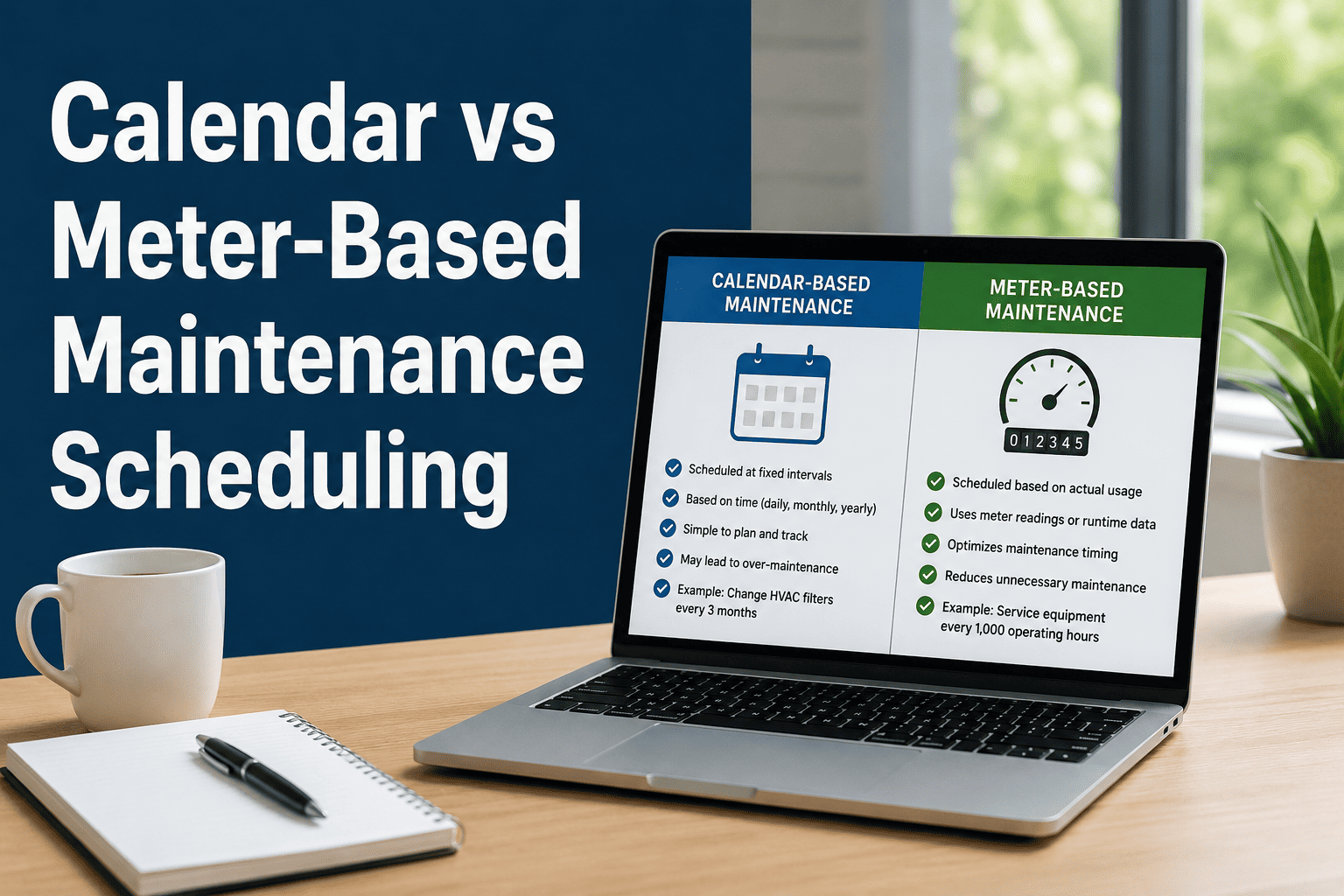
PMs scheduled at fixed calendar intervals — daily, weekly, monthly, quarterly, annually — regardless of actual equipment usage. Simple to manage, easy to communicate, requires no production data integration.
PMs triggered when an asset reaches a specific usage threshold — mileage, runtime hours, cycle count, stroke count, unit production. Intervals based on actual wear rather than elapsed time.
PMs triggered when a measurable condition parameter crosses a defined threshold — vibration amplitude, temperature rise, oil particle count, insulation resistance. Maintenance when needed, not on a fixed schedule.
PM triggered by whichever threshold arrives first — calendar interval or usage counter. A vehicle oil change at 5,000 miles OR 6 months, whichever comes first. Catches high-use assets that hit usage thresholds before calendar dates and low-use assets that reach calendar intervals before usage thresholds.
How to Set the Right PM Intervals for Every Asset
PM intervals set from guesswork or copied from a generic template produce compliance theater — PMs completed on schedule but not aligned to actual failure risk. Use this 4-source approach to set intervals that are defensible, accurate, and continuously improving.
Start with manufacturer-recommended intervals from the equipment manual. These represent the baseline safety requirement — do not extend beyond OEM specs without documented justification. OEM intervals are typically conservative but provide the defensible starting point for regulatory compliance and warranty protection.
Mean Time Between Failures calculated from your own work order history tells you the actual interval at which each asset type fails under your operating conditions. Set PM intervals at 70–80% of observed MTBF — catching the asset before the failure distribution begins to peak. This is the most operationally accurate interval source you have.
Industry PM benchmark databases (APPA for facilities, ATA for vehicles, SEMI for semiconductor equipment) provide peer-comparison intervals for standard asset types. Benchmark data is most useful when you lack sufficient historical failure data — it provides a reasonable starting interval before your own data is statistically significant.
Review PM intervals quarterly against failure data. Extend intervals on assets that consistently complete PMs with zero findings — reducing over-maintenance cost. Shorten intervals on assets with repeat failures between PMs — catching deterioration earlier. This iteration loop drives PM programs from generic schedules to operationally tuned precision over 12–24 months.
The 6 Most Costly PM Scheduling Mistakes in 2026
These mistakes are the most common reasons PM programs underperform despite adequate staffing and resources. Each one has a direct fix.
A stamping press running 3 shifts per day hits its wear threshold 3x faster than one running 1 shift — but both get the same 90-day PM. Fix: usage-based or dual-trigger scheduling tied to production counters.
A quarterly HVAC filter PM designed for a generic office building is wrong for a paint booth environment and wrong for a cleanroom — same asset type, completely different contamination rates. Fix: environment-specific interval setting using actual condition data.
When a PM is missed with no system consequence — no alert, no escalation, no automatic reschedule — it simply disappears from the queue. Assets accumulate multiple missed PMs silently. Fix: CMMS-enforced overdue alerts with mandatory reschedule decisions.
Safety-critical PMs — fire suppression tests, elevator certifications, safety relief valve checks — should be treated as mandatory with zero deferral tolerance. Treating them identically to routine lubrication checks creates regulatory exposure. Fix: mandatory compliance flags on safety PMs with escalation enforcement.
Intervals set in year one that are never reviewed in years two, three, and four produce stale schedules. Assets that have not failed in 3 years of quarterly PMs may sustain with annual PMs — freeing technician hours for higher-value work. Fix: quarterly interval review using MTBF data from CMMS work order history.
Scheduling a 4-hour PM during peak production requires line shutdown that costs more than the PM saves. Scheduling it during a planned shutdown makes the PM essentially free. Fix: CMMS PM scheduling integrated with production calendars, shutdown windows, and maintenance access blackouts.
How Oxmaint's AI PM Builder Changes Scheduling Forever
Traditional PM scheduling requires a maintenance manager to manually research OEM specs, calculate intervals, and configure schedules for every asset. Oxmaint's AI PM Builder eliminates that work entirely.
Upload the OEM manual PDF or enter the equipment model. AI PM Builder reads the maintenance section and extracts every PM task, interval, and specification automatically — no manual reading required.
Within minutes, a complete PM schedule is generated — tasks organized by frequency, intervals set from OEM specs, parts requirements identified, estimated labor hours assigned per task.
Choose trigger type (calendar, usage, dual), set production window constraints, assign the technician skill requirement, and link parts to each task. Production-based triggers connect to IoT counters automatically.
Once active, the schedule generates work orders automatically. As failure data accumulates, interval optimization recommendations are generated quarterly — the schedule improves over time without manual analysis.
What Optimized PM Scheduling Delivers
Frequently Asked Questions
How do I know if my current PM intervals are right or wrong?
What is the difference between a PM and a predictive maintenance task?
How do I manage PM scheduling for seasonal equipment with variable operating periods?
How many PM templates does Oxmaint provide out of the box?
Stop Guessing PM Intervals. Let Your Data Set Them.
Calendar-based PM schedules that ignore actual usage produce over-maintained low-risk assets and under-maintained high-risk ones. Oxmaint's AI PM Builder generates schedules from OEM manuals and your own failure history, dual-trigger logic catches assets before they fail, and quarterly interval optimization continuously improves your PM program without manual analysis. Most operations see PM compliance improvement within 60 days of adoption.