Every 60 seconds a maintenance request goes unreported, a facility loses an average of $17,000 in hidden downtime costs. Across manufacturing floors, commercial buildings, hospitals, and warehouses worldwide, the gap between discovering an equipment fault and getting it into the maintenance system remains the single biggest bottleneck in operational reliability. QR code-based maintenance requests are closing that gap to zero. A technician spots a leaking pump, scans the QR code on the asset, and a fully contextualized work order — complete with equipment history, location, and fault category — lands in the CMMS within 3 seconds. No paperwork. No walking back to an office. No radio calls that get lost in shift changes. With over 2.9 billion QR code users globally in 2025 and 84% of smartphone users having scanned a QR code at least once, this is the reporting method your workforce already knows how to use.
MAINTENANCE TECHNOLOGY
QR Code-Based Maintenance Requests: The Fastest Way to Report Equipment Issues
Replace paper forms, phone calls, and email chains with instant scan-to-report workflows that cut mean time to repair by up to 50%.
⚡
3 sec
Average time from scan to submitted work order
⏳
80%
Reduction in issue reporting time vs. paper systems
?
2.9B+
Global QR code users in 2025
?
50%
Typical MTTR reduction with QR + CMMS integration
01
What Are QR Code Maintenance Requests?
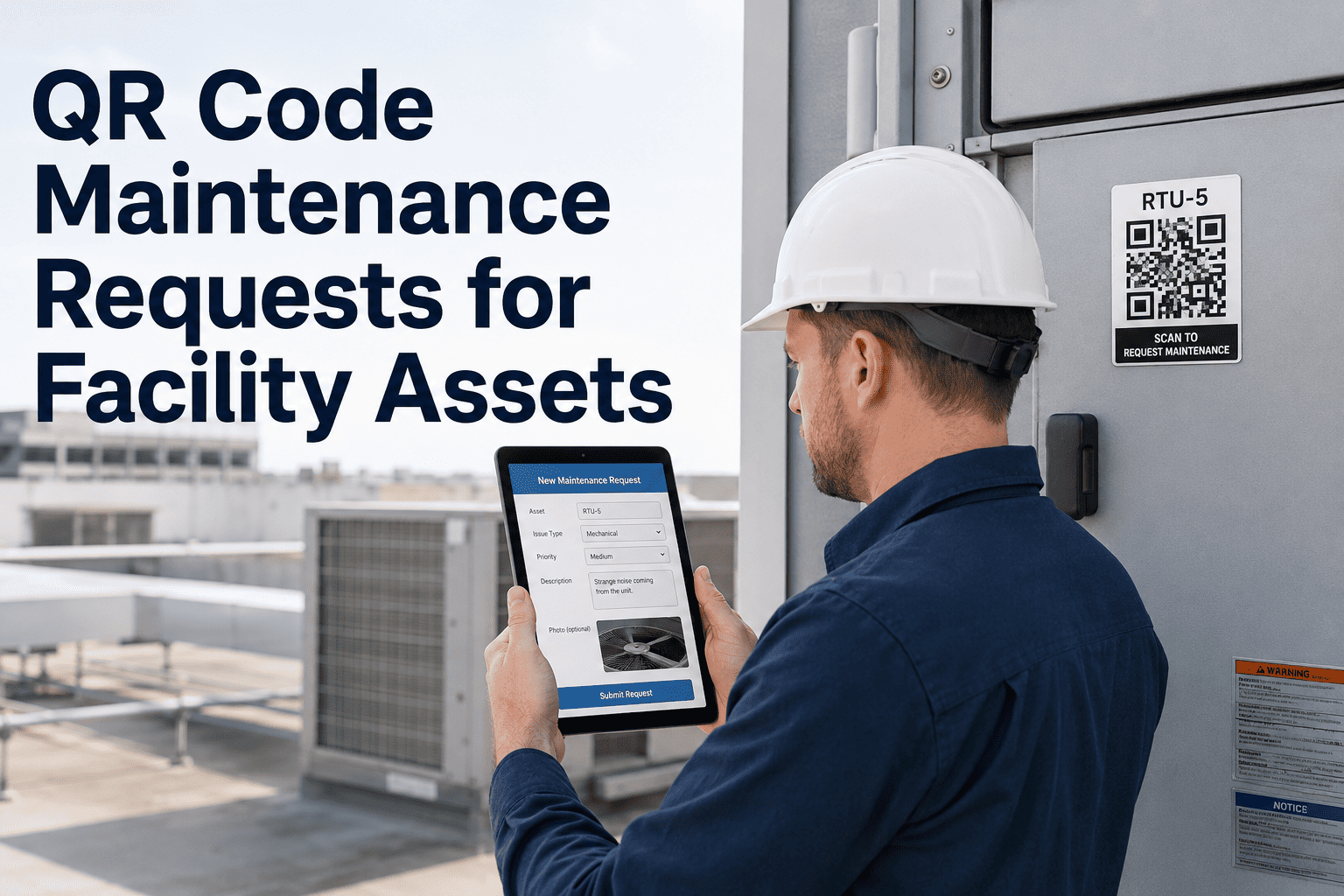
A QR code maintenance request is a digital work order initiated by scanning a Quick Response code physically attached to a piece of equipment or facility asset. The QR code acts as a bridge between the physical asset and its complete digital profile inside a Computerized Maintenance Management System (CMMS). When any worker — not just maintenance technicians — scans the code using a standard smartphone camera, the system instantly identifies the asset and presents a structured fault-reporting form pre-loaded with that asset's location, specifications, maintenance history, and open work orders.
This is fundamentally different from a generic "submit a ticket" web form. The QR code eliminates the most error-prone and time-consuming parts of maintenance reporting: manually identifying which asset has the problem, looking up its location code, finding the right form, and routing the request to the correct team. All of that happens automatically the moment the code is scanned.
Anatomy of a QR Code Maintenance Request
Captured Automatically
Asset ID, location, equipment type, criticality rating, assigned technician group, last maintenance date, open PM schedules, installed spare parts list
Entered by Reporter
Fault category (from pre-configured dropdown), severity level, text description, photo or video attachment of the issue
Added by System
Timestamp, reporter identity, GPS coordinates, device info, automatic priority scoring, routing assignment, escalation timer
The result is a maintenance request that contains 5 to 10 times more useful data than a paper-based or phone-call report — submitted in a fraction of the time. Sign up for Oxmaint free to generate QR codes for every asset in your facility and start receiving structured, data-rich maintenance requests within minutes.
02
Why Traditional Maintenance Reporting Fails
Before understanding why QR codes represent such a leap forward, it is worth examining exactly where conventional reporting methods break down. The failure points are not abstract — they are measurable losses that compound across every shift, every day, in every facility still relying on manual processes.
Forms get lost, damaged by oil, water, or dust
Illegible handwriting causes misidentified assets
10–30 minute delay to walk to office and fill form
No photo evidence of the reported condition
Supervisor must manually read, interpret, and assign
Zero audit trail — impossible to prove when reported
Data never enters CMMS unless manually re-keyed
Verbal descriptions are vague and inconsistent
Details lost during shift handovers
No structured fault categorization
Dispatcher becomes a bottleneck during peak hours
Asset identification relies on memory
No timestamp or accountability record
Technician arrives without asset history or parts info
Requires leaving the equipment location
Complex navigation discourages non-technical users
Login credentials forgotten in the field
Asset search requires knowing exact naming conventions
Photo upload from phone to desktop is cumbersome
Only trained personnel submit — operators avoid it
Minor issues go unreported due to effort threshold
The common thread across every traditional method is friction. And friction kills reporting rates. Studies show that manual inspection rounds miss approximately 40% of equipment issues that digitized monitoring catches — not because the problems are invisible, but because the effort to report them exceeds the perceived urgency. QR codes reduce that reporting effort to a 3-second scan, which means even minor anomalies get logged before they escalate into production-stopping failures.
03
How the Scan-to-Report Workflow Operates
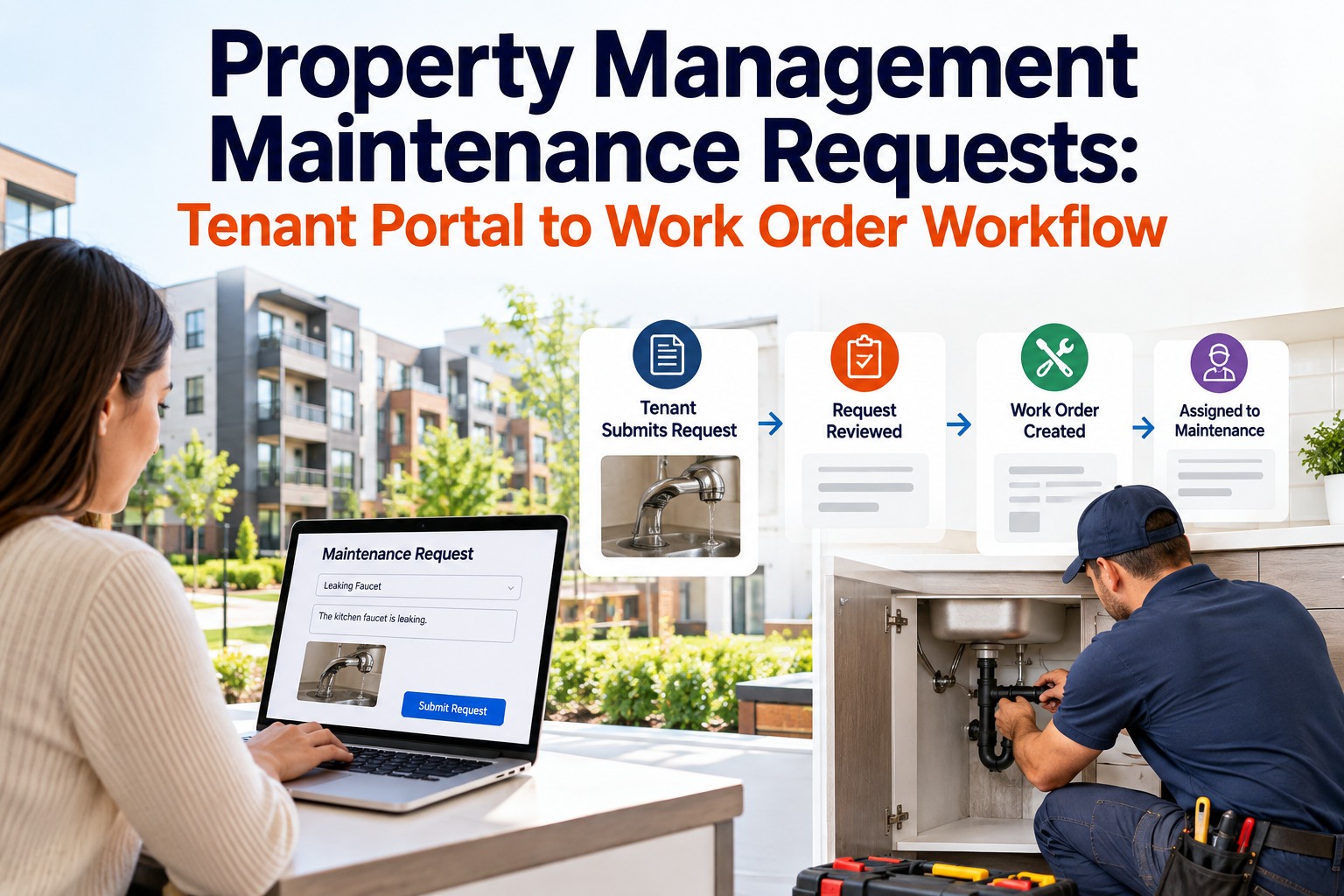
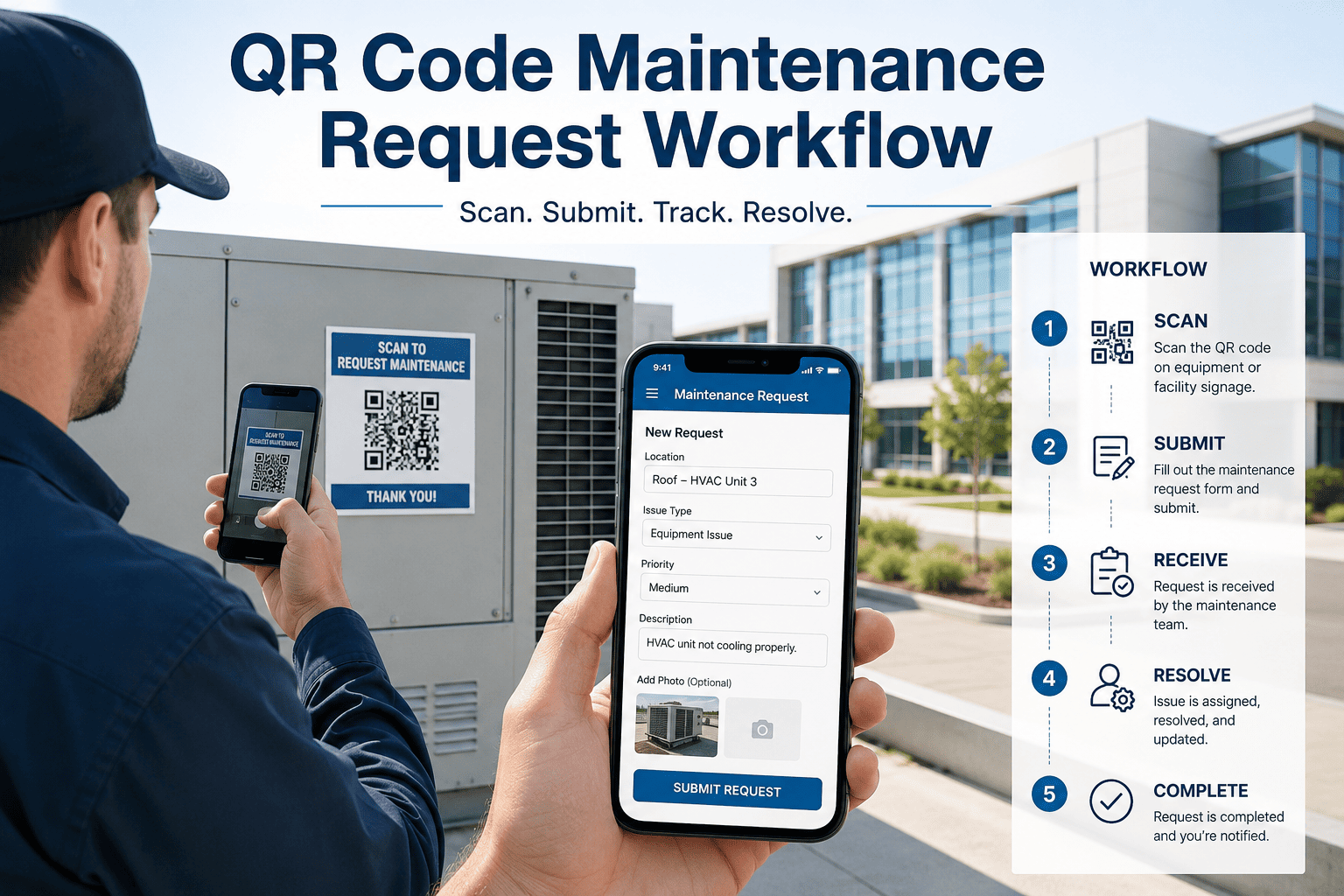
The scan-to-report workflow is designed to be so fast and intuitive that any person on a facility floor can submit a fully structured maintenance request without training. Here is exactly what happens from the moment a problem is discovered to the moment a technician begins repair work.
1
Discover the Issue
An operator, technician, contractor, or facility visitor notices an equipment problem — unusual noise, visible leak, warning light, physical damage, or performance degradation.
2
Scan the Asset QR Code
Open the smartphone camera and point it at the QR code label attached to the equipment. No app download required — native camera scanning works on every modern iOS and Android device. The scan takes under 3 seconds.
3
Auto-Populated Request Form
The CMMS instantly loads the asset's digital profile and presents a structured request form. Equipment name, location, asset ID, criticality, and assigned maintenance group are pre-filled. The reporter selects a fault category from a dropdown, adds a short description, and optionally attaches a photo.
4
Intelligent Auto-Routing
The CMMS routes the request to the correct technician or team based on fault type, asset criticality, shift schedule, and technician skill matrix. High-priority assets trigger immediate push notifications. Escalation timers start automatically if the request is not acknowledged within the configured SLA window.
5
Technician Receives Full Context
The assigned technician gets a mobile notification with the complete work order — including the reporter's photo, the asset's recent maintenance history, known failure patterns, required tools, and available spare parts. They arrive at the asset fully prepared, not guessing.
6
Tracked Resolution and Close-Out
Every action from diagnosis through repair completion is logged with timestamps. The technician scans the QR code again to close the work order, adds completion notes and photos, and the full lifecycle is permanently recorded in the asset's maintenance history.
This entire sequence — from discovery to technician dispatch — typically completes in under 5 minutes. Compare that to the 2-to-6-hour average for paper-based systems, and the operational impact becomes immediately clear. Book a free Oxmaint demo to see this exact workflow running with your own asset data.
Turn Every Smartphone Into a Maintenance Reporting Tool
Oxmaint generates unique QR codes for every asset, auto-routes work orders to the right technician, and captures photo evidence — all from a single scan. Setup takes less than 10 minutes.
04
Measurable Operational Benefits
QR code maintenance requests deliver quantifiable improvements across every maintenance KPI that matters. These are not incremental gains — they represent structural changes in how maintenance information flows through an organization. Facilities that start a free Oxmaint trial are seeing these improvements quantified in their dashboards within the first month of deployment.
SPEED
80% Faster Issue Reporting
Paper-based reporting takes 10 to 30 minutes per request when you include walking time, form retrieval, and manual data entry. QR code requests complete in under 60 seconds, including photo attachment. For a facility processing 20 maintenance requests per day, that recovery alone saves 3 to 10 labor hours daily.
ACCURACY
Zero Asset Misidentification
Manual reporting relies on technicians correctly identifying equipment by name, tag number, or location code — a process prone to errors in large facilities with hundreds of similar-looking assets. QR scanning eliminates this entirely: the code links directly to the correct asset profile, ensuring every work order targets the right equipment.
VISIBILITY
100% Digital Audit Trail
Every QR-initiated request creates a timestamped, geo-tagged record with reporter identity, photo documentation, and complete routing history. This provides the traceable documentation required for ISO 55001 asset management, OSHA safety compliance, and insurance claim substantiation.
COVERAGE
5x More People Reporting Issues
When reporting requires no training, no special app, and no system credentials, every person on the facility floor becomes a fault detector. Operators, cleaners, contractors, and visitors can all scan and report — dramatically expanding the early-detection surface area beyond just the maintenance team.
COST
18–25% Lower Spare Parts Costs
Faster reporting leads to faster diagnosis, which means more equipment failures are caught early enough to use planned procurement channels instead of emergency orders. In 2025, emergency spare parts cost 18% to 25% more than planned purchases — a premium that compounds rapidly across an entire facility.
MTTR
30–50% Reduction in Mean Time to Repair
When technicians arrive at an asset with full history, photo evidence of the current condition, known failure patterns, and parts availability information already on their phone, diagnostic time drops dramatically. First-time fix rates improve because the right parts and tools are brought on the first visit.
05
The Data Behind QR Maintenance Adoption
QR code technology has moved well beyond consumer novelty. The industrial and facility maintenance adoption curve is accelerating, driven by smartphone ubiquity, zero-training scanning, and measurable ROI that pays back within months.
2.9B
People worldwide using QR codes
84%
Of mobile users have scanned a QR code at least once
1T+
QR codes scanned globally in 2025
433%
Usage growth between 2020 and 2023
$260B
Annual cost of unplanned downtime across manufacturing (Siemens)
82%
Of companies experienced at least one unplanned downtime event in the last 3 years
40%
Of equipment issues missed by manual inspection rounds vs. digitized monitoring
8–12%
Cost savings of predictive over preventive maintenance (U.S. Dept. of Energy)
ROI Model: QR + CMMS Implementation (Per Facility/Year)
Avg. Time to Report an Issue
25–45 minutes
Under 60 seconds
80% faster
Mean Time to Repair (MTTR)
4.5 hours
2.2 hours
50% reduction
Work Orders with Photo Evidence
8%
92%
11.5x increase
Asset Misidentification Rate
12–18%
0%
Eliminated
Unplanned Downtime Events
Baseline
30–50% fewer
Major savings
Spare Parts Emergency Orders
Baseline
18–25% fewer
Cost reduction
The financial case writes itself. For a mid-size manufacturing facility losing $50,000 per hour of unplanned downtime, even a 30% reduction in downtime events through faster reporting and smarter routing translates to hundreds of thousands in annual savings. Sign up for Oxmaint to run these numbers against your own facility data with a personalized ROI calculation.
06
Implementation Roadmap
Deploying QR code maintenance requests does not require a major IT project. With a cloud-based CMMS, most facilities go from zero to fully operational in 2 to 4 weeks. Here is the practical sequence that leading operations teams follow.
WEEK 1
Asset Audit and Prioritization
Walk every production area and catalog assets that generate the most maintenance requests or carry the highest downtime risk. Assign criticality ratings (critical / essential / general) and document current location codes. Start with your top 20 failure-prone assets — you do not need to tag everything on day one.
WEEK 2
CMMS Configuration and Asset Registration
Register each asset in the CMMS with its complete digital profile: location, manufacturer data, maintenance intervals, spare parts lists, and known failure modes. Configure fault category dropdowns specific to your operation, auto-routing rules based on fault type and shift schedule, and SLA escalation timers for critical equipment.
WEEK 3
QR Code Printing and Physical Deployment
Generate dynamic QR codes from the CMMS for every registered asset. Select label materials appropriate for your environment — standard polyester for offices and warehouses, high-temperature-rated materials for harsh industrial zones, aluminum plates for permanent outdoor installations. Mount at eye level near the operator access side of each asset.
WEEK 4
Workforce Onboarding and Full Launch
Brief all facility personnel on the scan-and-report process. The training session typically takes under 15 minutes because the workflow is as intuitive as scanning any consumer QR code. Run a 3-day pilot on one production line or building zone, refine any routing rules, then expand facility-wide. Track adoption metrics: scans per shift, time to first response, completion rate.
Book a personalized Oxmaint demo to see pre-built asset templates, auto-generated QR codes, and configurable work order routing that gets your first QR-enabled maintenance request live within 10 minutes of account creation.
07
Best Practices for Durability and Scanning Reliability
QR code maintenance systems are only effective if the codes remain scannable in real-world operating conditions. Whether your environment is a clean hospital corridor or a dusty industrial floor, these practices ensure long-term reliability.
01
Match Label Material to Environment
Standard adhesive labels work in offices and climate-controlled warehouses. For environments with heat, moisture, chemicals, or abrasion, upgrade to polyester, ceramic, or anodized aluminum labels. Laser-etched metal plates are virtually indestructible for the most extreme conditions.
02
Use Dynamic QR Codes, Not Static
Dynamic codes let you update what information the scan displays without reprinting or replacing the physical label. When an asset is relocated, its maintenance protocol changes, or a new CMMS URL is configured, the same label continues to work. This eliminates the ongoing cost and effort of reprinting codes.
03
Position for Quick, Unobstructed Scanning
Place QR labels at chest-to-eye height on the operator-access side of equipment. Avoid recessed surfaces, areas behind safety guards, or spots prone to heavy grease or fluid splashing. For large assets, deploy multiple codes at different access points so workers can scan from whichever approach they use.
04
Ensure Offline Capability
Many facility areas — basements, tunnels, shielded equipment rooms — have poor or no cellular connectivity. Your CMMS must support offline QR scanning with local data caching and automatic sync when the device reconnects. No maintenance request should ever be lost to a dead zone.
05
Standardize Fault Categories
Pre-configure a fault taxonomy in the CMMS so reporters select from structured dropdowns — not free-text entry. Categories like "abnormal vibration," "fluid leak," "electrical fault," "structural damage," and "safety hazard" create consistent, analyzable data across thousands of work orders.
06
Encourage Photo Documentation as Default
Make photo attachment a prominent step in the scan-to-report form (though not mandatory — you do not want friction to discourage reporting). Visual evidence dramatically improves diagnostic accuracy and reduces technician trips. Facilities using QR + photo workflows see work order photo documentation rates jump from under 10% to over 90%.
See QR Maintenance Requests in Action
Generate asset-specific QR codes, auto-route work orders by fault type and technician skill, capture photo evidence, and track every request from scan to completion. Oxmaint works on any smartphone, in any facility, with zero app downloads required.
08
Frequently Asked Questions
Do workers need to download a special app to scan QR codes and submit requests?
+
No. Every modern smartphone (iOS 11+ and Android 8+) can scan QR codes natively through the built-in camera app. The CMMS web interface loads instantly after scanning. No app download, no login credentials, and no training are required. The process is identical to scanning any consumer QR code — your workforce already knows how to do it.
What happens if there is no WiFi or cellular signal where the equipment is located?
+
A well-designed CMMS supports full offline functionality. Workers can scan the QR code, complete the fault report, and attach photos while completely offline. All data is cached locally on the device and syncs automatically when connectivity is restored — with original timestamps preserved. No report is ever lost due to a network dead zone.
How long do QR code labels last in harsh industrial environments?
+
Durability depends entirely on material selection. Standard adhesive labels last 1 to 2 years in clean environments. Polyester labels withstand temperatures up to 150°C and chemical exposure for 5+ years. Anodized aluminum plates and laser-etched metal tags are effectively permanent — rated for extreme heat, UV, moisture, and mechanical abrasion. For harsh environments, always invest in industrial-grade label materials.
Can QR codes integrate with an existing CMMS or do we need to switch platforms?
+
Most modern cloud-based CMMS platforms include built-in QR code generation and scanning as a standard feature. If your current CMMS supports API integration, you can connect a QR scanning layer without replacing your entire system. However, if your CMMS is desktop-only or lacks mobile capabilities, this is an excellent trigger to evaluate cloud-based platforms that include native QR functionality.
How quickly can we deploy QR code maintenance requests across our facility?
+
With a cloud-based CMMS, initial deployment covering critical assets typically takes 2 to 4 weeks. Week one is asset auditing and registration. Week two is CMMS configuration. Week three covers QR code printing, physical installation, and workflow testing. Week four is workforce onboarding and full launch. Many facilities have their first QR-enabled work order submitted within hours of starting setup.
What data is automatically captured when someone scans a QR code to report an issue?
+
The system automatically captures: asset identity and location (from the QR code), timestamp, reporter identity, GPS coordinates of the scan, and the device information. It also pulls in the asset's complete maintenance history, open work orders, scheduled PM tasks, and spare parts inventory. The reporter then adds fault category, description, severity level, and optional photo or video evidence.
Is QR code maintenance reporting suitable for compliance and regulatory audits?
+
Absolutely. Every QR-initiated maintenance request creates a complete, tamper-resistant digital audit trail including timestamps, reporter identity, photo evidence, routing history, and electronic sign-off at each workflow stage. This level of documentation satisfies requirements for ISO 55001 asset management, OSHA workplace safety, ISO 14001 environmental management, and insurance compliance inspections.