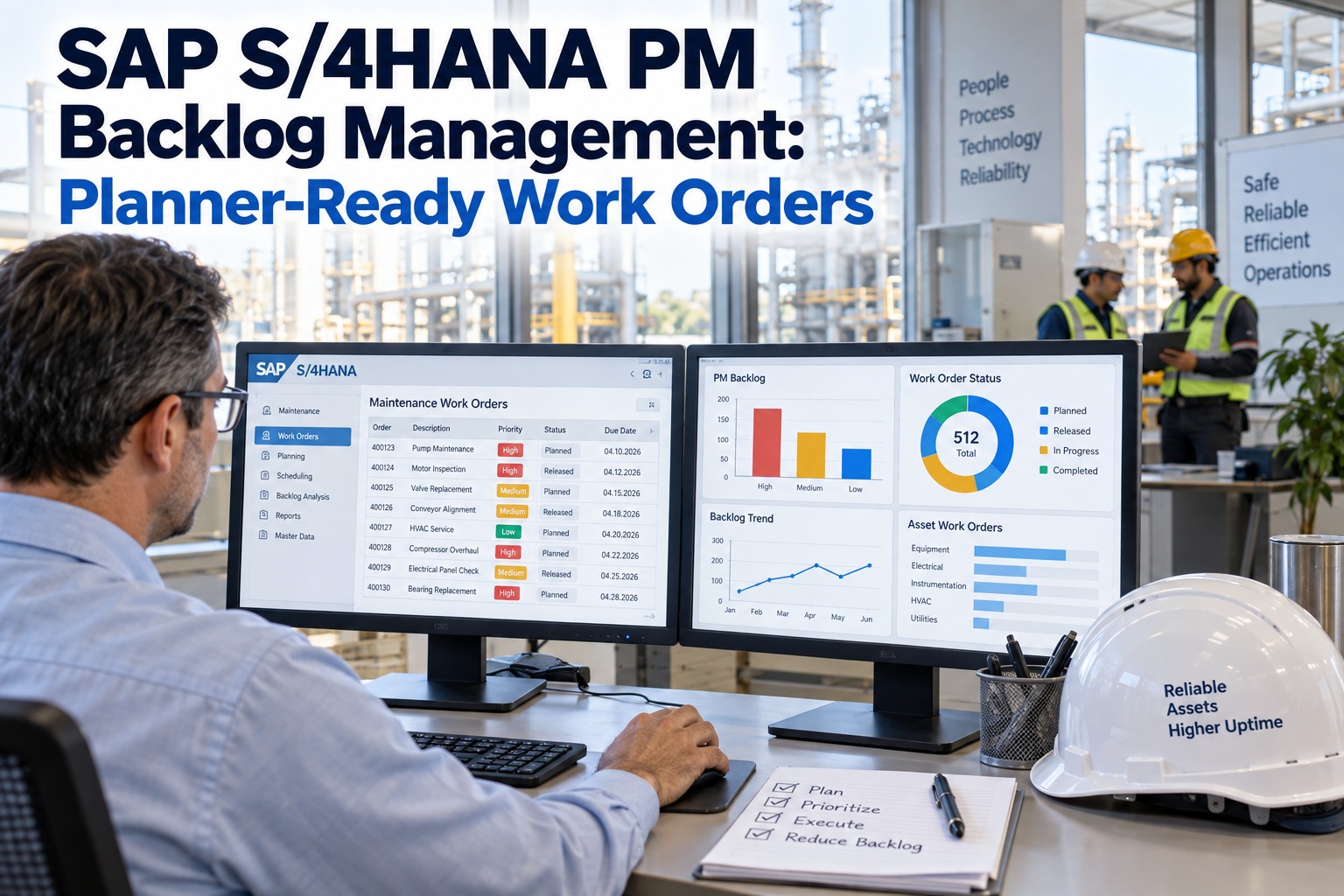
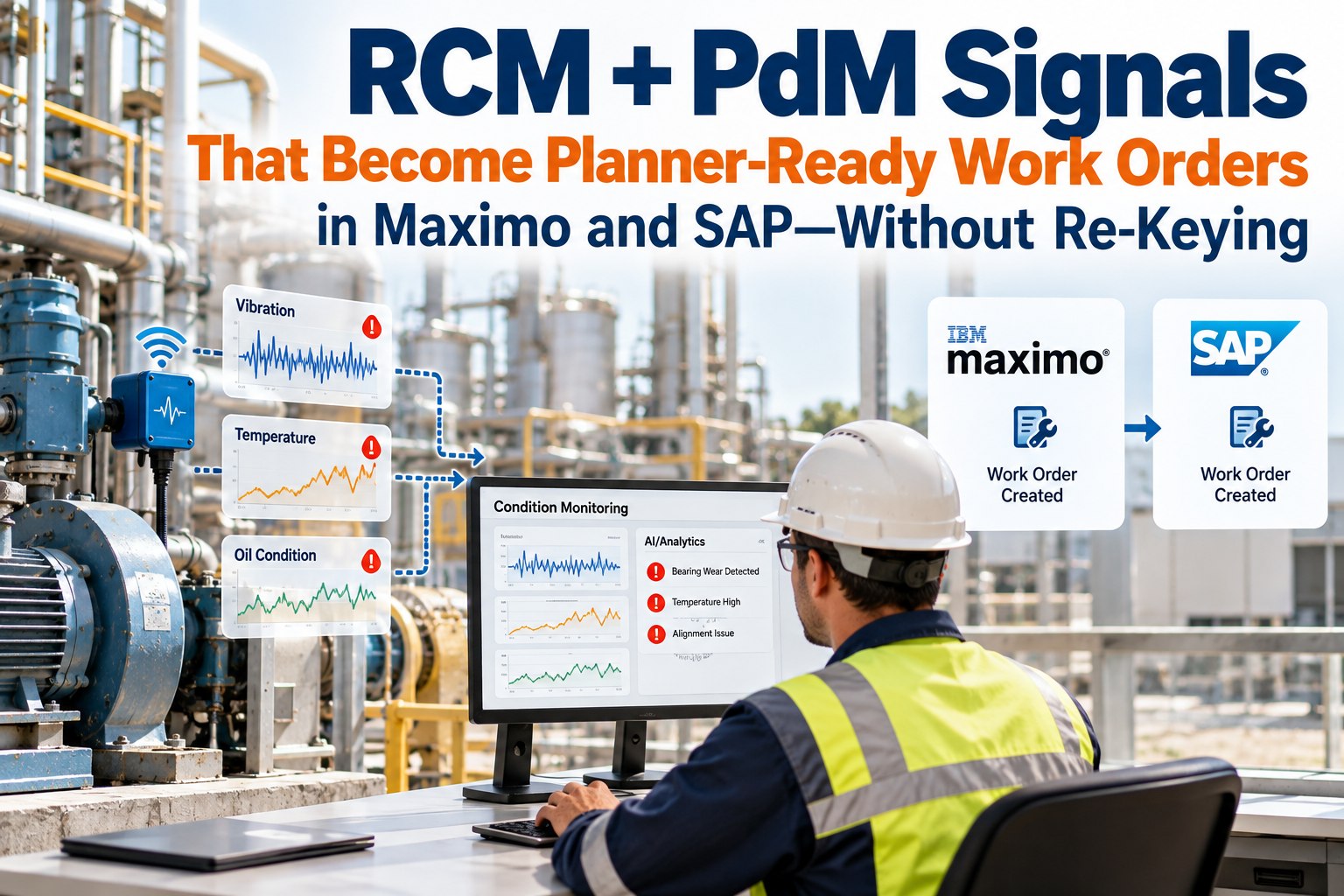
It's 7:10 a.m. and you're staring at 217 new items in the SAP queue — half are missing failure modes, priorities or parts hints, and the rest are thin on evidence. That morning freeze — where nothing moves from "notification" to "schedule" is the exact moment sap s/4 pm work order backlog quality becomes an operations crisis. Planners and IT-OT leads need work orders they can act on, not detective work. Augment overlays your SAP S/4 (or ECC) PM instance to convert noisy signals into planner-ready work suggestions your team reviews and accepts into SAP — no re-keying, no master-data duplication, no rip-and-replace. A short demo shows live planner workflows on your backlog.
SAP S/4 & ECC PM · Backlog Quality · Planner-Ready · 2026
SAP S/4 PM Backlog Quality: Planner-Ready Work Orders Without Re-Keying
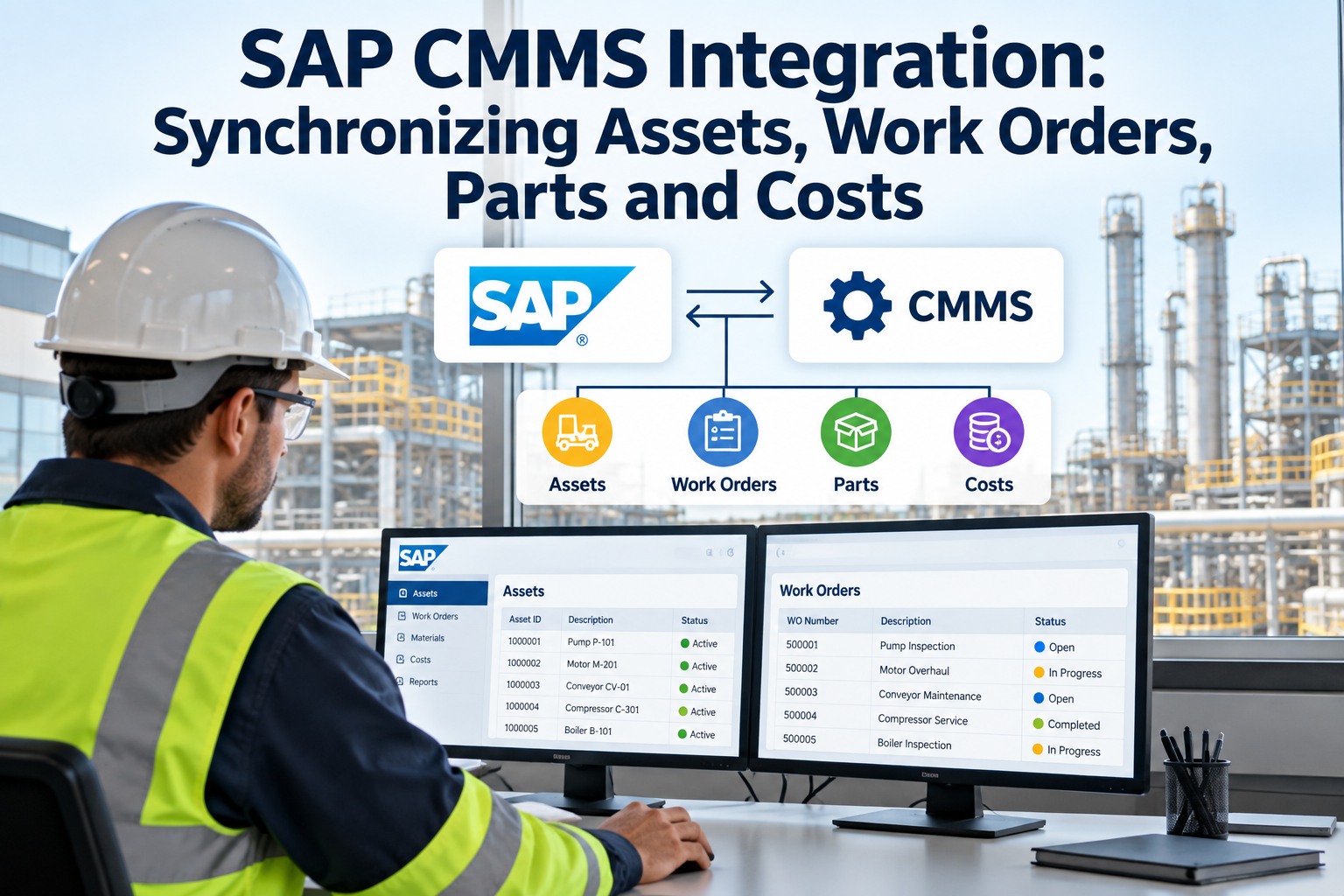
Augment ingests notifications, sensor streams and historian data, analyzes signals with reliability models, and supplies ranked, evidence-backed suggested work orders. SAP remains your system of record: creation, execution and audit trails happen in SAP exactly as before — Augment just prepares and prioritizes high-quality suggestions for planner approval.
7:10 AM
217 new SAP queue items, half missing fields
5-Step
Ingest → Detect → Diagnose → Prioritize → Dispatch
S/4 & ECC
both SAP S/4HANA and ECC 6.0 supported
Overlay
SAP stays system of record — never replaced
Why SAP S/4 PM Work Order Backlog Quality Matters Now
The root cause is not SAP — it's the handoff gap between source signals (sensors, PLCs, operator rounds, historian logs) and the planner's need for context, confidence and parts/skill hints. Sign up to try Augment on your own backlog.
Why It Matters Now
The Cost of Poor Backlog Quality
✕ Backlog quality drives throughput — poor notifications mean planners spend hours cleaning, reconciling and re-entering data instead of scheduling and optimizing crews
✕ Risk and cost grow with backlog size — missed or mis-prioritized work leads to unplanned downtime, emergency repairs and frustrated operators
✕ The root cause is not SAP — it's the handoff gap between source signals and the planner's need for context, confidence and parts/skill hints
Augment's Approach
Overlay, Don't Replace
✓ AI RCM overlay that sits on top of your SAP S/4 PM or ECC instance
✓ Ingests notifications, sensor streams and historian data; analyzes signals with reliability models
✓ Supplies ranked, evidence-backed suggested work orders
✓ SAP remains your system of record — creation, execution and audit trails happen in SAP as before
✓ Augment prepares and prioritizes high-quality suggestions for planner approval
Lifecycle Flow: Ingest → Detect → Diagnose → Prioritize → Dispatch
A simple, auditable lifecycle that maps directly to how planners think. Book a demo to walk the lifecycle on your notifications.
Step 1
Ingest
Securely pull notifications, equipment hierarchy and relevant sensor/historian feeds from your plant and SAP S/4 (or ECC). No change to SAP configurations; Augment connects via API-level integrations.
Step 2
Detect
AI parses thousands of inputs to surface valid conditions — fault codes, abnormal trends or operator observations — filtering out sensor noise and duplicate signals.
Step 3
Diagnose
The platform applies templates and reliability models to suggest probable failure modes, root causes and required craft/parts lists, attaching supporting evidence (waveforms, fault logs, photos).
Step 4
Prioritize
Suggested tasks are triaged by impact, confidence and parts readiness so planners see a ranked list instead of a noisy bucket of records.
Dispatch — Accepted Suggestions Become SAP Work Orders
Planners review suggested work in Augment's Suggested WO tab and accept the items they want. Accepted suggestions become formal SAP work orders — no manual re-keying or SAP master-data duplication required. Sign up to try Augment with your SAP instance.
01
Planners review suggested work in Augment's Suggested WO tab and accept the items they want
02
Accepted suggestions become formal SAP work orders — no manual re-keying or SAP master-data duplication
03
Non-invasive integration — Augment reads notifications and equipment master data via APIs; never replaces or duplicates your master records
04
Planner-in-the-loop — suggestions are never blindly auto-deployed; human review is required
05
Audit and traceability — final work order lives in SAP, so audit trails, approvals and reporting continue to operate as usual
06
Augment adds an evidence layer and an audit trail of why a suggestion was made
SAP Stays Your System of Record.
Augment is designed as an AI RCM overlay that sits on top of your SAP S/4 PM or ECC instance. SAP remains the master system for work order creation, execution and audit trails. Augment prepares and triages suggestions; it does not replace or duplicate SAP master data. Non-invasive integration, planner-in-the-loop review, full audit and traceability.
Real-World Planner Scenario
A vibration increase on a compressor detected at 03:10. Historian trends show a rising RMS over 48 hours; the PLC logged a bearing temperature spike; an operator added a round note. Here's how the morning plays out. Book a demo to walk this scenario on your data.
Suggested WO · Compressor · Draft · Augment → SAP S/4 PM
03:10
Vibration increase on compressor detected · historian shows rising RMS over 48 hours
Signals
PLC logged bearing temperature spike · operator added a round note
Diagnose
Probable bearing degradation · parts list + expected craft time attached
REVIEW Planner opens the Suggested WO pane, reviews the Timeline and Signal → Confidence pane
ACCEPT Planner presses Accept — one click
CREATE Augment creates the WO in SAP S/4 PM with suggested description, operations and parts — no re-keying, no copy-paste
SCHEDULE Planner schedules the job in the normal SAP workflow
In-Product Feel — What Your Planners Will Actually See
Augment's UI is built around the planner's day — three panes that turn a noisy notification queue into a ranked, evidence-backed action list. Sign up to see the three panes on your own data.
Timeline View
For every asset, a visual timeline shows the sequence of detected events, diagnostic steps and recommendation timestamps. Planners can quickly see "what happened and when" before accepting work into SAP.
Signal → Confidence Pane
Each suggested work order includes the triggering signals (sensor traces, fault codes, operator notes) and a confidence score that explains how likely the suggested failure mode is. This transparency builds trust and reduces needless churn.
Suggested WO Tab
A sortable, interactive list of AI-recommended work orders that the planner can filter by priority, asset, confidence or required parts. One-click accept pushes the recommendation into SAP S/4 PM as a work order, preserving SAP as the SoR.
How Augment Fits Into SAP Workflows (No Re-Keying, No Forks)
Three properties keep the integration boring for SAP admins and useful for planners. Book a demo to see the integration walked end-to-end.
Non-Invasive Integration
Augment reads notifications and equipment master data via APIs. It never replaces or duplicates your master records.
Planner-in-the-Loop
Suggestions are never blindly auto-deployed. Human review is required — Augment speeds the review dramatically by supplying context and ranked recommendations.
Audit and Traceability
Because the final work order lives in SAP, your audit trails, approvals and reporting continue to operate as usual. Augment adds an evidence layer and an audit trail of why a suggestion was made.
When to See It in Action
A short demo shows live planner workflows — Timeline, Signal → Confidence pane, Suggested WO acceptance, and how accepted items land in SAP S/4 PM without changing master data.
Handling Objections Honestly
Augment is not perfect — it uses probabilistic models and requires planner review. False positives can occur, especially early in deployment. That's expected. Augment reduces overall noise by surfacing higher-value events first and providing evidence so planners make faster decisions. Benefits grow as the model ingests more asset-specific data and your team tunes confidence thresholds. Sign up to start tuning against your assets.
"
Augment is designed to make your SAP S/4 PM backlog actionable faster, not to replace your planners or your EAM. Expect probabilistic suggestions that require human review, measurable reductions in time spent cleaning notifications, and better prioritization of real maintenance needs. The platform is an overlay — SAP remains your system of record — and benefits increase as the system learns your assets and tuning preferences.
Augment Reliability Desk
FAQ — Common Questions From SAP PM Planners and IT-OT Leads
Will Augment disrupt our SAP S/4 PM or custom T-codes?
No. Augment connects at the API level and operates as a non-invasive overlay. Your SAP PM configuration, custom screens and T-codes remain unchanged. Work orders are created in SAP exactly as they always have been.
Will Augment flood us with low-quality suggestions?
Augment prioritizes high-confidence, context-rich events and provides the supporting evidence for each suggestion. Planners retain final approval, and confidence thresholds can be tuned to your tolerance for alerts.
Do we lose SAP as the system of record?
No. SAP remains the master system for work order creation, execution and audit trails. Augment prepares and triages suggestions; it does not replace or duplicate SAP master data.
How is data security and privacy handled?
All data flows are encrypted and respect your enterprise controls. Augment can deploy within your network or with approved connectivity patterns consistent with corporate security policies. No data is moved outside your control without your consent.
Can Augment work with both S/4HANA and ECC 6.0?
Yes. The overlay supports both SAP S/4 and classic ECC PM. Integration patterns are non-disruptive and consistent across versions.
Back to Planning and Execution — Not Re-Keying and Detective Work.
If your mornings still start with a pile of half-baked notifications, see how overlaying AI triage on your existing SAP S/4 PM instance can get you back to planning and execution instead of re-keying and detective work. Book a demo or sign up to explore how Augment can make your backlog planner-ready.