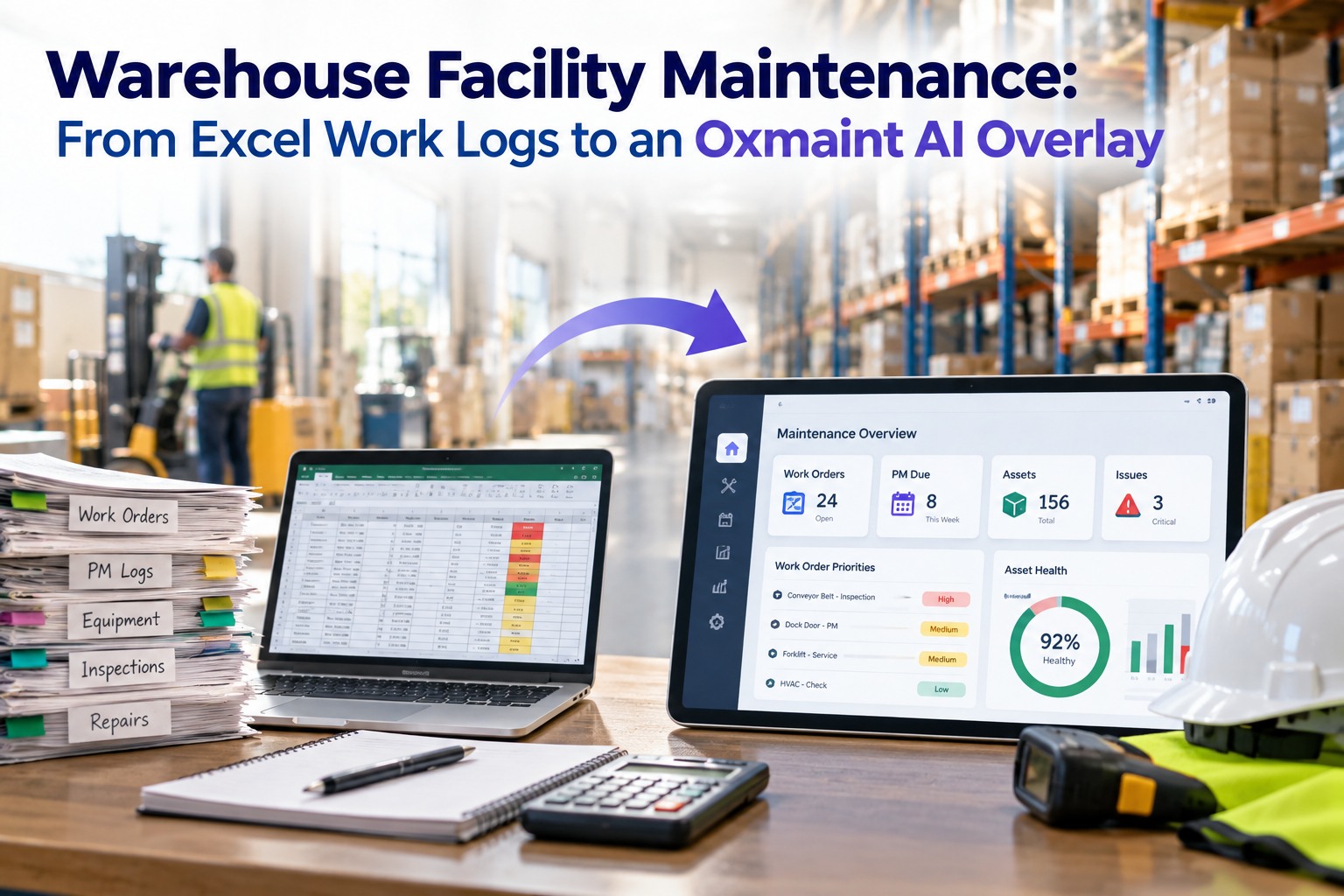
End of shift: the engineering supervisor flips through handwritten logbooks while the maintenance planner juggles half a dozen Excel files, hunting for clues on asset failures missed by last week's rounds — meanwhile each new demand risks missing the preventive window. If this scene is familiar, you're looking at a classic warehouse facility maintenance CMMS Excel-to-EAM problem: piles of useful signals outside your enterprise system of record. Modern EAM platforms (Maximo, SAP PM, Oracle EAM, Microsoft Dynamics) are strong systems for structured work orders and compliance — but the unstructured, operationally-rich inputs don't make it into prioritized, actionable work orders. Oxmaint AI is built to close that gap without ripping out your EAM, and a live demo ingests your actual logs in minutes.
Warehouse Facilities · Excel-to-EAM · Maximo / SAP / Oracle / Microsoft · 2026
Warehouse Facility Maintenance: From Excel Work Logs to an Oxmaint AI Overlay on Maximo, SAP, Oracle, or Microsoft EAM
Oxmaint AI overlays your existing EAM as a non-intrusive layer — ingests messy Excel, clipboard notes, PDF reports, email threads and point-SaaS exports, and produces suggested, EAM-compliant work orders your team reviews and dispatches. No rip-and-replace. No double entry.
4 EAMs
Maximo · SAP PM · Oracle EAM · Microsoft Dynamics
5-Step
Ingest → Detect → Diagnose → Prioritize → Dispatch
Overlay
EAM stays the system of record — never replaced
Minutes
demo ingests sample logs from your data
Why Spreadsheets and Paper Still Break Workflows
EAMs become compliance repositories rather than proactive command centers when the messy inputs your team already uses stay outside them. You don't need another ticketing tool — you need intelligence that turns your existing logs into prioritized, EAM-ready work orders, preserving the EAM as the system of record. Sign up to load sample logs and begin mapping your assets.
Why Spreadsheets Break Workflows
Signals Outside the EAM
✕ Data is messy — free-text notes, inconsistent asset codes, multiple formats (Excel rows, PDFs, images)
✕ Signals live outside the EAM — rounds, operator notes, and point SaaS exports are invisible to EAM-driven triggers
✕ EAMs become compliance repositories rather than proactive command centers
✕ New demand risks missing the preventive window
✕ Planners juggle half a dozen Excel files hunting for clues on asset failures
Oxmaint AI Overlay
No Rip-and-Replace
✓ Sits on top of your existing EAM (Maximo / SAP / Oracle / Microsoft) as a non-intrusive overlay
✓ Ingests the messy inputs your team already uses
✓ Produces suggested, EAM-compliant work orders your team reviews and dispatches
✓ No wholesale process rewrites, no double entry
✓ EAM stays the system of record — Oxmaint AI never replaces it
The Oxmaint AI Lifecycle: Ingest → Detect → Diagnose → Prioritize → Dispatch
This is the practical flow you'll use every day. Book a tailored session to see the lifecycle on your Excel sheets, CSVs and email threads.
Step 1
Ingest
Oxmaint AI parses semi-structured and unstructured sources: Excel work logs, clipboard notes, PDF reports, email threads, and exports from point CMMS tools. The system normalizes asset identifiers, timestamps and symptom language so entries can be compared with EAM master data.
Step 2
Detect
Trained models surface anomalous or recurring signals — e.g., repeating forklift battery failures after night shifts, or a spike in conveyor motor overcurrent notices. Signal → Confidence pane: each detected issue shows the original source text, a confidence score, and links back to the raw entry for auditability.
Step 3
Diagnose
Oxmaint AI cross-references detected signals with EAM history and asset profiles to suggest likely failure modes or probable root causes. Suggested diagnoses are accompanied by the evidence trail: recent repairs, recurring symptoms, and operator notes.
Step 4
Prioritize
Detected issues are ranked into a suggested work queue based on criticality context — asset impact, recurrence, safety/regulatory exposure, and shift timing. The pane explains why one item outranks another, with confidence levels and links to the underlying logs.
Dispatch — Suggested WOs Into Your EAM
The Suggested WO pane presents fully-formed, EAM-compliant work orders with scoped tasks, recommended skills/tools, and estimated parts where applicable. Review and approve in Oxmaint AI, then push the WO into Maximo, SAP, Oracle, or Microsoft EAM as the system of record. Nothing is closed or reassigned outside the EAM — your workflows and audit trails stay intact. Sign up to try dispatch with your data.
01
Fully-formed, EAM-compliant work orders with scoped tasks
02
Recommended skills and tools included in the draft
03
Estimated parts where applicable
04
Review and approve in Oxmaint AI before push
05
Push into Maximo, SAP, Oracle or Microsoft EAM as system of record
06
Nothing closed or reassigned outside the EAM — workflows and audit trails intact
You Don't Need Another Ticketing Tool.
You need intelligence that turns your existing logs into prioritized, EAM-ready work orders — preserving the EAM as the system of record. Oxmaint AI is that intelligence layer: overlay-only, review-first, and traceable back to the source entry every time.
In-Product Feel — What You Actually See
Three panes carry the daily workflow: Timeline for the story, Signal → Confidence for the evidence, and Suggested WO Pane for the dispatch. Sign up to load sample logs and begin mapping your assets.
Timeline · Signal → Confidence · Suggested WO Pane
Timeline
Rounds + incidents + EAM events unified · trace operator note → dispatched WO
Signal
Excerpted log + confidence score · provenance link to original file or email
Suggested WO
Curated ranked list · annotate, adjust scope, one-click dispatch
TIMELINE Unified view of rounds, incidents and EAM events
SIGNAL Excerpted log + model confidence score + provenance link
WO PANE Ranked reviewable work orders — annotate + one-click dispatch
SOURCE Original file, email or export always linked back
Real Warehouse Scenarios (Illustrative)
Three scenarios that walk the lifecycle end-to-end on assets warehouse facilities managers deal with every week. Book a live, hands-on demo to see these on your own logs.
Conveyor Vibration
Operator notes in an Excel file mention "vibe" on Line 3 for three days. Oxmaint AI ingests the sheet, detects the trend, cross-checks recent bearing replacements in the EAM, and produces a Suggested WO to inspect the drive bearings — flagged as high priority because the line is critical to outbound throughput.
Forklift Battery Repeats
Multiple battery failure logs exported from a vendor portal are normalized and linked to specific serial numbers. Oxmaint AI detects recurrence, suggests battery-health diagnostics, and queues a work order for a battery fleet review.
HVAC Chiller Alarms
Planners receive alarm emails and clipboard notes. Oxmaint AI detects a spike in alarm frequency, correlates it with recent chilled-water valve work recorded in the EAM, and suggests a diagnostic WO plus a preventive check.
Security, Ownership & Auditability
Oxmaint AI is designed to respect IT and compliance boundaries — the overlay does not alter EAM master data or close WOs outside of EAM processes. Book a demo to walk the security model with your team.
Respects IT & Compliance
The overlay does not alter EAM master data or close WOs outside of EAM processes.
Full Provenance
All recommendations are traceable to source entries; every suggested WO carries the provenance needed for audits and root-cause reviews.
On-Prem Ready
For on-premise EAM setups, Oxmaint AI integrates in ways that respect network and data governance policies — no uncontrolled duplication of EAM master records.
Review-First
Recommendations link to, rather than overwrite, EAM records and require user approval to push any WO.
Implementation and Change Management
Oxmaint AI is intended to reduce change friction, not increase it. Because the EAM remains your system of record, planners and techs keep the tools and closing procedures they already use. Onboarding is focused on mapping your common Excel templates, typical operator notes, and point-SaaS exports so the AI can normalize them. In many demos we can ingest sample logs in minutes to show real examples from your data — then iterate with your team. Sign up for a guided import to get started.
"
If your warehouse operations still rely on Excel and clipboard notes, moving to an EAM is necessary but not sufficient. Oxmaint AI provides the missing layer — turning the messy, operational signals that live outside your EAM into prioritized, verifiable, EAM-ready work orders. There's no rip-and-replace, no double entry, and no loss of your existing system of record — just clearer visibility and a practical path from spreadsheet noise to actionable maintenance work.
Oxmaint AI Reliability Desk
FAQ — Common Questions From Warehouse Facilities Managers
Will Oxmaint AI disrupt our existing EAM workflows or require major retraining?
No. Oxmaint AI is an overlay. Your team continues to create, assign, and close work orders in the EAM as usual. Training focuses on reviewing AI suggestions and approving dispatches — minimal and role-specific.
We have years of Excel, point-SaaS exports, and paper logs — can Oxmaint AI handle dirty legacy data?
Yes. The core capability is parsing and normalizing multi-format inputs. Oxmaint AI surfaces actionable signals from the data you already have and shows the provenance so planners can validate before pushing work orders.
Does Oxmaint AI move or duplicate sensitive EAM master data?
Oxmaint AI does not replace your EAM or its master records. Integrations are built to respect access controls and audit requirements. Recommendations link to, rather than overwrite, EAM records and require user approval to push any WO.
Is this another ticketing system we'll have to reconcile with our EAM?
No. Oxmaint AI generates suggested, EAM-compliant work orders that are intended to be dispatched into your EAM. The EAM remains the authoritative ticketing system and single source of truth.
How do we trust AI-driven recommendations before they touch the live EAM?
Every recommendation is reviewable with traceability to source logs and a confidence score. Teams can annotate, adjust scope, and validate before any WO is pushed into the EAM. This preserves accountability and local control.
See What Oxmaint AI Can Find in Your Logs.
Book a live demo using your Excel files and export snippets — watch your sheets, CSVs and email threads become prioritized, EAM-ready work orders in minutes. Or sign up to get started with a guided import.