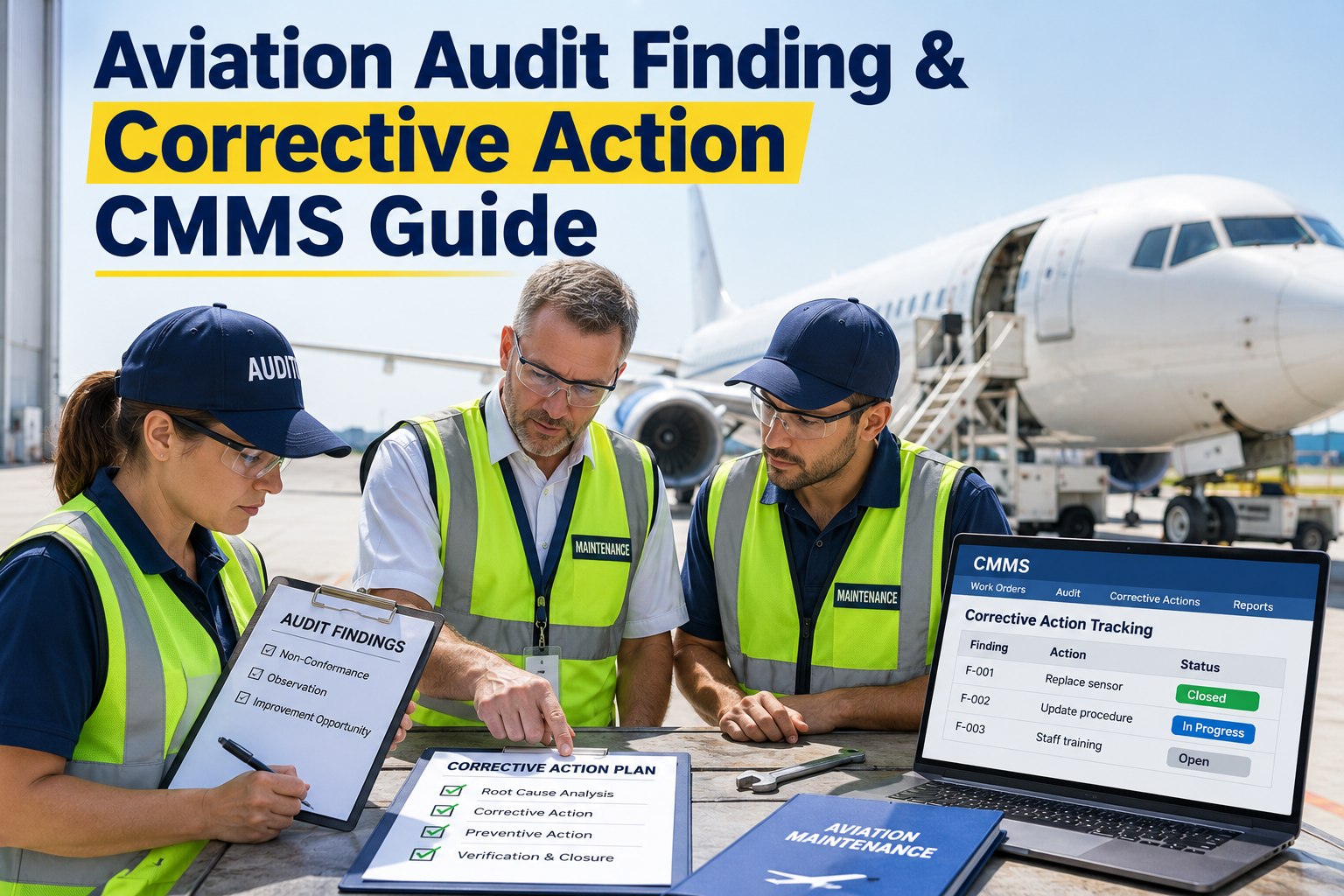
An audit finding is rarely the real problem. The problem is what happens next: the finding sits in an email thread, the root cause is guessed rather than proven, the corrective action has no owner, and nobody checks whether the fix worked until the next audit raises the same issue again. Aviation organisations, from airports to MROs to operators, handle findings from internal audits, regulators, customers and safety reports. A structured corrective and preventive action (CAPA) process turns each finding into a closed, verified and traceable improvement. This guide explains the CAPA lifecycle, how to find real root causes, and how to run the workflow in OXMAINT AI, the AI-powered CMMS for aviation and airport maintenance teams.
Aviation Corrective Action · CAPA Workflow · OXMAINT AI-Powered CMMS
Aviation Corrective Action Software: CAPA & Compliance Guide.
Findings in spreadsheets, actions without owners, evidence scattered across inboxes: this is why audit issues reopen. OXMAINT AI connects inspections, defects, work orders and preventive maintenance in one platform, so every corrective action is assigned, tracked and evidenced.
One connected workflow
1
Inspect & RequestFindings raised from audits and rounds
▼
2
Issue or DefectLogged on the asset or area affected
▼
3
Work OrderCorrective action assigned, dated, signed off
▼
4
PM & PredictivePreventive tasks stop the repeat
Correction, Corrective Action, Preventive Action: Know the Difference
These three terms are often used as if they mean the same thing. They do not, and mixing them up is how organisations fix symptoms and call the finding closed. Sign up free and structure your actions in OXMAINT AI.
CORRECTION
Fix what is wrong now
Immediate containment of the specific problem.
Example: replace the out-of-date tool and quarantine others from the same batch.
CORRECTIVE ACTION
Remove the root cause
Stops this problem from happening again.
Example: link the calibration schedule to the tool register so due dates are automatic.
PREVENTIVE ACTION
Stop similar problems elsewhere
Applies the lesson to other areas before they fail.
Example: apply the same linked schedule to all other controlled equipment.
The 7-Stage CAPA Lifecycle and the Evidence Each Stage Should Leave
A finding is only closed when you can show what was done and that it worked. Think of each stage as producing a piece of evidence. Book a demo to see evidence held against each action.
Stage
Key question
Evidence kept
1 Finding
What exactly was found, and where?
Description, photo, source, date
2 Containment
What stops harm right now?
Immediate action record
3 Root cause
Why did it really happen?
Analysis method and result
4 Action plan
Who does what, by when?
Owner, due date, resources
5 Implement
Was the action completed?
Completed work order, sign-off
6 Verify
Did it actually work?
Follow-up check, results
7 Close & trend
Does it repeat elsewhere?
Closure record, trend data
Finding the Real Root Cause
Most weak CAPAs stop at the first answer. A simple "5 Whys" chain keeps asking until it reaches something that a process change can fix. This is an illustrative example. Start free and record root causes on every finding.
FINDING A torque wrench was found past its calibration due date during an audit
WHY 1 It was still in the active tool crib
WHY 2 Nobody was alerted that it had expired
WHY 3 Due dates were kept in a separate spreadsheet
WHY 4 The spreadsheet was updated manually and monthly
ROOT CAUSE Calibration schedule is not linked to the tool register
5 Whys
Best for simple, single-thread problems.
Fishbone diagram
Best when people, process, equipment and environment all play a part.
Fault tree
Best for complex or high-severity events with several contributing failures.
One Expectation, Many Authorities
Whether the finding comes from an authority, a customer or your own audit, the expectation is the same: a documented finding, an analysed cause, a defined action and evidence of closure. Requirements, classifications and deadlines differ by authority and by approval type, so always follow the rules that apply to your organisation. Book a demo to talk through your audit workflow.
FAA
Oversight of certificated operators and repair stations, including findings and corrective action responses.
EASA
Approved organisations raise and close findings, which are classified by severity with response deadlines.
ICAO
Audit findings are addressed through corrective action plans submitted by the state.
DGCA
India's civil aviation authority audits approved organisations against its Civil Aviation Requirements.
This guide describes a general workflow. It does not interpret regulations or guarantee compliance. Compliance remains the responsibility of the organisation and its accountable personnel.
What a Healthy CAPA Board Looks Like
A good system lets a quality manager see at a glance what is moving, what is waiting for verification and what is overdue. This is an illustrative view. Sign up free and see your actions on one board.
OPEN
Wet floor drain findingOwner: Facilities · Due in 14 days
Training record gapOwner: Quality · Due in 21 days
IN PROGRESS
Tool calibration linkOwner: Stores · Due in 7 days
VERIFY
Fuel bay signage fixOwner: Safety · Check due
OVERDUE
Lighting inspection actionOwner: Airfield · Escalate
Every Finding Should Have an Owner, a Date and Proof.
OXMAINT AI keeps findings, work orders, sign-offs and history on one record, so the answer to "was this closed, and did it work?" takes seconds.
Why Corrective Actions Reopen
Symptom fixed, cause untouched. The immediate problem goes away, then returns.
No clear owner or date. Everyone assumes someone else has it.
No effectiveness check. Closed on completion, not on proof it worked.
Evidence scattered. Photos, emails and sign-offs live in different places.
No trend view. Repeat findings in the same area never get noticed.
Spreadsheet vs Connected CAPA Workflow
Need
Spreadsheet & email
Connected CMMS workflow
Assign an owner
✕ Typed in a cell
✔ Assigned work order
Track due dates
✕ Manual chasing
✔ Scheduled and visible
Keep evidence
✕ Scattered files
✔ Attached to the record
Link to the asset
✕ Rarely done
✔ Tied to asset history
Prevent repeats
✕ Depends on memory
✔ Recurring PM tasks
How OXMAINT AI Supports Corrective Action Workflows
OXMAINT AI is an AI-powered CMMS and EAM platform. It builds the corrective action trail from the tools maintenance teams already use: inspections, requests, work orders and PM. It is not a certified compliance solution, and the exact CAPA configuration should be confirmed in a demo. Start free and load your first findings into OXMAINT AI.
Inspection Management
Standard checklists capture findings in a consistent structure during rounds and audits.
Request Maintenance
Anyone can raise an issue quickly, so problems enter the system the day they are seen.
Work Orders as Actions
Assign owners, due dates, parts and procedures, then capture completion sign-off.
Failure Codes & History
Mandatory closeout fields build a record that supports root cause and trend analysis.
PM to Prevent Repeats
Turn a corrective action into a recurring task so the fix is sustained.
Safety & Compliance Records
Keep sign-offs and supporting evidence together, ready for review.
Frequently Asked Questions
What does CAPA mean in aviation?
CAPA stands for corrective and preventive action. It is the process of fixing a finding, removing its root cause, preventing similar issues and verifying that the action worked.
Sign up free and start tracking actions.
What is the difference between a correction and a corrective action?
A correction fixes the immediate problem. A corrective action removes the underlying cause so the problem does not return. Both are usually needed.
Book a demo to see both tracked.
How do I verify that a corrective action worked?
Set a follow-up check after implementation, using a defined measure such as no repeat finding in the same area over an agreed period. Record the result before closing the CAPA.
Start free and schedule verification tasks.
Can a CMMS manage corrective actions from audits?
Does CAPA software guarantee FAA, EASA, ICAO or DGCA compliance?
No software can guarantee compliance on its own. It helps you run a consistent process and keep evidence. Responsibility for meeting regulatory requirements stays with the organisation.
Sign up free and build your process.
From Audit Finding to Verified Fix, in One Place.
Give every finding an owner, a deadline and evidence of closure. OXMAINT AI connects inspections, work orders and preventive maintenance in one workflow.