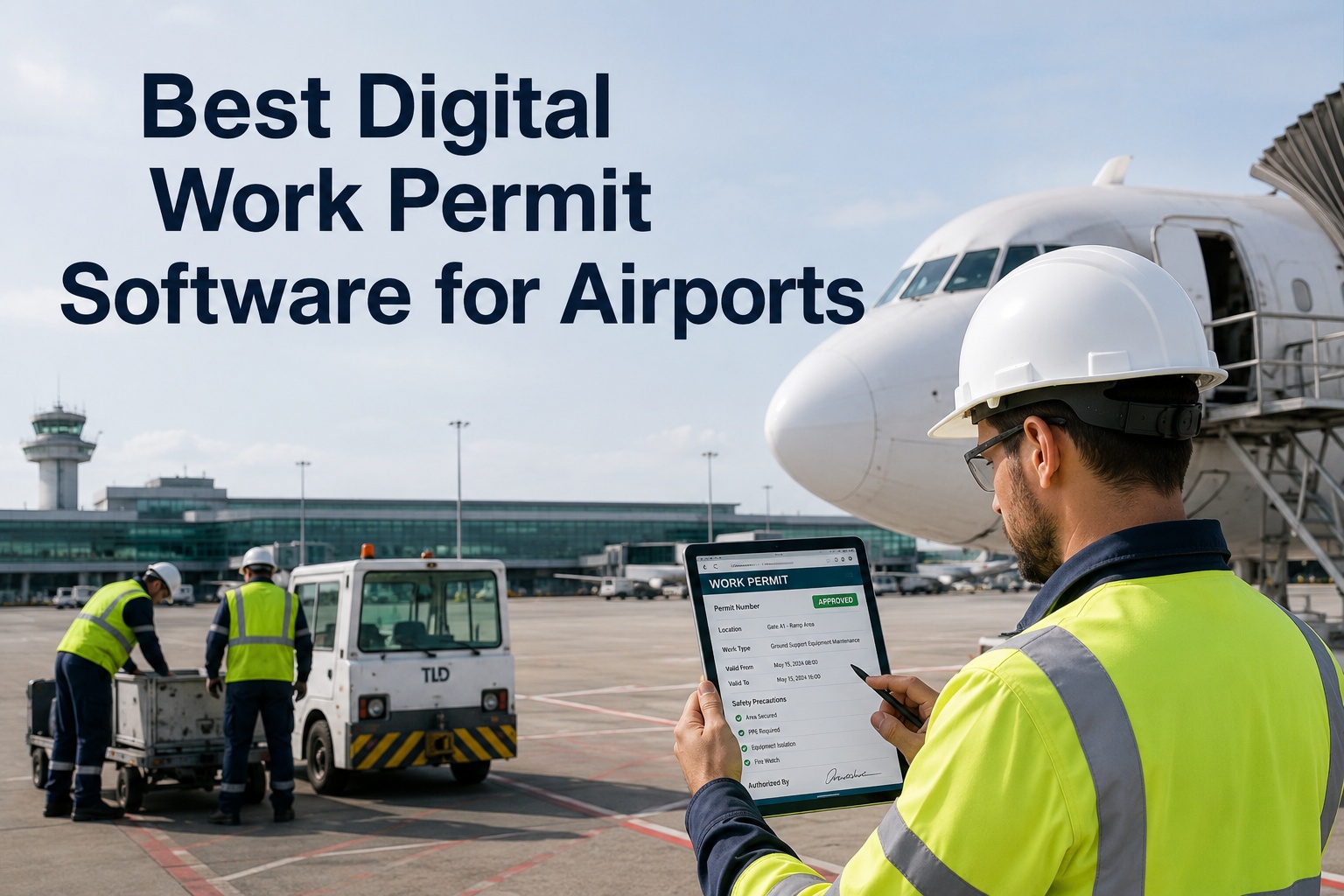
A hot-work permit that lives on a clipboard in the maintenance office is only as reliable as whoever remembers where the clipboard is, whether the fire watch actually signed it, and whether the gas test underneath it is still valid three hours later. Paper permits don't fail loudly — they fail quietly, staying "active" on paper long after the conditions that made the work safe have changed. And on an airfield with a dozen crews working at once, the biggest danger isn't one bad permit; it's two valid-looking permits that conflict — a hot-work job next to a fuel line, an isolation that overlaps a confined-space entry — and nobody catches the overlap until something goes wrong. A digital permit-to-work system closes these gaps by routing every high-risk job through an approval chain that checks for conflicts, enforces its own prerequisites, and expires on its own instead of quietly staying valid. This guide covers digital work permits for airports: the permit types and their controls, the lifecycle from request to closure, why paper fails, and how a CMMS makes permitting faster, safer, and fully traceable. Book a free permit-process review.
Paper Permits Don't Fail Loudly — They Fail Quietly
A permit that stays "active" after conditions change, or two that conflict unseen, is where high-risk work goes wrong.
5
Core high-risk permit types, each with mandatory controls
SIMOPS
Conflicting simultaneous permits — the risk paper can't see
Auto
Expiry that ends a permit on its own, not on memory
100%
Tamper-proof audit trail for every permit and sign-off
The High-Risk Permit Types
A permit-to-work is a safety contract between the crew and the issuing authority, required whenever a task carries significant risk. Each type carries its own non-negotiable controls — and a digital system builds those controls into the form itself.
Hot Work
Welding, cutting, grinding near anything flammable. Controls: gas test before and during, combustibles cleared within an 11-metre radius, and a 30-minute post-work fire watch.
Confined Space Entry
Tanks, vaults, ducts with restricted access. Controls: continuous atmospheric monitoring for oxygen and toxic gases, a standby attendant, and a non-entry rescue plan.
Electrical Isolation / LOTO
Work on energised systems. Controls: full lockout-tagout per NFPA 70E, arc-flash PPE rated to the incident energy, and a verified test-for-dead before touching the equipment.
Working at Height
Jet-bridge tops, roof plant, elevated airfield structures above the fall-risk threshold. Controls: fall-protection verification and a rescue plan attached before approval.
Excavation
Digging near buried utilities or airfield cabling. Controls: utility-clearance confirmation and shoring verification required before the permit can be issued.
Lifting Operations
Cranes and heavy lifts on the apron or in terminals. Controls: equipment certification, exclusion zones, and a lift plan verified before work begins.
The Digital Permit Lifecycle
A digital permit-to-work isn't a PDF of a paper form — it's an enforced workflow. Each stage checks something the paper process relied on a human to remember, and the permit can't advance until the stage is genuinely satisfied.
1
Request on Mobile
The crew submits permit type, location, scope, and duration from the floor, with the activity-specific hazard checklist built into the form — no blank fields, no missing controls.
2
Automatic Conflict Check
Before it reaches an approver, the request is checked against every other active permit for spatial and time overlap — SIMOPS conflicts are flagged instantly, the risk paper can't see.
3
Qualified Approval
An authorised approver reviews the hazard controls and — for confined space and electrical work — confirms gas-test or isolation-lock data before signing off. Worker credentials are checked against the permit type.
4
Issue, Monitor & Auto-Expire
The permit is issued time-bound; extensions are logged separately from the original approval; and it expires on its own instead of quietly staying valid. Closure is formal and recorded.
Digitize Your Highest-Risk Permit in 30 Minutes
Working session with our aviation team — bring your permit process. We'll configure your highest-risk permit type first, wire in the hazard checklist and conflict check, and show how OxMaint enforces approval, expiry, and audit automatically.
How Paper Permits Fail — And Digital Fixes It
Paper PTW processes fail in predictable ways. Each failure mode is a place a permit can look valid while the safety it represents has quietly lapsed — and each one is exactly what a digital system enforces against.
Paper Permit
Permits get lost or left on a clipboard
Conflicting simultaneous permits go unseen
Stays "active" after conditions change
Isolation and gas-test data unverified at sign-off
Auditors can't reconstruct what happened
Digital Permit
Centralized, searchable, never misplaced
Conflict check flags overlaps automatically
Expires on its own, time-bound by design
Prerequisite checklist enforced before approval
Tamper-proof audit log for every action
The Compliance Backbone
Digital permits aren't just faster — they're how an airport proves its high-risk work was controlled. The permit is the operational mechanism regulators expect for hazardous maintenance, and the digital record is the evidence.
OSHA 1910.119 & .147
Formal documented authorization required before confined-space entry, hot work near flammables, and control of hazardous energy (lockout-tagout).
ISO 45001 Clause 8.1
Requires operational controls for high-risk maintenance — the permit-to-work system is the standard mechanism for meeting it.
NFPA 70E
Electrical isolation and arc-flash PPE tied to an incident-energy calculation — captured and verified in the digital electrical permit.
How OxMaint Runs Digital Permits
OxMaint gives airport operations the tools to run permitting as a controlled program — permit workflows tied to assets and work orders, mobile issue and sign-off, conflict checking, and reporting leadership can act on, from one dashboard on desktop or mobile.
Configure
All Permit Types
Hot work, confined space, electrical isolation, height, and excavation permits with activity-specific hazard checklists built into each form.
Check
Automatic SIMOPS Conflicts
Every request checked against active permits for spatial and time overlap — the conflicting-permit risk flagged before work is authorized.
Approve
Enforced Sign-Off Chain
Multi-level digital approval with prerequisite checklists and worker-credential checks enforced before a permit can be issued — mobile-first.
Isolate
Digital LOTO Layer
Capture which isolation points were verified, by whom, with which lock and tag — a verifiable record layer on top of your trained LOTO process.
Expire
Time-Bound Auto-Closure
Permits expire on their own with extensions logged separately, so nothing stays silently valid after its conditions change.
Audit
Tamper-Proof Trail
Full permit history pullable for any audit or incident investigation, mapped to OSHA, ISO 45001, and NFPA 70E, with SAP and Maximo overlay.
Move High-Risk Work Onto a System That Enforces Itself
Make every permit faster to raise, impossible to skip a control on, and instantly auditable. See how OxMaint turns paper permitting into a controlled operating record across airside and terminal ops. Free forever plan available.
Frequently Asked Questions
What is a permit-to-work system?
A permit-to-work (PTW) is a formal, documented procedure — not just a form — that authorizes specific high-hazard work under defined conditions, specifying the hazards, the controls to apply, the isolation and testing required, and the people accountable. It acts as a safety contract between the work crew and the issuing authority for tasks where the margin for error is small: hot work, confined space entry, electrical isolation, working at height, and excavation. It's the direct result of a risk assessment, put into action for the highest-risk tasks, and in many cases it's legally required.
Book a review.
Why do paper permits fail?
They fail quietly and predictably. Permits get lost or left on a clipboard; isolation points and gas tests aren't verified at sign-off; a permit stays "active" on paper long after the conditions that made the work safe have changed; and after an incident, auditors can't reconstruct what actually happened. The most dangerous failure on a busy airfield is two valid-looking permits that conflict — simultaneous operations nobody catches until something goes wrong. Paper has no way to check one permit against every other active permit, which is exactly the gap a digital system closes.
What is SIMOPS and why does it matter?
SIMOPS — simultaneous operations — is the situation where multiple high-risk jobs happen at the same time in overlapping space, and the controls for one can endanger another: hot work beside a fuel line, an electrical isolation overlapping a confined-space entry. Managing it requires seeing every active permit at once and flagging conflicts, which paper simply can't do. A digital PTW checks each new request against all active permits for spatial and time overlap before approval, giving real-time SIMOPS visibility so conflicting work is caught before it's authorized rather than after an incident.
Start free.
Does a digital permit replace lockout-tagout?
No. The electrical isolation permit works alongside an existing lockout-tagout program rather than replacing it. The physical LOTO process stays exactly as trained — locks and tags applied, test-for-dead performed — while the digital permit adds a verifiable record layer on top, capturing which isolation points were verified, by whom, and with which lock and tag identifiers. It strengthens LOTO with documentation and accountability without changing the hands-on procedure your electricians already follow.
How does OxMaint support digital permits?
OxMaint configures all permit types — hot work, confined space, electrical isolation, height, and excavation — with activity-specific hazard checklists in each form; checks every request against active permits for SIMOPS conflicts before approval; enforces a multi-level sign-off chain with prerequisite checklists and worker-credential checks; and adds a digital LOTO record layer capturing verified isolation points. Permits are time-bound and auto-expire with extensions logged separately, and full history is pullable for any audit or incident investigation, mapped to OSHA, ISO 45001, and NFPA 70E, with SAP and Maximo overlay. A free forever plan is available.