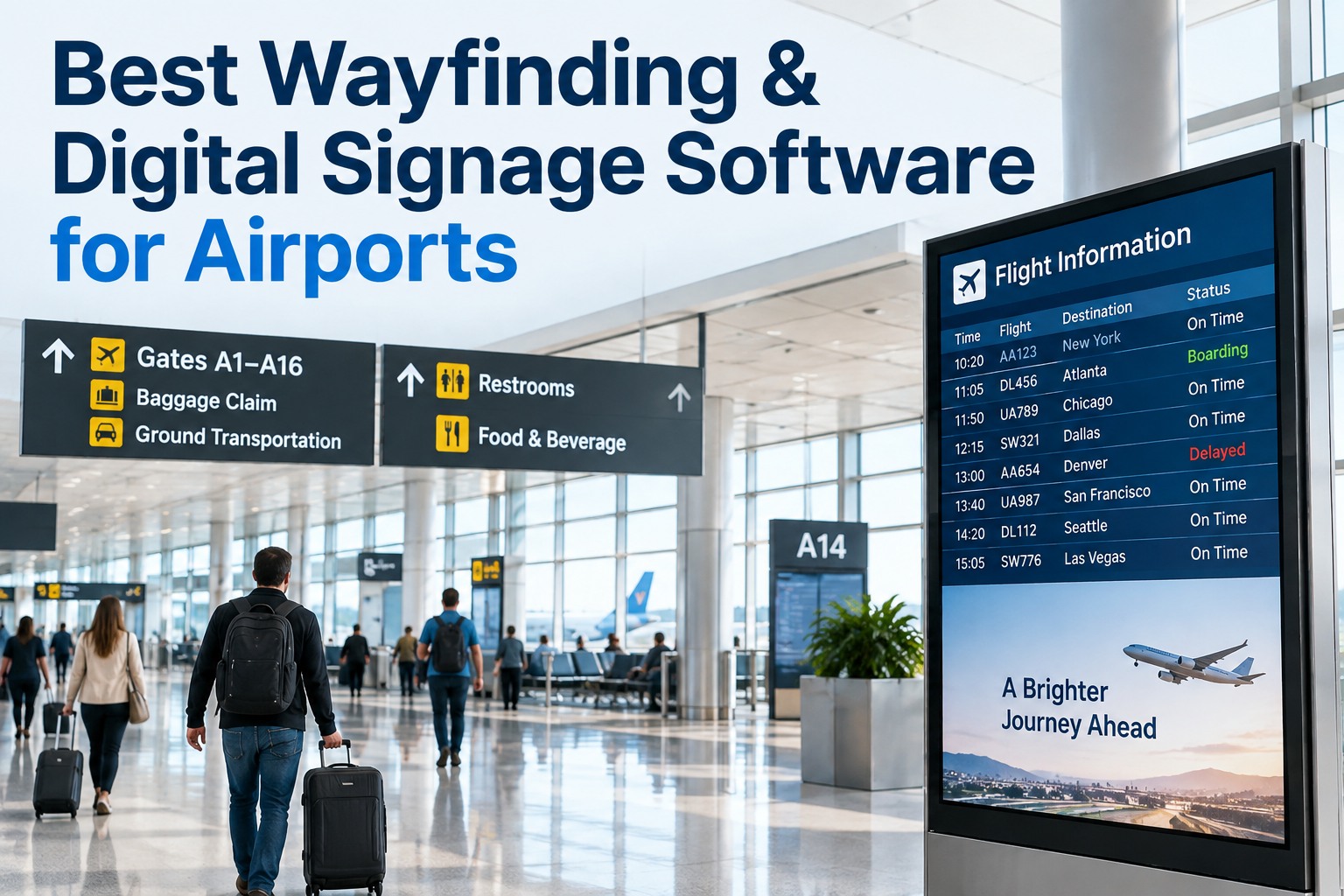
A gate change flashes on the app three minutes before boarding closes, and the FIDS board above the gate still shows the old flight number. The passenger looks up, then down at their phone, then starts walking the wrong way. Multiply that moment by every screen in a terminal that's lagging, dark, or frozen, and it stops being a minor glitch — it becomes the reason ASQ scores stall even after a renovation. Wayfinding and digital signage aren't decorative; they're the terminal's real-time nervous system, and every dead pixel or stuck flight board is a passenger making a decision on bad information. This guide breaks down the screen network a modern terminal actually runs, the response-time discipline that keeps it at 99.9% uptime, and what the best 2026 signage maintenance platforms do differently. Book a free signage uptime audit across your terminal.
A Blank Screen Is a Passenger Making a Wrong Turn
Wayfinding only works when every screen agrees with reality, in real time.
99.9%Uptime target for mission-critical FIDS displays
MinutesThe unit response time is measured in, not hours
Every ScreenOne outage anywhere is one wrong decision somewhere
The Screen Network Behind Every Terminal
Wayfinding isn't one display type — it's a mixed network of screens, each carrying different consequences when it goes dark.
FIDS Boards
Flight information displays at gates and concourses — the single source of truth for departures, arrivals, and gate changes.
Wayfinding Totems
Directional screens guiding passengers to gates, baggage claim, and amenities — most heavily used by first-time or connecting travelers.
Gate & Boarding Displays
Real-time boarding status and seat-group calls — a failure here directly disrupts the boarding sequence itself.
Baggage Carousel Screens
Carousel and flight-to-belt assignments — one of the highest-complaint zones when a screen shows stale data.
Response-Time Tiers That Actually Match Impact
Not every screen deserves the same urgency. A dead pixel on a directory kiosk isn't the same emergency as a blank FIDS board at a boarding gate — the SLA has to reflect that.
Critical
Gate FIDS, boarding displays, security wayfinding
15-min response
High
Concourse wayfinding totems, baggage carousel screens
1-hour response
Standard
Retail directories, amenity maps, static informational signage
Next business day
See Which Screens Are Costing You ASQ Points
Bring your current signage map — we'll tier every screen by passenger impact and show where response times are falling short.
From Detection to Verified Fix
A signage program only holds its SLA if the whole loop — detect, dispatch, repair, verify — runs without a manual phone call at any step.
Detect
A screen goes dark, freezes, or shows a content mismatch — flagged automatically, not reported by a passenger.
Dispatch
The right technician gets the ticket instantly, tagged with the screen's SLA tier and exact location.
Repair
The tech resolves the issue on-site — hardware swap, content push, or connectivity fix — logged against the asset.
Verify
A photo or remote check confirms the screen is live and accurate before the ticket closes.
Manual Checks vs. Connected Signage Monitoring
The difference isn't whether issues get found eventually — it's whether they get found before or after a passenger notices first.
Capability
Manual Rounds
Connected CMMS
Outage detection
✗ Found on walk-by
✓ Instant automated alert
Ticket routing
✗ Phone call or radio
✓ Auto-dispatched by SLA tier
Content accuracy check
✗ Assumed correct
✓ Verified against live flight data
Uptime reporting
✗ Manually compiled, rare
✓ Live dashboard, always current
How Oxmaint Keeps Every Screen Accountable
Oxmaint gives terminal operations one system where every screen's status, SLA tier, and repair history live together.
Automated Outage Detection
Screens report status continuously, flagging outages before a passenger does.
SLA-Tiered Dispatch
Tickets route automatically based on each screen's assigned priority tier.
Photo-Verified Repairs
Technicians confirm the fix with a photo before the ticket can close.
Live Uptime Dashboard
Terminal leadership sees network-wide uptime in real time, not in a monthly summary.
ASQ-Linked Reporting
Signage performance data ties directly to the passenger experience metrics leadership already tracks.
Cross-Terminal Consistency
The same SLA discipline applies whether a screen sits in Terminal A or Terminal C.
Stop Letting a Dark Screen Set the Passenger's First Impression
See how Oxmaint keeps every FIDS board, totem, and gate display accountable to a response-time SLA that actually holds. Free forever plan available.
Frequently Asked Questions
What counts as airport wayfinding and digital signage?
It covers every screen that helps a passenger navigate or stay informed: flight information display system (FIDS) boards at gates and concourses, directional wayfinding totems, gate and boarding status displays, and baggage carousel screens. Each type carries a different level of urgency when it fails, which is why they're usually managed under different response-time tiers rather than one blanket maintenance schedule.
Book an audit to map your own screen network.
Why does signage uptime affect ASQ scores?
Passenger experience surveys consistently reflect frustration with unclear or inaccurate wayfinding — a blank FIDS board or a totem pointing to the wrong gate creates confusion at exactly the moments passengers are most stressed, like tight connections or last-minute gate changes. Because these screens are highly visible and used constantly, even small outages compound quickly into measurable satisfaction drops.
How should response-time SLAs be tiered for signage?
Most airports separate screens into three tiers: critical (gate FIDS and boarding displays, needing a response within minutes), high (concourse wayfinding and baggage screens, typically within an hour), and standard (retail directories and static informational signage, next business day). Tiering by actual passenger impact keeps technician time focused on the outages that matter most in the moment.
How is outage detection different from manual signage checks?
Manual rounds rely on a staff member physically walking past a screen and noticing it's down, which can take hours and often only happens after a passenger complaint. Connected monitoring has each screen report its own status continuously, so an outage triggers an alert and a dispatched work order within minutes of the failure, well before most passengers would even notice.
Does Oxmaint support wayfinding and digital signage maintenance?
Yes. Oxmaint detects screen outages automatically, routes tickets based on each screen's assigned SLA tier, requires photo verification before a repair ticket closes, and gives terminal leadership a live uptime dashboard tied directly to passenger experience reporting. A free forever plan is available to trial the full workflow.
Sign up free and map your first screen network.