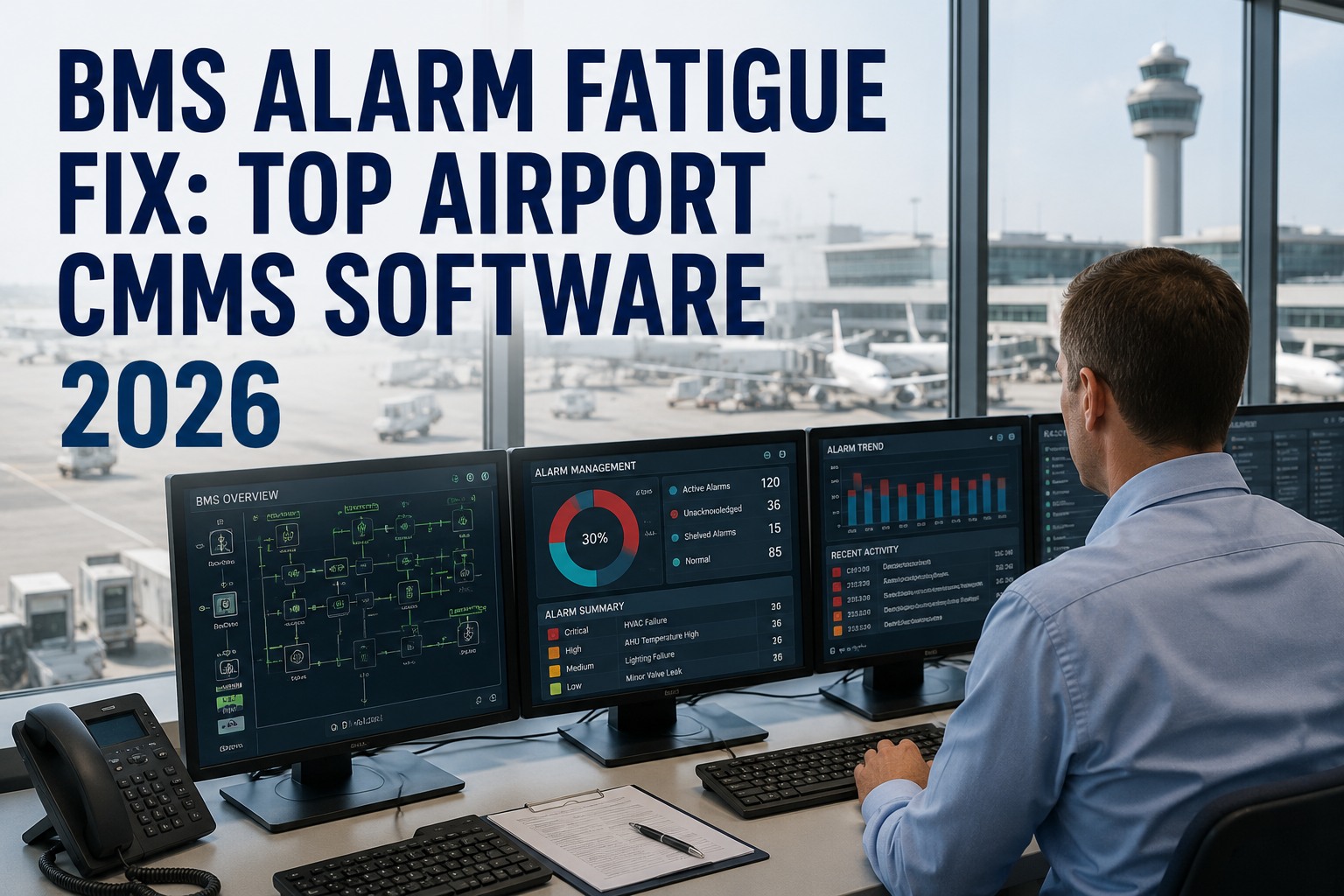
When an airport operator is acknowledging 40 building-management-system alarms an hour and 95% of them are known nuisance conditions, something predictable happens: they stop investigating. They clear alarms reflexively, because reading each one would consume their entire attention and leave nothing for actually watching the facility. That's alarm fatigue — and the moment it sets in, the one alarm that matters, the chiller about to fail or the smoke-control fault, gets acknowledged and dismissed exactly like the 200 that didn't. Here's the reframe that changes everything: alarm fatigue is not an operator problem, it's a system-design problem. Operators tuning out a flood of noise are behaving completely rationally. The fix isn't telling them to try harder — it's rationalizing the alarms so only actionable ones annunciate, and then closing the loop so every real one becomes a tracked work order, not just another acknowledged line in a log. Because a dollar spent on airport sensors only pays back when the reading triggers action. This guide covers the BMS alarm fatigue fix for airports in 2026: what the flood actually is, why it's a design failure, the rationalization discipline that cuts floods up to 80%, and how a CMMS turns the surviving signal into a closed repair. Book a free alarm-rationalization review for your airport.
Alarm Fatigue Is a Design Failure, Not an Operator Failure
When 95% of alarms are noise, tuning them out is rational — and the one that matters dies in the flood.
>10 / 10 min
ISA-18.2 definition of an alarm flood, per operator
<5%
Share of alarms that should be high-priority under ISA-18.2
Up to 80%
Flood reduction from a structured rationalization program
<1%
Time a healthy system should spend in a flood condition
The Anatomy of an Alarm Flood
The problem has a precise definition and a measurable shape. ISA-18.2 — the international standard for alarm management — sets clear thresholds, and most airport BMS installations blow past them without anyone tracking it until an incident forces a look.
The Flood Threshold
ISA-18.2 defines an alarm flood as more than 10 alarms in a 10-minute period for one operator. When a fault cascades, hundreds can arrive in minutes — and the operator is set up to fail.
Nuisance Alarms
Chattering, fleeting, and stale alarms — those that annunciate excessively or never return to normal after the right action. These are the noise that trains operators to stop looking.
Priority Inflation
ISA-18.2 says no more than 5% of alarms should be high-priority. Left unmanaged, that count drifts up year over year until "high priority" means nothing and everything looks urgent.
The Fatigue Response
Faced with 30–50 alarms an hour of which nearly all are known noise, operators acknowledge without investigating. It's rational triage — and it's exactly how a real alarm gets missed.
Why It's a Design Failure, Not Negligence
The instinct is to blame the operator who missed the alarm. But the math shows why that's both unfair and useless — the system was built in a way that made missing it inevitable. Fixing the person can't fix a rate problem.
THE LOAD
33–50 Alarms Per Operator, Per Hour
In documented BMS cases, operators face 800–1,200 alarms a day. That rate lands squarely in the ISA-18.2 band classified as "very likely unacceptable" — far beyond what any human can process.
THE CAPACITY
Investigating Each One Consumes 100% of Attention
At 50 an hour, properly investigating every alarm would use the operator's entire cognitive capacity for alarm processing alone — leaving zero for trend analysis, monitoring, or emergency response.
THE RESULT
Rational Triage Becomes Systematic Blindness
So operators acknowledge without investigating — the only rational choice. The system, not the person, guaranteed the important alarm would be tuned out. That's a design failure by definition.
Benchmark Your Alarm Rate in 30 Minutes
Working session with our aviation team — bring your BMS alarm history. We'll measure your rate against ISA-18.2 targets, find the chattering and stale alarms driving the flood, and show how OxMaint routes the alarms that survive into tracked work orders.
The Rationalization Fix · Making Alarms Actionable Again
Rationalization is the ISA-18.2 discipline of reviewing every alarm against one question: does it require operator action within a defined time? Everything that fails that test gets eliminated, reclassified, or re-tuned. It's a repeatable method, not a one-time purge.
01
Inventory Every Alarm Point
Extract every configured alarm from the BMS into a master database — tag, setpoint, deadband, priority, equipment. You can't rationalize what you haven't catalogued, and airports run thousands of points.
02
Test Each Against the Action Rule
For every alarm ask: does it need a specific operator response in a defined window? If not, it isn't an alarm — reclassify it as a logged event or eliminate it entirely.
03
Kill the Nuisance Sources
Fix chattering instrument loops, widen deadbands, and add on-delays so fleeting conditions don't annunciate. A single chattering loop can generate thousands of activations a year on its own.
04
Correlate, Suppress & Shelve — With Accountability
Group related alarms so one root fault shows as one event, not fifty. Let operators shelve alarms during known maintenance — but every shelved alarm carries an expiry timer and a named owner, so a temporary suppression can never quietly become a permanently disabled protection.
The Drift Problem · Why Rationalization Isn't One-and-Done
Even a facility that completed a full rationalization pass finds its alarm system degrading over time. This is the trap airports fall into — treating alarm management as a project instead of a monitored, living metric.
Priority Creep Is Silent Until It's an Incident
Every brownfield project adds a few tags; every commissioning team sets a few setpoints conservatively "just to be safe." In documented cases a high-priority alarm count crept up nearly 30% over four years after a clean rationalization — and none of it showed until an audit or an incident. The answer is to trend alarm-system KPIs continuously, the same way a process variable is trended, so drift away from ISA-18.2 targets appears as a trend line weeks before it becomes an incident report. Alarm management is a metric to monitor, not a box to check once.
From Alarm to Closed Repair · Where the CMMS Closes the Loop
Rationalization makes the alarms meaningful. But a meaningful alarm still isn't a repair — it's a notification. The final step, and the one that makes the whole sensor investment pay back, is turning each surviving alarm into a tracked work order that closes. That's the difference between an alarm and an action.
An Alarm Alone
Annunciates and waits for someone to notice
Acknowledged — then often forgotten
No owner, no due date, no parts staged
Leaves no repair history behind
Proves nothing about ROI to leadership
An Alarm as a Work Order
Auto-creates a prioritized, assigned task
Tracked from dispatch to a named sign-off
Full asset context and parts on mobile
Builds the history behind MTBF and MTTR
Ties avoided downtime to the IoT spend
How OxMaint Fixes BMS Alarm Fatigue
OxMaint ingests sensor and BMS data against every critical asset, triggers condition-based work orders on threshold breach, gives technicians full asset context on mobile, and reports avoided downtime attributable to the IoT program — closing the loop from sensor to work order to closed repair, from one dashboard on desktop or mobile.
Ingest
BMS & Sensor Data
Pull BMS alarms and IoT readings against each critical asset over BACnet, Modbus, MQTT, and webhook — one stream per asset, not a wall of undifferentiated points.
Correlate
Filter & Deduplicate
Group related alarms into a single event and filter duplicates and false positives, so a cascading fault becomes one actionable work order rather than a flood of fifty.
Trigger
Threshold to Work Order
A genuine threshold breach auto-generates a prioritized, condition-based work order — turning the alarm that matters into a task with an owner and a due date.
Context
Full Asset History on Mobile
The technician gets asset history, trend data, SOP, and parts on their phone — offline-capable, with QR tags — so the first visit is the fixing visit.
Close
Tracked to Sign-Off
Every triggered work order is tracked from dispatch to a named technician's close — the accountable loop a raw alarm can never provide on its own.
Prove
Avoided-Downtime ROI
Report downtime avoided and cost saved against the IoT program — so the predictive investment pays back in outcomes, not dashboards, with SAP and Maximo overlay.
Turn the Alarm Flood Into a Stream of Closed Repairs
Cut the noise, surface the signal, and close the loop from sensor to work order to finished repair — so every sensor and every alert earns its keep in avoided downtime. See OxMaint on your airport's BMS. Free forever plan available.
Frequently Asked Questions
What is BMS alarm fatigue?
Alarm fatigue is what happens when a building management system generates so many alarms — most of them nuisance or low-value — that operators become desensitized and stop responding to them with full attention. Constant exposure to alarm floods and chattering nuisance alarms creates a high-stress environment and erodes vigilance, so operators begin acknowledging alarms reflexively without investigating. The danger is that a genuinely critical alarm — a failing chiller, a smoke-control fault, an electrical trip — then gets dismissed exactly like the hundreds of meaningless ones around it. In airports, where the BMS oversees safety- and comfort-critical systems across huge terminals, that missed alarm can become an unplanned failure, a passenger-experience incident, or a compliance event.
Book a rationalization review.
Why is alarm fatigue considered a design failure rather than operator error?
Because the numbers make the outcome inevitable regardless of who is at the console. When a BMS generates 800–1,200 alarms a day and an operator faces 33–50 per hour — a rate ISA-18.2 classifies as "very likely unacceptable" — properly investigating each one would consume their entire cognitive capacity for alarm handling, leaving nothing for monitoring, trend analysis, or emergency response. Acknowledging without investigating isn't negligence; it's the only rational way to function under that load. The system was designed in a way that guaranteed the important alarm would be tuned out. Blaming and retraining the operator changes nothing because the problem is the alarm rate and configuration, not the person. Fixing it requires re-engineering the alarm system, which is exactly what rationalization does.
What is alarm rationalization under ISA-18.2?
Rationalization is the systematic ISA-18.2 process of reviewing every configured alarm against defined engineering criteria — above all, whether it requires a specific operator action within a defined response time. Alarms that fail that test are eliminated or reclassified as logged events; nuisance sources like chattering loops are fixed with wider deadbands or on-delays; priorities are reassigned so no more than about 5% are high-priority; and related alarms are correlated so one root fault produces one event instead of a flood. Temporary suppression and shelving are allowed for known maintenance, but each shelved alarm carries an expiry timer and a named owner so protections can't be silently disabled. Done well, rationalization can cut alarm floods by up to 80% and bring the system within ISA-18.2 performance targets — including being in a flood state less than 1% of the time.
Sign up free to start.
Why does a rationalized alarm system drift back over time?
Because an alarm system is living infrastructure, not a fixed artifact. After a clean rationalization pass, small changes accumulate: every brownfield expansion adds a few tags, every commissioning team sets a few setpoints conservatively "to be safe," and operators occasionally add alarms to cover a one-off concern. Individually harmless, together they cause priority creep — documented cases show high-priority alarm counts rising nearly 30% within four years of a rationalization — plus new chattering loops that quietly generate thousands of nuisance activations. Because none of this triggers an obvious event, it stays invisible until an audit or an incident exposes it. The fix is to treat alarm-system performance as a continuously trended metric, so drift from target shows up as a trend line weeks before it becomes an incident, rather than being discovered once a year.
How does OxMaint turn BMS alarms into action instead of noise?
OxMaint closes the loop between the alarm and the repair. It ingests BMS alarms and IoT sensor data against each critical asset over BACnet, Modbus, MQTT, and webhook; correlates related alarms into a single event while filtering duplicates and false positives so a cascading fault becomes one work order, not fifty; and auto-generates a prioritized, condition-based work order the moment a genuine threshold is breached. The assigned technician receives full asset history, trend data, SOP, and parts on a mobile device — offline-capable, with QR tags — and the work order is tracked from dispatch to a named sign-off, building the repair history behind MTBF and MTTR. Crucially, it then reports the downtime avoided and cost saved against the IoT program, so the sensor investment pays back in demonstrable outcomes rather than dashboards. A free forever plan and live demos are available.