Up to 80% of CMMS implementations fail—not because the software is wrong, but because the rollout was rushed, the data was dirty, or the team was never properly onboarded. In aviation MRO, where a missed work order can ground an aircraft and a regulatory gap can trigger an audit, there is zero margin for a botched deployment. This checklist gives you the exact steps to get it right the first time. Schedule a demo to see how OXmaint makes implementation faster with aviation-ready templates and guided onboarding.
Why MRO Facilities Need a Structured Rollout
Aviation maintenance is not a generic factory floor. Your CMMS must handle airworthiness directives, serialized part tracking, calibration schedules, regulatory audit trails, and mobile workflows across hangars and line stations—from day one. A phased, checklist-driven implementation eliminates the chaos that derails most deployments.
80%
of CMMS implementations fail due to poor planning, bad data, or weak adoption
60%
of failures trace back to lack of leadership buy-in and unclear objectives
70%
of digital transformation projects underperform or stall mid-deployment
Sources: Fiix Software, Reliable Plant, Maintainly Research
The Complete Implementation Checklist
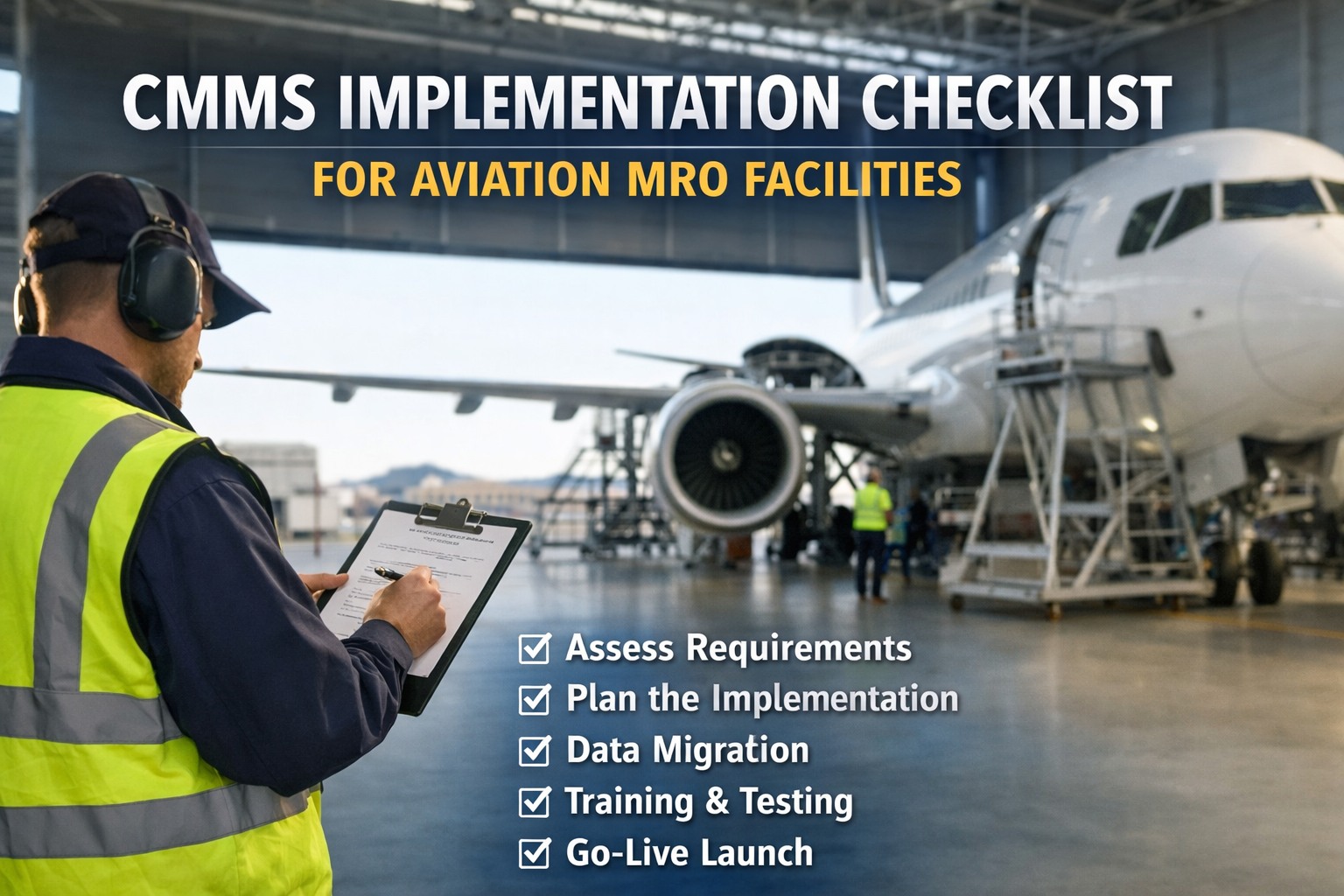
This checklist is organized into six phases that mirror how successful MRO facilities actually deploy a CMMS—from initial planning through continuous optimization. Each phase builds on the previous one. Skip a phase and the entire deployment is at risk.
Before you touch any software, align your team on why you are implementing a CMMS and what success looks like. This is the phase that separates the 20% that succeed from the 80% that fail.
Define measurable objectives
Set specific targets: reduce unscheduled downtime by X%, cut PM backlog by Y%, achieve 100% audit-ready documentation. Vague goals like "improve maintenance" guarantee failure.
Secure executive sponsorship
Get written commitment from leadership for budget, timeline, and organizational priority. Without top-down support, the project will be deprioritized the moment operational pressures hit.
Assign a dedicated project owner
Name one person accountable for the entire implementation—not a committee, not a part-time assignment. This person owns the timeline, decisions, and escalations.
Audit current maintenance workflows
Document how work orders are created, assigned, completed, and closed today. Map every paper form, spreadsheet, whiteboard, and verbal handoff. You cannot digitize what you do not understand.
List regulatory compliance requirements
Identify every FAA, EASA, or national authority requirement your CMMS must support—Part 145 documentation, airworthiness directive tracking, calibration records, and audit trail standards.
Build the business case with ROI projections
Calculate projected savings from reduced downtime, fewer paper errors, faster audit preparation, and optimized parts inventory. Present to leadership in financial terms they understand.
Garbage in, garbage out. Your CMMS is only as reliable as the data you feed it. This phase is where most MRO implementations quietly die—teams rush past data cleanup and pay for it for years.
Create a complete asset inventory
Catalog every maintainable asset: aircraft, GSE, tooling, hangar equipment, test rigs, calibration instruments. Include serial numbers, manufacturers, model numbers, and installation dates.
Define asset hierarchy and parent-child relationships
Structure assets in logical groups: facility → hangar → bay → aircraft system → component. This hierarchy drives how work orders roll up and how reports aggregate.
Standardize naming conventions
Establish consistent naming rules for assets, locations, failure codes, and work order types. The difference between "Hyd Pump," "Hydraulic Pump," and "HYD-PMP-01" causes chaos at scale.
Clean and migrate historical maintenance records
Decide what history to migrate: active work orders, open PMs, recent inspection records, calibration due dates. Do not dump 20 years of unstructured data into a new system.
Build spare parts and inventory database
Enter part numbers, descriptions, stock locations, minimum/maximum quantities, lead times, and preferred vendors. Link parts to the specific assets that consume them.
Document calibration instruments and schedules
Register every calibrated tool—torque wrenches, multimeters, pressure gauges—with calibration intervals, last calibration dates, and certifying bodies.
Now you configure the CMMS to match your actual maintenance operation—not the other way around. The system should reflect how your technicians work, not force them into a generic workflow.
Configure work order templates for MRO task types
Set up templates for routine inspections, unscheduled repairs, component overhauls, AD compliance tasks, and service bulletin implementations—each with required fields and approval flows.
Build preventive maintenance schedules
Create PM schedules based on calendar intervals, flight hours, cycles, or condition triggers. Link each PM to the correct assets, parts lists, and labor estimates.
Set up user roles and permissions
Define access levels: administrators, maintenance planners, technicians, inspectors, quality assurance, management. Restrict who can create, approve, close, and delete work orders.
Configure notification and escalation rules
Set automated alerts for overdue PMs, calibration expirations, parts reorder points, and work orders exceeding time thresholds. Define escalation paths when deadlines are missed.
Integrate with existing systems
Connect the CMMS to your ERP, procurement system, IoT sensors, or flight management platform. Siloed systems create data gaps that undermine the entire deployment.
Configure regulatory report templates
Build export-ready templates for audit documentation: maintenance logs, calibration certificates, compliance reports, and AD tracking records that match authority expectations.
OXmaint comes pre-configured with aviation PM templates, calibration tracking, and mobile workflows—so Phase 3 takes days instead of weeks.
Start Free
Never go live without testing. Run every critical workflow end-to-end with real users and real scenarios. The bugs you catch here cost minutes to fix—after go-live, they cost days.
Run pilot tests with a small asset group
Select 10–20 representative assets and run the full cycle: create work orders, assign technicians, complete tasks, close out with documentation. Test with actual maintenance staff, not the project team.
Validate PM auto-generation and scheduling
Confirm that preventive maintenance tasks generate on the correct dates, with the right parts lists, labor assignments, and compliance references attached.
Test mobile workflows in the hangar
Have technicians complete work orders from tablets on the shop floor. Test offline mode, photo capture, digital sign-off, and data synchronization when connectivity returns.
Verify notification and escalation triggers
Intentionally let a test PM go overdue and confirm the escalation chain fires correctly—from initial alert to supervisor notification to management escalation.
Run a mock regulatory audit
Pull every report an auditor would request—maintenance history, calibration records, AD compliance status, open work orders—and verify they are complete, accurate, and exportable.
Training is not a one-hour webinar the day before launch. It is a structured, role-specific program that continues well past go-live. Facilities that invest in proper training see adoption rates jump from under 50% to above 88%.
Deliver role-specific training sessions
Train technicians differently than planners, inspectors differently than managers. Each role has different screens, workflows, and data responsibilities. One-size training fails everyone.
Create quick-reference guides for common tasks
Build short, visual job aids for the 5–10 most frequent tasks: creating a work order, logging an inspection, requesting a part, updating a calibration record. Post them in the hangar.
Designate floor champions
Identify 2–3 tech-savvy technicians on each shift who can answer questions and coach peers in real time. Peer support drives adoption faster than any formal training program.
Execute go-live with parallel running
Run the CMMS alongside existing systems for 1–2 weeks. This catches data gaps without risking operational continuity. Set a hard cutover date to prevent permanent dual-entry.
Enforce zero-paper policy after cutover
Once the CMMS is live, eliminate paper work orders completely. Mixed systems guarantee that data becomes fragmented—some logged digitally, some on paper, some nowhere.
Implementation is a launchpad, not a finish line. The best MRO facilities treat their CMMS as a living system that improves continuously through user feedback, data analysis, and workflow refinement.
Review KPIs at 30, 60, and 90 days
Track work order completion rates, PM compliance percentages, mean-time-to-repair, and user adoption metrics. Compare against the objectives set in Phase 1.
Conduct reinforcement training
Schedule follow-up training at 30, 60, and 90 days post-launch. Catch bad habits early—incomplete data entry, skipped fields, and workarounds that bypass the system.
Audit data quality monthly
Check for incomplete work orders, missing timestamps, unlinked parts consumption, and orphaned assets. Data integrity degrades silently unless actively monitored.
Collect user feedback and iterate
Run monthly feedback sessions with technicians and planners. The people using the system daily will identify workflow friction points that the project team never anticipated.
Expand scope: add advanced modules
Once core workflows are stable, layer in advanced capabilities—predictive maintenance analytics, IoT sensor integration, condition-based monitoring, and AI-driven scheduling.
The 5 Fastest Ways to Kill a CMMS Deployment
Knowing what to do is half the battle. Knowing what not to do prevents the mistakes that have killed thousands of CMMS projects across every industry.
01
Skipping data cleanup
Migrating 20 years of inconsistent, duplicate, and incomplete records into a new system does not clean them—it amplifies the mess. Clean first, migrate second.
02
No executive sponsor
Without leadership backing, the project loses budget priority the moment a production issue demands attention. Executive sponsorship is not optional—it is the single biggest predictor of success.
03
One-time training
A single training session before go-live produces a 48% adoption rate. Reinforcement training at 30, 60, and 90 days pushes adoption above 88%. Training is continuous, not an event.
04
Allowing paper workarounds
If technicians can still use paper, they will. Mixed digital-paper systems create fragmented data that makes reports unreliable and audits painful. Hard cutover is essential.
05
Trying to do everything at once
Deploying every module across every asset on day one overwhelms users and guarantees confusion. Start with core work orders and PMs on a pilot group, then scale systematically.
Implementation Timeline at a Glance
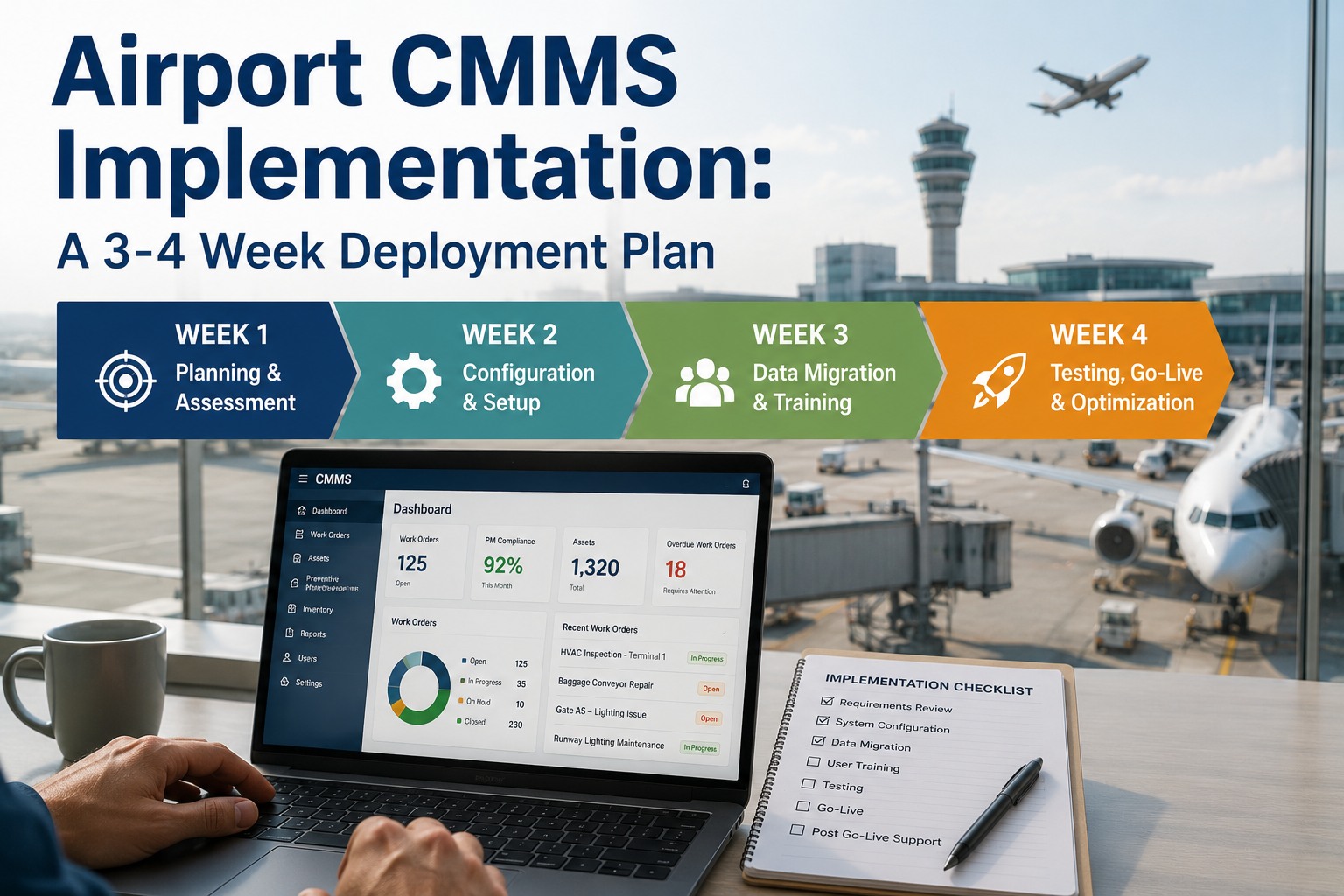
Most cloud-based CMMS platforms can be operational within 6–8 weeks for a standard MRO facility. Here is how the timeline breaks down across phases.
Phase 2: Data Prep
Wk 2–4
Phase 3: Configuration
Wk 3–5
OXmaint: Go Live in Days, Not Months
Cloud-native deployment with pre-built aviation PM templates, mobile-first technician workflows, calibration tracking, and guided onboarding—so your team is productive from week one.
Frequently Asked Questions
How long does a CMMS implementation take for an aviation MRO facility?
Cloud-based CMMS platforms like OXmaint can be operational within 1–2 weeks for basic work order and PM management, with full deployment including data migration, integrations, and training typically completed in 6–8 weeks. Legacy on-premise systems often take 6–12 months. The key variable is data preparation—facilities with clean, organized asset records deploy significantly faster.
What is the biggest reason CMMS implementations fail?
Industry data consistently shows that 60–80% of CMMS implementations fail, with the primary causes being lack of executive sponsorship, poor data quality, insufficient training, and trying to deploy too much too fast. In aviation MRO specifically, failing to configure the system around regulatory compliance requirements creates audit exposure that forces costly rework.
Should we migrate all historical maintenance data into the new CMMS?
No. Migrating decades of unstructured, inconsistent data is the second most common implementation killer. Focus on migrating active work orders, open PMs, current calibration schedules, and 12–24 months of maintenance history for critical assets. Archive older records separately and reference them only when needed.
How do we drive technician adoption of the new system?
Three proven strategies: First, choose a mobile-first platform that technicians can use on tablets at the point of work. Second, designate peer champions on each shift who coach others in real time. Third, enforce a hard cutover from paper—allowing parallel paper systems guarantees fragmented data and low adoption. Facilities using these strategies report adoption rates above 88%.
What aviation-specific features should our CMMS include?
At minimum: airworthiness directive tracking, serialized part traceability, calibration management with auto-lockout for overdue instruments, flight-hour and cycle-based PM scheduling, mobile inspection workflows with photo capture, digital sign-off capabilities, and export-ready audit documentation that satisfies FAA/EASA requirements.
Book a demo to see how OXmaint covers these requirements out of the box.
Ready to Implement Your MRO CMMS the Right Way?
OXmaint gives aviation maintenance teams cloud-native deployment, aviation-ready templates, mobile workflows, calibration tracking, and guided onboarding—backed by a team that has done this before.