Clinker quality is shaped by the kiln, cooler, feed system and fuel handling, yet maintenance and process teams usually look at different screens. Process engineers watch free lime and burning conditions while maintenance tracks work orders and equipment faults, and the connection between them is made in meetings. A shared dashboard puts clinker quality indicators beside asset condition, inspections and open work, so a drifting result can be matched to the equipment that may explain it. Oxmaint brings these records together in one maintenance management platform.
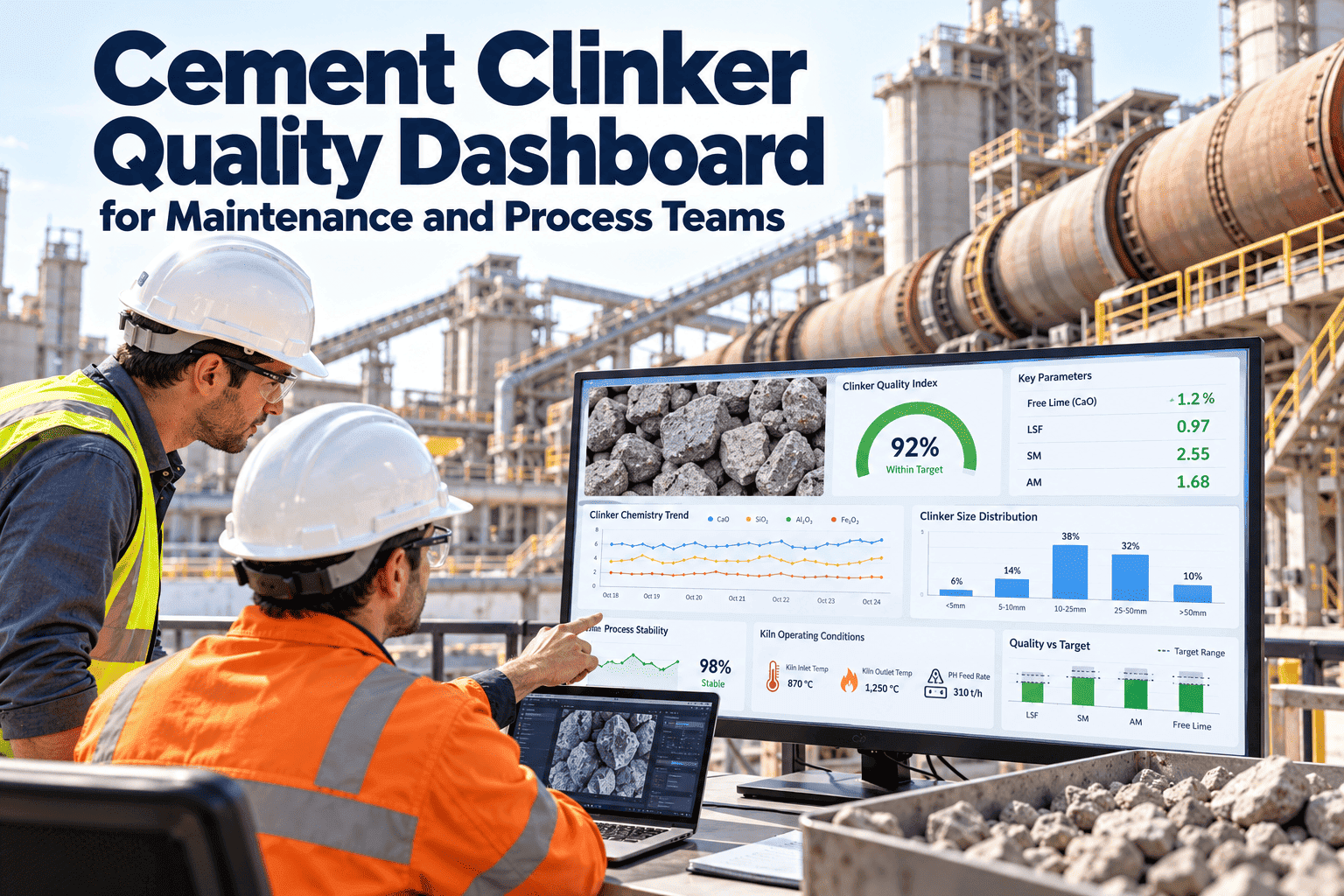
Cement Clinker Quality Dashboard for Maintenance and Process Teams
See clinker quality indicators, asset health, alerts and work orders on one page, and act on them together.
Free lime
Trend vs limit
Kiln feed stability
Variation
Cooler condition
Open alerts
Open work
By priority
One dashboard, two sets of questions
Process team asks
- Is free lime drifting, and since when?
- Did a feeder, burner or cooler issue start at the same time?
- Which equipment limits our ability to hold the target?
Maintenance team asks
- Which assets matter most to clinker quality today?
- What inspections are overdue on those assets?
- Which repairs should be planned first?
What the dashboard can bring together
| Information | Examples for clinker production | Why it helps |
|---|---|---|
| Quality indicators | Free lime, litre weight, burnability notes entered by quality teams | Shows when results move away from target |
| Asset records | Kiln, burner, cooler, kiln feed system, fans | Links results to equipment |
| Inspections and readings | Temperatures, vibration, wear checks, round results | Shows condition trends |
| Alerts | Overdue tasks, limit breaches, repeat faults | Prompts action before drift grows |
| Work orders | Open, planned and completed repairs | Shows what is being done and by whom |
What appears on your dashboard depends on the data you record or import in your own setup.
From alert to verified fix
1
Detect
A quality or condition indicator crosses the limit you define.
2
Review
Process and maintenance view the same asset history together.
3
Assign
A work order is created with owner, priority and job plan.
4
Verify
The next result confirms whether the repair helped.
See clinker quality and equipment condition side by side
Set up one kiln line and review it with your process and maintenance teams.
Linking clinker quality symptoms to equipment checks
| Quality symptom | Equipment to review | Typical question for the team |
|---|---|---|
| Rising free lime | Kiln feed system, burner, cooler, raw circuit feeders | Did feed, flame or cooling conditions change? |
| Unstable clinker size or nodulization | Kiln drive, feed metering, fuel dosing | Was feed or speed unstable before the change? |
| Frequent coating or ring problems | Burner, fuel system, raw mix chemistry equipment | Which asset events precede each event? |
| Cooler-related quality swings | Cooler grates, fans, drives, air distribution | Is clinker temperature or air flow varying? |
| Variable clinker grindability | Burning zone and cooler equipment | Did burning conditions change across shifts? |
Clinker quality indicators and limits are defined by your laboratory and process team. The dashboard shows them beside equipment records.
Views for different roles
Plant manager
Overview of quality trend, open critical work and repeat failures
Process engineer
Quality indicators beside equipment events on one timeline
Maintenance planner
Backlog, scheduled tasks and upcoming stop work by asset
Reliability engineer
Failure history, causes and trends for kiln-line assets
Laboratory lead
Deviations and the actions linked to them
Supervisor
Shift tasks, inspection results and escalations
Alert rules worth agreeing before launch
Condition and task alerts
- Overdue preventive tasks on kiln-line critical assets
- Inspection readings outside the agreed limit
- Critical work orders open beyond their target time
- Repeat faults on the same asset within a review period
Rules for good alerts
- Every alert has an owner and a defined response
- Limits come from engineering judgement and history
- Noisy alerts are reviewed and tuned monthly
- Alerts link to the asset record and open work
Keeping the dashboard trustworthy
- Name assets consistently, so quality notes and work orders point to the same equipment.
- Record inspection readings at the point of work instead of re-entering them later.
- Close work orders with cause and action codes, which makes later analysis possible.
- Review data gaps monthly, such as missed rounds or untagged work, and assign owners to fix them.
- Retire indicators nobody uses, so the page stays focused on decisions.
A weekly meeting rhythm that uses the dashboard
1
Review
Look at last week's quality trend and the equipment events beside it.
2
Decide
Agree which suspected causes need inspection or repair first.
3
Assign
Create or update work orders with owners and target dates.
4
Follow up
Check last week's actions and confirm their effect on quality.
Data sources to line up before building the dashboard
| Source | What it provides | Preparation needed |
|---|---|---|
| Laboratory records | Free lime and other clinker test results | Agree sample points, units and who enters results |
| Asset register | Kiln line, burner, cooler, feed and fan assets | Consistent names, hierarchy and criticality rank |
| Inspection routes | Readings and observations from the floor | Checklists with clear limits and photo options |
| Work order history | Faults, causes, repairs and downtime | Cause and action categories used consistently |
| Process system exports | Selected trends such as temperatures and flows | Decide which signals are worth bringing in |
Spreadsheets and meetings versus a shared dashboard
Separate files and meetings
- Quality data and maintenance data live in different places
- Causes are discussed from memory
- Actions are tracked in email or notes
- Repeat problems are hard to prove
Shared dashboard and work orders
- Results and equipment records sit side by side
- Causes are checked against asset history
- Actions have owners, dates and closure notes
- Repeat faults are visible by asset and cause
Design principles for a useful dashboard
Few measures
Show what supports decisions, not every available signal
Same time axis
Place quality and equipment events on a shared timeline
Clear limits
Mark targets and action levels so status is obvious
Drill down
Move from a trend to the asset and its work orders
Action focus
Every chart should lead to a person and a next step
Mobile friendly
Make key views readable for supervisors on the floor
Risks that weaken a dashboard project
| Risk | What it looks like | How to reduce it |
|---|---|---|
| Too many indicators | Nobody knows which number matters | Start with a small set agreed by process and maintenance |
| Poor asset naming | Work orders cannot be matched to quality events | Clean the asset register before launch |
| Late data entry | Readings and results arrive days after the event | Use mobile entry at the point of work |
| No clear owner | Alerts appear but nothing happens | Assign each alert type to a role |
| Limits never reviewed | Alerts become noise or miss real problems | Review limits monthly with the reliability team |
Questions to ask when evaluating a clinker quality dashboard
- Can quality indicators and equipment records be viewed together without manual rework?
- Can alerts create work orders with an owner, priority and job plan?
- Can inspections be completed on mobile devices, including in low-connectivity areas of the plant?
- Can reports show repeat failures, backlog and completion trends by asset and team?
- How are user roles and access handled across process, laboratory and maintenance?
- What support is available for setting up asset hierarchies and inspection routes?
You can raise these questions in a demo to see how Oxmaint handles each one for your plant.
Governance: who sets and reviews the limits
Quality and process own
- Clinker quality indicators and their target bands
- Sampling points and test schedules
- Decisions about product grades and blends
Maintenance and reliability own
- Asset criticality, inspection limits and task intervals
- Work order priorities and response targets
- Spares and planned stop scope
Checkpoints for a first dashboard rollout
| Checkpoint | Question to answer | Evidence |
|---|---|---|
| Asset register ready | Are kiln-line assets named and ranked consistently? | Reviewed hierarchy and criticality list |
| Routes in use | Are operators and technicians completing inspections? | Completion rates by route and shift |
| Quality data linked | Can a deviation be matched to an asset and work order? | Sample linked records |
| Alerts owned | Does every alert have a responsible role? | Alert and response register |
| Review habit | Is the dashboard used in the weekly meeting? | Meeting notes and agreed actions |
What success can look like after the first 90 days
- Process and maintenance teams use the same asset names and the same timeline when discussing a quality drift.
- Most deviations on kiln-line equipment have a linked inspection or work order with a recorded cause.
- Overdue preventive tasks on critical assets are visible and falling.
- Repeat faults are identified by asset and assigned for root cause analysis.
- Planned stop scope is built from recorded defects instead of memory.
Maintenance capabilities behind the dashboard
Asset management
Hierarchy from kiln line to component, with history
Preventive maintenance
Scheduled tasks for burner, cooler and feed equipment
Inspections
Mobile checklists with recorded readings
Work orders
Corrective and condition-based work with owners
Inventory
Spares linked to critical clinker equipment
Reporting
Repeat failures, backlog and completion trends
A practical rollout path
Week 1
List kiln-line assets that influence clinker quality and rank their criticality.
Week 2
Build inspection routes and preventive tasks for the highest-ranked assets.
Week 3
Agree the indicators and limits that process and maintenance will review together.
Week 4
Hold a shared review, assign actions and adjust limits from what you learned.
Frequently asked questions
Who is this dashboard for?
Process engineers, maintenance planners, reliability engineers and plant managers who share responsibility for clinker quality.
Can we choose our own indicators and limits?
Yes, your teams define what to track and what counts as a breach for each asset or indicator.
Does it replace process control systems?
No. It complements them by linking quality and condition information to maintenance actions.
Can we see it before committing?
Yes. You can book a demo to review a kiln-line setup with our team.
What is the best first step?
Start with one kiln line and get started by registering its critical assets.
Give process and maintenance the same view of clinker quality
Connect results, asset condition and work orders so every drift has an owner and an answer.