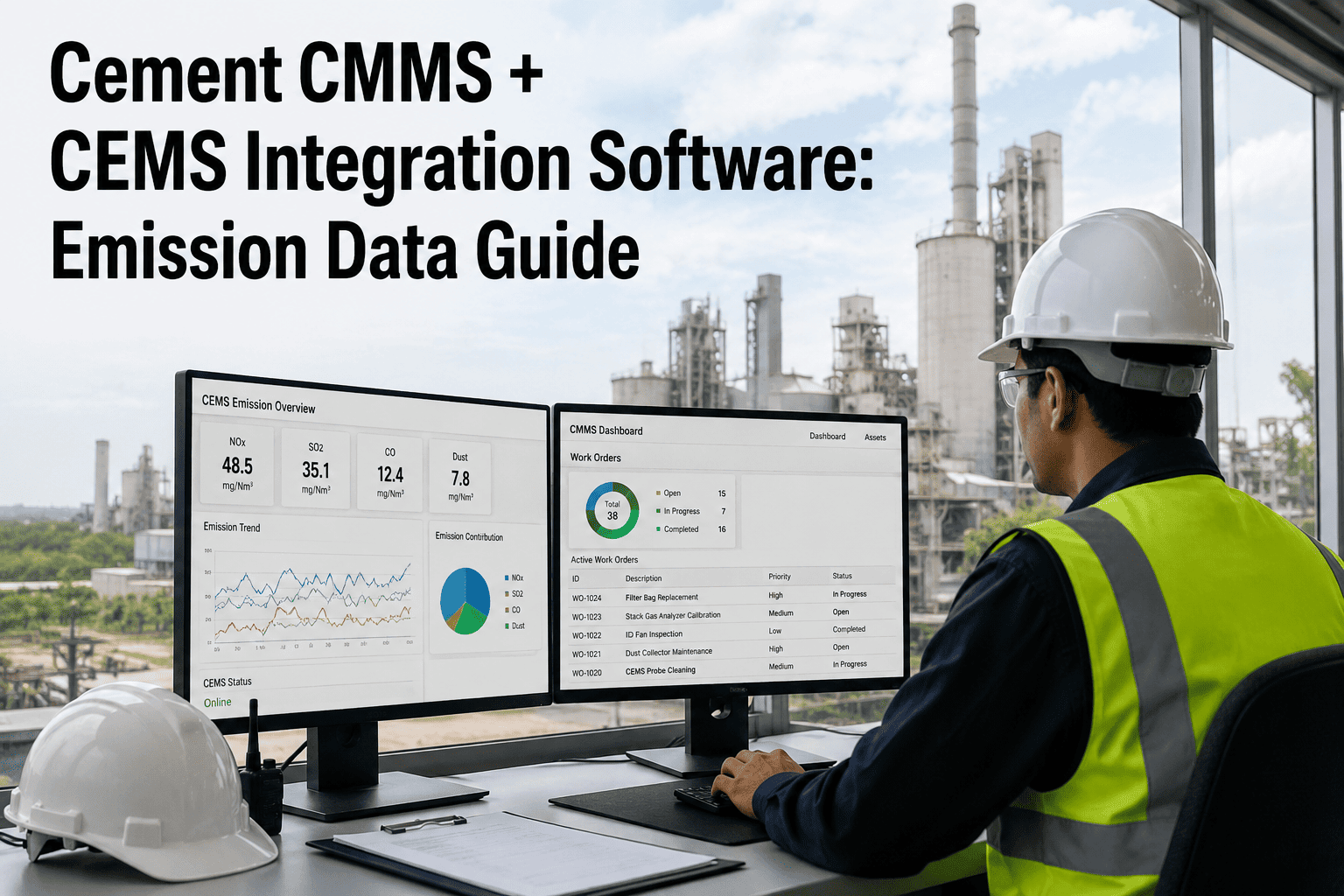
A CEMS analyzer can tell you the exact moment NOx, SOx, CO, or opacity crossed a permit threshold — but on its own it cannot tell your kiln team what to fix, who should fix it, or whether the fix actually happened. That gap between an emissions alarm and a closed corrective action is where most compliance exposure quietly builds up, especially across plants running multiple kilns with separate CEMS data streams. Environmental and maintenance teams end up working from two different systems that were never designed to talk to each other. OxMaint CMMS closes that gap by turning CEMS exceedance data into a maintenance work order the moment it happens, not after someone notices it in a report.
Turn Emissions Data Into Closed Work Orders, Not Just Reports
OxMaint connects directly to your CEMS data stream so NOx, SOx, CO, and opacity exceedances create maintenance work orders automatically — with a full audit trail from alarm to corrective action.
The Gap Between an Emissions Alarm and a Closed Corrective Action
CEMS software is built to measure and report — it is not built to manage the repair. That gap shows up the same way at almost every cement plant.
Exceedances Sit in a Report
An NOx or opacity spike gets logged by the CEMS software, but turning that log entry into an assigned repair task is still a manual, often delayed step.
No Link to the Responsible Asset
Emissions data is tied to a stack, not to the burner, ESP field, or bypass damper that actually caused the excursion, making root cause slower to trace.
Corrective Actions Aren't Tracked to Closure
Without a connected work order system, there is no guaranteed record that a flagged exceedance was actually investigated and resolved, only that it was noticed.
Audit Prep Becomes a Scramble
When an auditor asks for proof of corrective action on a specific exceedance date, teams are often reconstructing the story from two disconnected systems.
Emission Parameters Mapped to Maintenance Response
Each parameter is mapped to the equipment most likely to be the root cause, so an exceedance routes to the right team instead of a general alert.
NOx
Routed to burner tuning, kiln firing rate, and SNCR dosing work orders when levels trend toward the permit limit.
SOx
Linked to raw material sulfur content checks and scrubber or absorbent injection system performance.
CO
Tied to combustion efficiency checks, kiln draft settings, and false-air inleakage inspections.
Opacity
Routed straight to ESP or bag house field performance, rapper cycles, and hopper evacuation checks.
From CEMS Signal to Closed Work Order in Five Steps
Continuous Data Pull From CEMS
OxMaint connects to your existing CEMS data historian and pulls parameter readings on a continuous basis, no separate manual logging required.
Threshold Comparison Against Permit Limits
Incoming readings are checked against your permit-defined limits and internal warning thresholds set below the regulatory limit.
Automatic Work Order Creation
A breach generates a work order assigned to the mapped asset and responsible technician, with the triggering data attached automatically.
Root Cause and Repair Documentation
Technicians record findings, corrective action taken, and parts used directly on the work order, keeping the full story in one place.
Closure Linked Back to the Original Event
The completed work order is linked permanently to the originating exceedance record, ready to be pulled for any future audit request.
One Exceedance, One Connected Record, One Closed Loop
OxMaint keeps your CEMS data and your maintenance work orders in the same system, so nothing gets lost in the space between the alarm and the repair.
What Changes Once Maintenance and Emissions Data Are Connected
| Capability | CEMS Software Alone | CEMS + OxMaint |
|---|---|---|
| Exceedance to work order | Manual, often delayed | Automatic on threshold breach |
| Asset-level root cause | Not mapped | Routed to the responsible asset |
| Corrective action tracking | Separate spreadsheet or log | Tracked to closure in one record |
| Audit documentation | Reconstructed across systems | Exportable as a single package |
| Multi-kiln visibility | Per-stack reporting only | Unified dashboard across kilns |
Questions Environmental and Maintenance Teams Ask
Close the Loop Between Emissions Alarms and Actual Repairs
Cement plants that manage CEMS and maintenance separately are always one missed handoff away from an unresolved exceedance. OxMaint keeps the two connected, so every alarm ends in a documented fix, not just a report.