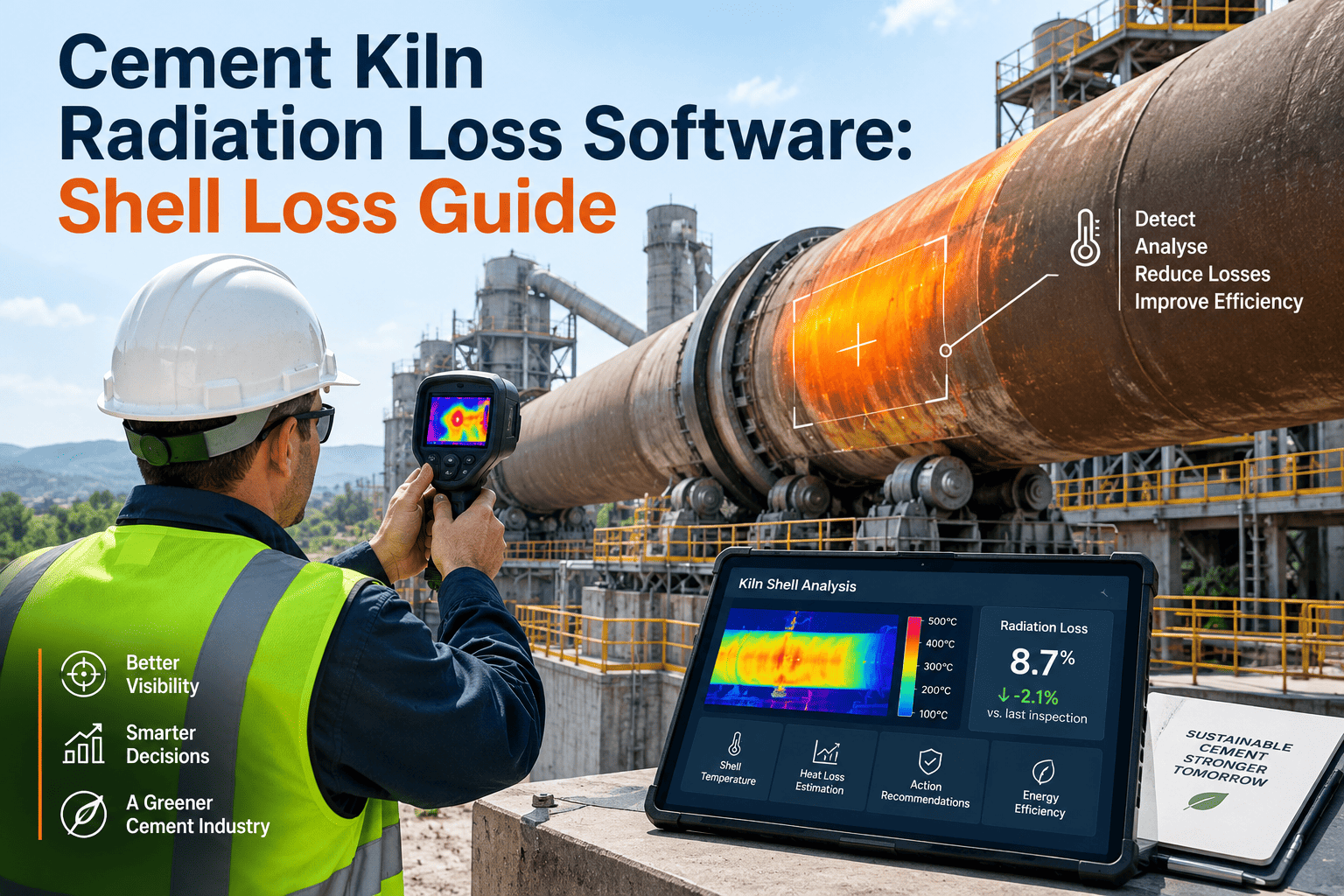
Cement Kiln Radiation Loss Software: Shell Loss Guide

By Corin Hale on September 2, 2026

cement-kiln-radiation-loss-software-shell-loss-guide

Cement kiln shell radiation loss quietly accounts for 8 to 15 percent of the total thermal energy fed into a rotary kiln system, and on kilns with thinning refractory or a collapsed coating that share climbs well past the baseline. Most plants track their overall specific fuel consumption number closely, but very few keep a scheduled, zone-by-zone record of exactly how much of that fuel is radiating straight off the shell into the plant atmosphere. A hot spot forming behind a fallen coating segment can double the radiation loss from that one zone within a matter of weeks, and without a repeatable infrared scanning schedule the only visible signal is a fuel bill that keeps climbing for reasons nobody can point to. Radiation loss is not a mysterious inefficiency — it is a measurable, trackable, and largely preventable loss stream once shell temperature data is captured on a fixed schedule instead of during an occasional walk-around with a handheld gun. Sign in to OxMaint to set up scheduled infrared shell scanning and radiation loss tracking across every kiln zone in your plant.

Cement Kiln Shell Management · Radiation Loss Tracking · Refractory Monitoring · OxMaint
See the Shell Loss Before It Shows Up in the Fuel Bill. Scan Every Zone. Track Every Coating. Catch the Hot Spot Before It Burns Through.
OxMaint kiln shell management automates infrared temperature scanning schedules, tracks coating stability and refractory wear by shell zone, calculates radiation loss as a live share of the kiln heat balance, and turns a scattered walk-around habit into a documented, trended, plant-wide loss reduction programme.
8–15%
of total kiln thermal energy input is typically lost through shell radiation and convection on a rotary cement kiln
30–40%
increase in shell heat loss at a given zone once refractory lining thickness there has worn down to half its original depth
54/46
split between radiation and convection losses from a typical calcination-zone kiln shell, based on published field measurements
8–15%
That is the share of every kilogram of fuel burned in a rotary kiln that leaves the process through the bare metal of the shell — not through the stack, not through the cooler, but radiated and convected straight into the plant. On a kiln running at 730 kcal per kilogram of clinker, a shell radiation share sitting even 3 to 4 percentage points above baseline can represent tens of thousands of dollars in fuel a year, and the cause is almost always the same: a coating section that fell away months ago and was never logged, tracked, or scheduled for repair. OxMaint turns shell scanning from an occasional maintenance walk into a structured programme — zone-by-zone temperature logging, coating stability trending, and an automatically calculated radiation loss share that shows exactly where the fuel is going.
Clinkerization · 50%
Preheater Exhaust · 22%
Cooler Exhaust · 10%
Shell Radiation · 12%
Other / False Air · 6%
Clinkerization heat — the productive share, fixed by process chemistry
Preheater exhaust — largely recoverable through sealing and waste heat recovery
Cooler exhaust — recoverable through grate condition and airflow tuning
Shell radiation — the loss stream this page is about, driven by refractory and coating condition
Other losses — dust, unaccounted heat, and minor false-air ingress
SCAN — Shell Temperature Scanning
Scheduled Infrared Shell Scanning With Zone-Level Temperature Logging
A single point-and-shoot infrared reading tells you almost nothing about a kiln shell that is 40 to 80 metres long and rotating continuously. Radiation loss has to be measured as a full temperature profile — steady readings taken at consistent shell positions, on a fixed interval, so that a rising trend at one zone is visible long before it becomes a visible glow through the paint. OxMaint schedules recurring infrared scanning rounds for every kiln in the plant, structures the scan route by shell zone and position, and stores each reading against that exact position so consecutive scans can be compared point for point. AI trend detection flags any zone where shell temperature is climbing faster than the surrounding sections, well before the reading crosses the plant's hot-spot alarm threshold.
Key Scan Parameters OxMaint Tracks
Shell surface temperature — recorded per zone position at every scheduled scan
Ambient-corrected reading — normalized against outside air temperature and wind
Zone-to-zone variance — flags a single position climbing faster than its neighbours
Scan completion status — every position checked, none skipped on a rushed round
Scanning Failures OxMaint Prevents
Inconsistent scan positions — readings not comparable between rounds
Skipped zones — hard-to-reach shell sections left unmeasured for months
No ambient correction — a hot day misread as a developing hot spot
COAT — Coating & Refractory Stability
Coating Stability Trending and Refractory Wear Correlation by Zone
The clinker coating that builds up inside the burning zone is the kiln's first line of insulation — when a section of coating falls away, the exposed refractory heats up fast, and shell temperature at that position rises well before the lining itself is measurably thinner. OxMaint links every shell temperature reading to the coating and refractory condition noted for that zone at the last internal inspection, so a temperature spike can be immediately read against whether a coating loss event was logged nearby. Refractory thickness estimates entered from kiln internal inspections are trended against the corresponding shell temperature history, giving reliability teams a data-backed way to decide whether a hot zone needs a coating gun run, a refractory patch, or can wait for the next planned outage.
Key Coating Parameters OxMaint Tracks
Coating status per zone — stable, thinning, or lost, logged at each internal inspection
Refractory remaining thickness — measured or estimated per shell zone position
Days since last coating event — how long a zone has run without protective buildup
Temperature-to-refractory correlation — AI-linked trend across both data sets
Coating Failures OxMaint Catches
Coating loss unlogged — shell temperature rises with no recorded cause on file
Refractory thinning ignored — repeated hot readings not connected to lining condition
Repair scheduled reactively — patch ordered only after shell glows through the paint
CALC — Radiation Loss Calculation
Automated Radiation Loss Share Calculation Against the Kiln Heat Balance
A shell temperature reading on its own is just a number in degrees. What a reliability team actually needs is the answer in kilocalories per kilogram of clinker — how much fuel is that reading actually costing, and what share of the total heat balance does it represent. OxMaint converts logged shell temperature and shell surface area per zone into an estimated radiation and convection loss figure, aggregates it across the full kiln shell, and expresses it as a percentage share of total thermal input using current production and fuel consumption data. That number is tracked over time as a single trend line — the clearest possible signal of whether the shell loss reduction programme is actually working, and the fastest way to justify a refractory repair budget with a real fuel-cost number instead of a temperature reading nobody outside maintenance can interpret.
Key Calculation Inputs OxMaint Uses
Shell surface temperature by zone — the primary scan input feeding the estimate
Shell surface area per zone — geometry data configured once per kiln
Production rate and fuel consumption — pulled from plant process data
Radiation loss trend line — plant-wide percentage share tracked scan over scan
Calculation Failures OxMaint Prevents
No fuel-cost translation — hot readings noted but never converted to a loss estimate
No trend baseline — no way to tell if the programme is reducing loss over time
Manual spreadsheet drift — one-off calculations that are never repeated consistently
RPT — Heat Balance Reporting
Loss Stream Heat Balance Reports for Energy Audits and Management Review
Energy audits, ISO 50001 reviews, and internal management reporting all need the same underlying evidence: a documented breakdown of where kiln thermal energy is going, updated on a known schedule rather than reconstructed once a year from scattered notes. OxMaint compiles scan history, coating and refractory status, and calculated radiation loss share into a structured heat balance report for any kiln and any date range — showing the loss stream trend, every zone flagged during the period, and every corrective work order raised in response. Reports are formatted for direct use in energy audits, corporate sustainability reporting, and capital planning discussions where a refractory repair budget needs a documented fuel-savings case behind it.
Key Reporting Elements OxMaint Generates
Radiation loss share trend — plant and kiln level, over any selected period
Zone-level hot spot history — every flagged position and its resolution status
Corrective work order log — repairs raised, completed, and re-scanned for effect
Scan completion record — proof every scheduled round was actually carried out
Reporting Failures OxMaint Prevents
No audit trail — energy audit team reconstructing loss data from memory
Repairs undocumented — refractory work done with no before-and-after comparison
Report built once a year — no ongoing visibility between audit cycles
OxMaint · Kiln Shell & Radiation Loss Management
A Hot Spot Doesn't Announce Itself. A Scheduled Scan Does. See the Loss Before the Fuel Bill Does.
OxMaint turns kiln shell inspection from an occasional walk-around into a scheduled, measured, and trended radiation loss reduction programme — with every scan, every coating event, and every kilocalorie of avoidable loss on record.
How OxMaint AI Turns Shell Scans Into a Loss Reduction Programme
Technology · Hot Spot AI
Zone-Level Hot Spot Detection From Scan History
OxMaint compares each new scan against the position's own history rather than a single fixed alarm threshold — catching a zone that is climbing faster than its own baseline even while it is still well under the plant's absolute hot-spot limit. This surfaces developing coating loss weeks before the reading would trigger a conventional fixed-threshold alert.
Outcome: Coating and refractory issues caught while still a scheduled repair, not an emergency
Technology · Loss Calculation AI
Radiation Loss Share Estimation Against Live Production Data
OxMaint recalculates the plant's shell radiation loss share every time new scan and production data is logged — converting raw temperature readings into a kilocalorie-per-kilogram figure and a percentage share of total thermal input, so the number reliability teams see is always current, not a once-a-year estimate.
Outcome: A live, trackable fuel-cost number behind every refractory repair decision
Technology · Reporting AI
Heat Balance Report Generation for Audits and Reviews
OxMaint assembles scan history, coating status, calculated loss share, and repair work orders into a structured heat balance report for any kiln and date range — ready for an energy audit, an ISO 50001 review, or a capital planning meeting without a week of manual data reconstruction.
Outcome: A complete kiln shell loss report assembled in minutes, not days
Critical — Fuel Loss
Hot Spot Behind a Fallen Coating Segment
A coating loss event that goes unlogged lets shell temperature climb at that zone for weeks before anyone notices. OxMaint's zone-level trend detection flags the climb against that position's own scan history, well before it reaches the plant's hot-spot threshold.
Critical — Shell Damage Risk
Refractory Thinned Below the Safe Repair Window
Once refractory thickness drops far enough, shell heat loss at that zone can rise 30 to 40 percent — and continued operation risks shell metal damage. OxMaint's refractory-to-temperature correlation flags this before the repair window closes.
Critical — Blind Spot
Missed or Skipped Scheduled Shell Scan
A scan round that gets skipped during a busy shift leaves a gap in the trend line exactly when a developing hot spot needed to be caught. OxMaint escalating alerts flag any overdue scan before the gap becomes a blind spot in the record.
Elevated — Efficiency Drift
Radiation Loss Share Drifting Above Baseline
A slow, plant-wide creep in radiation loss share is harder to notice than a single hot spot but often costs more in total fuel. OxMaint's trend line makes a 2 to 3 percentage point drift visible immediately instead of buried in a rising fuel bill.
Elevated — Data Distortion
Seasonal Ambient Variance Masking the Real Trend
A hot summer day can make a stable zone look like it is trending upward if readings are not corrected for ambient temperature. OxMaint's ambient-corrected readings keep the trend line accurate across seasons.
Elevated — Recurring
Repeated Hot Spot at the Same Shell Position
A position that keeps returning to hot-spot readings after repair usually points to a structural coating or airflow issue at that zone, not a one-off event. OxMaint's position history flags the recurrence for deeper investigation.
Loss Parameter What It Measures Typical Range OxMaint Tracking Risk If Ignored
Shell surface temperature Infrared reading per zone position Varies by zone, plant-specific alarm limit Logged per position, every scheduled scan Localized refractory failure
Ambient-corrected loss Radiation loss normalized for outside air 8–15% of total thermal input Auto-normalized on every scan entry False trend, missed real hot spot
Convective loss share Loss carried off by moving air past the shell ~46% of total shell loss on average Estimated per zone from airflow conditions Understated total loss estimate
Coating stability Clinker coating condition protecting refractory Stable, thinning, or lost per zone Logged at every internal inspection Refractory exposed, temperature spike
Refractory remaining thickness Lining wear indicator by shell zone Loss rises 30–40% near half-thickness Correlated against temperature trend Shell burn-through risk
Radiation loss thermal share Percentage of total kiln heat balance 8–15% typical plant baseline Auto-calculated from scan and process data Hidden, compounding fuel cost
22%
average reduction in plant-wide radiation loss share within two scan cycles of targeted refractory repair scheduled from OxMaint trend data
Zero
missed scheduled shell scans across plants using OxMaint automated scan scheduling — every zone checked, every round on record
Under 5 min
time to generate a complete kiln shell heat balance report for any date range, ready for an energy audit or management review
8–15%
typical share of total kiln thermal input lost through shell radiation and convection on a rotary cement kiln
30–40%
rise in shell heat loss at a zone once refractory thickness there has worn down to roughly half its original depth
54/46
typical split between radiation and convection losses from the calcination zone of a kiln shell
Weekly
recommended scan cadence for high-wear zones, with monthly full-shell rounds for the remaining sections
We had a shell hot spot near the burning zone that we didn't catch for almost two months — by the time it showed up on a walk-around it had already scorched the paint and cost us a mid-run refractory patch. After OxMaint we started scanning every zone on a fixed weekly schedule and logging coating condition against the temperature history. In the next full year we caught four developing hot spots early enough to schedule the repair at a planned stop instead of an emergency one, and our calculated radiation loss share came down by close to two percentage points plant-wide. The data was always there in theory — we just were not collecting it the same way twice.
— Plant Reliability Manager, Integrated Cement Plant · 5,500 TPD Kiln Line · OxMaint user since 2023

Frequently Asked Questions — Cement Kiln Radiation Loss and Shell Management

How does OxMaint track kiln shell temperature and convert it into a radiation loss figure?
Technicians log infrared readings by shell zone position through the OxMaint mobile app on every scheduled scan. Each reading is stored against its exact position, ambient-corrected, and used to calculate a radiation loss estimate for that zone automatically. Sign in to OxMaint to configure shell scan positions for your kilns.
Can OxMaint calculate the radiation loss share of the total kiln heat balance automatically?
Yes. OxMaint combines logged shell temperature data with shell surface area and current production and fuel consumption figures to calculate radiation loss as a percentage share of total thermal input, trended over time at the plant and kiln level.
How does OxMaint connect rising shell temperature to refractory and coating condition?
Every shell temperature reading is linked to the coating and refractory status logged for that zone at the last internal inspection, so a temperature climb can be checked directly against whether a coating loss event was recorded nearby. Book a demo to see zone-level correlation in OxMaint.
Does OxMaint support scanning schedules across multiple kilns and multiple plants?
Yes. Each kiln is configured with its own scan route, zone positions, and hot-spot thresholds, and radiation loss share is tracked separately per kiln as well as rolled up across a multi-plant portfolio for group-level reporting.
How does OxMaint generate reports for an energy audit or ISO 50001 review?
OxMaint compiles scan history, coating and refractory status, calculated loss share, and every corrective work order into a structured report for any kiln and date range, formatted for direct use in an audit or management review. Sign in to OxMaint to generate a shell loss report for your plant.

A Kiln Shell Doesn't Fail Without Warning. It Radiates the Warning Away, Zone by Zone, Until Someone Measures It. OxMaint Measures It Every Time.

Scheduled infrared shell scanning. Coating and refractory correlation. Automated radiation loss share calculation. Heat balance reporting on demand. OxMaint gives kiln reliability and energy teams a documented, trended view of every kilocalorie leaving the shell — so the next audit finds a programme instead of a guess.


Share This Story, Choose Your Platform!