Ask three different departments in a cement plant to describe the same finish mill motor and you will likely get three different asset numbers, two different location codes, and a vendor name spelled two different ways — and every integration project, from a new CMMS rollout to an ERP sync, inherits that mess on day one. Master data management is the unglamorous work of giving every asset, every location, and every vendor exactly one clean, standardized record that every system and every department references the same way, and it is the single biggest predictor of whether a cement plant's digital maintenance program actually works or quietly collapses back into spreadsheets within a year. Plants that clean and structure this data before going live typically cut unplanned downtime by roughly 20% and shrink bloated spare-parts inventory by 15 to 30%, simply because the system finally knows what it has, where it lives, and who supplies it. This page covers how to structure cement plant asset, location, and vendor master data using the same hierarchy and naming logic that underpins ISO 14224 and ASTM E3257 — and how to keep it clean once it is built. To see how OxMaint structures cement plant master data before, during, and after a CMMS rollout, start a free trial or book a 30-minute demo with a cement plant reliability specialist.
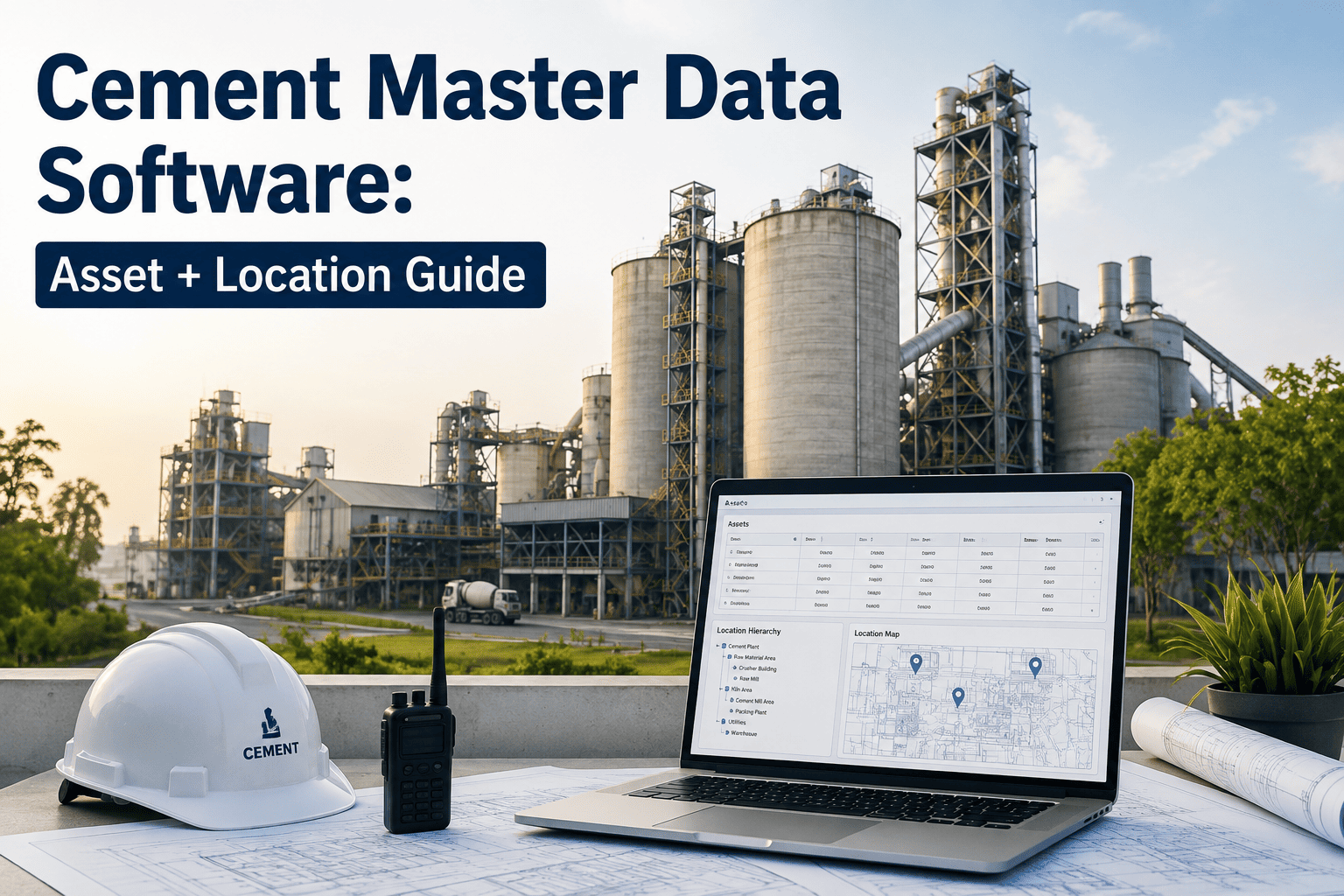
Cement Master Data Software Built for Asset and Location Accuracy
One clean asset record, one clean location code, one clean vendor name — the foundation every kiln, mill, and crusher work order depends on, and every integration project inherits either the benefit of or the cost from.
The Real Cost of Uncleaned Master Data in a Cement Plant
Bad master data rarely shows up as its own line item on a budget — it hides inside every other number instead. A technician who cannot find the right spare because it is listed under three different part numbers orders a duplicate. A functional location that was never updated after an equipment swap sends the wrong work order to the wrong crew. Multiply either of those across a plant with tens of thousands of tagged assets and the cost stops being an inconvenience and starts being a measurable drag on downtime and inventory spend. The three figures below are consistent across independent master-data programs built on ISO 14224 discipline, and they are usually the numbers that convince a plant manager to fund a cleanup project once they see them tied to their own asset count.
The Three Master Data Registers Every Cement Plant Needs Clean
Cement plant master data usually breaks down into three linked registers. Each one answers a different question, and each one poisons the other two the moment it drifts out of sync — a duplicate asset record eventually produces a duplicate spare-parts order, and an unverified vendor name eventually produces a duplicate vendor record that the accounts payable team has to untangle months later.
Building the Asset Hierarchy Cement Plants Actually Use
The reference taxonomies behind good asset master data are ISO 14224, which defines a nine-level technical classification for reliability and maintenance data, and ASTM E3257, which insists an asset should be classified by what it is rather than by who owns it or how it is depreciated. In practice, most cement plants collapse that down to a five-level hierarchy that a CMMS can actually work with day to day. The distinction between the full ISO taxonomy and the simplified CMMS version matters because the lower levels of ISO 14224 exist specifically to record which component failed — not just "the pump," but the bearing, seal, or coupling inside it — and that level of precision is what eventually makes failure history comparable across every identical part in the plant rather than a pile of one-off notes attached to individual work orders.
Stop Reconciling Three Versions of the Same Asset
OxMaint's AI engine scans your existing asset, location, and vendor records, flags duplicates and structural gaps before they enter the system, and enforces the naming convention across every new record from day one.
A Naming Convention That Makes an Asset ID Self-Explanatory
A structured naming convention turns an asset ID from an arbitrary string into a readable address. The most common pattern for cement plants strings together plant, area, function, and a sequence number, so anyone reading the tag — technician, planner, or auditor — can place the asset without opening the CMMS at all.
The same discipline applies to parts records, where a Noun-Modifier-Attribute pattern — "Bearing, Roller, Spherical, 6204" instead of "Bearing (spare)" — turns a manufacturer part number into the unique identifier that CMMS deduplication actually matches against, rather than relying on inconsistent free-text descriptions that look different every time someone types them.
What Belongs in Each Master Data Record
A field left blank is rarely noticed until the moment it is needed — a missing criticality flag delays a spare-parts decision, a missing lead time turns a routine reorder into an emergency purchase. The table below lists the fields that matter most for each register, and the specific failure pattern that shows up most often when one of them goes uncaptured.
| Register | Required Fields | Common Failure Point |
|---|---|---|
| Asset Master | Tag, class, manufacturer, model, criticality, install date, parent hierarchy link | Same physical asset entered twice under two different tag formats |
| Location Master | Functional location code, physical position, linked active asset, area owner | Location record not updated after an asset swap or relocation |
| Vendor Master | Legal name, single verified ID, contact, lead time, linked manufacturer part numbers | Same vendor entered under multiple spellings or regional entities |
| Parts Master | Manufacturer part number, noun-modifier-attribute description, linked assets, criticality flag | Vague free-text descriptions that block duplicate detection |
| Failure Data | Problem, cause, remedy coded to a fixed taxonomy rather than free text | Open text fields that make failure data impossible to aggregate later |
How OxMaint Builds and Governs Cement Plant Master Data
Cleaning master data once is straightforward. Keeping it clean after go-live is where most CMMS projects quietly fail, which is why governance has to be built into the daily workflow rather than treated as a one-time project. The four steps below are the same sequence used across cement plant rollouts of every size, from a single integrated plant to a multi-site cement group consolidating years of separate spreadsheets and legacy systems into one shared register.
Why Master Data Drifts Even After a Successful Cleanup
The hardest part of master data management is rarely the first cleanup — a dedicated project team can usually merge duplicate assets and standardize naming across a plant in a matter of weeks. The hard part is what happens six months later, when a new hire enters an asset without following the naming template, a contractor swaps a motor and never updates the location record, or a stores clerk creates a second part number rather than searching for the one that already exists under a slightly different description. Left unchecked, this slow drift undoes months of cleanup work one small shortcut at a time, and by the time anyone notices, the plant is back to reconciling three versions of the same asset.
This is why the plants that keep their data clean treat governance as a permanent workflow rule rather than a project with an end date. New records are validated against the naming template the moment they are created, a single administrator approves any request to add a new vendor or part rather than letting every user create one freely, and duplicate-detection runs continuously in the background instead of waiting for the next annual audit to catch what accumulated. The technology that enforces this matters less than the discipline of never allowing an exception — one unvalidated asset record is often enough to reopen the door that the original cleanup closed.
Cement plants running multiple sites face an additional layer of this problem, since a naming convention that works cleanly at one plant can collide with a different informal convention already in use at another, especially after an acquisition brings two separate CMMS histories together. Reconciling those histories requires the same discipline applied at a larger scale: one shared taxonomy, one approval path for new master records, and a migration plan that maps old identifiers to new ones without losing the maintenance history attached to either.