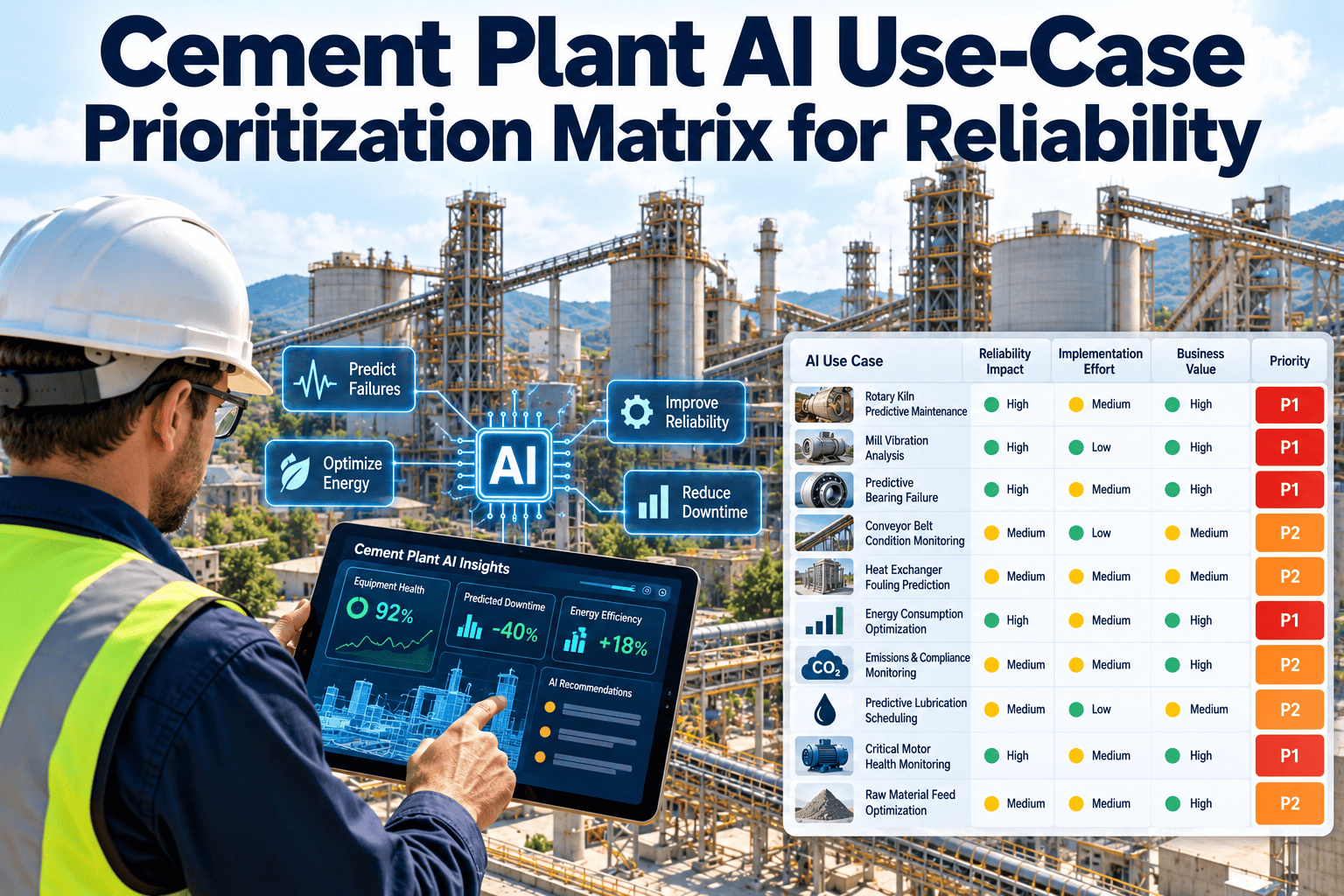
Every vendor now offers artificial intelligence for cement plants, yet reliability teams have limited time, sensor coverage and shutdown access. Choosing the wrong first use case leads to a pilot that produces alerts nobody trusts. This prioritization matrix helps reliability, maintenance and operations leaders rank AI and analytics ideas by value, data readiness, effort, risk and adoption before any money is spent. Use it alongside a predictive maintenance platform that turns every alert into an owned action.
Cement Plant AI Use-Case Prioritization Matrix for Reliability
Rank AI and analytics ideas for kilns, mills, fans and drives by business value and delivery readiness, so the first project earns trust instead of alert fatigue.
Value to reliability
Strategic betsHigh value, low readiness
Start hereHigh value, high readiness
Park itLow value, low readiness
Easy extrasLow value, high readiness
Data and delivery readiness
Why Cement AI Pilots Underdeliver
Failures usually come from selection and adoption, not from algorithms. Cement environments add dust, heat, vibration and variable raw material, which punish weak data foundations.
Typical pilot trap
Model built on a few months of data with no recorded failures to learn from
What to do instead
Choose use cases where failure modes are documented and labeled in work history
Typical pilot trap
Alerts sent to a dashboard nobody owns
What to do instead
Every alert creates an inspection task with a named responder
Typical pilot trap
Success measured by model accuracy only
What to do instead
Success measured by avoided downtime, earlier detection and technician trust
Cement-Specific Data Challenges to Plan For
Cement plants create harsh conditions for sensors and noisy signals. Address these early to avoid false conclusions.
Challenge
Dust and heat degrade sensors and cabling, creating gaps and drift in readings
Response
Schedule sensor checks as preventive tasks and flag data gaps as defects
Challenge
Raw material and fuel variation shifts normal operating behavior
Response
Capture feed rate, load and fuel mix so alerts reflect equipment health, not process swings
Challenge
Long kiln runs mean few opportunities to inspect and confirm a suspected fault
Response
Plan confirmation methods such as thermography, oil sampling and walk-down checks that do not require a stop
Challenge
Remote areas such as quarries and long conveyors lack reliable connectivity
Response
Use offline-capable mobile inspections that synchronize when the device reconnects
Worked Example: Choosing the First Use Case
A plant has three candidates: fan vibration alerts, shell scan analysis and spares forecasting. The team reviews each against the five dimensions.
Candidate AFan vibration alertsSensors already installed, several documented bearing failures and a clear owner. High on every dimension.
Candidate BShell scan analysisHigh value, but scan history is short and image alignment is inconsistent. Fix data first.
Candidate CSpares forecastingUseful, but part numbers are inconsistent between stores and work orders. Clean master data first.
DecisionStart with ARun candidate A now and create prerequisite work for B and C so they are ready next cycle.
Five Scoring Dimensions
Score each candidate from 1 to 5. Weights below are a starting point and should be agreed before scoring.
Reliability value30%
Downtime cost, safety exposure, repair cost avoided and criticality of the asset.
Data readiness25%
Sensor coverage, history length, labeled failures and clean asset naming.
Delivery effort15%
Installation, integration, configuration and shutdown access needed.
Operational risk15%
Consequence of a false alarm or a missed detection, and cyber exposure.
Adoption readiness15%
Clear responder, workflow fit and willingness of crews to act on alerts.
Candidate Use Cases With Illustrative Scores
Scores are illustrative starting points, not measured results. Rescore every row using your own data, assets and failure history.
| Use Case | Value | Data | Effort | Risk | Adoption | Likely Tier |
|---|
| Vibration and temperature anomaly detection on kiln ID fans and mill drives | 5 | 4 | 3 | 4 | 4 | Start here |
| Gearbox and bearing lubrication condition tracking | 4 | 3 | 4 | 4 | 4 | Start here |
| Bag filter differential pressure trend alerts | 3 | 4 | 4 | 4 | 4 | Easy extra |
| Work order text classification for failure causes | 3 | 3 | 4 | 5 | 3 | Easy extra |
| Spare parts demand forecasting for critical spares | 4 | 3 | 3 | 4 | 3 | Strategic bet |
| PM interval optimization from failure history | 4 | 2 | 3 | 4 | 3 | Strategic bet |
| Kiln shell temperature scan pattern recognition | 5 | 2 | 2 | 3 | 3 | Strategic bet |
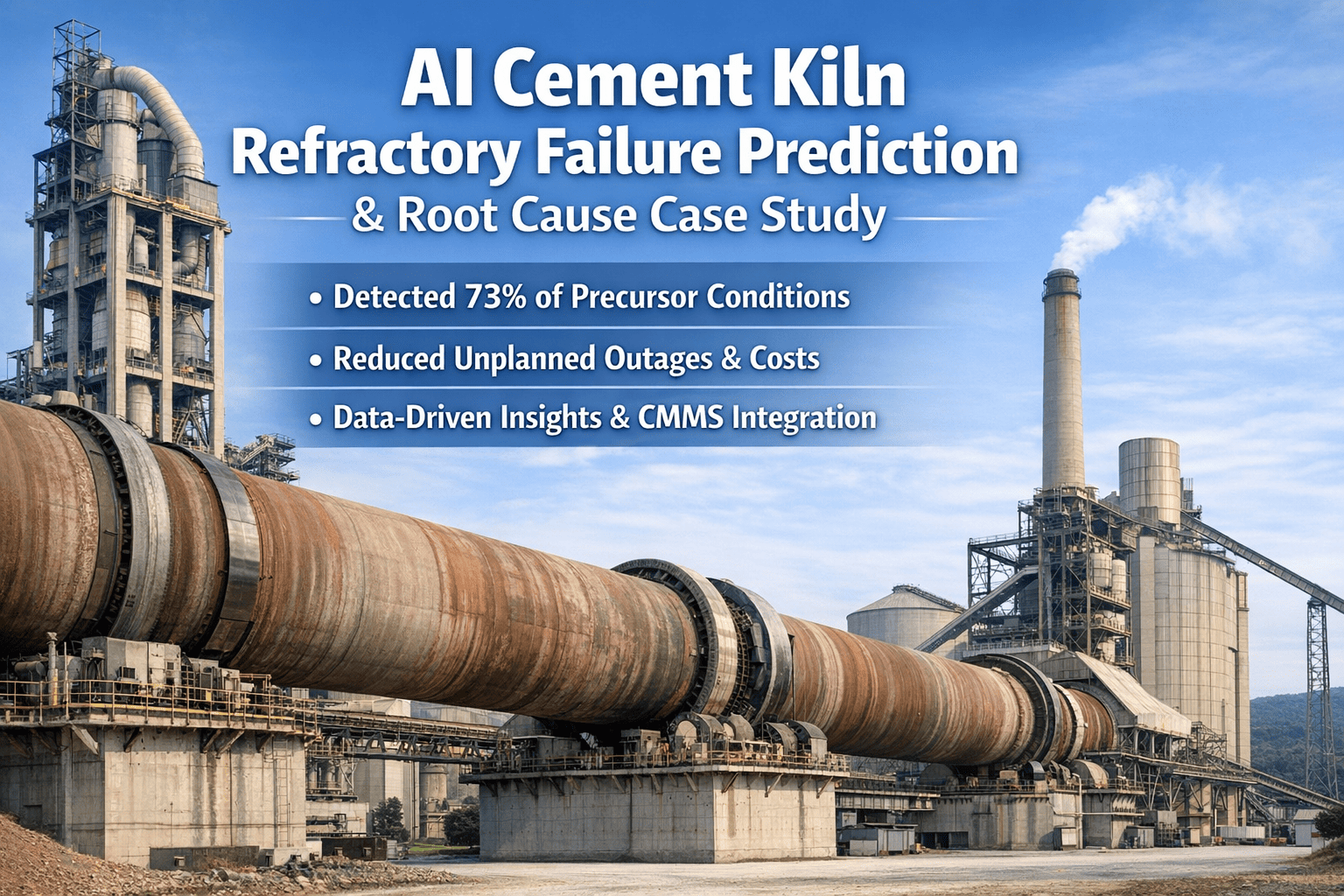
| Cooler grate and refractory life prediction | 5 | 2 | 2 | 3 | 2 | Strategic bet |
| Fully automated autonomous maintenance scheduling | 3 | 1 | 1 | 2 | 2 | Park it |
Match the Use Case to the Failure Mode
Start from how equipment actually fails. A use case that cannot detect a known failure mode early enough to act has little reliability value.
| Failure Mode | Typical Early Signal | Useful Data | Suggested Response |
|---|
| Bearing wear on fans and motors | Rising high-frequency vibration and temperature | Vibration, temperature, load | Inspection, lubrication check, planned replacement |
| Gearbox lubrication breakdown | Oil temperature drift and particle increase | Oil temperature, oil analysis | Oil sampling and filter service |
| Impeller imbalance from build-up | Growing vibration at running speed | Vibration, motor current | Cleaning task at next opportunity |
| Bag filter blinding or cage failure | Rising differential pressure and fan load | Pressure, fan current | Cleaning cycle review, bag inspection |
| Refractory thinning | Localized shell temperature increase | Shell scan, brick records | Engineer review and repair planning |
| Cooler grate damage | Poor undergrate pressure and uneven temperatures | Pressure, temperature, fan load | Inspection during next stop |
| Motor insulation or winding problems | Temperature and current imbalance | Winding temperature, current | Electrical test and thermography |
Data Readiness Gate Checklist
A use case should pass this gate before a pilot starts. Failing items become prerequisite work orders, not reasons to abandon the idea.
Asset hierarchy is consistentEach fan, mill and drive has one ID used in sensors, work orders and spares.
Failure history is recorded with a cause codeAt least a handful of real failure events are documented per failure mode.
Sensor signals are trustworthyCalibration, mounting position and sampling rate are known and documented.
Operating context is capturedLoad, feed rate, ambient temperature and run state help separate real faults from normal swings.
Maintenance actions are time-stampedRepairs and part replacements can be aligned with the signal that preceded them.
Data ownership is agreedSomeone is accountable for gaps, drift and access permissions.
Use-Case Checklist: Rotating Equipment
Kiln ID fan and preheater fansCondition: vibration, bearing temperature, motor current and build-up on impellers.Action trigger: rising trend creates an inspection work order. Owner: reliability engineer.
Mill main drives and gearboxesCondition: vibration spectra, oil temperature, oil analysis and load patterns.Action trigger: confirmed anomaly schedules oil sampling or borescope check. Owner: mechanical lead.
Kiln support rollers, girth gear and driveCondition: temperature, alignment checks, lubrication state and tooth contact records.Action trigger: out-of-limit reading plans inspection at next stop. Owner: kiln engineer.
Cooler fans and drivesCondition: motor current, vibration and damper response against setpoints.Action trigger: deviation from normal pattern opens a check task. Owner: area maintenance.
Critical conveyors and bucket elevatorsCondition: motor load, belt drift, gearbox temperature and trip history.Action trigger: repeated trips group into one root cause review. Owner: operations maintenance.
Start With the Use Case Your Crews Will Trust
Connect condition findings to inspections, work orders and spares in one workflow so every insight leads to a recorded action.
Use-Case Checklist: Process and Planning Analytics
Work order text miningCondition: free-text notes with inconsistent failure descriptions.Output: suggested cause codes reviewed by planners. Owner: planning lead.
Critical spares forecastingCondition: reliable issue history, lead times and equipment criticality.Output: reorder suggestions approved by storekeeper and engineer. Owner: stores manager.
PM interval reviewCondition: tasks that find nothing for years or fail between intervals.Output: recommended interval change with supporting history. Owner: reliability engineer.
Shutdown scope supportCondition: open defects, wear measurements and deferred work.Output: ranked scope list for review. Owner: shutdown planner.
Image-based shell and refractory analysisCondition: consistent scan intervals, aligned images and documented repairs.Output: change flags confirmed by an engineer before action. Owner: kiln engineer.
Governance Checks Before Any Alert Goes Live
Check 1Human reviewA named engineer confirms alerts before expensive actions are triggered.
Check 2False alarm budgetAgree an acceptable alert volume per week so crews are not flooded.
Check 3ExplainabilityEach alert shows the signals and trend that caused it.
Check 4Model recordsKeep model version, input data and decisions for later review.
Check 5SecurityControl access to plant data and review any external data sharing.
Pilot Design Checklist
A good pilot is small, measurable and tied to a decision. Use this list before approving any trial.
Scope limited to a defined asset groupChoose a small set of similar assets with known history and accessible sensors.
Baseline recorded before the pilot startsCapture past failures, unplanned downtime hours and emergency work levels.
Success criteria agreed in writingDefine confirmed findings, lead time and response rate that count as success.
Response workflow definedEach alert opens a task, names an owner and states the expected response time.
Feedback loop in placeTechnicians record whether the alert was valid, so thresholds and models can be tuned.
Exit decision scheduledA date is set to expand, adjust or stop, with named decision makers.
Questions to Ask Any AI or Analytics Supplier
Which failure modes does it detect and on which equipment types?Ask for plant references on similar fans, mills and drives, not generic claims.
How much history and which sensors does it need?Compare the answer with your readiness gate results.
How does it explain an alert?Engineers should see the signals and trend behind each recommendation.
Where is plant data stored and who can access it?Review security, data ownership and what happens if the contract ends.
How does an alert become a maintenance action?Confirm integration with work orders, inspections and spares rather than a separate screen.
Pitfalls That Quietly Sink Reliability AI
- Selecting the most impressive use case instead of the one with the best data and the clearest response.
- Ignoring poor asset naming, which prevents sensor data from lining up with work history.
- Skipping failure coding, so models cannot learn what a real fault looked like.
- Treating every anomaly as a failure, which floods crews with low-value inspections.
- Leaving operations out of the review, even though load and feed changes explain many signal shifts.
- Failing to keep the model, threshold and decision records needed to explain results later.
- Expanding to the whole plant before the first pilot proves a measurable benefit.
A 30-60-90 Day Roadmap
Days 1 to 30
- Rank assets by criticality
- Build the candidate list
- Score with a cross-functional team
- Run the data readiness gate
Days 31 to 60
- Fix naming and failure coding gaps
- Set alert rules and responders
- Pilot one use case on a small asset group
- Record every alert outcome
Days 61 to 90
- Review false alarms and detections
- Compare against avoided downtime
- Decide expand, adjust or stop
- Rescore the matrix
Metrics for Judging an AI Reliability Project
| Metric | What It Shows | Review |
|---|
| Alerts that led to a confirmed finding | Alert usefulness and false alarm level | Weekly |
| Lead time between alert and failure or repair | Whether planning time is gained | Per event |
| Unplanned downtime on pilot assets | Business impact against baseline | Monthly |
| Alerts closed within agreed response time | Adoption and ownership | Weekly |
| Work orders with valid failure codes | Data quality for future models | Monthly |
| Planned versus emergency work ratio | Shift toward proactive maintenance | Monthly |
Where Oxmaint Fits in the Workflow
Asset recordsHold equipment hierarchy and history that analytics depend on.
InspectionsCapture condition readings and photos from rounds on mobile devices.
Work ordersConvert findings into assigned, scheduled and closed actions.
InventoryLink critical spares to the assets and failure modes they protect.
DashboardsShow open alerts, overdue actions and downtime trends for review.
Keep the Matrix Alive After the First Pilot
A prioritization matrix is a working document. Review it on a fixed rhythm so scores follow real plant conditions.
- Rescore each quarter, because new sensors, cleaner data and fresh failures change readiness and value.
- After every major failure, ask whether an earlier signal existed and which use case would have caught it.
- Retire use cases that never reach the readiness gate, and record why they were set aside.
- Share results with technicians so they see how their feedback improved alerts and reduced repeat inspections.
- Report pilot outcomes in plain terms to leadership: hours of downtime avoided, repairs planned earlier and effort saved.
Frequently Asked Questions
Which cement AI use case should we start with?
Usually condition anomaly detection on critical fans and drives, because failure modes are known and consequences are high.
Do we need years of data before starting?
Not always. Simple trend and threshold methods work earlier. Learned models need labeled failures and operating context.
How do we avoid alert fatigue?
Set an alert budget, require explanations and route each alert to one responder through a
work order workflow.
Should AI replace planned inspections?
No. Use it to focus inspections where risk is rising while keeping core preventive tasks in place.
How often should the matrix be updated?
Review quarterly and after major failures.
Book a demo to see how results feed back into planning.
Prove Value Before You Scale AI
Rank use cases, run one focused pilot and keep every alert, inspection and repair connected in a single maintenance record.