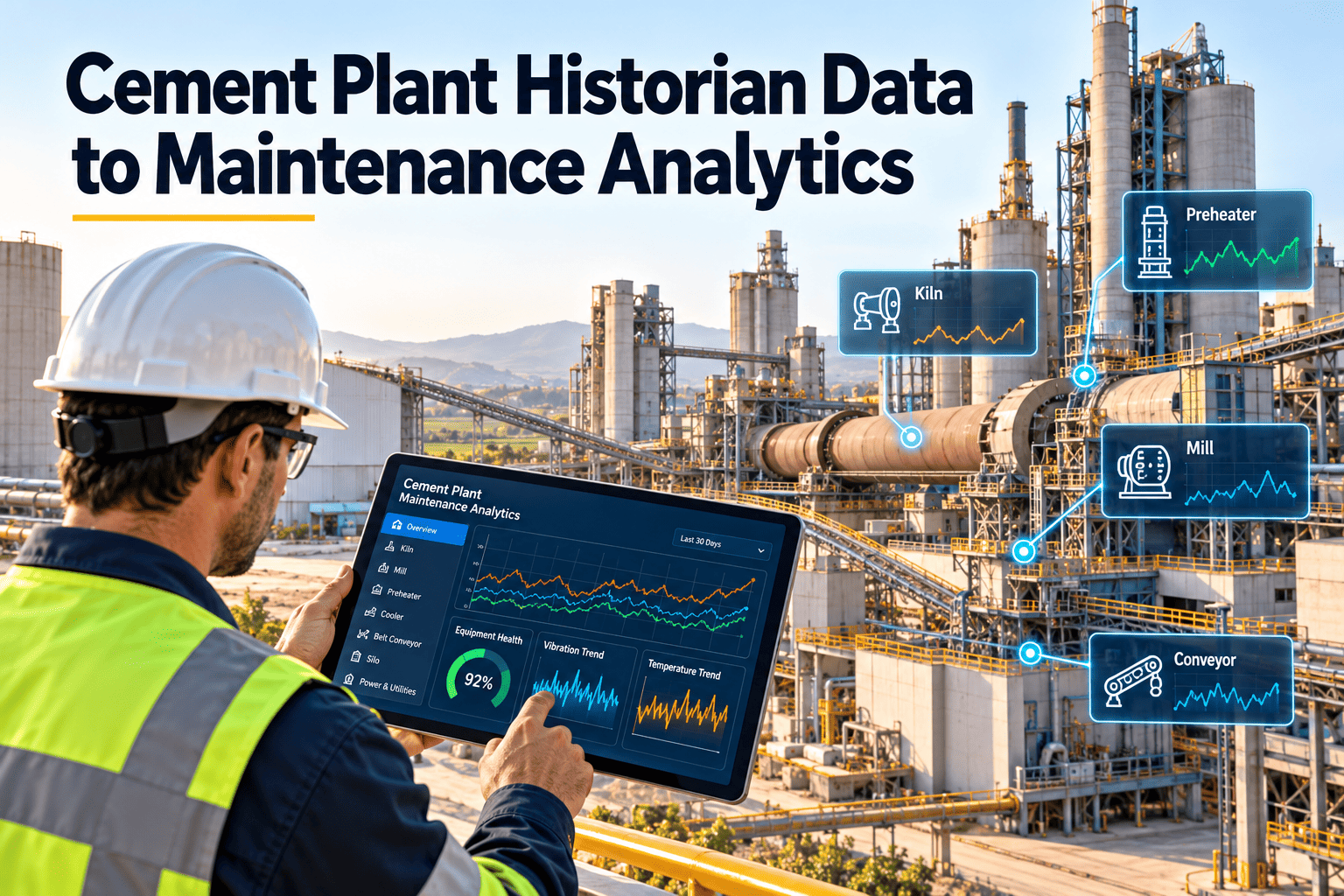
Most cement plants already collect enormous volumes of process data: kiln drive current, fan vibration, mill power, bearing temperatures and cooler pressures, stored for years in a historian. Yet maintenance teams often still decide on routines by calendar and gut feel, because the data sits in an engineering system that few technicians open. The gap is not storage, it is translation: turning tags into trusted signals, signals into alerts, and alerts into assigned work. This guide shows a practical path from historian data to maintenance analytics, and where Oxmaint work order management closes the loop.
Cement Plant Historian Data to Maintenance Analytics
Stop leaving process data in the control room. Select the right tags, clean them, set meaningful thresholds and route findings into maintenance work.
Why Historian Data Rarely Reaches Maintenance
- Thousands of tags with unclear names
- Sensor drift and gaps that go unnoticed
- Raw values without equipment context
- Alarm limits set for operations, not wear detection
- No time to browse trends for every asset
- Work orders created from memory
- Failure history stored separately from signals
- No agreed response when a trend moves
Five Layers from Tags to Decisions
Which Tags Are Worth Using First
| Asset | Useful signals | Maintenance question |
|---|---|---|
| ID and process fans | Vibration, bearing temperature, motor current, damper position | Is imbalance, wear or buildup developing? |
| Kiln drive | Motor current, torque, gearbox temperature, shell speed | Is mechanical load changing at the same operating point? |
| Preheater | Cyclone pressure drop, exit gas temperature | Is buildup rising before a blockage? |
| Cement and raw mills | Power draw, bearing temperature, lube oil pressure, vibration | Is performance drifting from the normal pattern? |
| Cooler | Grate drive current, undergrate pressure, fan current | Are grates or airflow degrading? |
| Bag filters | Differential pressure, compressed air pressure, fan current | Are bags or cleaning cycles failing? |
Data Quality Checks Before You Trust a Trend
- Tag name, unit and asset mapping reviewed and documented
- Flat-lined or frozen values detected and flagged
- Gaps and bad-quality status handled, not averaged away
- Startup, shutdown and low-load periods separated from steady running
- Sensor calibration dates linked to the instrument asset
- Normal range defined per operating mode, not one global limit
Give Every Alert a Work Order Path
Bring findings from process data into assigned, tracked maintenance work in Oxmaint.
From Alert to Closed Work
Analytics Maturity in Maintenance
- Trends reviewed after failures
- Alarm lists treated as noise
- Failure causes in free text
- No link between signal and work order
- Selected signals reviewed on a routine
- Alert rules tied to specific faults
- Failure codes recorded consistently
- Findings flow into assigned work
Integration Approaches and Trade-offs
Analytics KPIs to Review Monthly
What Oxmaint Contributes
- Asset management: a structured register that gives raw tags a meaningful home.
- Work orders and inspections: a clear path from a suspected fault to a verified one.
- Preventive and condition-based workflows: routines refined as evidence builds.
- Reporting: dashboards showing failure history, backlog and repeat causes.
Start with Failure Modes, Not Tags
Plants that begin with every available tag drown in data. Starting from failure modes keeps the project focused and useful.
Pick the asset and failure
For example, ID fan bearing wear, cyclone buildup or mill motor overload. Each failure mode defines which signals matter.
Define the symptom
Describe how the failure shows in the data, such as rising vibration at constant load or slowly rising pressure drop.
Agree the response
Write what the team does when the pattern appears: inspect, lubricate, plan repair or reduce load.
Check history
Compare with past failures to see whether the symptom appeared early enough to be useful.
Designing Alerts People Will Trust
Alerts that fire too often are ignored. Good alerts are specific, explained and owned.
Mode-aware limits
Normal values differ at startup, low load and full production. Set limits by operating state where you can.
Rate of change
A slow rise over days may matter more than a single high reading, so use trend slope alongside static limits.
Combined conditions
Pairing signals, such as vibration and temperature, filters out many false alarms.
Clear message and owner
Every alert should say what moved, why it matters and who must act.
Review and retire
Check alert performance monthly and remove rules that never lead to useful action.
Example Use Cases
These examples show how a signal becomes a maintenance decision. Adapt thresholds and responses to your own equipment.
| Use case | Signals | Resulting maintenance action |
|---|---|---|
| Fan bearing wear | Vibration, bearing temperature, motor current | Inspection, lubrication check, bearing plan |
| Cyclone buildup | Pressure drop, exit gas temperature | Cleaning task and interval review |
| Mill drive overload | Motor current, power draw, vibration | Gearbox and alignment inspection |
| Cooler grate wear | Grate drive current, undergrate pressure | Plate inspection and replacement plan |
| Filter bag degradation | Differential pressure, cleaning air pressure | Bag inspection and valve checks |
Governance and Security Basics
Connecting plant data to business systems must respect operational technology security. Involve IT and plant control teams early.
- Read-only access first: Where possible, extract data without any path back into control systems.
- Network separation: Follow your plant policy for segmentation and approved data transfer methods.
- Named data owners: Assign people responsible for tag mapping, quality and changes.
- Change control: Track changes to tags, scaling and limits so trends remain comparable.
Roles in an Analytics Routine
Analytics only helps when people act on it.
Reliability engineer
Selects signals, reviews trends and tunes rules.
Planner
Turns confirmed findings into scheduled work with parts and permits.
Technician
Verifies findings in the field and records what was found.
Operations
Provides load and process context and confirms safe running conditions.
From Pilot to Plant-Wide Rollout
Start small and prove value before expanding. A staged approach builds confidence and avoids large unusable data projects.
| Stage | Scope | Goal |
|---|---|---|
| Pilot | One critical asset family, such as ID fans | Prove signal selection, alerts and response |
| Expand | Add mills, kiln drive and cooler | Reuse templates and failure codes |
| Standardize | Common naming, thresholds and review routine | Consistent reporting across lines |
| Optimize | Tune rules, retire noisy alerts, add advanced models where justified | Higher detection with fewer false alarms |
Metrics to Judge Whether Analytics Works
Measure results, not the number of dashboards.
Early detection rate
Share of failures flagged in time to plan the repair.
False alert rate
Alerts that led to no finding, a sign thresholds need tuning.
Response time
Hours from alert to inspection or work order.
Avoided downtime
Documented cases where planned work replaced a breakdown.
Data availability
Share of key signals with good quality status.
Pitfalls and How to Avoid Them
Experienced plants report similar problems. Plan for them early.
- Mapping errors: A tag linked to the wrong asset produces misleading trends.
- Unit and scaling changes: Instrument changes can break comparisons if not recorded.
- Too many alerts at launch: Start with a few well-chosen rules.
- No feedback from the field: Technician findings must return to the rule owner for tuning.
- Treating analytics as a project that ends: Review rules and data quality as a routine.
Data Roles in the Maintenance Team
Analytics is a team activity. Spell out who does what.
- Data owner: Ensures tag quality and manages changes to the historian structure.
- Reliability lead: Owns rules, thresholds and review meetings.
- Maintenance planner: Converts approved findings into work orders.
- Technician: Verifies conditions and records outcomes in the field.
How Oxmaint Fits Into the Loop
Oxmaint does not replace your historian or control system. It provides the maintenance side of the loop so findings lead to tracked action.
Asset context
Equipment hierarchies and criticality tell analysts which assets deserve attention first.
Inspection and work orders
Findings become structured tasks with owners, parts and completion records.
History and reporting
Closed work builds a failure history that makes later rules more accurate.
Mobile follow-up
Technicians record observations at the equipment, which improves the next review.
Turning Findings into Better Preventive Maintenance
Analytics should not live apart from your routine plan. Each confirmed finding is evidence for adjusting intervals and tasks.
Shorten or extend intervals
If a fan consistently shows early wear signs, shorten the lubrication or inspection interval. If many inspections find nothing, consider extending them.
Add tasks that were missing
A repeated failure cause may reveal a missing check, such as a seal inspection or sensor cleaning.
Improve checklists
Use the faults found in the field to add specific questions to mobile checklists.
Update spare parts lists
Parts used in repairs show which items deserve stock and which can be ordered when needed.
Common Data Sources Beyond the Historian
The historian is only one input. Combining several sources improves confidence in decisions.
- Inspection findings: Technician notes, photos and readings confirm what the data suggests.
- Work order history: Past failures, repairs and parts used give context to current trends.
- Oil and lubricant analysis: Lab results can support or challenge vibration and temperature signals.
- Operator logs: Shift notes often explain process changes that affect readings.
- Calibration records: Instrument checks show whether a trend reflects the machine or the sensor.
Questions to Ask Before Starting
Answering these keeps the project realistic and avoids wasted effort.
Which failures cost us most?
Start with the assets and faults that cause the biggest downtime or fuel loss.
Do we trust the sensors?
Check calibration and installation on the signals you plan to use.
Who will act on alerts?
Name the responsible roles and agree response times.
How will we know it works?
Choose a few metrics, such as early detections and response time, and review them regularly.
Practical Tips for the First Month
Small, steady steps beat large projects that never reach the shop floor.
- Choose one asset family: Pick fans or mills and map their tags, owners and failure codes.
- Hold a weekly ten-minute review: Review changes in trends and agree who checks what.
- Record every outcome: Whether an alert was confirmed or not, note what the team found.
- Share results with crews: Show technicians where their findings improved a decision.
- Keep a simple list of rule changes: Track why thresholds changed so future reviews make sense.
Frequently Asked Questions
Turn Stored Data into Planned Maintenance
Build the asset, inspection and work order foundation that makes plant data actionable.