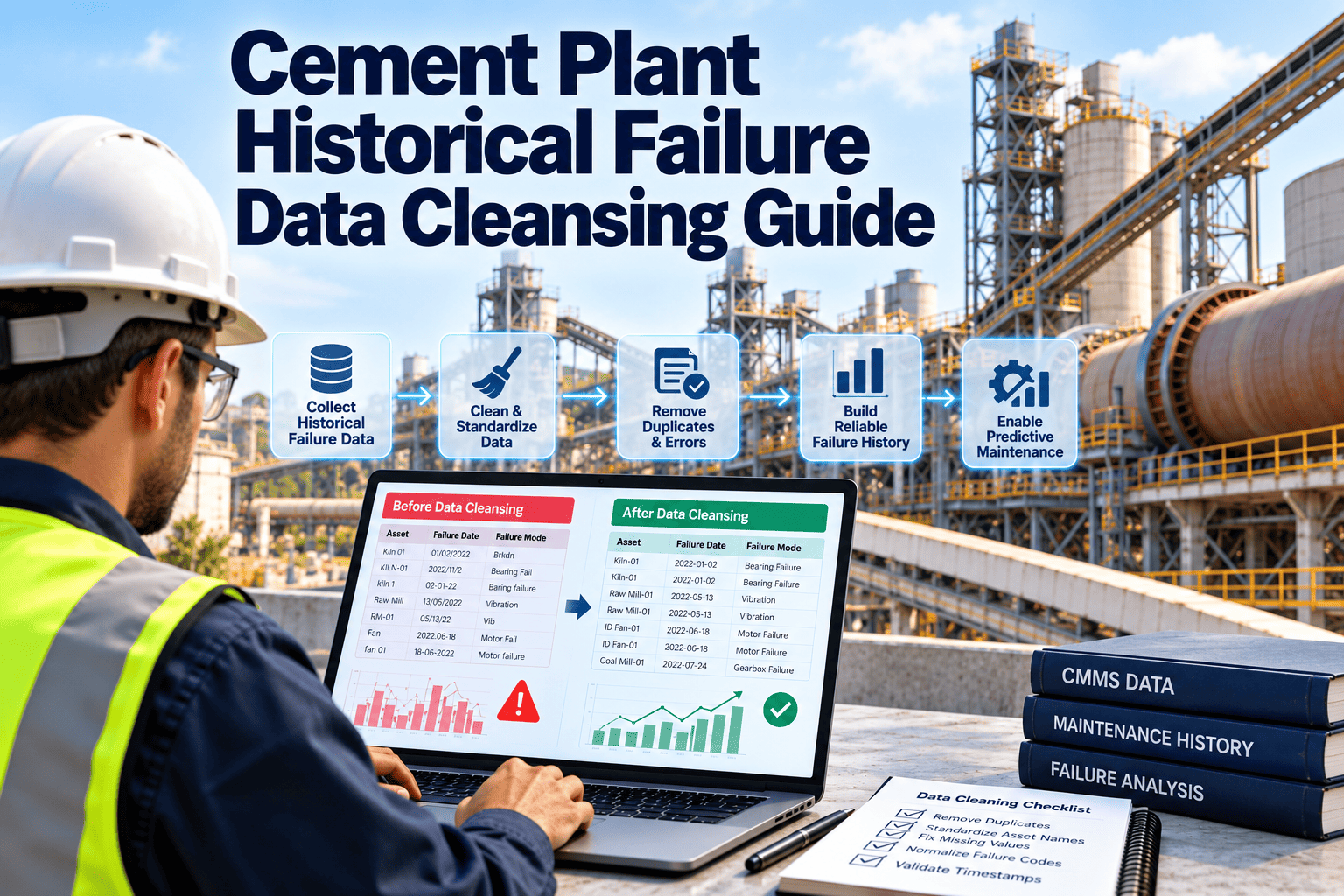
Cement plants often hold years of maintenance history, yet very little of it can be trusted for analysis. Work orders say "motor problem" or "fixed", the same fan appears under three names, and a two-day outage is recorded as one hour because the order was closed late. Feed that history into reliability analysis or predictive models and the results inherit every flaw. Cleansing failure data is not glamorous, but it decides whether analytics tell the truth. This guide covers a practical method, supported by Oxmaint maintenance management software.
Historical Failure Data Cleansing for Cement Plants
Turn inconsistent work order history into a structured failure record that supports root cause analysis, reliability metrics and predictive maintenance.
Why Cement Failure Data Becomes Unreliable
What Dirty Data Does to Analytics
| Data pattern | Example in a cement plant | Effect on analysis | Cleansing action |
|---|---|---|---|
| Duplicate assets | One cement mill gearbox listed under mill, gearbox and a legacy tag | Failures are split across records, so the asset looks more reliable than it is | Map all names to a single asset ID and retain the aliases |
| Vague failure text | "Problem with fan" on hundreds of orders | Failure modes cannot be counted or ranked | Assign a standard failure mode from a controlled list, using notes and parts used |
| Missing or wrong dates | Failure date equals closure date, or the date is blank | Mean time between failures is distorted | Use the stop log, shift log or repair timestamps to set the true event date |
| Downtime outliers | A 400-hour entry caused by a work order left open | Availability and repair time metrics skew heavily | Verify against production records, then correct or flag as invalid |
| Planned work counted as failure | Scheduled liner replacement coded as breakdown | Failure rate is overstated and preventive value is hidden | Separate work type from failure event and recode |
| Parent and child confusion | Motor bearing failure logged against the whole drive | Component-level patterns are lost | Link the record to the lowest sensible level in the hierarchy |
| Censored history | Assets that never failed have no records at all | Survival analysis lacks the operating time of healthy assets | Keep install dates and run-time so survivors count in the data |
A Five-Stage Cleansing Pipeline
Start With the Assets That Pay Back
- Kiln drive and support rollers: few assets, high consequence, and a long history that rewards careful cleansing.
- Raw and cement mill drives: gearbox and bearing failures here have a large production effect and often repeat.
- Main process fans: imbalance and bearing failures are well suited to trend analysis once history is reliable.
- Bag filters, conveyors and elevators: high volume of work orders, so cleansing reveals frequent low-cost failures that consume labour.
Build a Failure Code Chain, Not a Long List
A usable code structure links what failed, how it failed, why, and what was done. Keep each list short and mutually exclusive so a technician can choose quickly.
Handling Records That Cannot Be Resolved
Keep and flag
- Records with a clear asset and date but an uncertain cause, coded as unknown
- Records with estimated downtime, marked as estimated rather than verified
- Legacy records that cannot be mapped confidently, held in a review queue
- Genuine outliers confirmed by production data, such as a long kiln outage after a major failure
Exclude from analysis
- Test, duplicate or cancelled work orders that never represented a failure
- Records with no usable asset reference after reasonable effort
- Housekeeping and administrative orders misfiled as corrective work
- Entries with impossible values, such as repair time before failure time
Cement-Specific Failure Modes Worth Coding Carefully
| Asset group | Failure modes to separate | Details to capture in the record |
|---|---|---|
| Kiln drive and rollers | Bearing wear, gear tooth damage, lubrication loss, alignment drift, shell or tyre issues | Which roller or pinion, vibration or temperature before failure, oil analysis result if taken |
| Mills and gearboxes | Bearing failure, gear wear, oil system fault, liner or roller wear, hydraulic fault | Component position, operating hours, oil condition, parts replaced |
| Process fans | Imbalance from build-up, wheel erosion, bearing failure, coupling fault, motor fault | Wheel condition, vibration trend, dust or moisture involvement |
| Conveyors and elevators | Belt damage, chain elongation, bucket loss, idler seizure, gearbox failure | Location along the line, material condition, tracking or tension findings |
| Filters and dust control | Bag failure, differential pressure rise, cleaning system fault, fan failure | Compartment, bag age, pressure readings, emissions implications |
| Electrical and drives | Winding insulation fault, overheating, contactor or breaker fault, drive trip | Load at the time, trip code, thermography or test results |
Reconciling Asset Identities Across Systems
- Build a cross-reference first: list every name, tag and legacy number used in the ERP, CMMS, operator logs and drawings for each critical asset, and map them to one master ID.
- Use physical evidence: nameplate data, equipment lists and engineer knowledge settle disputes faster than guesswork on descriptions.
- Handle replacements explicitly: when a motor or gearbox is swapped, record the install date of the new unit so the history of each physical item stays separate.
- Keep aliases searchable: older names should still lead to the same asset, so technicians are not forced to learn a new vocabulary overnight.
- Freeze the master list: changes after the cleanse go through a named owner, not through individual edits.
What Clean History Makes Possible
- Top failure lists are dominated by vague categories such as "other"
- Repeat failures are missed because they sit under different asset names
- Preventive intervals are copied from manuals and never challenged
- Predictive models learn from errors and flag false patterns
- Root cause reviews begin with a week of data hunting
- Failure modes can be ranked by frequency, downtime and cost
- Repeat failures on the same component are visible within minutes
- Task intervals are tested against what actually fails and when
- Models can be trained and checked against verified events
- Root cause reviews start from a ready evidence pack
Mistakes That Undermine a Cleansing Project
- Cleaning in a spreadsheet and never feeding it back: the same mess returns within months if entry rules do not change in the live system.
- Over-engineering the code list: hundreds of options make technicians pick the first one, which defeats the purpose.
- Removing outliers by default: a very long outage may be the most important event in the data.
- Leaving technicians out: the people who closed the orders know what "fixed" really meant, and their input prevents wrong assumptions.
- Treating it as a one-off: data quality drifts unless someone owns it and samples it regularly.
Practical Rules for Technicians Closing Work Orders
- Choose the component, then the failure mode
- State what was observed, not only what was done
- Note any warning signs seen before the failure
- Enter the time the fault was found
- Enter the time the asset returned to service
- Close the order only after the work is verified
- Select the parts actually used
- Attach photos of failed components where useful
- Mention related orders or repeat history
- Keep the closing form short enough to complete at the machine in a couple of minutes, since long forms invite shortcuts.
- Show technicians how their entries are used in reliability reviews, because people write better records when they see them matter.
Give Your Analytics a Clean Foundation
Standardise assets, failure codes and work types once, then keep new records clean from the day they are created.
Validation Checks Before You Trust the Result
- Failure date is before repair completion
- Downtime is not longer than the asset's calendar life
- Component belongs to the parent asset
- Replacement parts match the failed component
- Downtime agrees with the production stop log
- Parts issued match the stated repair
- Major events appear in shift or incident reports
- Contractor invoices match recorded jobs
- Reliability engineer reviews top failure modes
- Senior technicians sanity-check failure counts by asset
- Operations confirms stop causes for major events
- Unexpected patterns are investigated before use
Who Owns Which Part of the Data
| Data element | Owner | Rule to enforce | Review rhythm |
|---|---|---|---|
| Asset hierarchy | Reliability or maintenance engineering | One ID per asset, naming convention documented | When equipment changes, plus quarterly |
| Failure codes | Reliability engineer | Short controlled lists, no free-text-only closure | Twice a year |
| Event dates and downtime | Planner with production | Use stop log as the source for duration | Monthly spot check |
| Work type | Planner | Planned, corrective, emergency and project work kept separate | Weekly during planning review |
| Closure notes | Supervisor | Cause and action required before closing | Sampled monthly |
Measuring the Quality of the Data Itself
How Oxmaint Helps Keep Failure Data Clean
A Realistic Cleansing Timeline
- Timelines depend on record volume and how many sources must be reconciled, so treat these weeks as a planning starting point.
- Avoid cleaning everything at once. A smaller, verified data set is more valuable than a large, doubtful one.
- Record every cleansing rule you apply, so results can be explained and repeated.
- Keep the original exported data untouched in a separate archive, so any cleansing decision can be traced back and reversed if an engineer later disagrees.
Frequently Asked Questions
Better Predictions Start With Better Records
Clean the history once, protect the data going forward and give your reliability work a base it can rely on.