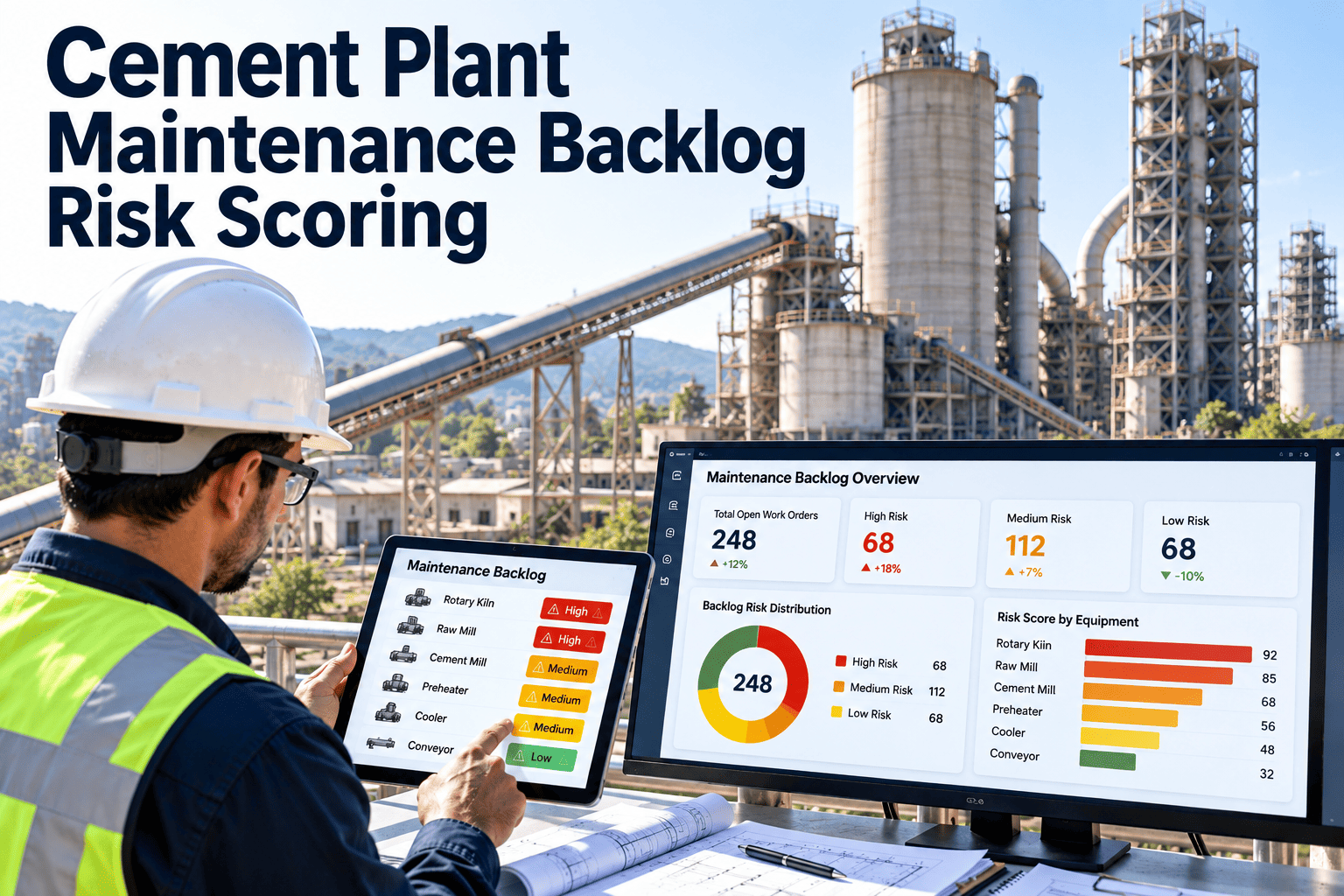
Every cement plant carries a maintenance backlog, and a long list of open work is not automatically a problem. The danger is the small number of items inside it that carry real safety, environmental or production risk while sitting next to dozens of low-value tasks. Counting backlog hours cannot tell those apart, but scoring each item for risk can. This guide shows a practical scoring method and how to run it in work order management software.
Cement Plant Maintenance Backlog Risk Scoring
Rank open work by consequence, likelihood and age so the tasks that threaten the kiln, the crew or the permit are never buried in the queue.
Why Backlog Hours Mislead
A backlog expressed as weeks of work treats every task as equal. In practice a cracked kiln shell guard and a loose canteen door handle are not the same kind of problem.
- Safety-critical items can wait behind easy, low-value jobs because those are quicker to close.
- Work orders written without clear priority drift to a default level.
- Deferred tasks quietly raise the probability of failure on critical equipment.
- Management sees a number, but not which items are most dangerous.
- Planners spend time debating priority instead of scheduling work.
Risk scoring replaces opinion with a consistent method that everyone can see and challenge.
Splitting the Backlog Into the Right Categories
Before scoring, separate the backlog so you manage the part that is actually actionable.
A Practical Scoring Model
Keep the model simple enough that planners will use it. Score each factor from 1 to 5.
| Factor | Question | Score 1 | Score 5 |
|---|---|---|---|
| Safety consequence | Could failure harm people? | No safety exposure | Potential serious injury |
| Environmental and compliance | Could it cause an emission or permit breach? | No effect | Likely reportable event |
| Production consequence | What stops if this fails? | No production effect | Kiln or mill stoppage |
| Asset criticality | How important is the equipment? | Non-critical, redundant | Critical, no standby |
| Failure likelihood | How probable is failure while deferred? | Unlikely | Failure already developing |
| Age of request | How long has it been open? | New | Far beyond target |
Weight consequence factors above age, and give safety and compliance overrides so they cannot be diluted by an average.
Score Every Open Work Order the Same Way
Use consistent priority rules, asset criticality and aging reports in one maintenance workflow.
Risk Matrix: Consequence Against Likelihood
Score Bands and Response Times
Worked Example: Three Open Items Scored
The figures below are illustrative only and show how scoring changes the order of work.
| Work Order | Safety | Production | Likelihood | Age | Outcome |
|---|---|---|---|---|---|
| Damaged kiln drive guard | 5 | 2 | 3 | 3 | Critical by safety override |
| Preheater fan bearing temperature rising | 2 | 5 | 4 | 2 | High, schedule soon |
| Office air conditioner fault | 1 | 1 | 2 | 5 | Low despite age |
Without scoring, the oldest item might have been picked first. With it, the guard and the bearing lead.
Backlog Health Metrics to Report Alongside Scores
Implementation in Five Steps
Common Scoring Mistakes
- Letting every requester mark work as urgent, which destroys the value of priority.
- Ignoring equipment criticality and scoring only the symptom.
- Using age as the main driver, so low-risk old tasks outrank dangerous new ones.
- Failing to rescore items when conditions change, such as a worsening vibration trend.
- Deferring without recording the risk or an end date.
- Hiding blocked work inside the ready backlog, which distorts capacity planning.
How OXMAINT Supports Backlog Risk Management
Scoring rules should reflect your site's risk policy, and the software helps apply them consistently.
Backlog Age Targets by Priority
Age limits turn scoring into action. Set targets by score band, and review exceptions each week.
| Score Band | Target Action | Escalation Trigger | Owner |
|---|---|---|---|
| Critical | Interim control immediately, repair at first safe opportunity | Any delay without a signed risk acceptance | Plant manager and safety lead |
| High | Scheduled in the next planning cycle or shutdown window | Missing parts or access for more than one cycle | Maintenance manager |
| Medium | Planned within normal weekly or monthly schedules | Repeated rescheduling | Planner |
| Low | Batch with other work, review for cancellation | Aged beyond review period | Planner |
Handling Deferred Risk Responsibly
Deferral is sometimes the right call, for example when a kiln stop is weeks away. It must still be visible and controlled.
- Record the reason, the owner and the date by which work must be done.
- Define interim controls such as extra inspections, monitoring or operating limits.
- Require approval at a level that matches the risk score.
- Rescore the item at every review, since conditions can worsen.
- Flag items deferred more than once and review them in the planning meeting.
- Attach deferrals to shutdown scope so they are not forgotten.
Backlog by Craft and Capacity
A backlog can look manageable overall while one craft is overloaded. Break it down so capacity matches the work.
Feeding the Backlog From Inspections and PM Findings
Weekly Backlog Review Agenda
- Review all critical and high items, including their status and next action.
- Check deferrals due for review and confirm interim controls are in place.
- Match ready work to crew capacity and plan the coming week.
- Escalate blocked items waiting for parts, contractors or access.
- Review new items for correct scoring and asset linkage.
- Agree on candidates for cancellation or consolidation.
- Record decisions and actions with owners and dates.
Keep the meeting short and data-driven, so it focuses on exceptions rather than reading every work order.
Warning Signs of an Unhealthy Backlog
Setting Up Dashboards for Backlog Risk
A good dashboard answers three questions: what is risky, what is blocked and what can we do this week.
Combining Scores With Condition Data
- Raise the likelihood score automatically when vibration, temperature or current readings worsen.
- Lower it when a follow-up inspection shows the condition is stable, and record the evidence.
- Use oil analysis, thermography and inspection results as inputs, not just operator opinion.
- Link repeated failures to the asset so the history increases the score.
- Review scoring rules after each failure to check whether warnings were missed.
Over time, this feedback improves the scoring model so it reflects the failure patterns of your own plant.
Roles in a Backlog Risk Program
Rollout Plan for the First 60 Days
Questions Leaders Should Ask About the Backlog
- How many critical and high-risk items are open, and how long have they waited?
- Which of them have interim controls, and who approved the deferral?
- How much of the backlog is ready to schedule, and how much is blocked?
- Which assets generate repeated work, and what is being done about their root causes?
- Is crew capacity enough to close the ready backlog in a reasonable time?
- What is the next shutdown window, and which high-risk items are planned for it?
- Are safety and compliance items closing faster than other work?
These questions focus attention on risk instead of raw counts, and they work well in monthly management reviews.
Scoring Model Governance
Frequently Asked Questions
Make the Riskiest Work Impossible to Miss
Score, rank and schedule your backlog so critical repairs reach the front of the queue before they become failures.